Sale


Sale!
Canon Model 6561810
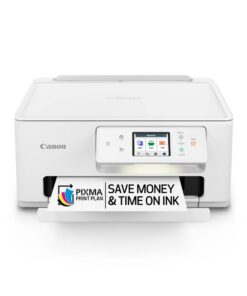
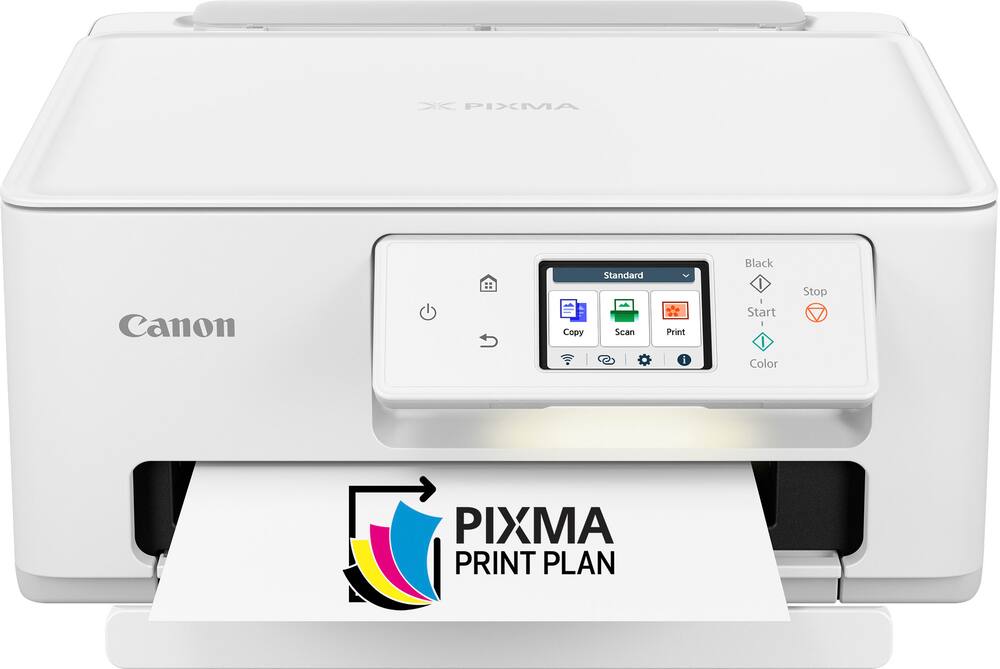
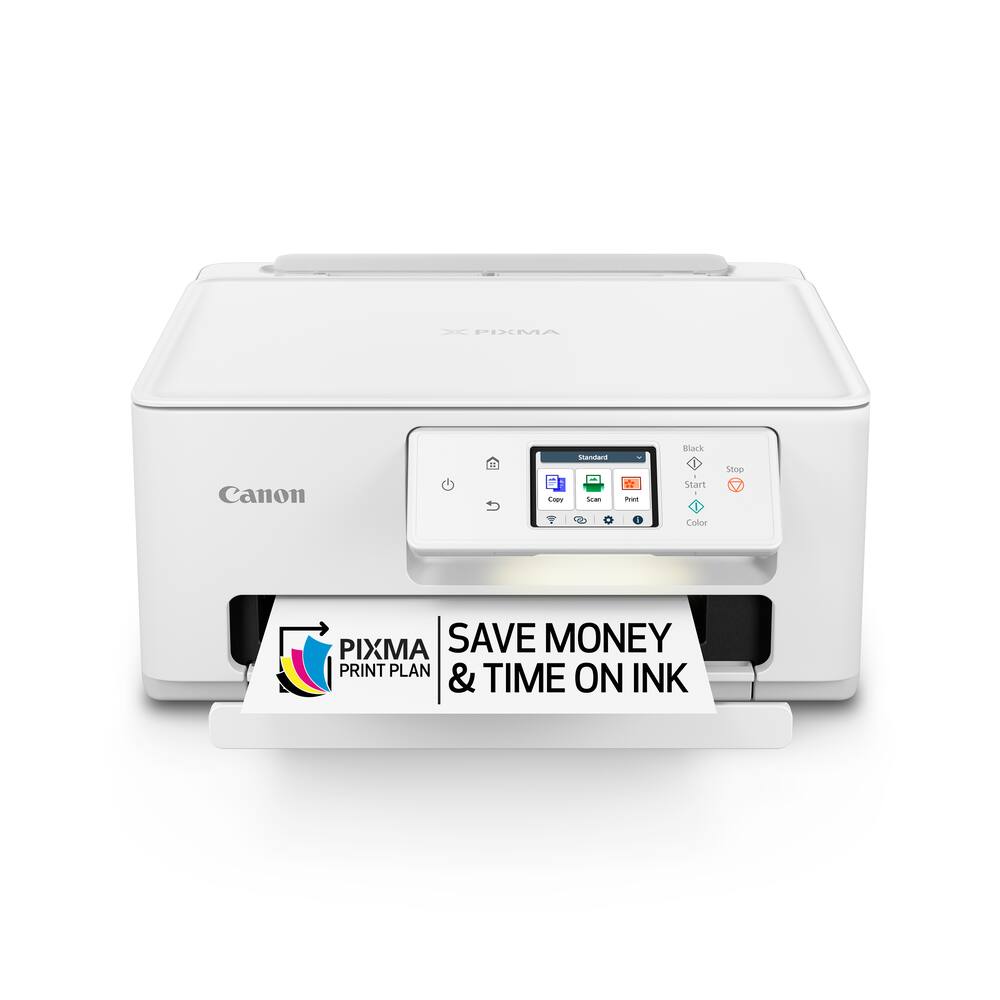
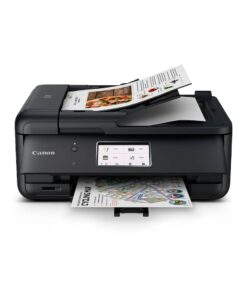
Canon – PIXMA TS7720 Wireless All-In-One Inkjet Printer – White
★★★★★★★★★★ (4.5) 20 reviews
Original price was: $161.00.$128.80Current price is: $128.80. Save $32
In stock · Ready to ship
Delivery Fri, Nov 13 – Tue, Nov 17 Free shipping
Secure checkout · Visa · Mastercard · Amex · Discover · PayPal
Questions? Talk to a product specialist
(888) 519-3048
- Free shipping $60+3–5 business days
- 30-day returnsMoney-back guarantee
- Brand-newManufacturer warranty
- Ships from the USColumbus, OH
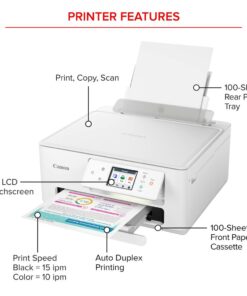
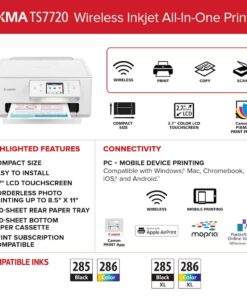
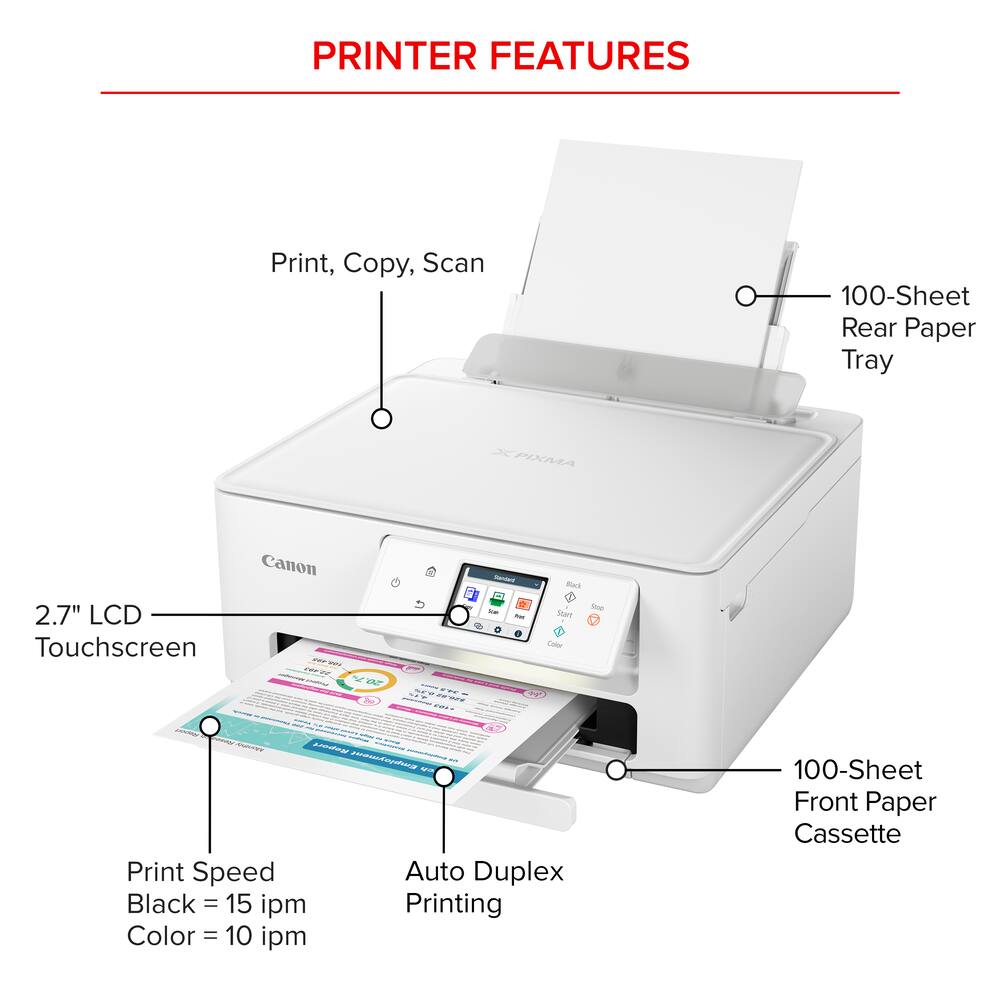
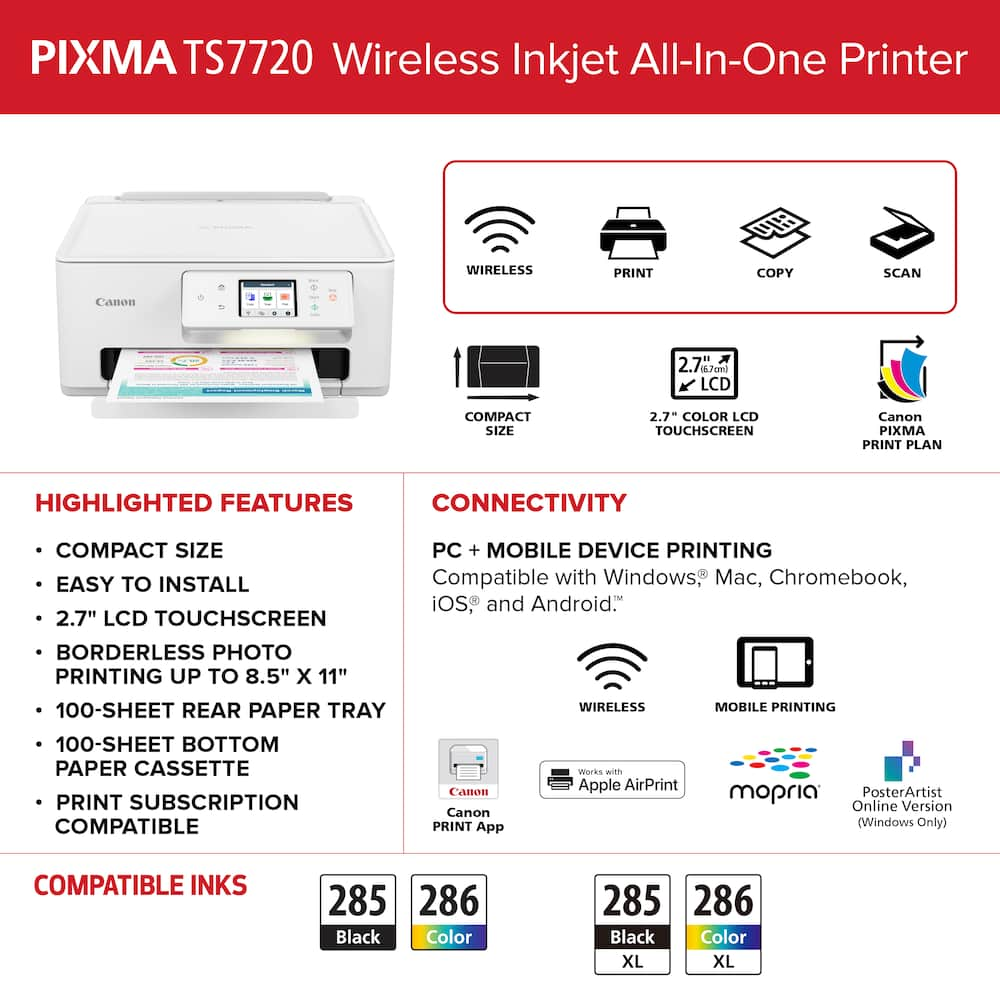
- All-In-One Print, copy and scan features for full control at your fingertips.Fast print speeds Print approximately 15 (black) / 10 (color) images per minute.6Easy setup Get running in just a few minutes thanks to a streamlined and easy setup process out of the box.Easy to install ink Print full color with only 2 (no mess) easy-to-replace ink cartridges.2.7" LCD Screen Get the job done with an intuitive and easy to use 2.7” LCD touchscreen.Stable, reliable connection Stable and reliable connection with Dual Band Wi-Fi (2.4GHz or 5GHz).Auto 2-sided printing Built in Auto Duplex Printing for convenience & paper savingsEasy wireless connect Easy Wi-Fi setup in minutes.
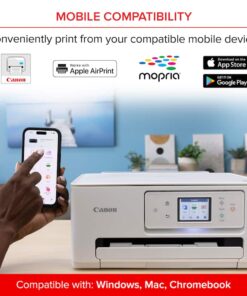
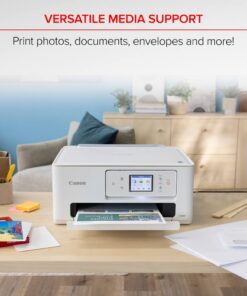
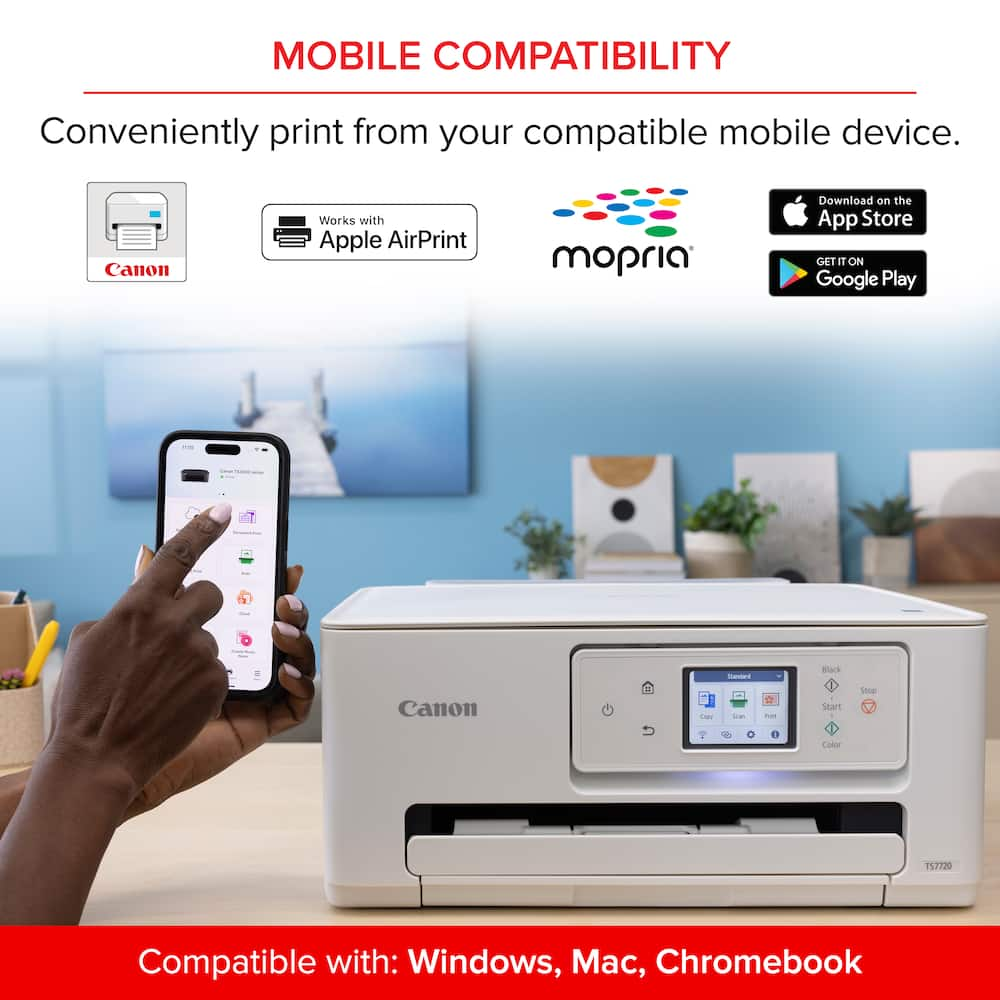
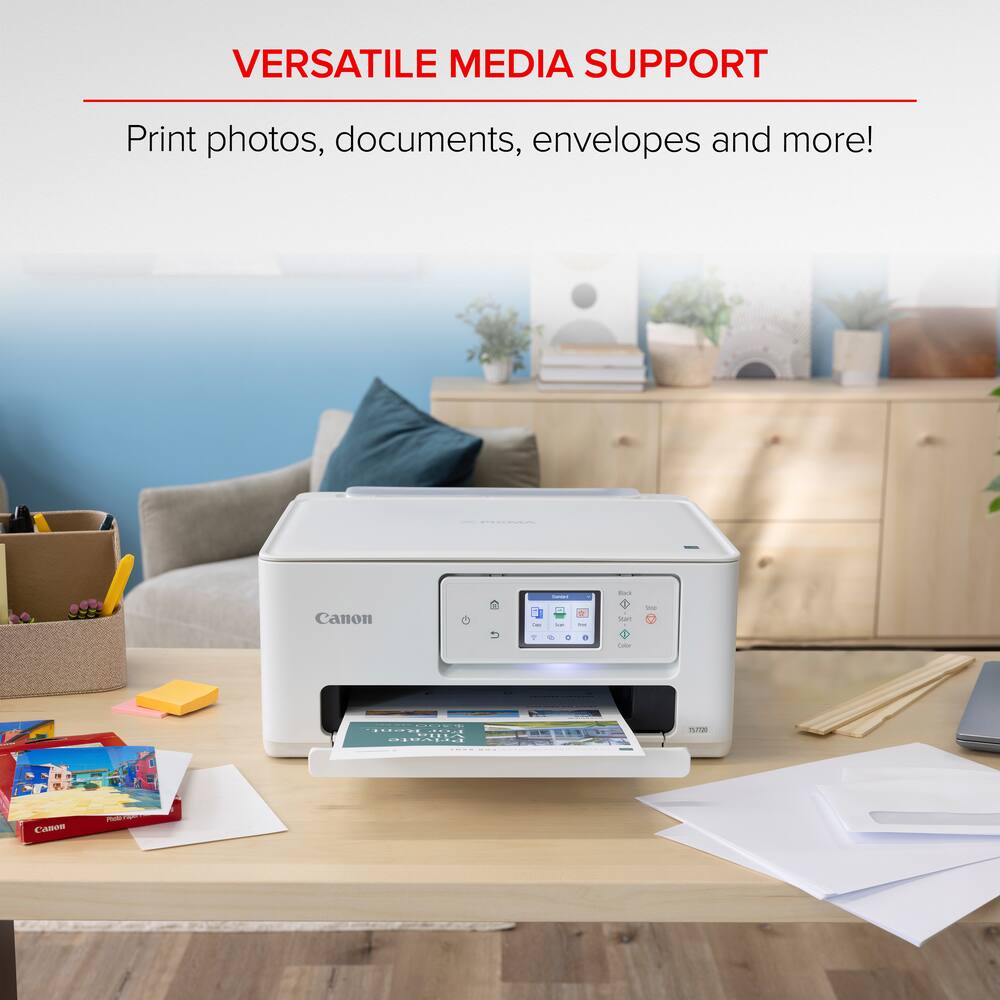
- Connect to Wi-Fi without the need for a computer.¹Mobile device printing Print from your compatible mobile devices using the free Canon PRINT app², Apple AirPrint³, and Mopria Print Service⁴.Versatile media support Print on envelopes, business cards, high resolution paper, banners, and more!Free software available Be creative with POSTER ARTIST Online, a free web-based poster creation software you can use to create banners, signage and more!⁶Chromebook compatible Works with chromebook, so you can print schoolwork and other documents hassle-free.1-year warranty Have peace of mind with a 1-year warranty.
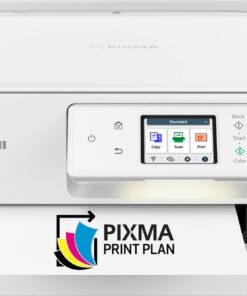
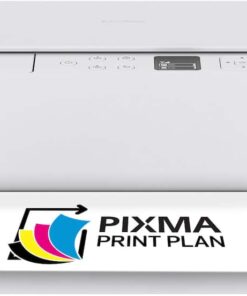
- *Compatible with the Canon PIXMA Print Plan Ink Subscription Service - Flexible plans available where ink is delivered hassle-free right to your door automatically when you run low!
- ** Failure to connect your PIXMA Printer to the Internet will impact Canon’s ability to ship PIXMA Print Plan Cartridge(s) on a timely basis.Disclaimers *Warranty program is subject to certain conditions and restrictions.
- 1-Year limited warranty with InstantExchange Program.
- 1-Year toll-free 100% U.S.-based technical phone support.1.
Key specs
- Weight
- 13.8 lbs
- Dimensions
- 13.8 × 14.8 × 6.7 in
- Brand
- Canon
- Model Number
- 6256C002
- Product Name
- PIXMA TS7720 Wireless All-In-One Inkjet Printer
- Color
- White
- Networking
- Wireless
- Weight
- 13.8 lbs
- Dimensions
- 13.8 × 14.8 × 6.7 in
- Brand
- Canon
- Model Number
- 6256C002
- Product Name
- PIXMA TS7720 Wireless All-In-One Inkjet Printer
- Color
- White
- Networking
- Wireless
- ENERGY STAR Certified
- Yes
- Product Height
- 6.7 inches
- Product Width
- 14.8 inches
- Product Depth
- 13.8 inches
- Product Weight
- 13.8 pounds
- Automatic Document Feeder
- No
- Photo Printing
- Yes
- Wide Format Printing
- No
- Wide Format Scanning
- No
- Printer Type
- Printer
- Monochromatic/Color
- Color
- Wired Connectivity
- USB-A
- Wireless Connectivity
- Wi-Fi
- EPEAT Level
- Silver
- Automatic Reduction/Enlargement
- Yes
- Automatic Two-Sided Printing
- Yes
- Tray Capacity
- 100
- Scanner Type
- Flatbed
- Duplex Scan Function
- No
- Integrated Fax
- No
- Duty Cycle
- Unknown
- Compatible Cartridges
- Canon PG-285
- Ink Subscription Service Available
- Yes
- Ink Cartridges Required
- 1 x Black
- Ink Cartridges Included
- 1 x Black
- Ink Bags/Bottles Required
- None
- Ink Bags/Bottles Included
- None
- Memory Card Slot
- No
- Supported Paper Sizes
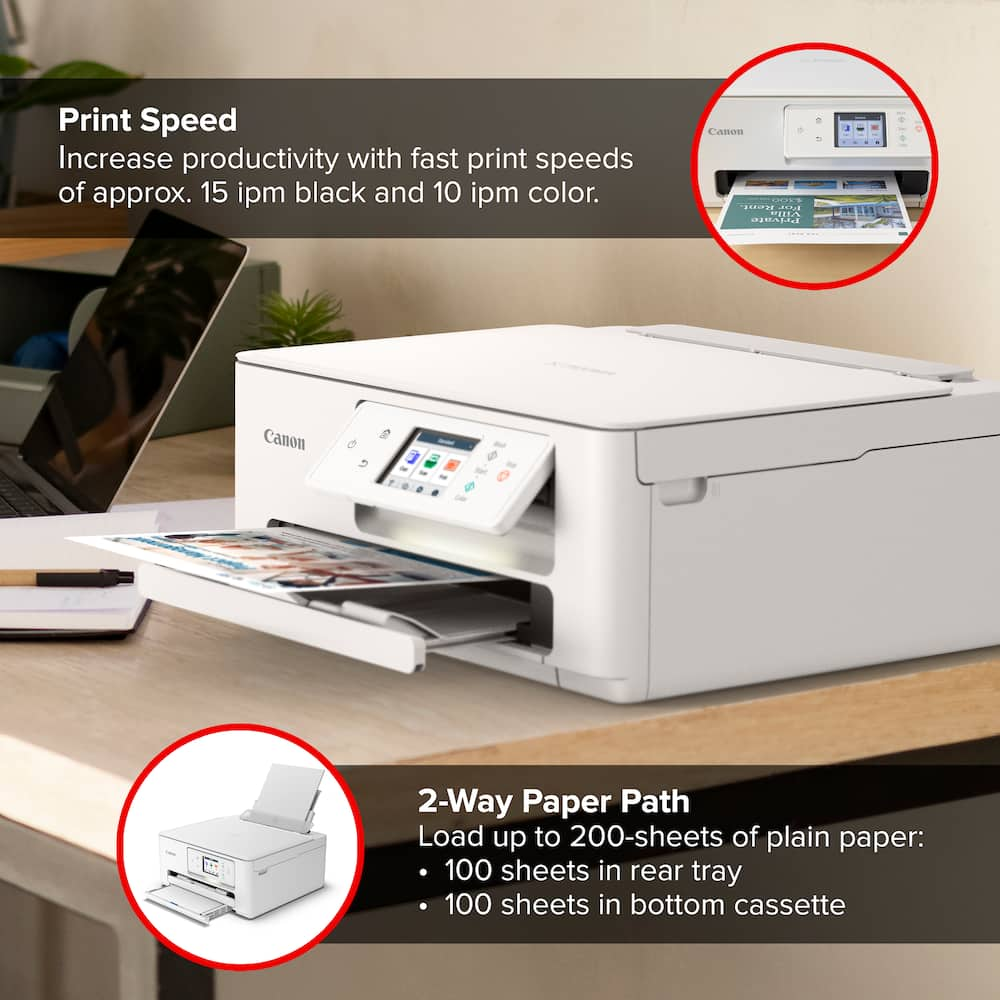
- Rear Tray: LTR, Legal, A4, A5, B5, 4” x 6”, 5” x 7”, 7” x 10”, 8” x 10”, Square 3.5” x 3.5”, 5” x 5” Custom Size: 2.2” - 8.5” / Length: 5” - 14” Cassette: LTR, A4, A5, B5
- Paper Feeder
- Cassette
- Maximum Number Of Copies
- 99
- ISO Color Print Speed
- 10 pages per minute
- ISO Mono Print Speed
- 15 pages per minute
- Printer Resolution (Black)
- Up to 1200 x 1200
- Printer Resolution (Color)
- Up to 1200 x 1200
- Approximate Page Yield (Black)
- 180
- Approximate Page Yield (Color)
- 180
- Scanner Resolution
- Up to 1200 x 2400
- Media Weight (Minimum)
- 64 grams per square meter
- Media Weight (Maximum)
- 265 grams per square meter
- Output Tray Capacity
- Not specified
- Compatible Media Types
- [Plain: Plain Paper, Canon High Resolution Paper; Glossy: Photo Paper Plus Glossy II, Photo Paper Glossy, Photo Paper Pro Platinum; Semi-Gloss: Photo Paper Plus Semi-Gloss, Photo Paper Pro Luster; Matte: Matte Photo Paper, Double-sided Matte Paper; Magnetic Photo Paper, Restickable Photo Paper; Other (non-Canon): Cardstock, Greeting Card, U.S. #10 Envelopes, Recycled paper and Chlorine-free paper can be used]
- Touch Screen
- Yes
- Warranty - Parts
- 1 year
- Warranty - Labor
- 1 year
- Works With
- Amazon Alexa
- Display Screen
- Yes
- Display Screen Size
- 2.7 inches
- Minimum System Requirements
- Windows: Windows 11, Windows 10, Windows 8.1, Windows 7 SP1 Mac: macOS v10.15.7-13 iOS, iPadOS, Android, chromebook
- UPC
- 013803359978
- All-In-One
Print, copy and scan features for full control at your fingertips. - Fast print speeds
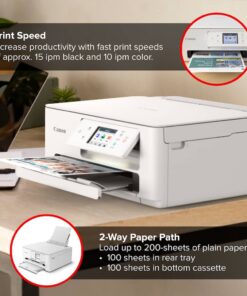
Print approximately 15 (black) / 10 (color) images per minute.6 - Easy setup
Get running in just a few minutes thanks to a streamlined and easy setup process out of the box. - Easy to install ink
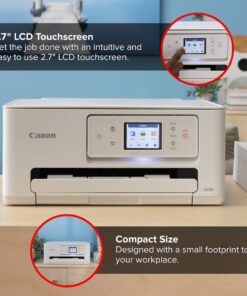
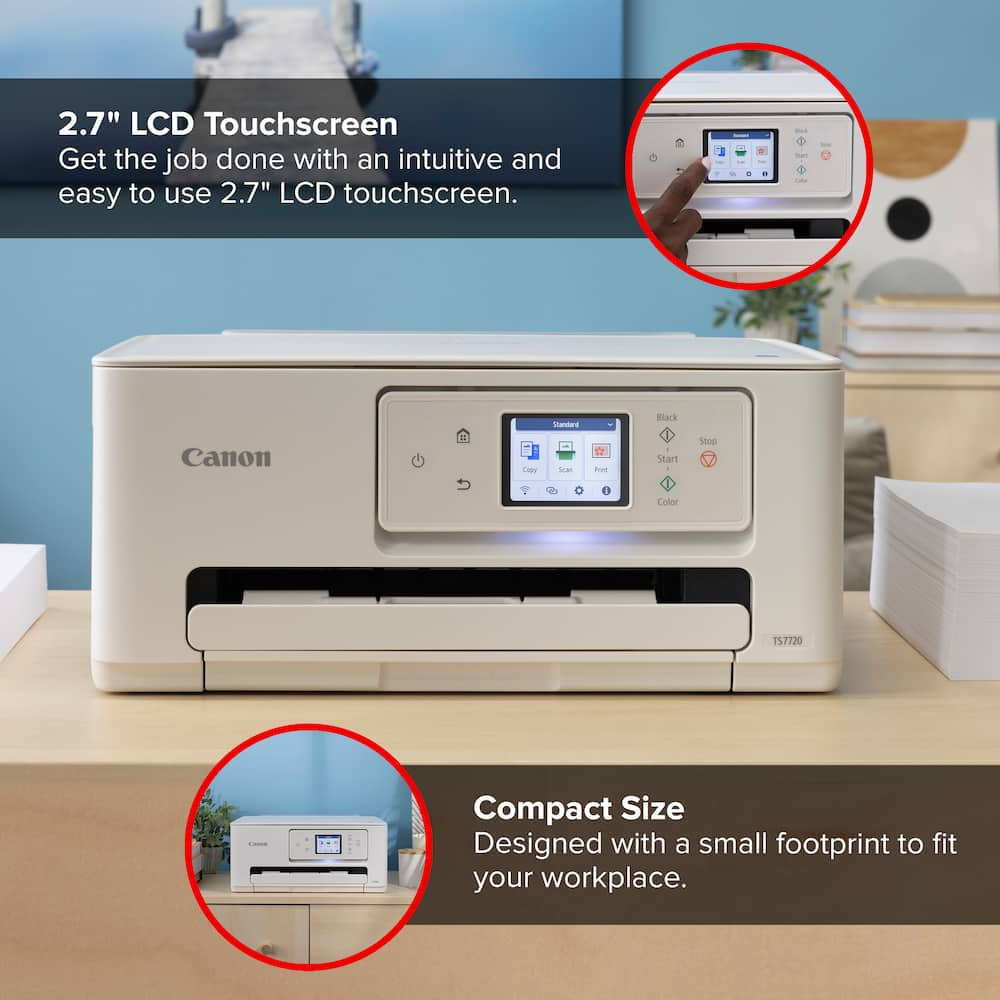
Print full color with only 2 (no mess) easy-to-replace ink cartridges. - 2.7″ LCD Screen
Get the job done with an intuitive and easy to use 2.7” LCD touchscreen. - Stable, reliable connection
Stable and reliable connection with Dual Band Wi-Fi (2.4GHz or 5GHz). - Auto 2-sided printing
Built in Auto Duplex Printing for convenience & paper savings - Easy wireless connect
Easy Wi-Fi setup in minutes. Connect to Wi-Fi without the need for a computer.¹ - Mobile device printing
Print from your compatible mobile devices using the free Canon PRINT app², Apple AirPrint³, and Mopria Print Service⁴. - Versatile media support
Print on envelopes, business cards, high resolution paper, banners, and more! - Free software available
Be creative with POSTER ARTIST Online, a free web-based poster creation software you can use to create banners, signage and more!⁶ - Chromebook compatible
Works with chromebook, so you can print schoolwork and other documents hassle-free. - 1-year warranty
Have peace of mind with a 1-year warranty. * - Compatible with the Canon PIXMA Print Plan Ink Subscription Service – Flexible plans available where ink is delivered hassle-free right to your door automatically when you run low! *
- * Failure to connect your PIXMA Printer to the Internet will impact Canon’s ability to ship PIXMA Print Plan Cartridge(s) on a timely basis.
- Disclaimers
*Warranty program is subject to certain conditions and restrictions. 1-Year limited warranty with InstantExchange Program. 1-Year toll-free 100% U.S.-based technical phone support. - 1. Requires a smart device with the Canon PRINT Inkjet/SELPHY app installed and connected to the desired active wireless network to complete cableless setup.
- 2. Requires an Internet connection and Canon PRINT Inkjet/SELPHY app, available for free on the App Store & Google Play. Compatible with iPad, iPhone 3GS or later, and iPod touch 3rd generation or later devices running iOS 12.0 or later, and Android mobile devices running Android 4.4 or later.
- Your device must be connected to the same working network with wireless 802.11 b/g/n capability as your printer. Requires a compatible social media account and is subject to that social media account’s Terms of Service. Certain exceptions may apply.
- 3. AirPrint functionality requires a compatible iPad, iPhone, or iPod Touch device running iOS 7.0 or later, and an AirPrint-enabled printer connected to the same network as your iOS device. A printer connected to the USB port of your Mac, PC, AirPort Base station, or Time Capsule is not supported.
- 4. Requires Android mobile device with Android 4.4 operating system or later with the Mopria Print Service pre-loaded with that device and the compatible PIXMA printer on the same wireless network.
- 5. PosterArtist Online Version requires a personal computer with Internet access and a compatible Canon printer. The service is not available on some operating systems or browsers. See usa.canon.com/ PosterArtist for details.
- 6. Print and/or copy speed is based on internal testing. It may vary depending on the number of copies selected, as well as the settings for size, type, and orientation of paper, and whether two-sided is selected. In addition, first-print speeds may vary based on warm-up time and other restrictions.
Standard US ground delivery is $5.49 and arrives in 3–5 business days. Orders over $60 ship free. Returns are accepted within 30 days of delivery.
Boboso (verified owner) –
Great Product – The Canon Pixma is a great product with high quality printing. I am happy with my purchase. Price was very competitive and price was amazing. Thanks.
EugeniaL (verified owner) –
Good printer for home. Happy I chose this easy to use printer that’s affordable. My old Canon TS6320 lasted a long time until I broke the tray. Hope this lasts too.
TAMMY (verified owner) –
Canon printer works great! – Great printer for the money. Print quality is excellent and very easy set up process.
BRUCES (verified owner) –
.Canon Printer with Geek Squad Installation – The installation by the Geek Squad was expertly and quickly done. After installation, the printer scanned old photo prints excellently. We could then use the scans with our photo editor. It also enabled us to print email bills and email correspondence
sharply. No real negatives with either the installation or the operation,
Roguepops (verified owner) –
Nice Printer – Great Printer for the price. Very clear readable letters
TAMMYH (verified owner) –
Love this printer – I needed a quality printer. This printer is easy and it works great. I recommend this printer
KAREN (verified owner) –
Perfect printer for home use. – This printer was easy to set up for a person who doesn’t like to follow instructions. I’ve played around with it to see how long it would take for me to get it to work properly. I was surprised that it didn’t take no time (10 minutes). I really like the option of the automatic two sided printing.
DEIRDREA (verified owner) –
Love it ! – Colors are very vibrant ! Easy to use . I got to do so many projects with this printer and so looking forward to doing more !
GreggChampagne (verified owner) –
Canon’s best – Canon products equal : reliable, good quality printing, ease of use
MARIAC (verified owner) –
PERFECT – I have my own business and print alot. This model is great I’ve always used canon. It’s a great printer for its price especially budget friendly.
GLENNM (verified owner) –
This printer is very difficult to configure – Difficult to configure. Small display. Poor instructions.
HECTORH (verified owner) –
Love that i can print and make copies. – Product works amazing and is being used for home and work stuff
MSD11 (verified owner) –
Canon pixma ts7720 wireless all in one printer – Greater print . Very affordable and easy to setup and prints greater pictures
BrianG (verified owner) –
Great document printer – This is a great printer for text documents. It is inexpensive, but it is reliable and easy to use. The setup was seamless, and all of my wireless devices can access it. The print quality on text documents is excellent, and print speed is comparable to other inkjet printers. However, print quality of pictures or highly detailed images is a little grainy. If you’re looking for a compact office printer at a reasonable price, this is a good machine. If you want a photo printer, I would recommend finding something else.
Smiley (verified owner) –
Great printer – On the slow side but it does the job. Keeps saying it’s low on ink and still prints with beautiful colors, a possible sales ploy to sell more ink.
Marcello (verified owner) –
Good Not Great – Print quality is great, operates well, fairly quiet. My only complaint is that it tends to jam often which is a nuisance to open the printer and clear out.
ANGELC (verified owner) –
The printer has exceeded expectations – I was truly sad to see my old Canon printer go. I had it for over 9 years; it was a beast in size but also in function. It had a scan, fax copy, and print, and all the bells and whistles, but it was the size of an old box 24-in television and almost as heavy, but I loved it so much it never jammed, never had a problem, and printed pictures that were amazing. Unfortunately, after having it for so long, it did die on me one day. Knowing it was going to happen one day, I had already been looking at new options every so often, and this printer caught my eye. I happened to catch it whenever it was on sale, which was a bonus, but even if I had paid full price for it, it would have been well worth it. This printer is so easy to navigate and set up. The fact that it connects to my phone, tablet, laptop, and USB connections to my home PC makes it so easy to print or scan documents that I need to upload or to send out. The picture quality has been very good; I can’t complain at all, and the printer integrates seamlessly with multiple apps and programs for picture editing as well as creating documents and presentations. I would recommend this printer to anyone that is wanting to have a quality, reliable printer that has lots of really cool options that you can utilize, or if you’re just a person that is simply printing plain documents, this is a good option as well. I will say that one of my favorite things about upgrading to this printer is the reduced cost in ink. The cartridges for my old printer were very expensive, and you had to buy one big black one, one small black one, and then the 3-color toner cartridges. If you bought them all as a set, it was around $100, and if you printed about 50 photos, you were going to have to at least replace the small black and the yellow cartridge, sometimes all three colors. The ink usage with his printer really does go far, and you really do feel like you’re getting your money’s worth whenever you do print pictures. Because if printing at home is more expensive than sending it out to a company online or to a local Walgreens, it completely defeats the purpose of having this in your home for the convenience. The two subscription options are also a really cool feature that the printer has available to you, and I personally have the subscription to PIXAM Print at $6.99 a month, which covers you up to about 100 pages of printing a month or around 45 to 50 5×7 pictures. I really don’t have anything negative to say about the printer other than sometimes whenever it receives updates, it will take a little bit longer than it says that it’s going to, but you just have to have a little patience. Also, you’ll want to make sure that you leave the printer on so that those updates can automatically take care of themselves so that it improves the delay on the downloads.
WesleyM (verified owner) –
Canon Pixma TS7720 – Quality service and product. Canon make some of the best printers sold by best buy, also best buy have good warranties. My first printer had problems best buy replace it right away, no question ask.
GERARDOR (verified owner) –
Great performance and easy setup! – I’ve been really impressed with the Canon PIXMA TS7720. Setting it up out of the box was quick and straightforward, and connecting to Wi-Fi took only a few minutes. Print quality is sharp and clear for both everyday document printing and photos, and print speeds are fast for an inkjet in this price range. The touch display is intuitive to navigate, and wireless printing from my phone and laptop works seamlessly every time. Highly recommended for any home office!
DavidW (verified owner) –
Almost useless – Difficult to setup and m keep reliably connected. Anything I use it there is a problem connecting to it, and sometimes prints out in a single color instead of monochrome as selected. I hate it.