Sale


Sale!
Samsung
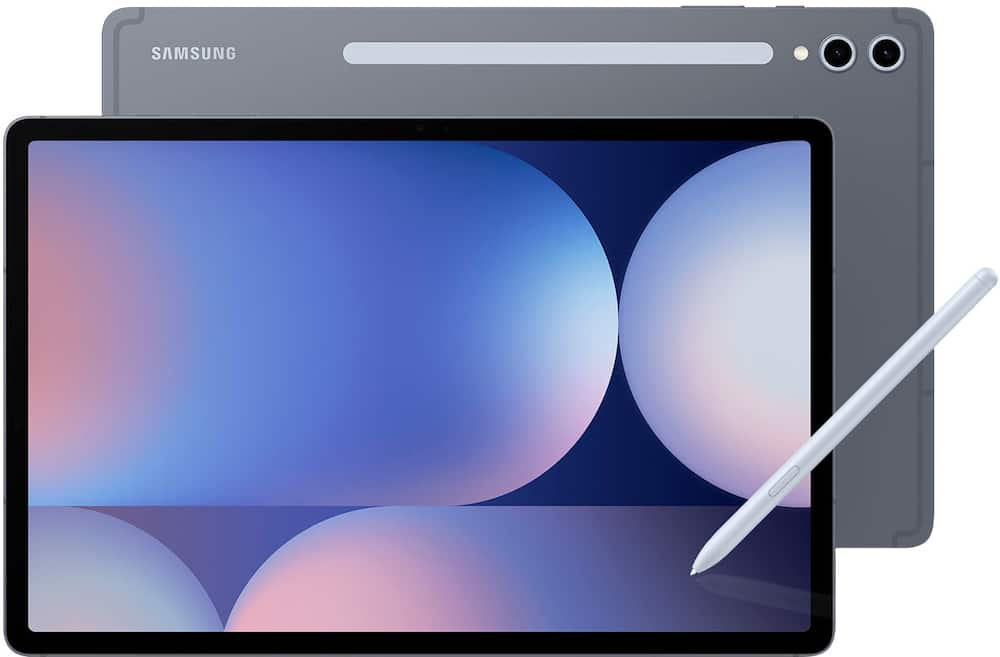
Samsung – Galaxy Tab S10+ – 12.4″ 256GB – Wi-Fi – with S-Pen – Moonstone Gray
★★★★★★★★★★ (4.7) 20 reviews
Price range: $799.99 through $879.99 Save $220
In stock · Ready to ship
Delivery Tue, Nov 24 – Thu, Nov 26 Free shipping
Secure checkout · Visa · Mastercard · Amex · Discover · PayPal
Questions? Talk to a product specialist
(888) 519-3048
- Free shipping $60+3–5 business days
- 30-day returnsMoney-back guarantee
- Brand-newManufacturer warranty
- Ships from the USColumbus, OH
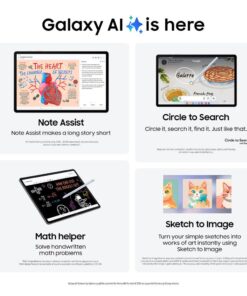
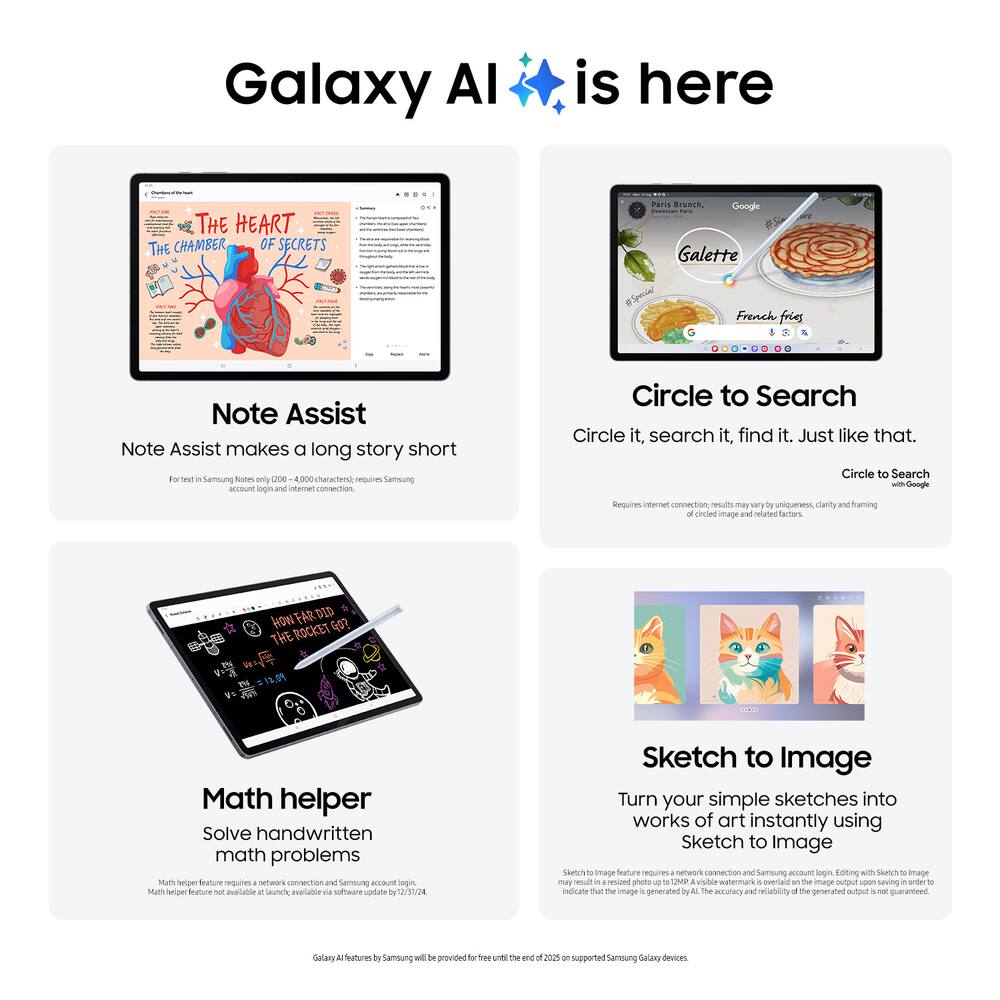
- From doodle to dazzling Bring your imagination to life using Sketch to Image¹ with Galaxy AI².
- Simply doodle with your finger or use S Pen for added precision, and then select from five styles: watercolor, illustration, pencil sketch, pop art or 3D cartoon.Tap “Generate” and voilà!
- Whether you’re illustrating a conceptual design or creating a digital sticker for fun, your sketch becomes a fully realized image, just like that.
- You can even use Sketch to Image to add a touch of personality to your favorite photos.Circle it, search it, find it.
- Search for anything you see on your Galaxy Tab S10 series simply by circling it.
- From discovering where to buy those awesome shoes to getting a recipe based on a dish your friend just posted, find answers fast using Circle to search with Google.³Note Assist makes a long story short Focus on capturing your notes and spend less time perfecting them.
Key specs
- Weight
- 20.5 lbs
- Dimensions
- 0.22 × 7.3 × 11.24 in
- Total Storage Capacity
- 256GB, 512GB
- Color
- Moonstone Gray, Platinum Silver, 64GB SD Card - Moonstone Gray
- Brand
- Samsung
- Model Number
- SM-X820NZAAXAR
- Product Name
- Galaxy Tab S10+ - 12.4" 256GB - Wi-Fi - with S-Pen
- Weight
- 20.5 lbs
- Dimensions
- 0.22 × 7.3 × 11.24 in
- Total Storage Capacity
- 256GB, 512GB
- Color
- Moonstone Gray, Platinum Silver, 64GB SD Card - Moonstone Gray
- Brand
- Samsung
- Model Number
- SM-X820NZAAXAR
- Product Name
- Galaxy Tab S10+ - 12.4" 256GB - Wi-Fi - with S-Pen
- Display Type
- OLED
- Screen Type
- AMOLED
- Screen Size
- 12.4 inches
- Screen Resolution
- 2800 x 1752
- Display Surface
- Anti-glare
- Processor Brand
- MediaTek
- Processor Model
- MediaTek MT6989
- Processor Model Number
- MT6989
- System Memory (RAM)
- 12 gigabytes
- Type of Memory (RAM)
- Not provided
- Operating System
- Android 14
- Operating System Compatibility
- Android
- Voice Assistant Built-in
- Bixby
- Works With
- Amazon Alexa
- Display Connector(s)
- No external display connection
- Wireless Connectivity
- Bluetooth
- Network Connectivity
- None
- Headphone Jack
- No
- Bluetooth Version
- 5.3
- USB Ports
- 1 x USB-C 3.2
- Interface(s)
- USB-C
- Number of USB Ports (Total)
- 1
- Number of USB-C Charging Ports
- 1
- Data Plan Required
- No
- Power Supply Input
- USB-C
- Charging Interface(s)
- USB-C
- Battery Life (up to)
- 16 hours
- Battery Capacity
- 10090 milliampere hours
- Battery Chemistry
- Lithium-ion
- Front-Facing Camera
- Yes
- Front Facing Camera Megapixels
- 12 megapixels
- Rear-Facing Camera
- Yes
- Rear Facing Camera Megapixels
- 13 megapixels
- Built-In Microphone
- Yes
- 2-in-1 Design
- No
- Keyboard Included
- No
- Security Features
- Fingerprint reader
- Windows AI
- Not Applicable
- Product Height
- 11.24 inches
- Product Width
- 7.3 inches
- Product Depth
- 0.22 inches
- Product Weight
- 20.5 ounces
- ENERGY STAR Certified
- No
- EPEAT Registered
- No
- Ingress Protection (IP) Rating
- IP68
- Stylus Included
- Yes
- Warranty - Parts
- 1 year
- Warranty - Labor
- 1 year
- Model Family
- Samsung Galaxy Tab S10+
- Year of Release
- 2024
- UPC
- 887276861999, 400066660673
- From doodle to dazzling
Bring your imagination to life using Sketch to Image¹ with Galaxy AI². Simply doodle with your finger or use S Pen for added precision, and then select from five styles: watercolor, illustration, pencil sketch, pop art or 3D cartoon. - Tap “Generate” and voilà! Whether you’re illustrating a conceptual design or creating a digital sticker for fun, your sketch becomes a fully realized image, just like that. You can even use Sketch to Image to add a touch of personality to your favorite photos.
- Circle it, search it, find it. Just like that.
Search for anything you see on your Galaxy Tab S10 series simply by circling it. From discovering where to buy those awesome shoes to getting a recipe based on a dish your friend just posted, find answers fast using Circle to search with Google.³ - Note Assist makes a long story short
Focus on capturing your notes and spend less time perfecting them. Note Assist⁴ will summarize and format them instantly with Galaxy AI². All your notes are organized neatly so you can find what you need, just like that. - Transcript Assist takes notes for you
Be present in meetings and let Transcript Assist⁵ with Galaxy AI² do the hard work of taking notes for you. It creates fast and easy transcripts of recorded meetings, lectures and conversations and summarizes them instantly. Transcript Assist can even translate to other available languages, just like that. - Packed with power
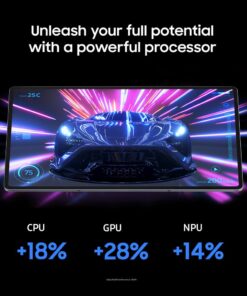
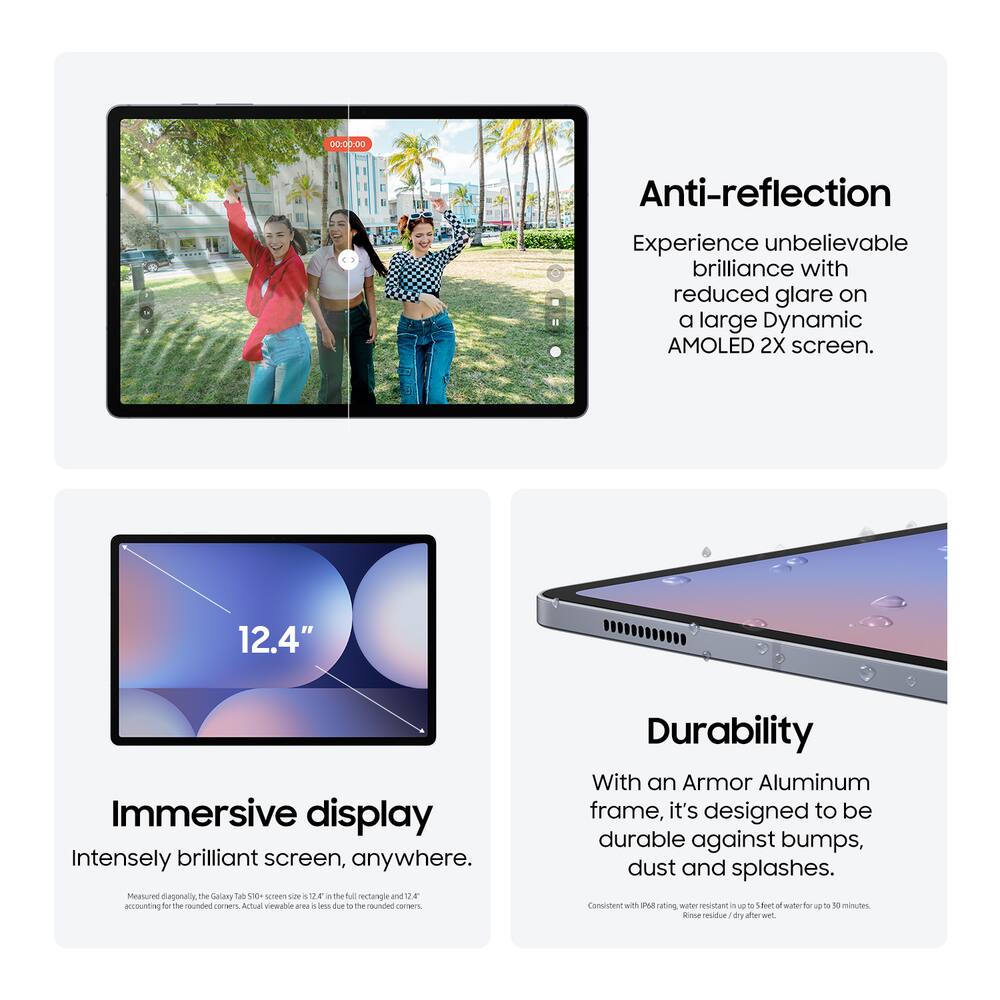
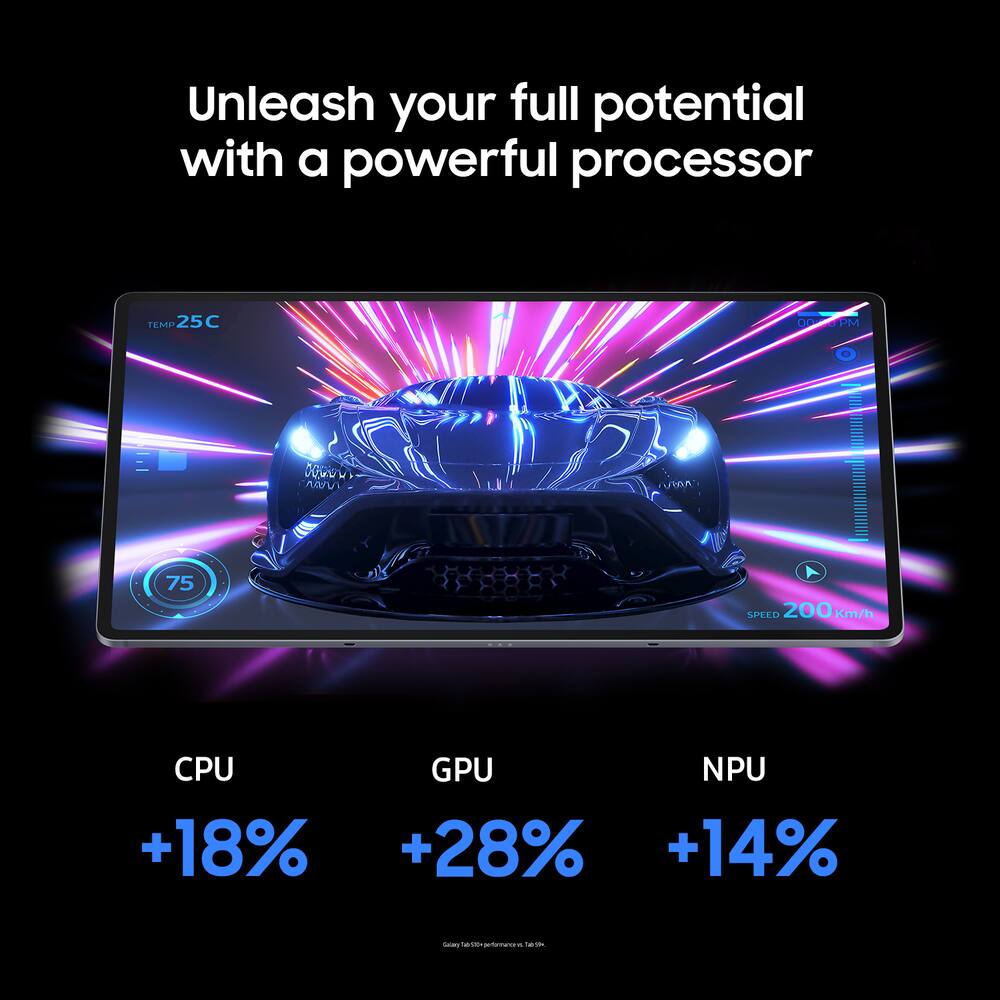
No matter what you take on or where you take your Galaxy Tab S10+, enjoy every experience with a powerful tablet processor. - Intensely brilliant screen, anywhere
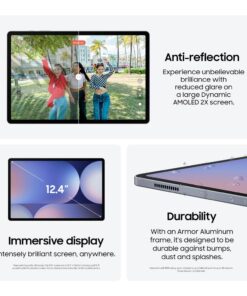
From café to couch to across the world, enjoy intense colors, deep contrasts and unbelievable brilliance on a 12.4″ Dynamic AMOLED 2X display.⁶ Plus, the screen features reduced glare and Vision Booster that automatically adjusts brightness and contrast so you see every detail, even in sunlight. - Harness the power of AI with S Pen
Tap into the power of Galaxy AI² and take your creativity to the next level with the included S Pen. Take notes and Note Assist⁴ will create a summary. Or draw an image and tap the button on the side to activate Sketch to Image¹ it turns your sketches into fully realized works of art, just like that. - Stands up to dust and water
Confidently take your Galaxy Tab S10+ with you everywhere. With an Armor Aluminum frame, it’s designed to protect against bumps. And with an IP68 rating, it’s one of the only water and dust resistant tablets on the market.⁷ - For that “PC feel” on a tablet
Get the best of both worlds with Samsung DeX , a PC like experience on your Tab. Turn on DeX mode and open multiple windows and folders at once, work from a taskbar, easily drag and drop files and more. - A long lasting battery that keeps you moving
Get lost in your favorite shows and games with up to 16 hours of usage on a full charge⁸. And when you do need to power up, do it quickly and keep going with Super Fast Charging⁹. - The power of AI, on your keyboard
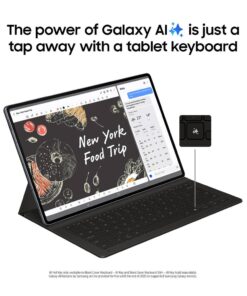
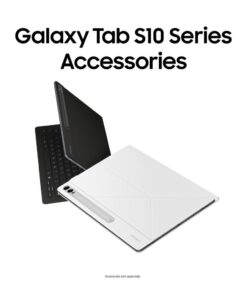
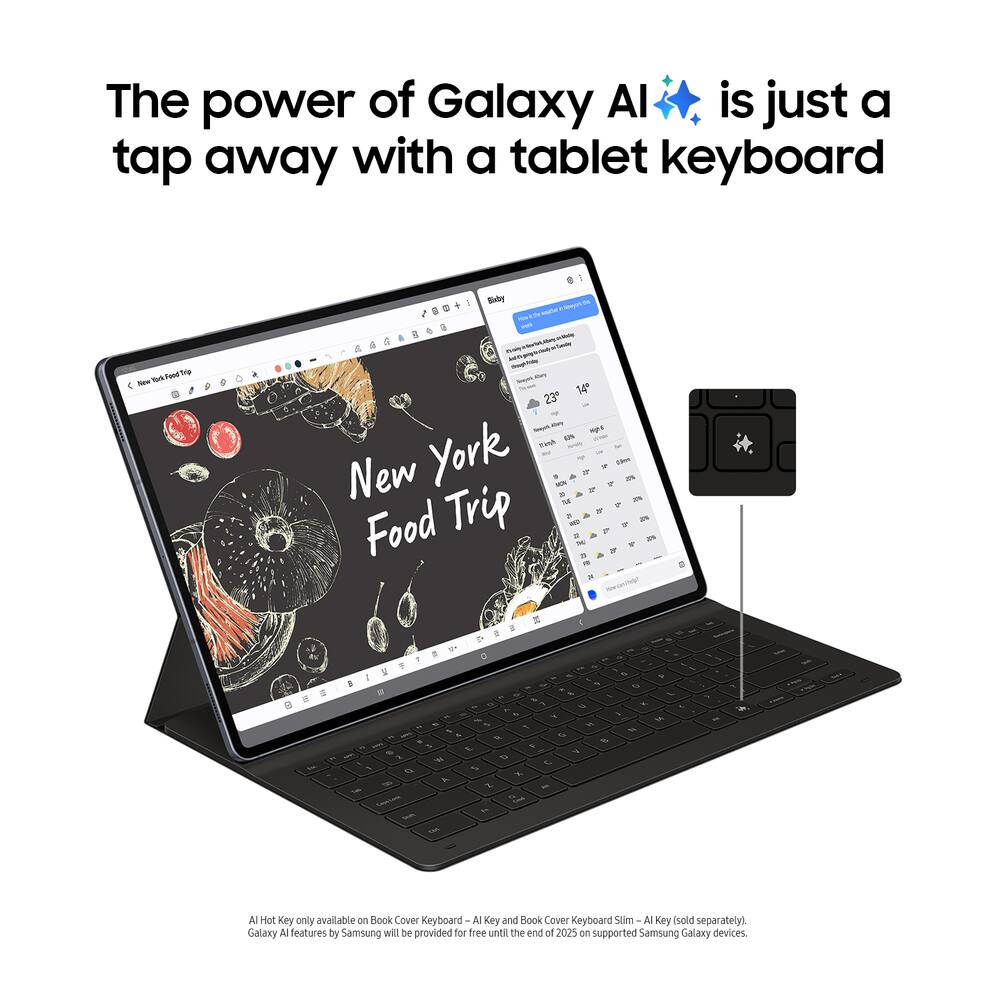
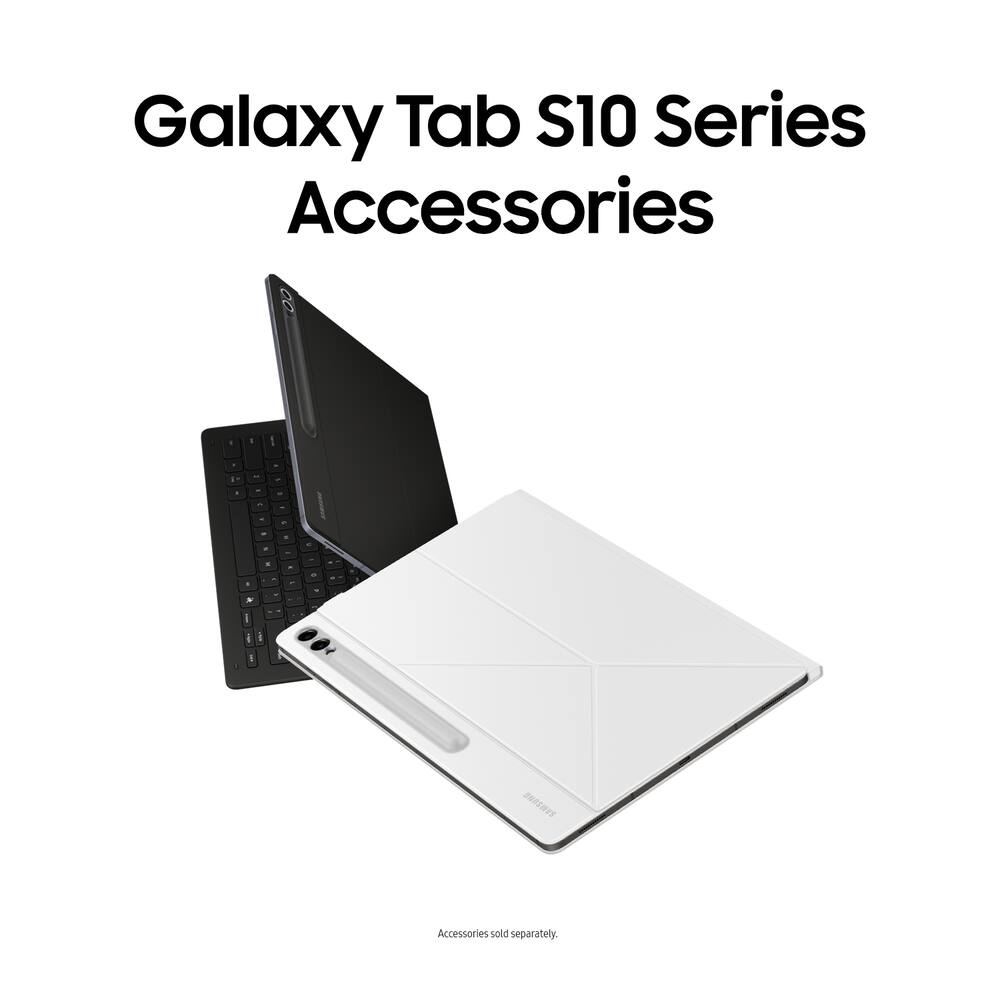
The power of Galaxy AI² is just a tap away with the Book Cover Keyboard AI Key¹⁰. Simply touch the designated AI key on your keyboard a short press lets you type in a prompt, and a long press lets you use the power of your voice. - Once the AI is activated, you can use it to search the web, schedule meetings and more. It’s like having your very own AI generated personal assistant.
- Math made simple
Solve handwritten math problems with Galaxy AI². Simply use your S Pen to write out an equation on your screen. Math Helper¹¹ can clean up your equations by turning them into text, just like that. Plus, it can even solve them for you, including calculus equations. - File sharing made easy
Sending and receiving files is so easy with Quick Share¹². From cute puppy videos to large work files, transfer to and from your Tab in a snap it even works when sending to non Galaxy devices - Take calls from your Tab
When you’re fully immersed in a project, sometimes you don’t want to stop to switch gears. With the Galaxy Connected Experience, you don’t have to. Take calls or send texts directly from your Tab without interrupting your flow¹³. - Control multiple devices with your Tab
With the Galaxy Connected Experience, you can use your Tab to click or type on another device, like your smartphone or PC.¹⁴ You can also copy and paste from one device to another. - Expand your workspace
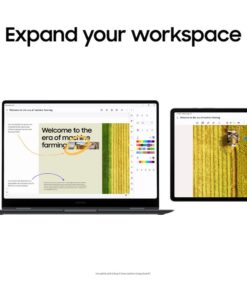
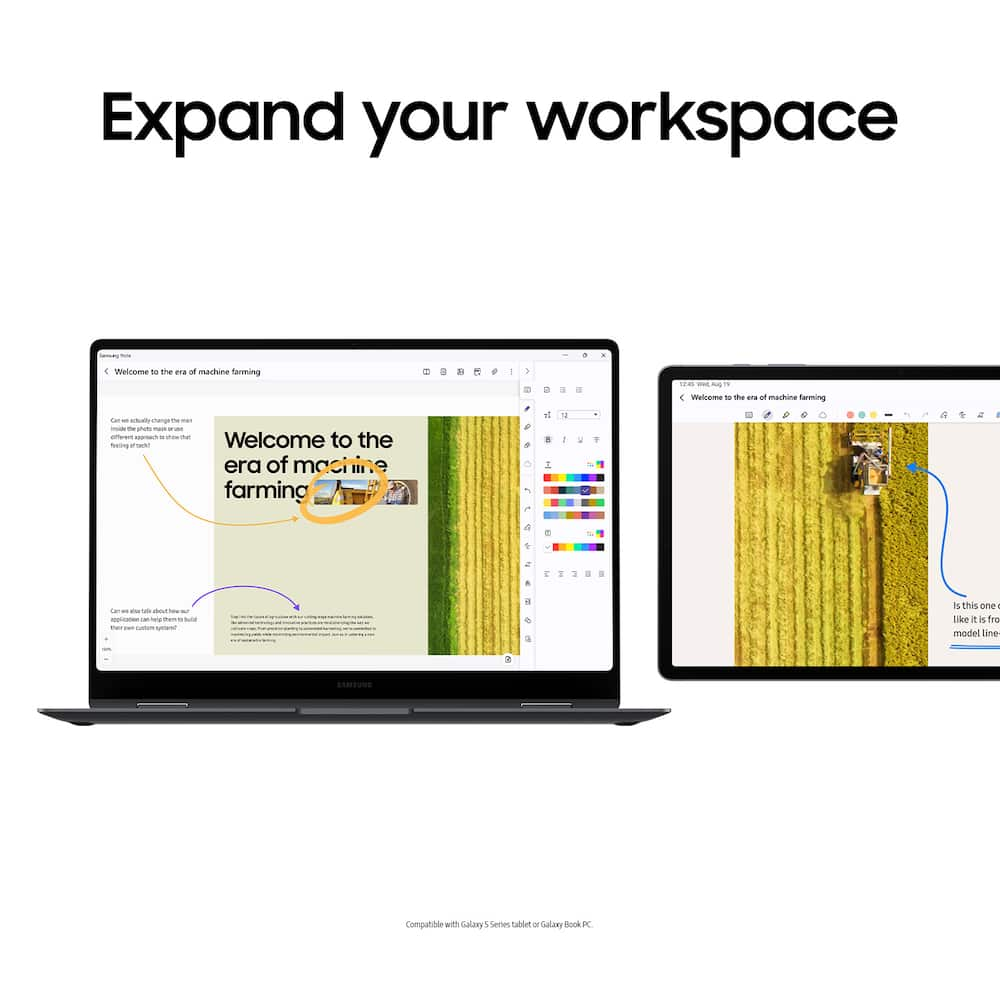
Sometimes big ideas need a little more room to come to life. Expand your workspace by connecting to another device to use as a second screen like your Galaxy Book¹⁵. Now you’ve got two screens so you can create comfortably. - The best tablet screen needs the best content.
Standard US ground delivery is $5.49 and arrives in 3–5 business days. Orders over $60 ship free. Returns are accepted within 30 days of delivery.

JOHNG (verified owner) –
Tabel – The table has good quality screen easy to use and set
BKelley (verified owner) –
Nice Tablet – This tablet is my favorite tablet so far. Large enough to play and read on but still small enough to hold. Has good features and picture.
OmolaraA (verified owner) –
i love this tablet so much,life is more easier now – the screen is perfect and battery life is on point
SHAWN (verified owner) –
Great tablet – Solid battery life, good screen, good performance. Speakers aren’t the best but they’re acceptable. Not many complaints otherwise.
rrivera777 (verified owner) –
Great Tablet!! – I recently purchased the Samsung Galaxy Tab S10+ (12.4″, 256GB, Wi-Fi) in Moonstone Gray, and I couldn’t be happier with my purchase. The tablet is fast, responsive, and the large AMOLED display is absolutely stunning for streaming videos, reading, and browsing the web.
The included S Pen is a huge bonus. It feels natural to write with and works great for taking notes, sketching, and editing documents. Setup was quick, and everything has worked flawlessly right out of the box.
The battery life has been excellent, easily lasting through a full day of regular use. The Moonstone Gray finish gives it a premium look and feel, and the build quality is outstanding.
Overall, this tablet has exceeded my expectations. It’s powerful, easy to use, and perfect for both work and entertainment. If you’re looking for a high-quality Android tablet, I highly recommend the Galaxy Tab S10+.
Chris (verified owner) –
Galaxy Tab Review – Seamless setup and sync with S24 Uktra phone. Great interface and user experience. Highly recommend
MELISSAR (verified owner) –
Love it! – Honestly, Samsung products never disappoint. I was so glad I was able to finally buy one and it is everything I expected and more.
JeffS (verified owner) –
Awesome! – It has everything i needed in a tablet and more. Would recommend this tablet to anyone.
SILAS (verified owner) –
Great product – I bought this tablet for my girlfriend for christmas and it work amazing. She used it for everything. Great performance
CHANDAM (verified owner) –
Samsung tablet – Great product with screen quality and absolutely love the size.
muhammad1 (verified owner) –
Best tablet with no lag – Big screen lag free big battery everything you need. Worth your money
JAMESP (verified owner) –
Perfect – Everything I need the tablet to do, and than some, battery, speed and sound is outstanding
SVoss (verified owner) –
I love it. – It is a great tool to have it just make sense to have one to it to work, school, leisure.
JEFFREYLC (verified owner) –
Worthless to me. – The tab s10+ was to be a replacement for a 2014 macbook air and a Galaxy tab a8. I use the a8 as a teleprompter when I am singing. I needed something a little bigger. the tab s10+ with its 12.4″ screen is almost 2″ bigger than the a8, and the 2014 macbook air only has a 13″ screen so I wasn’t losing much on the laptop end. The 2014 macbook was worn out in many ways and out dated. Also I was tired of typing the lyris into the macbook air, changing to a word format, sending by bluetooth to the a8, then reformating the document for full screen viewing. Using the tab s10+ as a laptop and a tablet was to eliminate using 2 devices. At least a dozen companies advertise keyboard case covers to turn the tab s10+ into a laptop. With that knowledge I purchased the tab s10+. I had shopped for a keyboard case cover before I made the purchase and ordered one soon after.
After 2 different keyboard case covers, and likely 100 hours searching, trying to find one that works I now understand one does not exist. None of the keyboard case covers made for the tab s10+ to turn it into a laptop are lap stable. On my lap in a recliner is how it is used 80% of the time. So effectively I have a $600 paperweight that is almost worthless to me.
SOPHIAF (verified owner) –
Great Tablet – It has a perfect weight to hold and take notes while standing. The anti reflective screen is a nice feature. I’ve been using it for the past few weeks and I love it!
Carlos (verified owner) –
Samsung tablet as advertised – Amazing. Solidly built, great screen and worth of being a flagship product. This is the 2nd Samsung tablet we purchased and they both are amazing.
NORBISL (verified owner) –
I loved it, my purchase. – Samsung Galaxy Tab S10, very good image quality, high performance
JeffL (verified owner) –
Samsung Galaxy Tab S10+ – I love this tablet. The 12.4” screen is GREAT on movies and shows. Very easy to setup. I also recommend getting the Samsung Keyboard too. This is a perfect pair.
Steve (verified owner) –
Limited battery – This product has an extremely limited battery. I used one app for studying that is not compute intensive, but the battery is rapidly used. Also, it often doesn’t charge when on. You must turn it off.
HBouzi (verified owner) –
Worth it – Overall improvement from my previous Tab S6 Lite. Battery life among other features make this a worth while purchase.