Sale

Sale!
Bitdefender
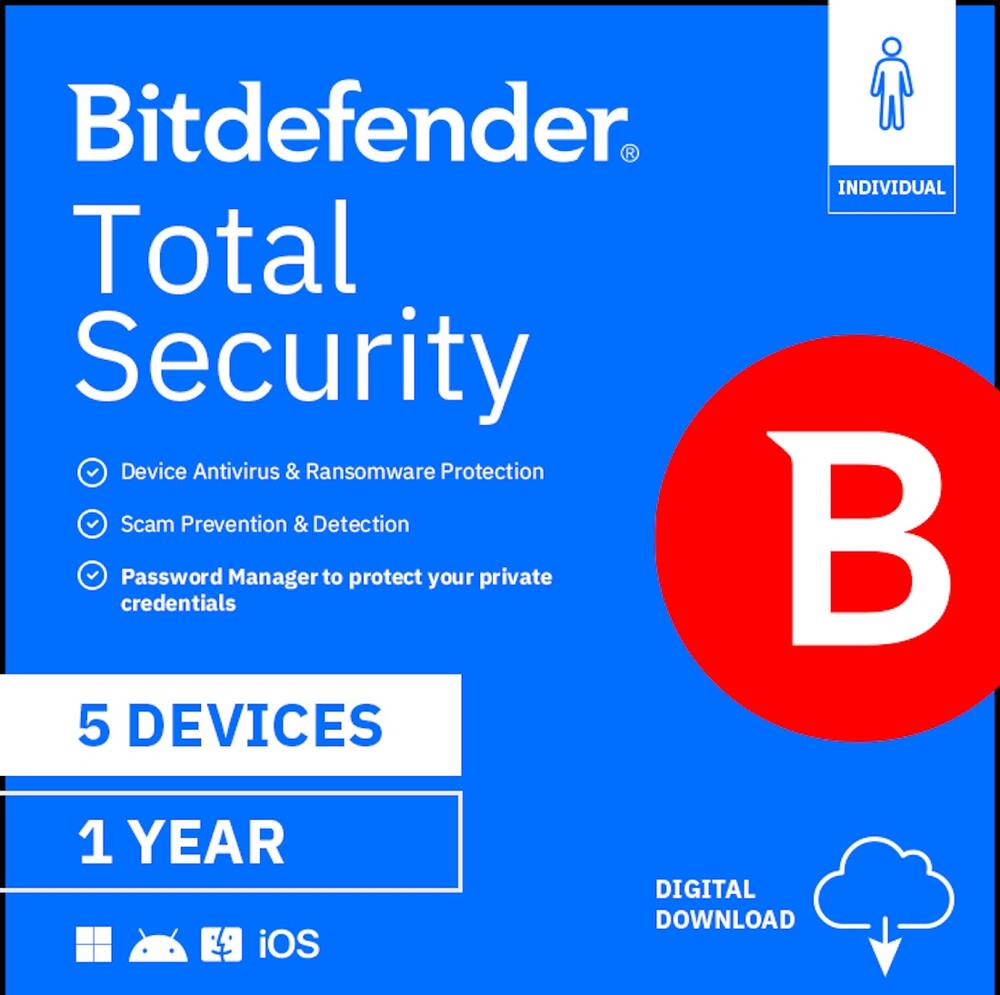
Bitdefender – Total Security Individual 5 device 1 year – Windows, Apple iOS, Mac OS, Android, Linux [Digital]
★★★★★★★★★★ (5.0) 20 reviews
Price range: $87.99 through $175.99 Save $44
In stock · Ready to ship
Delivery Wed, Nov 11 – Fri, Nov 13 Free shipping
Secure checkout · Visa · Mastercard · Amex · Discover · PayPal
Questions? Talk to a product specialist
(888) 519-3048
- Free shipping $60+3–5 business days
- 30-day returnsMoney-back guarantee
- Brand-newManufacturer warranty
- Ships from the USColumbus, OH
- Best anti-malware protection in the industry, as proven by the last 10 years of independent test scoresSmart Call Blocking that filters spam, scams, and suspicious numbers in real time (Android Only) NEWFully featured password manager to keep your credentials safeStandard VPN.
- 200 MB/day traffic for online privacyData Breach Detection to check if your credentials have been leaked (Android)
Key specs
- Subscription Period
- 1 Year, 2 Years
- Brand
- Bitdefender
- Model Number
- TS24ZZCSN1205LEN
- Product Name
- BITDEFENDER Total Security Individual 5 device 1 year
- Included Mobile App(s)
- Yes
- Protection Type(s)
- Phishing
- Real-Time Protection
- Yes
- Subscription Period
- 1 Year, 2 Years
- Brand
- Bitdefender
- Model Number
- TS24ZZCSN1205LEN
- Product Name
- BITDEFENDER Total Security Individual 5 device 1 year
- Included Mobile App(s)
- Yes
- Protection Type(s)
- Phishing
- Real-Time Protection
- Yes
- E-mail Security
- Yes
- Parental Controls
- Yes
- Firewall Type
- 1-way
- In-Software Purchases
- Subscriptions
- Language(s)
- English
- Number of Users
- 1
- Number of Devices
- 5
- Number of Licenses
- 1
- Operating System Compatibility
- Windows
- Software Format
- Digital
- System Requirements
- Windows PC: Dual Core 1.6 GHz processor, RAM: 1 GB, HDD: 2 GB, Internet Explorer version 10 or higher; Mac: HDD: 1 GB, Safari, Firefox, Google Chrome
- Subscription
- Yes
- Digital Download Type
- PC Game
- Download Requirements
- Internet connection
- Hard Drive Space Required
- 1 gigabytes
- Publisher
- Bitdefender
- UPC
- 812813015986, 812813016044
- Best anti-malware protection in the industry, as proven by the last 10 years of independent test scores
- Smart Call Blocking that filters spam, scams, and suspicious numbers in real time (Android Only) NEW
- Fully featured password manager to keep your credentials safe
- Standard VPN. 200 MB/day traffic for online privacy
- Data Breach Detection to check if your credentials have been leaked (Android)
Standard US ground delivery is $5.49 and arrives in 3–5 business days. Orders over $60 ship free. Returns are accepted within 30 days of delivery.



TechBuyer (verified owner) –
Solid Anti-Virus and Platform Manager – Bitdefender Total Security is a solid software suite in the ever-growing need for security software if your PC or smart phone and devices are connected to the internet. This package includes 5 devices for 1 year, so you won’t be able to protect everything, but you will want to install it on the devices that have the most exposure to the internet, like your main PC, your smartphone, your laptop and maybe those of your family members too.
The software is overall very easy to use and you can manage your account and devices centrally via the web. Total Security also includes a Password Manager, SecurePass, and also a very limited VPN (up to 200MB/mo) which is not that great and I don’t use it because of that. However, if you are traveling abroad or on unsecured WiFi, you may consider using it in public.
While the price is reasonable for a yearly subscription, especially on sale like it is now around the holidays, I personally use a combination of free and paid subscriptions that tend to do better in some areas, like personal VPN and Password Manager. I also don’t love the idea of installing a separate AV since Windows comes with one, but Bitdefender is generally better although it can also use more resources.
I’ve used Bitdefender for a few weeks now and no issues on both my laptop and iPhone, but if I renew the subscription I will likely step up the package to Bitdefender Premium Security which comes with Premium VPN (unlimited) and Ad Blocker for just a bit more per year.
MarkusMN (verified owner) –
Comprehensive Protection for Multiple Devices – Bitdefender is a suite of safety tools to lock down your computer and provides complete confidence that you are safe from outside threats. As an IT professional, I understand the treats that lurk from simple actions like opening an email or even just clicking on what you think is a safe link on a webpage.
This is complete care for your computer, phone, and tablet. I am currently running it on my iPhone, iPad Mini, and personal laptop. The interface is quite different for each device, but it is simple to install and setup for all of them.
The most impressive offering is for my Windows’ Laptop. There is a dashboard that allows for easy access to all of the tools offered. Protection offerings include Antivirus, Cryptomining Protection, Advanced Threat Defense, Online Threat Prevention, Vulnerability, Firewall, Ransomware Remediation, and Antispam for email.
The mobile / tablet version offers device scans and private browsing using a VPN. The scans vary from a quick scan to a thorough scan. There is also a password vault option for the mobile version.
Finally, the PC version provides an optimization utility which will clear out unnecessary files from your device. In addition to file cleaning, it also clears the tracking cookies and other spyware from the system.
This is a complete protection package with a very user-friendly interface.
Posted1 (verified owner) –
Excellent Choice – When I received the offer for this Bitdefender Total Security Individual 5 Devices/1-Year, I was quick to grab it. I have had experience with a few other Bitdefender products over the years, and I have never been disappointed. This product continues that longstanding experience.
One of the things I appreciate most about Bitdefender’s products, is how “lite” they are. What I mean by that, is so many other products in this genre are not only resource hogs, but also “pop-up” hogs, (McAfee/Norton, anyone?),and “bloat-ware hogs”. It gets so frustrating with other suites who constantly want to implant extentins, change your browsing tools, un-necessarily re-direct you, and constantly pop-up with warnings and completely useless redirections that only server to force you deeper into their ecosystem.
With Bitdefender, this does not happen. Bitdefender runs quietly in the background has almost zero impact on system drain, and never interjects with bloat-ware or useless po-ups. Awesome.
Another great thing about Bitdefender, is that they do not require a credit card for first year. Most every product in the genre requires you to supply your credit card information before you can set it up. Bitdefender (rightfully so), has so much confidence in their product thast they let you learn tio trust it before taking your “future ransom payment”. Well done.
In all, this an excellent choice that has all the offerings.
Mistabritt (verified owner) –
Bitdefender Total Security – So I just downloaded and installed Bitdefender Total Security suite onto my laptop and have been putting it through its paces over the last couple of weeks. When it comes to keeping my devices in top notch condition and bug free, I want to use a brand that I have come to love and trust. Over the years, I’ve tested a number of antivirus/total security programs and they always seem to let me down. Some find issues that the software is unable to eradicate and secure my device and some are just too darn expensive in relation to the services they claim to provide. And that’s where Bitdefender steps in. So after downloading and installing the Bitdefender Total Security software, it walks you through their quick and easy setup process which took me all of about 5 minutes. After installation, it prompted me to run my vulnerability risk test (and thank God it found no issues on both laptops). I can install this software on up to 5 of my devices including my mobile device. Bitdefender is compatible with Windows, macOS, iOS, and Android.
After the initial scan, it takes you to your dashboard, from which you can see all of the included features in the tabs on the left:
Dashboard: Quick Scan, System Scan, Vulnerability Scan, VPN, Add a Quick Action: (Quick Scan, System Scan, Open VPN, Vulnerability Scan, Open SafePay, File Shredder, and OneClick Optimizer.
Protection Tab: Antivirus, Cryptomining Protection, Advanced Threat Defense, Online Threat Prevention, Vulnerability, Firewall, Ransomware Remediation, and Antispam.
Privacy Tab: SafePay, VPN, Video & Audio Protection, and Anti-Tracker.
Utilities Tab: Anti-Theft, OneClick Optimizer, Profiles, and Data Protection.
Notifications Tab: Basic notifications of what’s happening within the program.
Settings Tab: General Settings (including Dark Mode).
In addition to the above features, you can install SecurePass from the Bitdefender Central website online. Though Bitdefender has a ton of features right at your fingertips, it doesn’t seem convoluted, but very user friendly and easy to use. And it doesn’t install a ton of bloatware programs that you don’t need that not only makes your device more unstable in my opinion but makes your device run slower. Bitdefender feels light and gets the job done.
dharr18 (verified owner) –
Good Protection, Great Layout – Bitdefender does a good job catching and alerting to suspicious content, viruses and protects your system while using very little in the lines of system useage.
The additional tools like VPN and Safepay are great tools in the package. Having a VPN that is not a monthly charge is a great feature, however it is limited to 200 MB a day unless you upgrade. This is great for laptops you might connect to public networks with. If you need more than 200 MB a day, there is a upgrade option.
Looking at utilities, the One Click Optimizer does a great job cleaning up your system from junk files, cached data, temp files, etc. I do recommend paying attention and seeing what is going to be cleaned up, especially when downloading any system updates. They flag as junk files. The Optimizer also cleans up your registry. It does a pretty good job and seems to be quite safe at what it looks for.
The virus scan does its job in the back ground, but I would recommend schedululing the quick scan. I usually do it during my lunch hour daily. The full scan I run on Saturdays at 11:30 AM. I don’t like running the scans during power up, it sometimes slows the startup process. The virus scan has a bunch of options that you can adjust to your needs.
The layout of everything is simple and everything is where you would expect it to be. The developers did a great job making an intuitive interface.
Overall, it is a great security suite that does it’s job very well.
NatureLover2 (verified owner) –
Bitdefender Trusted Multi-Pronged Defense – How many ways can our private data be attacked? Let me count some of the ways: Viruses, Spam, Phishing, Spoofing, Malware, Spyware, Trackers, Worms, Ransomware, Identity Theft, Password Attacks, software flaw exploitation… on and on and more and more threats are uncovered every day. It is exhausting thinking about it, much less doing something about it.
Fortunately, there are reliable, respected and constantly updated means to fight back. That is where Bitdefender Total Security comes into play, by giving you the constantly updated automated tools and security features to keep your precious data and online interactions safe and continually monitored and defended.
Bitdefender is an international company that has been around for over 25 years and has an outstanding reputation for its continuous innovation and being one of the most respected leading Cybersecurity providers. They are currently harnessing AI to detect and defend against ever-changing threats.
Bitdefender’s Total Security suite is not just Antivirus. In a simple to deploy intuitive interface that protects Windows, macOS, Android, and iOS devices, it presents a broad range of tools such as: Advanced Threat Defense, which identifies and blocks suspicious and compromising digital behaviors, Vulnerability analysis, Ransomware Remediation, Online Threat Prevention, Anti-Spam protection, Anti-tracker features, Cryptomining Protection and Firewall protection. It also has a Password Manager, File Shredder, Video and Audio Protection, a protective VPN, and a SafePay feature.
Your system’s registry, storage disks and privacy features can be totally optimized with Bitdefender Total Security’s OneClick Optimizer feature. And you can easily schedule and customize Full System Scans that will ensure that your system stays clean and safe using the latest malware definitions.
There are even more features that one can explore and employ. It should be noted that Bitdefender Total Security Individual for 5 devices is considered its entry-level protection suite, so some may find that their particular needs are not fully met with this suite. But, in my opinion, for the typical user, Total Security presents much more security features than even I need.
Since I am not an expert on how well this suite does its job securing my data and privacy, I have turned to the real experts who have evaluated this Bitdefenderd Total Security suite to real-world threats and I find my most trusted sources give it outstanding marks for performance. I urge anyone who is seeking a new line of defense for their systems and data to reach out and do the same.
Yes, I would recommend this suite to family and friends.
JamexRZ (verified owner) –
Complete protection and easy to use – Really nice complete security suite. It was very easy to install. Once I redeemed my key on their website I could install it right away on the device I was on at the moment (my laptop), and also it was easy to install on other devices like my desktop PC. I didn’t even have to download something on a flash drive and take it there like I thought I would have, their dashboard website makes it easy to do so, all I had to do is tell it I wanted to install it on another device and I could choose to have a download link sent to my email. I just went and opened my email on my other device (desktop PC) and installed it there too. You can install it on up to 5 devices (even mobile devices) and be protected for a whole year. The app is very comprehensive. It has an antivirus, firewall, crypto mining/ransomware protection, antispam etc. I do like you can also choose to have browser integration and it will tell you if the links you are visiting are safe (puts a green checkmark on them) and warms you also of potential threats. They do also include a VPN, however its just 200mb per day with the included one, just enough I guess for safe transactions while you are on unsecure networks, like maybe buying something online or something that requires login in while on unsecure networks. If you want more bandwidth to go with it you got to pay a little extra.
What I like the most is that it does not slow down your system and I didn’t notice it sucking too many resources like other programs. My PC felt the same. I do like the occasional pop ups from the app on the system tray, however it can be silenced and its smart enough to detect when you are gaming on full scree i.e. and not bother while doing so.
If you want a to secure your devices, this suite will give you protection for up to 5 ones, so offers a great value for the price. Glad I have it!
CactusMan (verified owner) –
The best antivirus software available – About two years ago I switched from an antivirus software I had been using for years to BitDefender. All of the reasons why I made the switch are still the reasons I continue to use BitDefender today.
Here are a few of the pro’s that keep me using BitDefender:
• If you look up any trusted reviews for antivirus software, BitDefender is always one of the most recommended options. Its security ratings from third parties is always near the top of the lists too.
• The software is both PC and Mac compatible, which is awesome since I have both a Windows laptop and a Macbook. Plus, you can use your subscription to install BitDefender on up to 5 devices, so you can also get phone and tablet protection or even give a family member or a friend some device protection.
• The scans are fast on both PC and Mac, and there are regular updates to the security database so you know you’re protected from the latest threats.
• BitDefender is very lightweight and uses minimal system resources. You won’t ever really have to worry about it slowing you down while running in the background.
• BitDefender also comes with some online protection and anti-tracking features.
• I also really like how there’s not an activation code I have to keep track of to activate the software. Instead, you’ll create a login with BitDefender’s website and will have your own dashboard from which you can download and install your purchased software. It’s very user friendly in my opinion.
So you get top notch, cross platform security that doesn’t slow down your computer, and helps you stay secured online with anti-tracking features. Those reasons alone are justification enough to switch to BitDefender. Another thing to note (that may not be an issue for most people) is that with the Total Security option from BitDefender you don’t get unlimited VPN like you do with some of their higher tiered options, but you do get a few megabytes each day to use (but trust me those can go quickly). Overall, I’m still pleased and completely satisfied with Bitdefender some three years after first giving them a try.
APFLORES413 (verified owner) –
Peace of mind protection – I have been using Bitdefender for the past few weeks on both my macOS and Windows laptops, and so far I am very happy with the results. This is a very easy to install program which quickly sets up, downloads, and you are ready to go. One of the best features that I like about this, it is a multi-device program that covers up to 5 devices including the aforementioned Windows and Macs, but also Android and iOS.
It is simple to use for a tech person like myself, and even for my dad as well. The home screen offers several clear options to choose from. The dashboard shows your current security status and allows you to run a variety of scans, including: Quick Scan and System Scan, a Vulnerability Scan that checks your online passwords, and a VPN and Safepay which enhances your online privacy. On the left of the hopme screen, you can further check your computer with additional features such as Privacy, Utilities Notifications and Settings.
What is also a great feature, you can see the listing of your installed devices and check the status of each one at a glance. This is truly a install and forget program that runs quietly in the background, giving you peace of mind knowing all my installed devices are safe from potential threats.
Overall, Bitdefender Total Security manages to provide great protection that is reliable for your devices. Highly recommend this.
KYTwinsDad (verified owner) –
Bitdefender Total Security is GREAT! – I have been a user of all kinds of anti-virus, anti-malware, total security, etc. products over the years like most of us have. I will say that Microsoft has gotten really good at what they include with Windows out of the box, and maybe I’m old school but I still like having a dedicated program that is specifically for the security of my various devices. In recent years I have migrated all my, and my family and friends, systems to Bitdefender. Why you may ask? Because it is really good, doesn’t slow our systems down, and it doesn’t break the bank either. We will dive into some of our devices, more specifically their Operating Systems (OS) as the OS can be a limiting factor in what Bitdefender can really do through no fault of their own, it’s the OS developer and hardware seller that are to blame.
Installation
Installation was a breeze. I think we have really gotten spoiled with just how well things work now. I remember back when a software install may install with an error pop up like it didn’t, where uninstalling something would hose the whole OS, and where you better make sure to run System Restore regularly and even then it might not fix the issue or even be able to restore (still sometimes an issue I’ve found but much fewer and farther between now thankfully!). All that said we truly are spoiled with how software just works now. And Bitdefender Total Security is no different. I installed it on one of my laptops, my iPhone 14 Pro Max, a MacBook Air M3 15″ 2024, and an Android phone just to get a feel for it across multiple devices. On all of them the install, signing in, etc. where all seamless. Bitdefender is what the yellow box, red box, green box, etc. solutions wished they could be. I’ll get into why down below.
Rating: 5/5
Windows 11 Professional – Lenovo Legion Go – Gaming & Daily Driving
As I said I installed Bitdefender Total Security on my Lenovo Legion Go running Windows 11 Professional but before I did I played some games & ran some bench-marking tools to get a feel for how the system was performing that day with the stock Microsoft Defender solution. I then set about installing Bitdefender Total Security, ran the same games, the same bench-marking tools and compared the results. There was no drop in FPS, no spike in CPU or RAM usage, my NVME wasn’t being taxed, it was like it wasn’t even there but it was. Silently chugging along in the background waiting for some adversary to try to attack us, and if they did then Bitdefender would take them out like the silent assassin that it is. I say silent & silently and while the application does take care of most everything by itself (through preset decisions as set by Bitdefender and others by the community of other Bitdefender users) but there were some times where it would ping me saying the webcam was access (no duh, I use Windows Hello). And so that was annoying because the granular control of allowing Windows Hello to access the camera but denying everything else isn’t something I can easily figure out how to do. It might be there and I might be missing it but I can’t figure it out. And I’m a techie person who’s been building computers for 28+ years now (40 now, started at 12 years old). So if I can’t figure it out quickly enough to not throw in the towel because my ADD has me doing something else then most users are probably not going to be able to do so either. Bummer. I love Bitdefender Total Security, and I hope they fix it, or make it more intuitive because it would be *chefs kiss* perfect if so. At least it is quiet during gaming, so that’s a huge plus in my book.
All that said I found when I first launched Total Security it felt like it had a lot…and it kind of does…but it, like most other security sollutions nowadays is pretty surface level and not very in-depth or feature rich. Maybe its because they’ve perfected it, removed the bloat we don’t need (like Windows Registry “Cleaners” and the like) or maybe it’s scaling back to offer higher packages with slightly more stuff…I dunno, but yeah, it didn’t feel overwhelming, it just felt deep but when I got into the actual meat & potatoes of the software it was rather shallow. Now even though it’s in the kiddie pool it still packs a punch because its keep us safe, so don’t get it twisted.
Oh, crazy enough Bitdefender found 2 malware in an old Outlook backup file from a job I had almost 10 years ago that I was keeping. That spooked me when I saw the screen pop saying it found malware because I thought my system was compromised. Nope, just a previous coworker had been infected and we didn’t know it because it was some bespoke malware. I took to alerting my former employer, and they are doing a thorough scan. I shared the info I was able to get from Bitdefender Total Security with the head of IT, and I even shared my mailbox backup file (why not they use to have it anyway so they can have it again, it was all work emails, I just wanted it so that I wouldn’t lose all the documentation I helped to develop that I still sometimes make use of in my personal and private life.
Rating: 4/5
Mac OS Tahoe (aka 26) – MacBook Air M3 15″ 2024 – Working all the livelong day
Mac OS was more of the same as the Windows application. The interface is nice, installation was a breeze, and the CPU and RAM usage wasn’t absurd. I know most think Macs don’t get virus and malware but they absolutely do. It’s just a smaller segment of the home and work computer user base and so it isn’t the one that most people think of or that most malicious actors spend their times trying to target. That doesn’t mean that it is never a target, just that it is a smaller target because you have to kind of work harder to do it. Now I don’t mean that Mac OS is better, no, I just mean that the userbase is smaller so the potential victims are fewer which means its not as economical to target Mac users are frequently as Windows users. Since I work from home and work on my MacBook I figured I’d get good use out of Bitdefender because I need to keep my work files safe. It did just that. Again, no system slowdowns at all. It was perfect for me.
Rating: 5/5
Android 16 – Google Pixel 7 Pro – Significant Others Smartphone
My significant other is like an unofficial beta tester for me, just like the rest of my family. We are always trying new gadgets and do-dads. Sometimes she loves it, sometimes she is frustrated because its buggy, but she lovees me and so she puts up with it 😛
Well with Total Security she said it was like it wasn’t even there. It wasn’t overly annoying, it actually was scanning the phone (unless my phones OS but we’ll delve into that later). And so she enjoyed having it on her phone and she is keeping it there.
She plays some smaller games, nothing too intense, and so we did some bench marking, and minor gaming on the Pixel 7 Pro prior to install and after and it was essentially the same numbers. I say essentially because phones are pretty aggressive about throttling themselves. Which is a good thing because I had my first iPhone 14 Pro Max that got too hold and it, from what the Genius Bar or whatever they are called told me, desoldered either the CPU or one of the other chips from its main board when I had a Popsocket Magsafe portable charger on it over the summer of I think 2024 (around July 2024). It had to be replaced of course. Anywho, the P7P did have slightly less bench marking numbers but gaming stayed the same as far as we could tell and so I don’t know if it was truly Bitdefender Total Security or if it was actually the phone just throttling itself due to heat. Everytime it was the same thing. I’ll be ordering a Magsafe cooling fan soon. I have one as I got it for doing YouTube car modification videos but its put up since its winter and I couldn’t find it. So I’m going to get her one to have as well. But yes, Bitdefender Total Security even rocked Android like a champ.
Rating: 5/5
iOS 26.3 Public Beta – iPhone 14 Pro Max – My Personal & Work Smartphone
I’ve discussed it numerous times already and I’ll expand on it here but man, I really wish Apple would open up the iOS ecosystem for REAL anti-malware solutions like Bitdefender Total Security is for all the other OSes we had it on. They have it so locked down that its basically just a wasted seat (in my opinion) on an iOS device. I have never had a good experience with anti-malware stuff on iOS because it’s just basic and essentially does nothing. Apple won’t let developers scan for malware and do other things like Android, Mac OS or Windows will. Its a shame. This isn’t a knock on Bitdefender, its an indictment on Apple for selling me a $2000 phone and then locking it down where I can’t do what I want with it. Absurd!
Rating: 0/0 (through no fault of Bitdefender this is solely on Apple and I can’t give 5/5 like it’s amazing like for Android and I don’t want to give anything less than perfect or nothing at all since Bitdefender does what they can with what they are given by Apple)
Conclusion
Bitdefender Total Security absolutely delivers. Pick it up for home, and you won’t be disappointed!
Overall Rating: 14/15
Verified Buyer (verified owner) –
Works Well – This was delivered to me by email, and started out with some errors loading. After a few tries, it finally downloaded and installed. After that, set up was without any issues. I have the 5 device edition, and set up on 2 other devices was without issues. I haven’t had any reason to ‘need’ protection so far, but will say that the software did not have any apparent negative issues with regards the operation of my computer. I’ve used other security software that significantly slows down the computer, or drastically restricts even legit websites. That can be very annoying and really defeats the whole purpose. This Bitdefender, did not have any of those issues. The included VPN was not as great and I did not want to upgrade. I ended up disabling the VPN but wasn’t sure how that would affect my protection. So far so food, and only time will really tell. Again, I do like the minimal impact on my laptop despite the VPN being turned off. I guess I would have liked more system information readily available to let me know what to expect.
Androidaholic (verified owner) –
Versatile and Detailed Security Package! – I am very impressed with the Bitdefender- Total Security Individual 5 device software for Windows, Apple iOS, Mac OS, Android and Linux. I have used most of the top choices for security software at one time or another and I actually believe that this BitDefender is the best one I have used to date. While it does have a lot of the same features as other big name choices it also has extra features compared to the ones I have used in the past.For instance while VPN seems to be a standard feature now just like web protection. Bitdefender goes a step further to include features like call blocking and chat protection. Additionally, Bitdefender has some impressive advanced features like App anomaly detection that instantly detects malicious app behavior. The scans are done automatically in the background and if something is detected you will be notified. Additionally Bitdefender is very thorough in everything it does including looking for all of the types of modern scams and software hackers are using currently. They also do a very good job of giving you detailed information about each type of threat which is greatly appreciated and something I have not seen before. Their app and Windows software is very easy to use and laid out in a simple manner with good descriptions in every category. There is even an app lock. It has been doing a good job on my phone without any noticeable increase in battery drain. My battery life actually seems better than it was before but that could be from a recent system update. I feel like this is a good package for most people to cover all of their devices in their family at a reasonable cost. It is nice knowing I am being protected from all of the latest threats and I feel like the software is easy enough to use for even non tech savvy people.
Papaw (verified owner) –
Bitdefender Total – I have been using Bitdefender Total Security on multiple devices for years without any negative issues. It is rated at the top in surveys and if you choose to remove the program, unlike others where you have to call support for codes or instructions, Bitdefender is easy to uninstall. I rate this program A+ for antivirus and utilities!
Peddler (verified owner) –
Bitdefender Total Security – I have used this software for years. Easy to install and if you have other computers that have the program will install on all those devices. Being a total teck member helps. Specifically on price.
JUSTINAK (verified owner) –
Bitfender Total Security 1 Year – Excellent internet computer security system. I highly recommend Bitfender Total Security‼️
Jome (verified owner) –
Easy to use – Easy user interface to understand and interact with. A very convenient product.
Tony (verified owner) –
Only antivirus you’ll ever need – Got this for my laptop as well as my dad’s. Easy to install and navigate. Works perfectly.
Verified Buyer (verified owner) –
Bitdefender – As of purchase date September 11, everything appears to run smoothly.
DONNAH (verified owner) –
Bitdefender works – The Amazing Geek Squad recommends it. I’m happy with my selection
Lorath (verified owner) –
Bit defender is a great AV app – Easy to install and set up, Bit Defender allows users access to VPN, and healthy Anti-virus and monitoring services. Truly a market leader