Sale







Sale!




ASUS Model 6640559
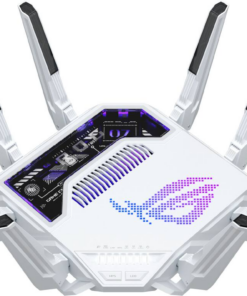
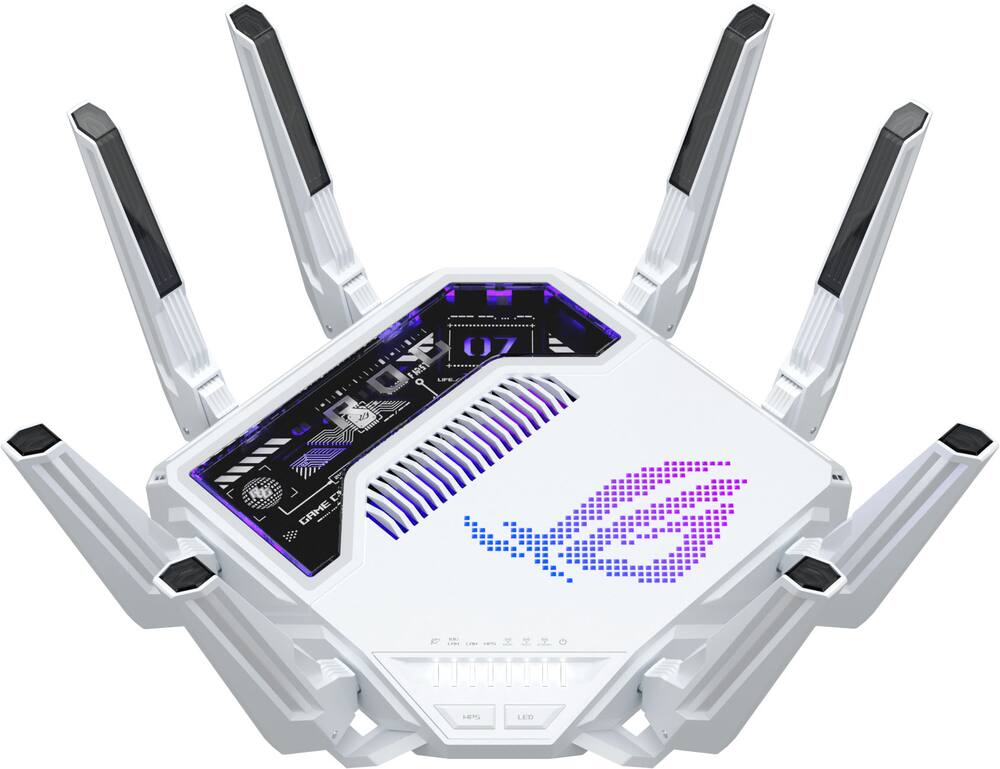
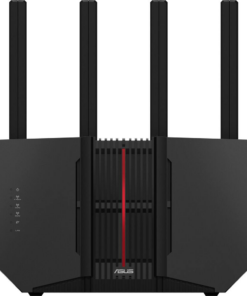
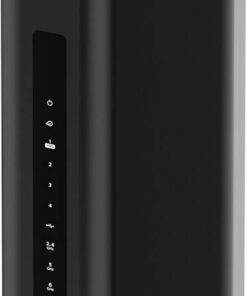
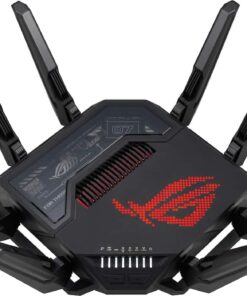
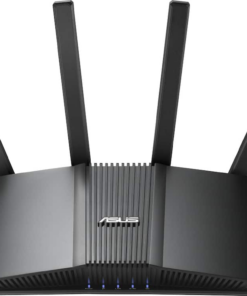
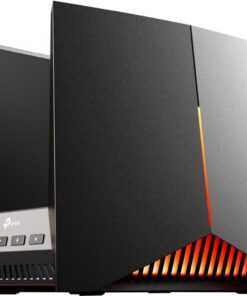
ASUS – ROG Rapture GT-BE19000AI Tri-Band Wi-Fi 7 Gaming Router – White
★★★★★★★★★★ (3.8) 20 reviews
Original price was: $899.99.$719.99Current price is: $719.99. Save $180
In stock · Ready to ship
Delivery Mon, Nov 23 – Wed, Nov 25 Free shipping
Secure checkout · Visa · Mastercard · Amex · Discover · PayPal
Questions? Talk to a product specialist
(888) 519-3048
- Free shipping $60+3–5 business days
- 30-day returnsMoney-back guarantee
- Brand-newManufacturer warranty
- Ships from the USColumbus, OH
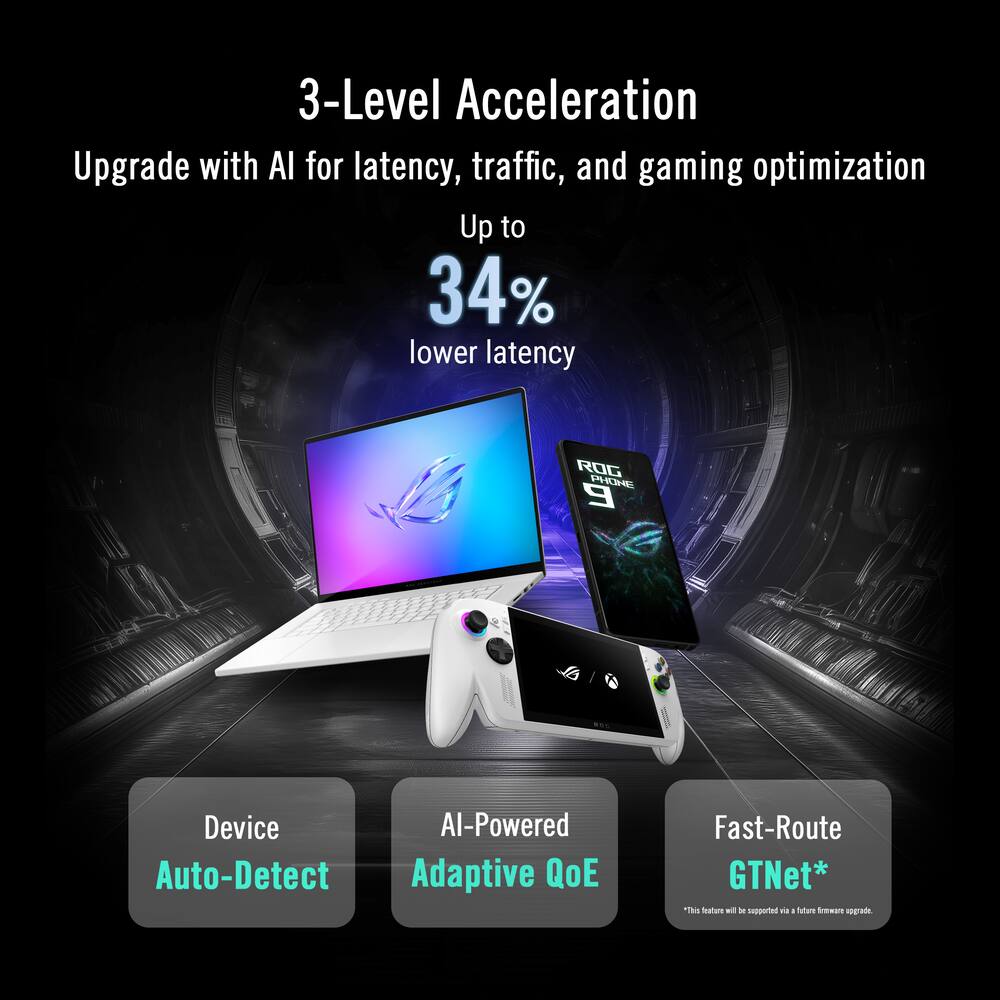
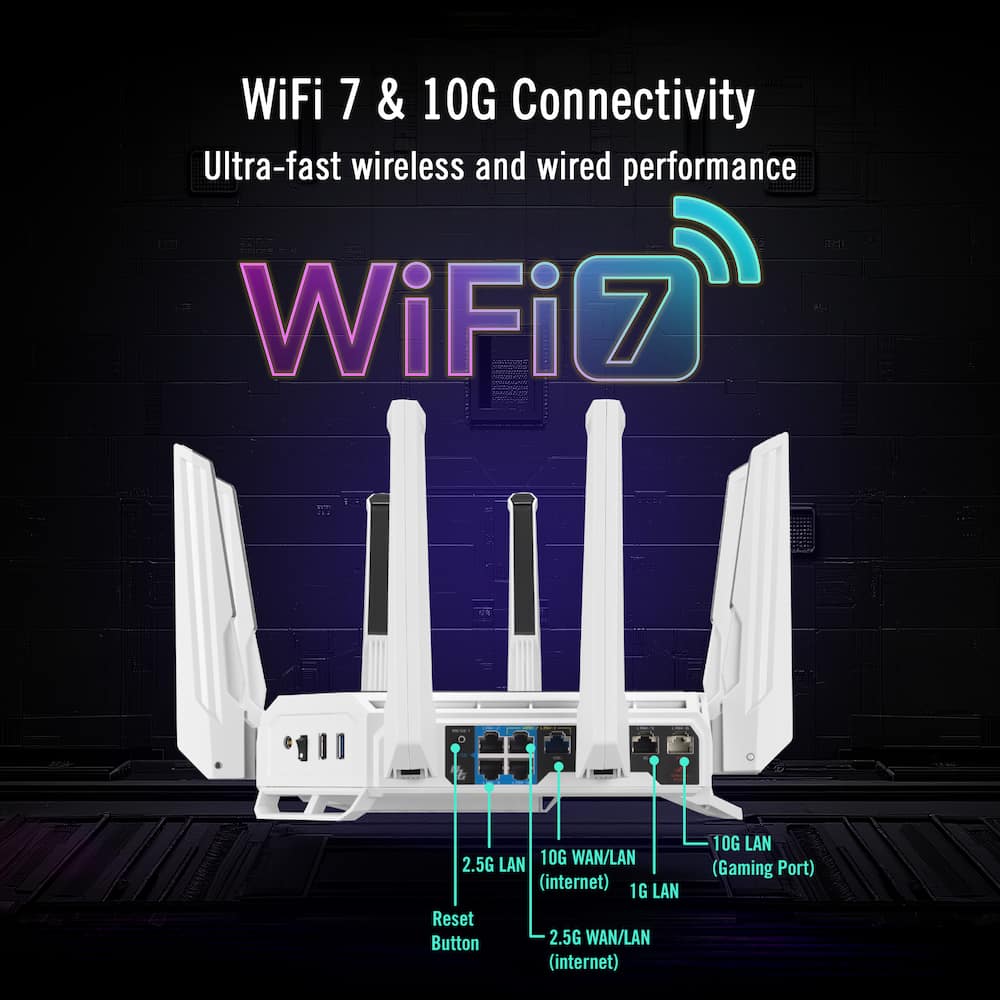
- Beyond-Fast Wi-Fi 7 (802.11be) with new 320MHz channels in the 6 GHz band and 4096-QAM significantly increases network capacity and throughput up to 19 GbpsAI-Powered Triple-Level Game Acceleration ROG AI Game Booster optimizes real-time routes to reduce ping, jitter, and packet lossIntelligent Ad and Tracker Blockers Advanced on-device processing, keep your data local and secure while removing unwanted ads and trackersAI-Powered Noise Detection Improves Wi-Fi stability by identifying interference and offering network insightsASUSWRT 6.0 Lets you monitor device connections, receive interference alerts, and immediately act against unknown devicesWired Network Capacity Up to 31G with dual 10G ports, four 2.5G ports, and extreme 20G Link AggregationExtensive Connectivity Up to five SSIDs or powerful VLAN controls for game acceleration, IoT devices, and VPN with the Guest Network Pro and ROG Exclusive Gaming Network
Key specs
- Weight
- 4.41 lbs
- Dimensions
- 13.8 × 13.8 × 8.69 in
- Brand
- ASUS
- Model Number
- ROG GT-BE19000AI
- Product Name
- ROG Rapture GT-BE19000AI Tri-Band Wi-Fi 7 Gaming Router
- Color
- White
- Data Encryption
- Yes
- Weight
- 4.41 lbs
- Dimensions
- 13.8 × 13.8 × 8.69 in
- Brand
- ASUS
- Model Number
- ROG GT-BE19000AI
- Product Name
- ROG Rapture GT-BE19000AI Tri-Band Wi-Fi 7 Gaming Router
- Color
- White
- Data Encryption
- Yes
- Encryption Type
- WPA-Personal
- Firewall Type
- NAT
- Security Features
- AiProtection network security / Instant Guard
- Parental Controls
- Yes
- Quality Of Service (QoS) Traffic Prioritization
- Yes
- Band Technology
- Tri
- Ethernet Standard
- 10/100/1000/2500/10000
- Number of Antennas
- 8
- Frequency Band
- 2.4 GHz
- Wireless Networking Standard
- Wi-Fi 7
- Wireless Standard
- BE
- Input/Output Technology
- MU-MIMO (Multi-user Multiple-Input Multiple Output)
- Number of 2.4Ghz Streams
- 4
- Number of 5.0Ghz Streams
- 4
- Number of 6.0Ghz Streams
- 4
- Wi-Fi Mesh System
- No
- Ethernet Switch
- Yes
- ENERGY STAR Certified
- No
- App Compatible
- Yes
- App Name
- ASUS Router APP
- Beamforming
- Yes
- Integrated Modem
- No
- Wireless
- Yes
- Number Of WAN Ports
- 2
- Port Type(s)
- RJ-45
- Number Of LAN Ports
- 7
- Wired Speed
- 10000 megabits per second
- Wi-Fi Speed
- 11.5 gigabits per second
- Gigabit Ethernet Speed
- Yes
- Bluetooth Enabled
- No
- Product Height
- 8.69 inches
- Product Length
- 13.8 inches
- Product Width
- 13.8 inches
- Product Weight
- 4.41 pounds
- Warranty - Parts
- 3 years
- Warranty - Labor
- 3 years
- UPC
- 197105840737
- Beyond-Fast
Wi-Fi 7 (802.11be) with new 320MHz channels in the 6 GHz band and 4096-QAM significantly increases network capacity and throughput up to 19 Gbps - AI-Powered Triple-Level Game Acceleration
ROG AI Game Booster optimizes real-time routes to reduce ping, jitter, and packet loss - Intelligent Ad and Tracker Blockers
Advanced on-device processing, keep your data local and secure while removing unwanted ads and trackers - AI-Powered Noise Detection
Improves Wi-Fi stability by identifying interference and offering network insights - ASUSWRT 6.0
Lets you monitor device connections, receive interference alerts, and immediately act against unknown devices - Wired Network Capacity
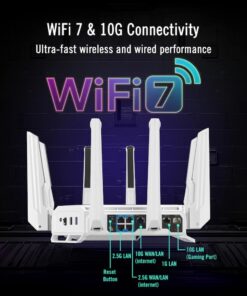
Up to 31G with dual 10G ports, four 2.5G ports, and extreme 20G Link Aggregation - Extensive Connectivity
Up to five SSIDs or powerful VLAN controls for game acceleration, IoT devices, and VPN with the Guest Network Pro and ROG Exclusive Gaming Network
Standard US ground delivery is $5.49 and arrives in 3–5 business days. Orders over $60 ship free. Returns are accepted within 30 days of delivery.
AlohaKhoa (verified owner) –
Want Zero Wi-Fi issues until Wi-Fi 8 comes out… This is it
Chris (verified owner) –
So Far Solid and Fast – Excellent update from my old AC-series quad band. Given I very much leverage guest SSID and VLAN capabilities, had to adjust a bit in going from quad to tri, but given the extra is on the 6GHz side that isn’t leveraged much these days by devices, it wasn’t huge. Plus the internal limits on things like whitelisting tables jumped 4x, so it wasn’t hard to massage some settings. Stability has been good. AFC is functional albeit current instantiations leverage a daily pulse of a mobile device to poll GPS coordinates. The router has a barometric sensor for altitude that marries it all up. Would be nice to have GPS built-in but not commoditized enough yet I gather, or concerns over blocked sat data.
Not using much of the AI side of the system (yet) but AI is tied into the Protection system as well as some of the live analytics. Also seems to save the trending data over to non-volatile memory there, which is nice since the other routers would reset such things every reboot or firmware update.
Realster (verified owner) –
Exceptional Performance – I am using ASUs router for a long time now and the initial setup got better and better each time. The first setup with this AI router was a breeze, a firmware update was offered and went without any problems. Time will tell but so far, I love this router especially the range is the strongest I had so far. I set AFC and adaptive QoE and it has been beautiful so far. I always place my router on a cooling pad since it is running 24/7 and cool chips are happy chips.
SandmanXX (verified owner) –
Brand new software, blazingly fast!! – Best model out yet. The interface is all new, very elegant, and has a lot of details and info that no older model doesn’t.
Physically ir’s about the same as the be98. The software though.. wow.
Pete (verified owner) –
Top of the line Router – Awesome machine, Probably one of the best router I have came across in years. You’re definitely
Future proofing your network with this router. But don’t buy from Best buy.
ColbyC (verified owner) –
Phenomenal tech – Best router I have ever purchased does everything I need with high grade security
Dennis (verified owner) –
Smart and Fast – Setup was super easy, both App and wired made the setup easy. I tried both AI Mesh and as. Access Point, both worked extremly well. I may set this as my Primary Router and hange my current Mesh for outside access and external lighting accessories.
Techguy (verified owner) –
over priced – Good router but AI features are not really all that.
Realy (verified owner) –
The VLAN is awesome – I have wanted for some time now to setup an IOT network and to isolate my work PCs. Not having much IT experience, I knew I was in for a headache. Honestly it was not so bad, the GUI assumes that you know things like DHCP; Overall the setup was easy enough.
This router is very fast, even with three gaming consoles, streaming service, voice, gaming PC and two work PCs there is no noticeable lag. The included AI software suit is very nice and has no subscription fees. Within the GUI it even gives you a health monitor and shows you ways to make your network more secure. What is also nice, is that once you do create an IOT VLAN you can also broadcast that VLAN to WIFI within the same network which makes things like bridges and HUBs able to talk to each other without going outside of their own VLAN. This is by far the best router that I have owned.
P.S. This router went on sale three days after I bought it, I called BestBuy and they refunded me the difference right away no problems. WAY TO Go…….. BestBuy!!!!!!!!!!!!
Jose (verified owner) –
No good – Sometimes I don’t have internet—it’s such expensive garbage.
AlexG (verified owner) –
Bad product, bad customer support – The product was working properly for 3 months, but on April month four, it started to show no internet access, it was possible to connect to the SSID, but no internet access. Checking the router logs it keeps showing rc_service: amas_lib 5472:notify_rc restart_ark_iam, several times in the same second and sometimes after few seconds. I tried to do a factory reset first to the AI section, but it keep failing and it was never set to factory default, then I did the factory reset to the router, it was performed, but now I cannot connect to the default SSID, if I connect to it using a port, it assigns an IP, but the admin portal is not reachable. So now I have a very expensive device, Best Buy team indicates I need to contact the manufacturer for warranty, and the manufacturer indicates, I need to contact Best Buy. So, now I have a very expensive router, that cannot do even the very basic after just four months.
This is my first time buying an ASUS product and it is my very first time having this kind of support problems with Best Buy.
I thought ASUS was a good brand. And I thought this router was going to be an excellent router…
David (verified owner) –
Wifi constantly dies – Have had this router for 6 months. Tried many different settings configurations, every firmware version they’ve released, and it still crashes once every day or two. LAN is stable, while wifi constantly crashes and kicks all devices off until the router is fully rebooted. Disabled everything, nothing helps. There seems to be a serious firmware issue with this router. I believe its related to the Broadcom kernel memory handling issue that was affecting many of Asus’s wifi 7 routers, but as I understand it, they’ve patched other models… not this one though. On the bright side, I have 2 gig fiber and it handles that well over ethernet.
RickyJ (verified owner) –
Stay away from the Asus GT BE1900Ai Router – Until Asus gets the GT BE19000Ai router firmware figured out I’d stay clear away from this expensive router! We’ve had nothing but trouble with this router. I’ve had several Asus routers in the past with no issues. I contacted their support email address, and they told me to contact BestBuy for support. Well, BestBuy can’t do anything as it is a firmware issue! Buyer be aware!
Sicbreed (verified owner) –
Massive difference – Not only is this product a monster in size but the range, signal strength and speeds it can handle is absurd. Highly recommended for your space ship of a PC and family of devices.
Guvna (verified owner) –
Beast – Previously owned the eero top of the line router and every day it would throw my devices off line thinking something was wrong with them. I decided to switch to this new router and everything has been stable since the replacement. The only problem is the price which I traded in another modem for a credit. Other than that it is a very good piece of equipment.
ARMENA (verified owner) –
Great router – Great wifi easy setup great futures fast speed great wifi coverage.
VALERIOM (verified owner) –
Great overall – Can’t complain its very easy to setup and very advanced for home networks, I recommend it to anyone looking into the new wifi 7 security.
Chase (verified owner) –
Great for most people probably! Not for me though. – I really wanted to like this router because the speed can be ridiculous when everything lines up right. On WiFi 7 devices close to the router, it absolutely flies, and the 6 GHz band gave me some of the fastest wireless numbers I have seen at home. The problem is that the impressive parts did not make up for how much babysitting it needed. For the price, I expected something that felt polished and dependable, but it came across more like an expensive early adopter toy with a bunch of half baked extras I did not really need.
Range was fine, but not magical, and that was the biggest letdown for me. It was strong in the same room and nearby rooms, but once I got farther away or started dealing with walls, it did not feel like a night and day improvement over cheaper high end routers. The 2.4 GHz performance was especially underwhelming, which matters more than people think if you have smart home devices, cameras, or random older gadgets around the house. I also ran into enough weirdness with settings, firmware, and features that I stopped trusting it to just sit there and do its job.
The AI stuff sounds cool on the box, but in normal use it felt more like marketing than something I would actually miss. I do like the fast ports, the gaming options, and how much control ASUS gives you, but none of that fixes the value problem. This thing is priced like it should solve every network headache, and for me it did not. I ended up not keeping it because it was too much money for a router that felt fast in ideal conditions but not consistently better enough everywhere else.
AlejandroG (verified owner) –
Asus wifi – I use the ASUS ROG Rapture GT-BE19000AI with my own NETGEAR Nighthawk CM3000 DOCSIS 3.1 cable modem on Xfinity. I prefer owning my modem and router instead of using the ISP gateway, and this setup has been very stable. The router gives me plenty of control over my network, strong Wi-Fi performance, and Wi-Fi 7 support for newer devices.
Pete (verified owner) –
Do not waste your money – This $1000 router drops a stable internet connection 4-5 times per day, delivers slow speeds and will not mesh with other Asus routers. I’ve had Asus routers for the past 8 years or so and have been generally satisfied. My previous super mega Asus router worked well with 3 mesh points and provided an awesome network for my large home. Unfortunately, as most electronics do, it died. In my infinite wisdom, I decided to replace it with the the new top tier Asus router.
HUGE MISTAKE
I don’t know if it is the “AI” functionality or not, but this thing sucks. Poor speeds, constant drops, requires daily reboots. Super-annoying.
I have a 5 gb internet connection, and I cannot achieve a 100 Mbps speed on this router. I switched back to the network provided router and am receiving 1600 mbps over the air.
I’m so incredible disappointed.