Sale


Sale!
ASUS
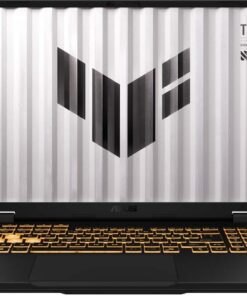
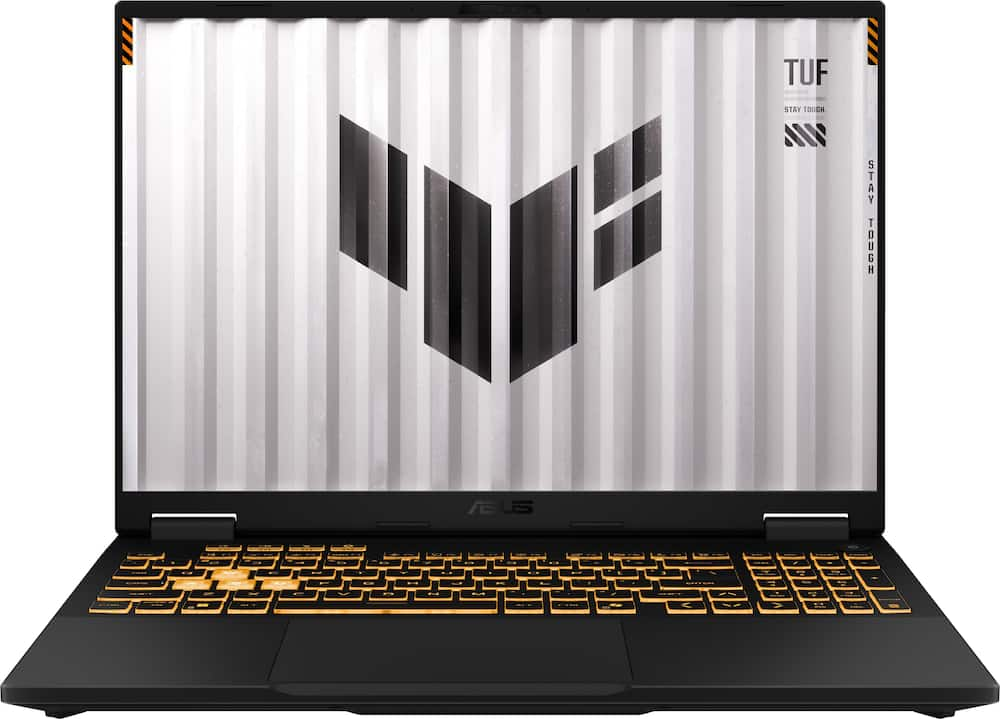
ASUS – TUF Gaming F16 16″ 144Hz FHD+ Gaming Laptop – Intel Core i7-14650HX 2024- 16GB Memory- GeForce RTX 5060 – 512GB Storage – Jaegar Gray
★★★★★★★★★★ (4.7) 20 reviews
Original price was: $1,989.99.$1,591.99Current price is: $1,591.99. Save $398
In stock · Ready to ship
Delivery Wed, Nov 11 – Fri, Nov 13 Free shipping
Secure checkout · Visa · Mastercard · Amex · Discover · PayPal
Questions? Talk to a product specialist
(888) 519-3048
- Free shipping $60+3–5 business days
- 30-day returnsMoney-back guarantee
- Brand-newManufacturer warranty
- Ships from the USColumbus, OH
- Game, create, and maximize your productivity with Windows 11 Game, create, and maximize your productivity—Windows 11 is the one place for it all.
- With a fresh new feel and tools that make it easier to be efficient, it has everything you need for whatever comes next.Immersive visuals with 16" Full HD+ WUXGA 144Hz Display Keep up with the pros thanks to its WUXGA 144Hz display.
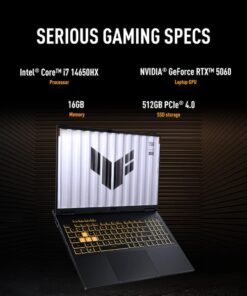
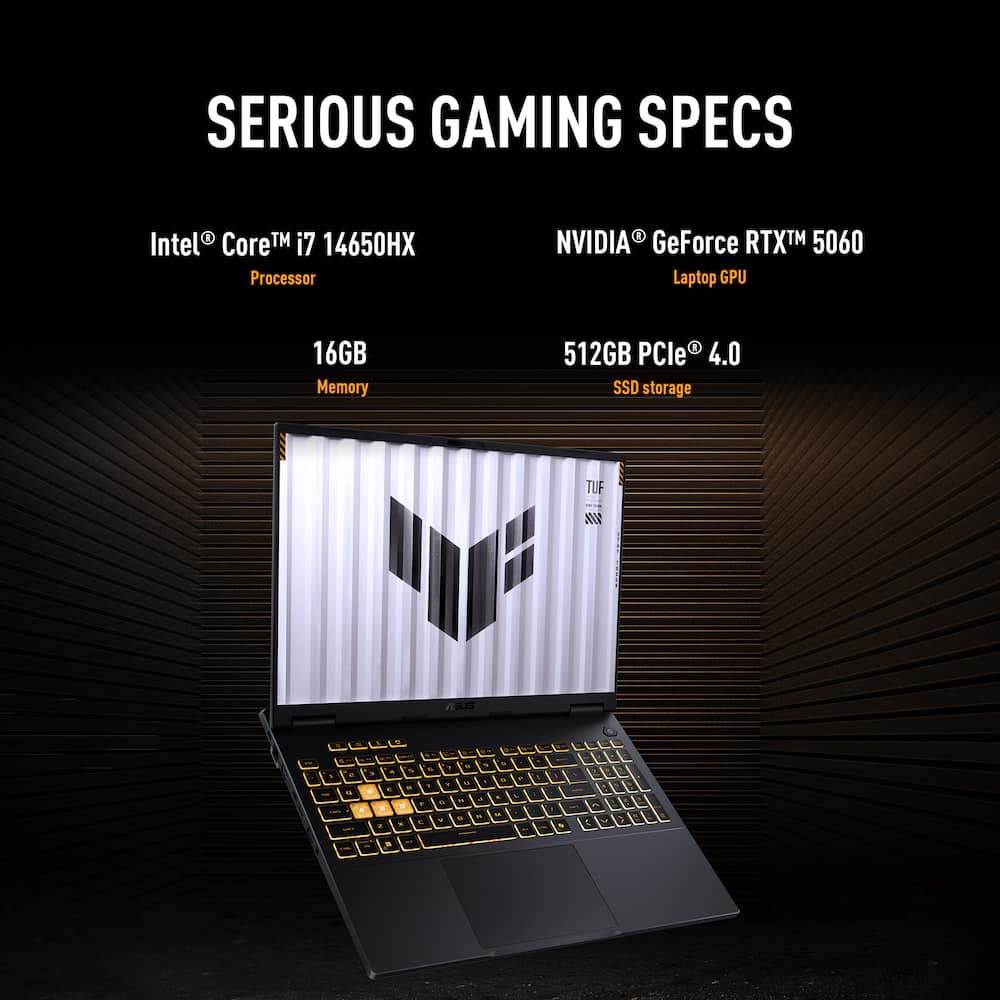
- The 16:10 aspect ratio, along with slim bezels and a 90% screen-to-body ratio creates an incredibly immersive Full HD+ experience.Ready for anything with an Intel Core i7-14650HX processor Power through your day with the Intel Core i7-14650HX processor, which offers up to 5.2GHz and 16 cores.
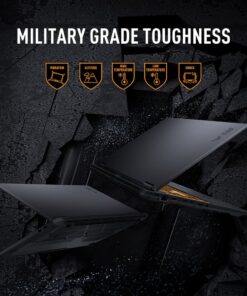
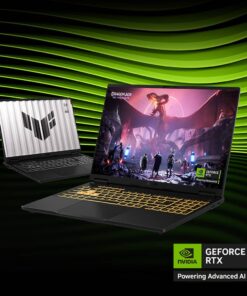
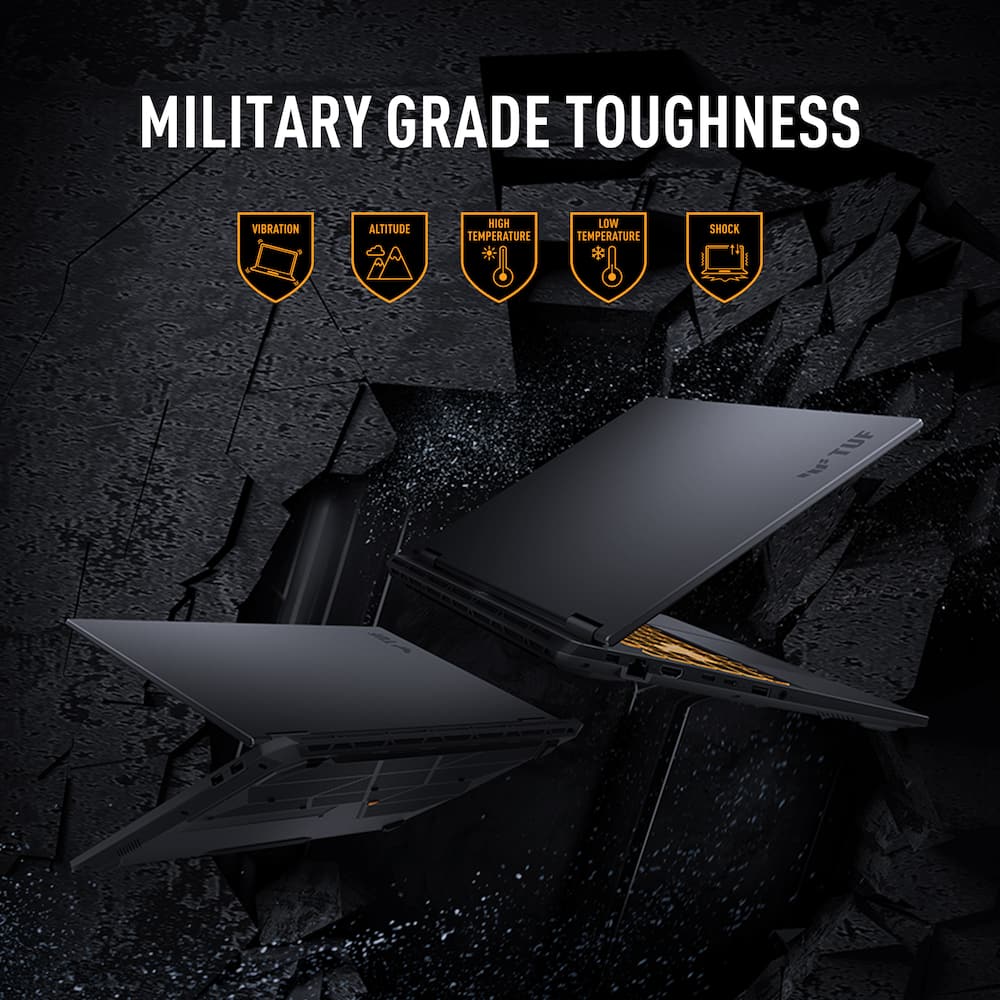
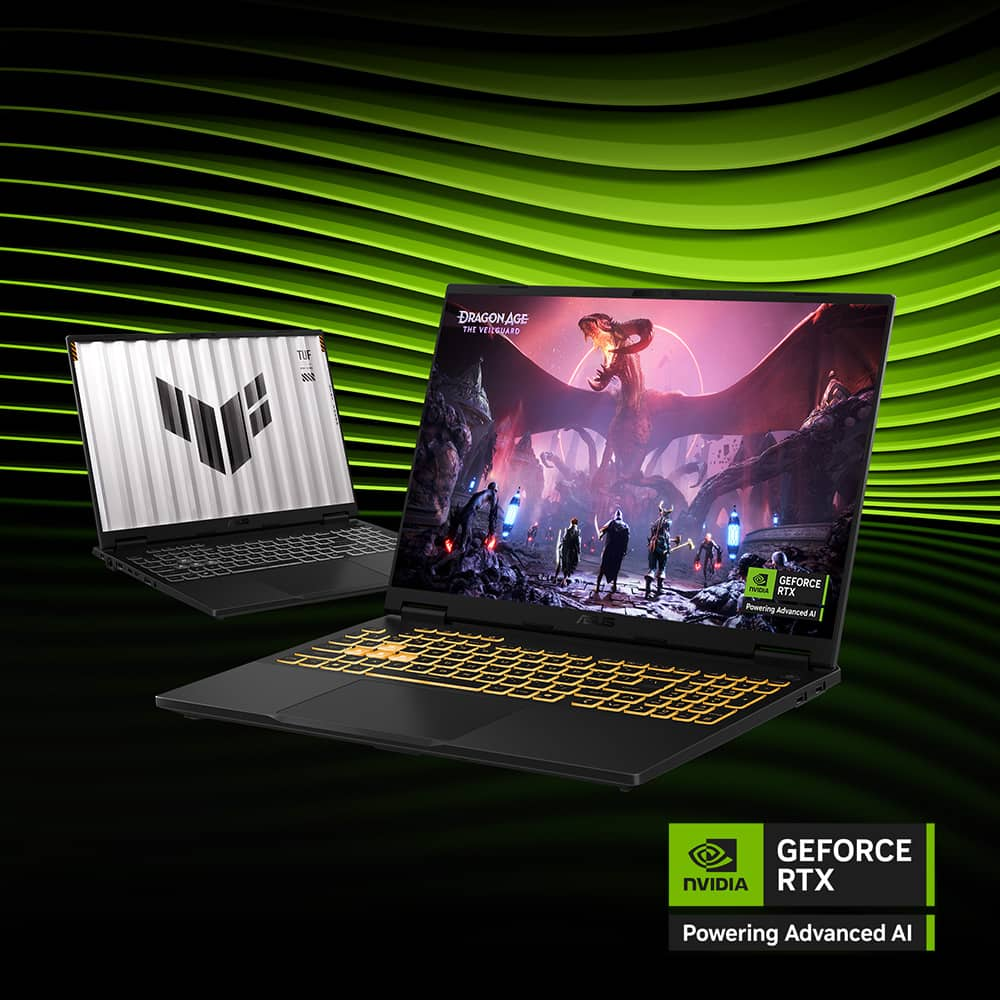
- The F16 can easily play the latest games and keep your productivity on schedule.Amp up your game with NVIDIA GeForce RTX 5060 Laptop GPU Level up your game with the NVIDIA GeForce RTX 5060 Laptop GPU and NVIDIA Advanced Optimus.Seamless multitasking with 16GB of DDR5 RAM and 512GB of SSD Equipped with 16GB of DDR5 RAM and 512GB of SSD, the TUF Gaming F16 effortlessly handles multitasking demands.Military Grade Toughness In order to earn the TUF Gaming name, these laptops must successfully survive a series of rigorous MIL-STD-810H tests.
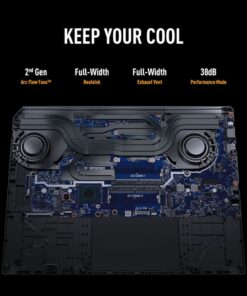
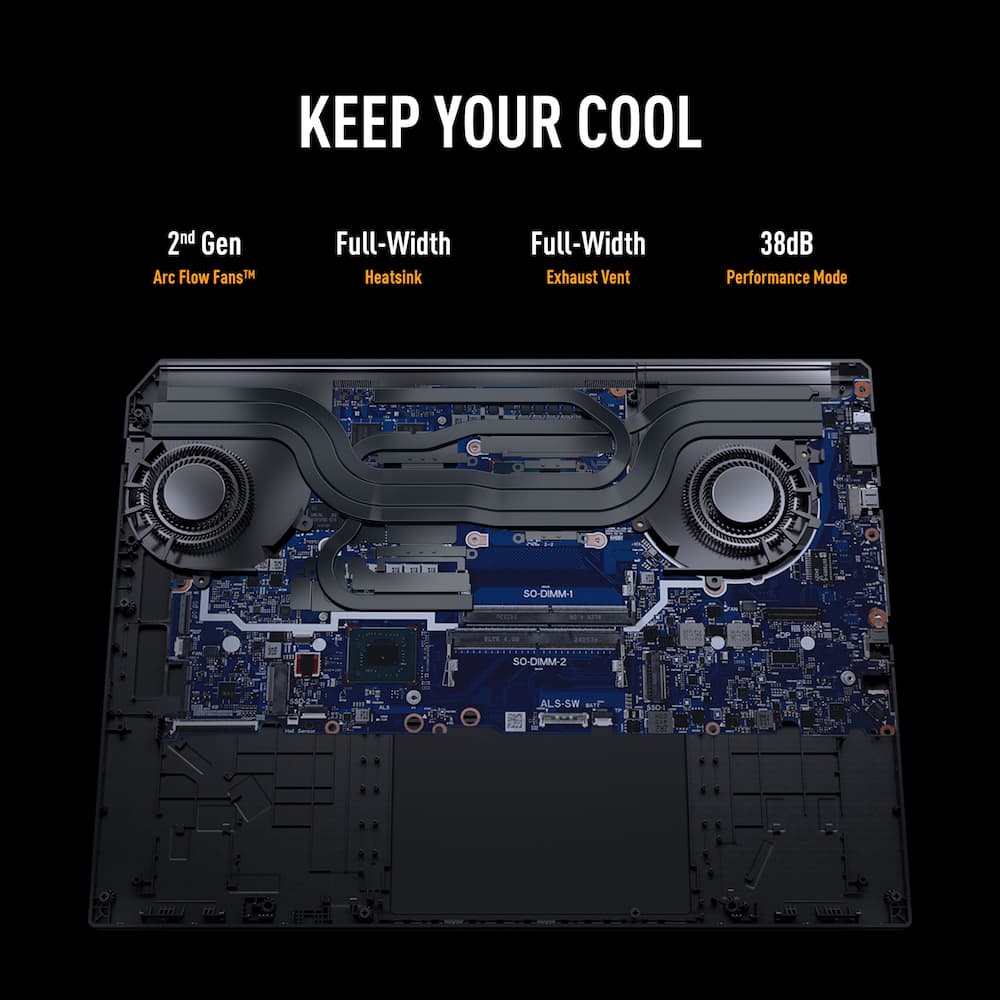
- Test devices are exposed to drops, vibration, humidity, and extreme temperatures to ensure long-term reliability.Efficient Cooling Solutions Equipped with Arc Flow Fans, 4 exhaust vents, 5 dedicated heat pipes, and an anti-dust filter, the TUF Gaming F16 optimizes cooling performance without extra noise.MUX Switch with Advanced Optimus A MUX Switch increases laptop gaming performance by 5-10% by routing frames directly from the dGPU to the display bypassing the iGPU.
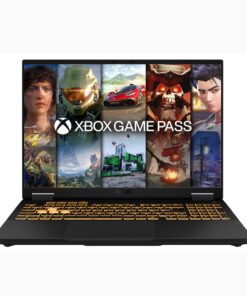
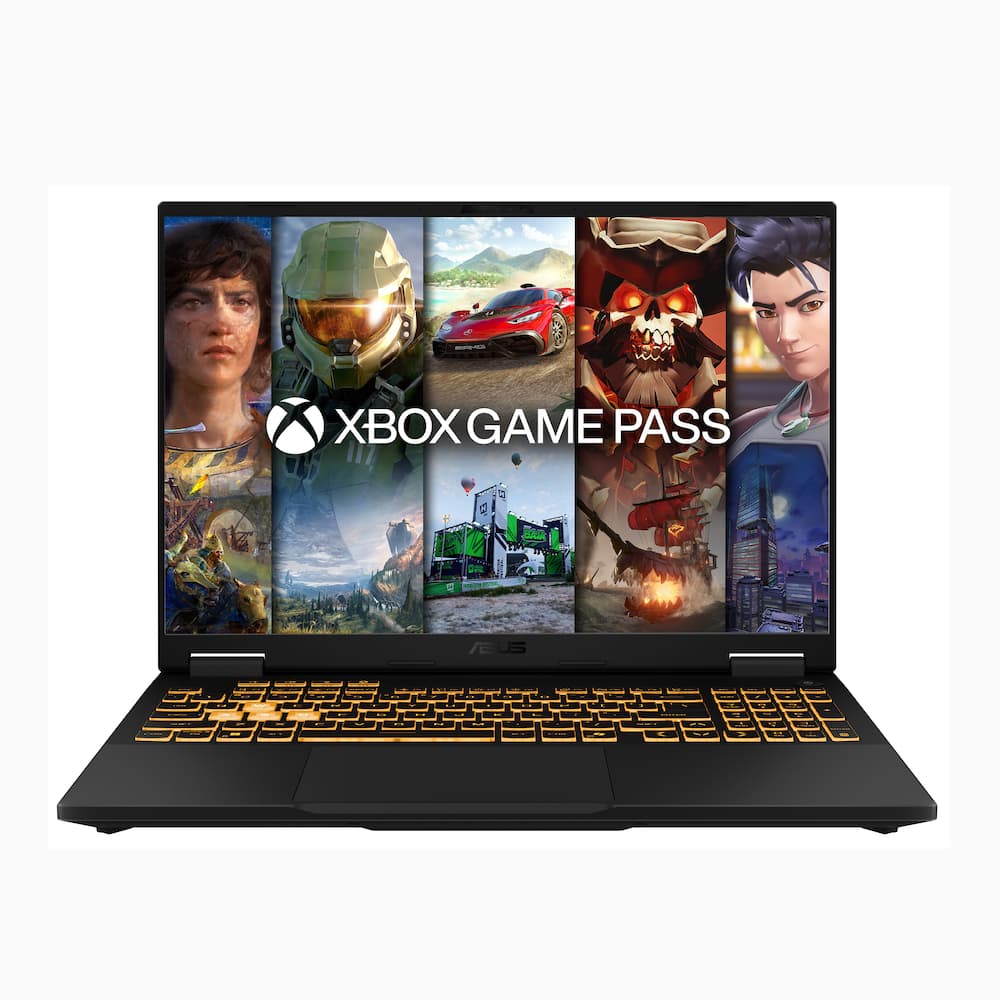
- With Advanced Optimus the switch between iGPU and dGPU becomes automatic based on the task, optimizing battery life.2 Months of Xbox Game Pass Premium Included Play 200+ games on the TUF Gaming F16* With the new games added regularly, there's always something fresh to play.
Key specs
- Weight
- 4.85 lbs
- Dimensions
- 10.59 × 13.94 × 1.07 in
- Processor Model
- Intel Core i7 14th Generation, Intel Core 5 Series 2, Intel 13th Generation Core i5
- Total Storage Capacity
- 512GB, 1000GB
- Color
- Jaegar Gray, Jaeger Gray, Mecha Gray
- Brand
- ASUS
- Model Number
- FX608JMI-TF/F16 76
- Weight
- 4.85 lbs
- Dimensions
- 10.59 × 13.94 × 1.07 in
- Processor Model
- Intel Core i7 14th Generation, Intel Core 5 Series 2, Intel 13th Generation Core i5
- Total Storage Capacity
- 512GB, 1000GB
- Color
- Jaegar Gray, Jaeger Gray, Mecha Gray
- Brand
- ASUS
- Model Number
- FX608JMI-TF/F16 76
- Product Name
- TUF Gaming F16 16" 144Hz FHD+ Gaming Laptop - Intel Core i7-14650HX 2024- 16GB Memory- GeForce RTX 5060 - 512GB Storage
- Display Type
- LCD
- Screen Type
- IPS
- Screen Size
- 16 inches
- Screen Resolution
- 1920 x 1200 (Full HD+)
- Touch Screen
- No
- Refresh Rate
- 144Hz
- Synchronization Technology
- G-SYNC (NVIDIA Adaptive Sync)
- Brightness
- 300 nits
- Processor Brand
- Intel
- Processor Model Number
- 14650HX
- Processor Model Year of Release
- 2024
- CPU Base Clock Frequency
- 2.2 gigahertz
- CPU Boost Clock Frequency
- 5.2 gigahertz
- Number of CPU Cores
- 16-core
- Number of CPU Threads
- 24
- Neural Processing Unit (NPU)
- No
- Storage Type
- SSD
- Solid State Drive Capacity
- 512 gigabytes
- Solid State Drive Interface
- PCIe 4.0
- System Memory (RAM)
- 16 gigabytes
- Type of Memory (RAM)
- DDR5
- System Memory RAM Speed
- 5600 megahertz
- Graphics Type
- Dedicated
- GPU Brand
- NVIDIA
- Graphics
- NVIDIA GeForce RTX 5060
- Advanced Graphics Rendering Technique(s)
- Ray tracing
- GPU Video Memory (RAM)
- 8 gigabytes
- GPU Video Memory Type (RAM)
- GDDR7
- Total Graphics Power
- 115 watts
- Operating System
- Windows 11 Home
- Display Connector(s)
- 1 x HDMI 2.1
- Number of HDMI Outputs (Total)
- 1
- USB Ports
- 1 x USB-C 3.2
- Number of USB Ports (Total)
- 4
- Number of USB-C Charging Ports
- 1
- Headphone Jack
- Yes
- Wireless Connectivity
- Wi-Fi
- Wireless Standard
- AX
- Wireless Networking Standard
- Wi-Fi 6E
- Number Of Ethernet Ports
- 1
- CPU Cooling System
- Air
- GPU Cooling System
- Air
- Power Supply Maximum Wattage
- 200 watts
- Battery Cells
- 4-cell
- Battery Chemistry
- Lithium-ion
- Front-Facing Camera
- Yes
- Front Facing Camera Video Resolution
- 1080p
- Built-In Microphone
- Yes
- Backlit Keyboard
- Yes
- Customizable Keyboard Lighting
- RGB
- Casing Material
- Aluminum
- Product Height
- 1.07 inches
- Product Width
- 13.94 inches
- Product Depth
- 10.59 inches
- Product Weight
- 4.85 pounds
- ENERGY STAR Certified
- No
- EPEAT Registered
- No
- Included Software
- MyASUS, Armoury Crate
- Warranty - Parts
- 1 year
- Warranty - Labor
- 1 year
- Year of Release
- 2026
- UPC
- 199291422339
- Game, create, and maximize your productivity with Windows 11
Game, create, and maximize your productivity—Windows 11 is the one place for it all. With a fresh new feel and tools that make it easier to be efficient, it has everything you need for whatever comes next. - Immersive visuals with 16″ Full HD+ WUXGA 144Hz Display
Keep up with the pros thanks to its WUXGA 144Hz display. The 16:10 aspect ratio, along with slim bezels and a 90% screen-to-body ratio creates an incredibly immersive Full HD+ experience. - Ready for anything with an Intel Core i7-14650HX processor
Power through your day with the Intel Core i7-14650HX processor, which offers up to 5.2GHz and 16 cores. The F16 can easily play the latest games and keep your productivity on schedule. - Amp up your game with NVIDIA GeForce RTX 5060 Laptop GPU
Level up your game with the NVIDIA GeForce RTX 5060 Laptop GPU and NVIDIA Advanced Optimus. - Seamless multitasking with 16GB of DDR5 RAM and 512GB of SSD
Equipped with 16GB of DDR5 RAM and 512GB of SSD, the TUF Gaming F16 effortlessly handles multitasking demands. - Military Grade Toughness
In order to earn the TUF Gaming name, these laptops must successfully survive a series of rigorous MIL-STD-810H tests. Test devices are exposed to drops, vibration, humidity, and extreme temperatures to ensure long-term reliability. - Efficient Cooling Solutions
Equipped with Arc Flow Fans, 4 exhaust vents, 5 dedicated heat pipes, and an anti-dust filter, the TUF Gaming F16 optimizes cooling performance without extra noise. - MUX Switch with Advanced Optimus
A MUX Switch increases laptop gaming performance by 5-10% by routing frames directly from the dGPU to the display bypassing the iGPU. With Advanced Optimus the switch between iGPU and dGPU becomes automatic based on the task, optimizing battery life. - 2 Months of Xbox Game Pass Premium Included
Play 200+ games on the TUF Gaming F16* With the new games added regularly, there’s always something fresh to play. *Terms apply - Gaming PC
Gaming PCs are built for high performance gaming, so you can stay fully in the action with the speed and graphics for modern, immersive gameplay.
Standard US ground delivery is $5.49 and arrives in 3–5 business days. Orders over $60 ship free. Returns are accepted within 30 days of delivery.
Hindean (verified owner) –
DEFINITELY ASUS TUF – Immediately tearing into this mid range power house of a machine by ASUS, and throwing everything I could at it, led to be an enjoyable experience. Gaming to Video editing was pretty decent on this machine. Most newer games play well hitting 90-110+ FPS …Cyberpunk 2077 seems to be my go to for these sorts of run thru’s. Immediately I would say this thing can hold it’s own, while its not the fastest thing out there, it can definitely keep up.
Pros
16 cores, 24 threads of heavy lifting CPU muscle (i7-14650HX)
GeForce RTX 5060
Upgradable DDR5 and available m.2 slot give this machine a chance at a longer life
MIL-STD-810H [Military grade durability, makes this on “Tuf” cookie …pun intended]
16″ FHD+ display (1920×1200) (16:10) Gsync, antiglare coating, mux switch
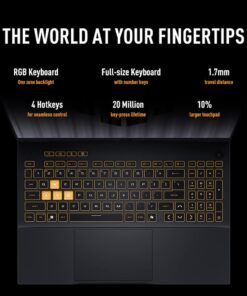
Full sized keyboard (back lit rgb)
Features Dolby Atmos Speakers
Cons
Fans are a little loud when gaming
Only having a 512 SSD is underwhelming at this price point
144Hz… 165Hz could of added some more life to this machine but not a deal breaker
Power brick gets pretty hot, but what gaming laptop doesn’t…
Overall this is a decent midrange machine, battery gives you about 5-7 hours of light use, dont expect an all night gaming session on the battery alone as heavy gaming will drop the charge significantly quick. While the speakers are nice, they aren’t as thumping as I would prefer, though at what point do I really never have my headset on anyways …
Only 16GB ram on board seems a bit limiting but knowing you can upgrade easily makes this machine more appetizing. For the price it’s a little on the fence for me, but with the prices of literally all hardware lately you have to take that into account. I would recommend this if you are looking to get your feet wet in gaming or video editing and need a Tuf machine to get you started, and with the ability to upgrade ram & hd space right at your finger tips, I would definitely recommend this to someone that was just getting started and be looking to upgrade later; and at the end of the day it is an ASUS TUF
gaming laptop and personally; I haven’t found any ASUS I didn’t like.
Ebonovic (verified owner) –
Nice, just missed a few marks – The laptop is solid and good, but you need to really know what you are getting.
First it runs Windows 11 out of the box, and needs a LOT of updates at setup… It’s going to take nearly an hour for you to set it up, so prepare for that. I won’t get into much about Windows 11 and how it impacts the usage, as there are 1000’s of reviews and blogs and videos that will get into that. Just know that this runs the latest and greatest iterations of Microsoft Windows, and you need to license Office 360 to get those features on your system, just like any other one.
Hardware wise, will be the focus here…
For a laptop of this power and generation, it’s is surprising lighter then I expected… Solid construction, doesn’t feel flimsy that it is going to break in the backpack or in usage…
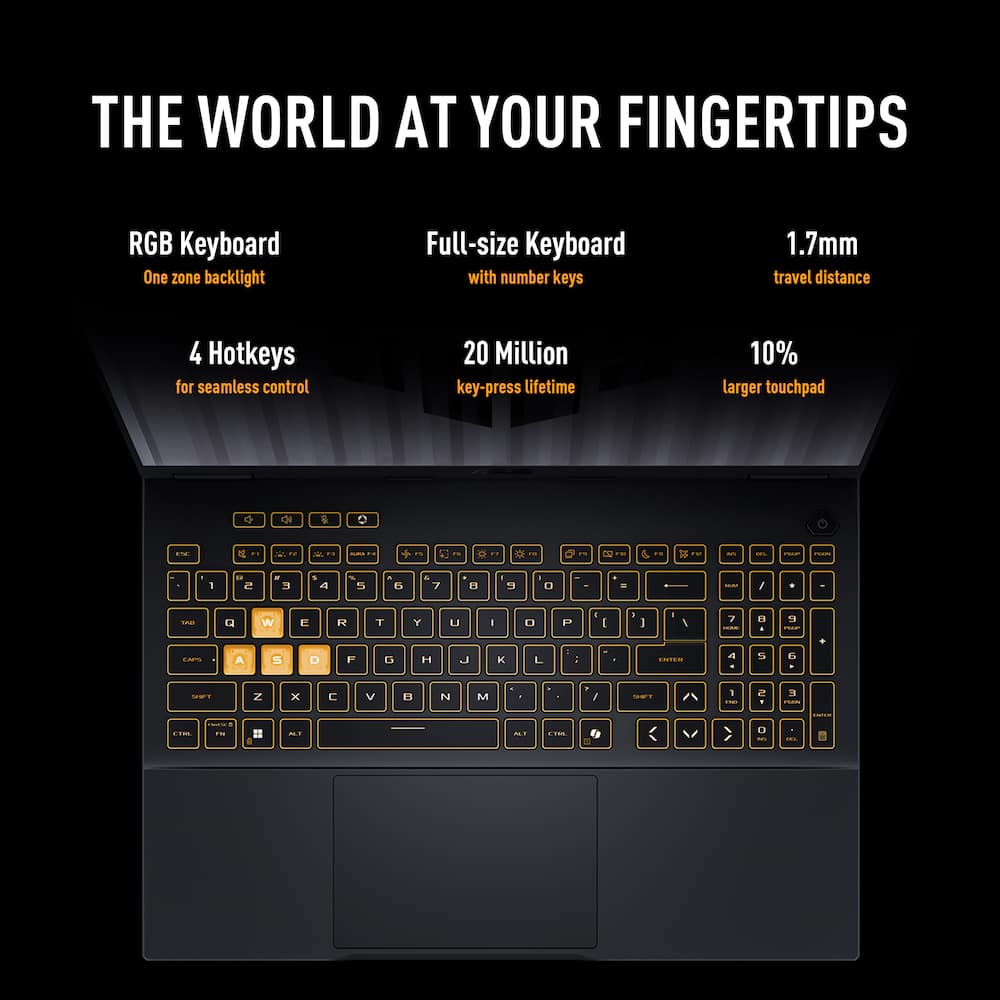
Full size keyboard, with full number pad. This is great, as many laptops are sacrificing that for space, and glad it is here. Well lit keyboard, gives it that nice fun appearance. The keys are flat, and integrated, so you won’t really be able to upgrade them much afterwards (not surprising for a laptop), but they are smooth to type on, and give some good feedback while using.
Screen isn’t edge to edge… there is about a 1/4″ bezel around the left and right side, and 1/2″ on the top, and more on the bottom for the full hinge. It isn’t a really hidden hinge, and I like that monitor has a bezel.. It isn’t too much and gives it that better appearance and protection. It doesnt’ take away from the screen, this is a good size screen for laptop usage.
Power Supply: It comes with a medium sized power brick, not crazy big, but also something I don’t want to carry around.. So it is good that it will utilize USB-C charging, so you can get a smaller portable power plug, and a good 10ft cable, and you are set for the on the go. And if you lose it or forget it, easy to find solutions without breaking the bank.
So what caught me off guard right out of the gate…
There is just 1, yes just 1 USB-C port. And if you are using that for power, you will need a dongle so you can power, and use USB-C devices.
There is 3 USB-A 3.2 level ports, which is fine for most, and you can use an adapter to go from USB-A to USB-C… just really surprised that there is just 1 USB-C nowadays.
External displays.. a Full HDMI 2.1 port is available is nice, so no dongle necessary. You can use DP, via the one USB-A port… so you have those options.
Full wired headphone port, so you are not limited to just wireless options.
Networking:
Wireless is WiFi 6E, a little surprised it is not WiFi 7, but not many people have routers/APs for it yet, so may not matter. But the WiFi 6E is connecting at 1G speeds, so getting okay to good download performance, and networking.
There is a FULL Ethernet Port as well, which is really nice in a laptop, and is rare. I like having that as an option so I can get crazy good connection when playing or utilizing.
Video Card: NVidia RTX 5060, which for most people is going to be good enough. If you are hard-core, this may be a little low for what you need, but for the VAST majority of the target audience this graphic chip set is going to be perfect. Look up other reviews for deep reviews on the 5060 vs other chip sets, that can get into frame rates, performance, what you get and what you give up. 8gb video memory is good as well, not an abundance, but pretty solid.
Now, this did only come with 16gb of memory, and with memory prices being insane right now, that is a compromise you have to make. 16gb is good for a good number of users, but know that, and make sure it is what you need, as it isn’t possible (well at least not easy in anyway) to upgrade memory in these systems
512gb of internal storage, is a average for now days… and good, with cloud storage available. But if you need a lot of game room, and space, this may be limiting. You do have the USB ports for external expansion, but that has its side effects as well. Again, it is a compromise on cost, vs space.
As for usage…
Solid, good. I use my laptops for travel and work… so good performance with the Microsoft products I use (Outlook, Word, etc)… no issues at all there, very very good performance.
Streaming video (who doesn’t watch videos nowadays), no lags due to the laptop, crisp display.
Adequate sound with the built in speakers, nothing that is going to blow your socks off, but that is what a good headset is for.
Game play.. I like my racing games, and Forza rocks (that is my test game). Fun, good performance, was able to use an external “xbox” control with no problems.
Going into the fall, this is probably going to be my home for Madden football.. :).
We have also used other types of games as well via Steam which works with no problems.
(JackBox, works very well)
So overall.. solid, good machine.. May be a little up in the $$ range right now, but that is due to the memory/storage issues in the market right now, so take that into consideration.
This laptop should easily give you 2-3 years of high performance usage, and then another 2-3 after that for good quality usage.
TheTruQ (verified owner) –
They seem to get it right on the regular – Whether you are a light gamer or a PC gaming diehard, having a good laptop or PC can be the difference between frustration and bliss. Laptops offer the flexibility to game on the go and dock it when settled in, either at home or on an extended stay. Performance is a must, but when you’re moving that much, durability also comes into play. Enter the ASUS TUF Book F16.
I’m a stickler for new product packaging. It just tells me a lot about how the company feels about their product and their level of care for initial customer interaction with the product. This laptop comes packaged firm and sturdy with adequate cushioning and protection to withstand mishaps during delivery. Once I removed it from the package, my initial reaction was, it’s probably the slimmest “tough” notebook/laptop I’ve ever seen. I was seriously expecting more of a brick, but as far as tough-grade notebooks go, the TUF F16 is pleasantly svelte. It feels rugged, especially the base. The flip top doesn’t give me that tougher than nails feeling, but it does feel more rigid and physically stout than other laptops. Hey, I choose to believe in what’s touted as “military standard durability”.
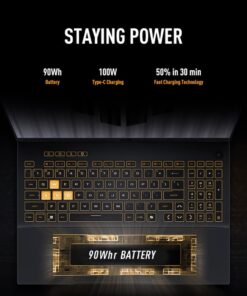
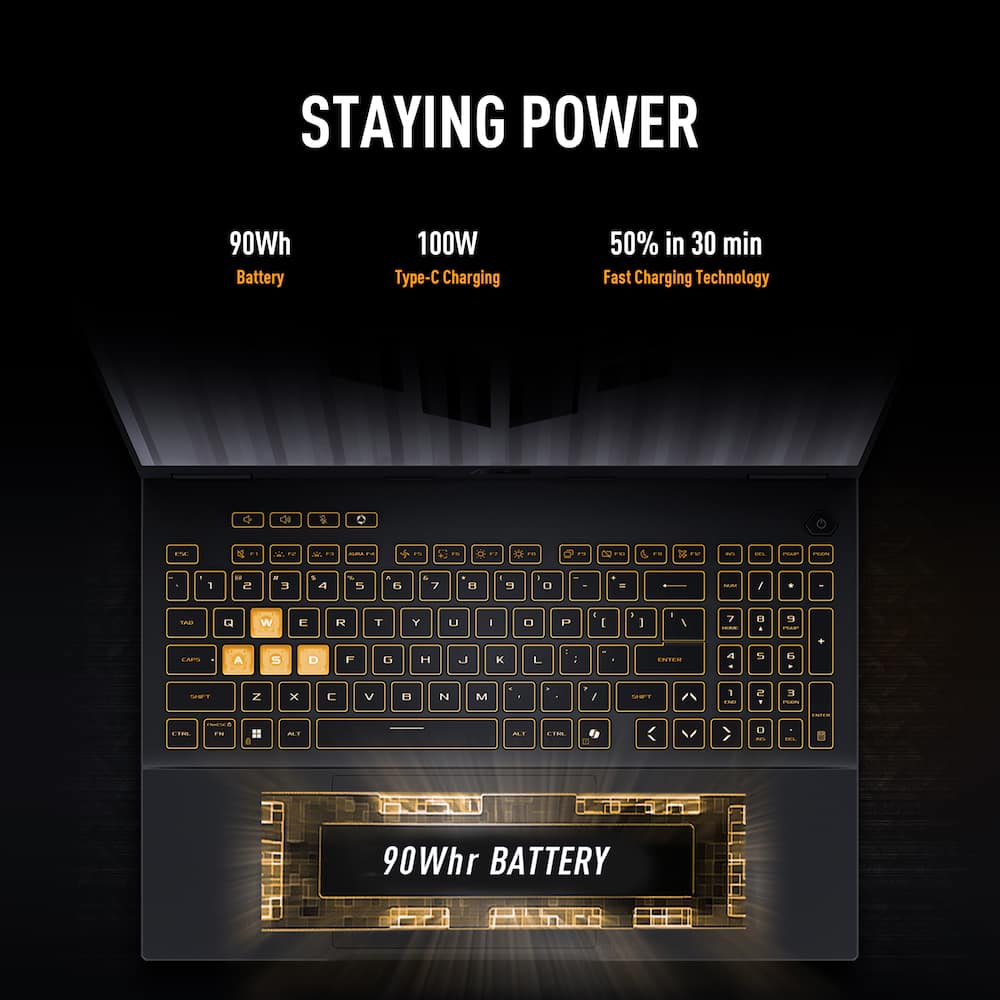
It has plenty of ports: more USB-A (3) than USB-C (1), an HDMI port, ethernet port, and headphone jack. It has a proprietary charging port, which isn’t as convenient as most newer laptops. Fret not, because there is a 100W PD port in the USB-C. Another interesting choice is that the indicator lights are located on the slim deck on the rear of the base. When you open the lid, these lights are completely hidden. It works when docked, but don’t expect to quickly view lights relative to disk activity, battery, power, airplane mode while using the F16 in laptop form.
Powering up the laptop, the first thing that jumped out to me was the screen. This is arguably one of the best-looking matte LCDs I’ve seen on a laptop. It’s brighter than expected, has excellent clarity and color. The next thing to catch my attention (ummm, could be the first) was the lit keyboard. Backlit keyboard that changes colors and feels fantastic. ASUS didn’t skimp on the keys on this laptop. Full keyboard with wonderful key travel and feel and good key separation. The trackpad is large, smooth and responsive and does an adequate job with palm rejection.
After pushing through the Windows PC setup and update process, it was time to put it through its paces. I have a couple of Star Wars games, Tomb Raider games, Wolfenstein, and my wife has SIMS. The TUF F16 handles each of these games without issue. The framerate is solid and consistent, the visuals are crisp and fluid, and there is no sign of lag or stutter during play – extremely responsive. Of course, the fan does kick in when the rig is pushed, but that’s expected. The TUF F16 gets warm, but I never pushed it to the point of what I consider uncomfortable heat. This thing does an admirable job of keeping the internals cool, which also keeps performance snappy and consistent. Battery gaming depends on the game. You could maybe squeeze out 90 minutes with a medium-level resource demanding game, but for any extended session, keep that charger handy.
All in all, this is a great gaming laptop with a rugged exterior. Some nice-to-haves would have been Thunderbolt 4, 32GB or RAM, move the indicator lights back to a more visible location. Even without these suggested improvements, this is a grade A product and one well worth consideration.
Dan0Sterling (verified owner) –
A nice start with growth potential – I bought this to game on, and it does that job in a nice way.
The screen is the first thing you notice. It’s clear and it’s fast. I’ve put a lot of hours into GTA and Horizon over the years, and on this does them both justice. No stuttering. Great action.
The screen is really nice. While it’s not OLED, it fakes it well. I have an OLED gaming monitor and the TUF compares very favorably in detail and pop. With the lower resolution of the screen, I was able to get the FPS up to 85. Driving the external monitor wasn’t as great. Even in high detail mode, the best I could get was 10 FPS. Not a great gameplay experience.
The keyboard makes it feel like a gaming machine and is useful too! It’s comfortable to type on for long stretches, and the WASD cluster is clearly demarcated so your left hand finds home without looking. The dedicated volume keys are another nice addition: no fumbling for a function-key combination mid-race just to hear yourself think. This is a machine designed by people who game, and the details make a difference.
Power works over USB-C or the included, proprietary adapter. I’ve been running it off a third-party 100W adapter and it charges without complaint and without stuttering — no throttling, no drama, no insisting on its own brick. While it charges a little faster with the included, it’s nice to have the portability from one of my small, light GaN chargers.
The catch is that there’s only one USB-C port. Charge through it and it’s spoken for, which means anything else you want to connect over Type-C needs a docking station. It’s not a dealbreaker, but it’s the one bit of the layout I’d have designed differently, especially given how common USB-C peripherals are now. Battery life is decent at 1.5 hours playing Horizon.
On expandability, ASUS did right by anyone who likes to keep a machine a few years. There’s an open M.2 slot for a second drive and an open slot for another memory module, so you’re not stuck with what shipped. For what it’s worth, the 16 GB it came with has worked well for me — I haven’t felt the need to add to it yet. But it’s good to know the room is there. From a gaming perspective, it comes with a paltry 500 GB drive. The drive is fast but you need something significantly larger if you want to have more than one or two games installed. Fortunately I had a 2 TB drive I could take from another machine I was no longer using. New drives cost a fortune.
Bottom Line: This is a nice machine with a modern processor, a decent graphics card, and enough other specs to support the whole thing. A gaming laptop will never replace a dedicated desktop PC but you can’t beat the portability this gives you.Recommended for a gamer who wants a machine that performs well on the road, values display quality and comfortable controls over shaving off every last ounce, and would rather add storage and memory later than pay for it up front.
clow18 (verified owner) –
Excellent entry to mid level gaming laptop! – The Asus tuf gaming F-16 I7 with a 5060 graphics card comes with 3 USB-A ports and Ethernet port, 1 USB-C port and a headphone Jack. It comes with a full-sized keyboard for those that work with numbers, which I for one like have the option of in my laptops.
It comes with 16gb of RAM which is decent, as well as a 5060 graphics card with 8gb of memory. That also is more than enough for most gamers and def. more than enough for entry level gaming. I really enjoy how clear and crips the screen is and I really enjoyed watching media (anime, Netflix, etc). The sound was just fine and I had zero issues.
It comes with a 2.1 hdmi port which is EXCELLENT these days. Awesome job adding this!
I was able to run PalWorld at close to 100 fps give or take on low settings and hit 60+ at medium and high. I really enjoy the customization Armory Crate offers, although it can be a bit of a memory hog, which I hope Asus will remedy.
As far as heat goes, it does get hot, but nothing to crazy or where I felt I need to stop playing because it was hurting. All of which is normal In my opinion when it comes to laptops and GPUs these days.
I really enjoy using this laptop for gaming and working and can see myself using for the while to come. Nice job, Asus.
V4WIN (verified owner) –
HONEST REVIEW – # ASUS TUF Gaming F16 RTX 5060. Review
I have spent a lot of time using the ASUS TUF Gaming F16 and I think it is a really strong gaming laptop for someone who wants a lot of performance without spending a lot of money on high-end laptops. This particular model has an Intel Core i7-14650HX, 16GB of RAM an NVIDIA GeForce RTX 5060 with 8GB of VRAM 512GB of storage and a 16-inch 144Hz FHD+ display. These numbers already make it look like a machine but what really matters is how everything works together in real life.
The first thing I noticed was the speed. The Core i7-14650HX is a processor and it definitely feels like one when using the laptop. Opening programs, browsing with tabs switching between tasks and doing normal school or work tasks all feel fast and easy. I don’t feel like I have to wait for programs to catch up with me. When I have a lot open at once the laptop stays easy to use.
The 16GB of RAM is an amount for a gaming laptop in this price range. For gaming, web browsing watching videos, schoolwork and multitasking I haven’t felt limited by it. Having 16GB also gives the laptop space for running games and other apps at the same time. If someone needs memory later one of the best things about this machine is that it can be upgraded. That makes the laptop feel more ready for the future than something that can’t be changed.
Gaming is where the RTX 5060 really shines. The graphics card gives the F16 power to play modern games at the laptop’s normal screen size without needing very low settings. The 8GB of VRAM is also good for games and better textures. Course performance depends on the game and the settings but the RTX 5060 makes this laptop more than just a basic gaming machine.
The 144Hz screen is another thing I really like. Once you get used to a refresh rate going back to 60Hz feels less smooth. Moving windows, scrolling through websites and especially playing games all feel better with the refresh rate. Fast actions in games look cleaner. Controls feel more responsive. For games where quick reactions matter a 144Hz screen is especially nice.
I also like the 16-inch size. It gives screen space than a standard 15.6-inch laptop while still being easy to carry. The FHD+ resolution works well for this screen size because it balances image quality and performance. A higher resolution might look better. It would also need more graphics power in games. For a gaming laptop using an RTX 5060 I think the FHD+ screen makes a lot of sense because the GPU can actually use the 144Hz refresh rate.
The screen is not just for games. Watching movies YouTube, shows and anime is enjoyable on the screen. The thin edges also help the screen feel more immersive. Of having a lot of empty space around the screen most of the front of the laptop is just the display.
The look is another area where I think ASUS did a job. The TUF series has a tough look than some other gaming laptops but the F16 doesn’t look out of place when used in a different setting. I could see someone using this laptop for school work during the day and then playing games later without it feeling like a desktop replacement.
The build quality also makes me feel confident. It feels solid when I hold it and the body doesn’t feel too fragile. That’s important for a laptop because it is something you carry around a lot. The TUF name is about being strong and even though I wouldn’t try to break it it feels like ASUS thought about making it able to handle normal everyday use.
The ports are also something I like. Gaming laptops need connections for a mouse, keyboard, headset, monitor, Ethernet and more and the F16 has a good selection. Having Ethernet is especially good for gaming because a wired connection is more stable than Wi-Fi. HDMI is also useful if you want to connect a screen or TV.
The keyboard is comfortable to use well. One thing I really like about the F16 design is having a full-sized keyboard with a number pad. That’s not always on gaming laptops. It can be really helpful for school work, spreadsheets and typing numbers. The keyboard also works well for gaming because the main keys have a layout and don’t feel too tight.
The trackpad works well for tasks but anyone buying a gaming laptop will probably end up using a separate mouse for games. Still for browsing, moving around Windows and doing school work it gets the job done.
Sound quality is another area where I would say the laptop is good, but not amazing. The built-in speakers are fine for watching videos listening to music or playing a game without a headset.. For serious games a headset still gives a much better experience especially if you want to hear where sounds are coming from.
Cooling is important because powerful laptop parts make heat. When the CPU and GPU are working hard during games the laptop can get warm. The fans get louder. That’s not really surprising for a machine with this kind of power. The important thing is that the cooling system is there to take the heat away when the parts are working hard.
I also like having the ASUS Armoury Crate software available. It gives control over performance settings and lets you adjust how the laptop works based on what you are doing. For example you can use a mode for light tasks and switch to a higher-performance mode when playing games. There are a lot of choices which’s good for people who like to change things. The only downside is that the software can feel busy especially if you just want to turn on the laptop and play.
Storage is probably the area where I would want space. The 512GB SSD is fast. Works well but modern games take up a lot of space. A few large games, along with Windows, programs, videos and other files can eat up 512GB quickly. Fortunately the ability to add storage makes this less of a problem. Someone who plans to keep a game collection should definitely think about adding more storage later.
Battery life is also something to be realistic about. Gaming laptops with parts and a graphics card are not made for long battery life like thin and light laptops. For tasks the battery is okay but if you play games without a charger it drains fast. I would think of the F16 as more of a desktop-style gaming machine than a laptop meant to last all day without a power outlet.
One of my things about this laptop is that it doesn’t just work for games. The strong processor and graphics card make it good for more than playing games. If you are into video editing, creative tools, programming, 3D apps or other heavy programs the hardware gives you plenty of space to work. That makes the F16 more useful than a laptop made for one job.
There are definitely some trade-offs. It’s not the laptop the fans can get loud when working hard the 512GB storage isn’t the biggest and battery life isn’t as good as an ultrabook.. Those are reasonable trade-offs for a laptop with this much power. Trying to make a gaming laptop light totally quiet and able to run games for hours on battery would mean making other compromises.
After using the TUF Gaming F16 I think the biggest thing it has is balance. You get a Core i7 processor, an RTX 5060 with 8GB of VRAM 16GB of RAM a fast 144Hz screen, useful ports, a solid body and parts that can be upgraded. None of these features are alone; they all work together to make the laptop feel like a machine that can handle games today and still have room to grow later.
For someone looking for a gaming laptop that can also handle school, work, entertainment and demanding programs I think the ASUS TUF Gaming F16 is a very good choice. It isn’t perfect. It doesn’t need to be. The things it does well are the important for a gaming laptop: strong performance, a smooth screen, good ports, a strong design and the ability to upgrade important parts later.
Overall I am happy with what ASUS has made. The F16 feels strong without being too complicated. The RTX 5060 gives it enough graphics power to make the 144Hz screen worth it. If you are looking for a laptop that can be both a gaming machine and a daily computer this is a model I would have no problem recommending. The few problems, the 512GB storage and the heat and fan noise, during heavy games are things I can live with given the performance and upgrade options. For the price and hardware the ASUS TUF Gaming F16 is a gaming laptop that should stay good for years instead of getting old quickly.
Manny (verified owner) –
All the specs you need to jump in to gaming! – For an entry-level gaming laptop this feels exceptionally premium with metal details like the lid and being very well equipped for the range. I would start by saying the RTX 5060 is no slouch with the 115w TDP and excellent cooling in this chassis it gets down.
The screen is very bright and is a great match to the size of laptop that it is being a 16 inch. The Intel CPU performs excellent in and out of game and does not really get hot in this chassis at all as it has excellent cooling. The main positive point on this thing is that when the fans do spin they’re actually very quiet which I found compared to my normal daily driver like half the volume it’s insane how quiet they are pushing air. On top of that you can put it in silent mode and ambient cooling just stays dead silent as the fans don’t need to run all the time to do basic productivity tasks.
In game I had no issue maxing out the display in games like Fortnite, GTA, Wow, CoD etc all the usual suspects had absolutely zero issue playing and maintaining essentially maxing out the internal display which is a feat for an entry level machine such as this.
Of course your going to want to get a larger storage eventually I would say but they due this due to the chip shortage to keep pricing reasonable but your still getting 512GB SSD that comes with and 16GB DDR5 ram which is good enough to run most games you’d want to play anyway.
I did some light video editing on this in resolve and I had no issue firing off some shorts and a couple OBS recordings in 4k of gameplay I did internally as well with decent render times too.
Something I found extremely useful is that the USB C ports can also accept power delivery so funny enough I was able to use a random 100w brick I had laying around to charge and run this while on the go and at work then come back home to the stock power adapter that comes with to get full power for gaming when docked so to speak.
For the money this has all the right specs, is a really solid cool (temp wise) design so you know you have years to come with this and it feels really premium. I would highly recommend this to anyone looking to step into the gaming laptop world.
3Tcubed (verified owner) –
Impressive, easily upgraded – This ASUS F16 (FX608) is a ‘2026’ equipped Gaming/Creator machine. It’s equipped with the GeForce RTX 5060. The NVIDIA GeForce RTX 5060 which is roughly 20% to 30% faster (in raw 1080p) gaming than the older RTX 4060 (which I was using). Both cards have 8GB of VRAM, a 128-bit bus, the newer RTX 5060 uses faster GDDR7 memory and supports advanced DLSS 4 Multi Frame Generation. This processor can support 4K and 8K displays via HDMI or DisplayPort over USB (both on the left side of the notebook). The F16’s 16″ IPS Display is FHD+ (1980×1200 anti glare) @144Hz (with an average brightness of 300 cd/m² (nits)). The RTX 5060 supports advanced DLSS 4 Multi Frame Generation, so it will work with most modern games. It ships with a 512Gb Gen4 m.2 SSD and 16Gb DDR5 (spec say 2x8Gb dual channel, but mine had a single 16Gb SODIMM). It comes with a pretty light but beefy 100W power supply, but it’s possible to power this notebook via a USB C input. The manual says the USB4 port will accept 20V/5A (100W PD), but after much trial and error I found the F16’s USB power seems to be capped at 60W, with the proper cable and with “Battery Care” OFF. With “Battery Care” ON the USB power port trickle-feeds at no more than 60W. So no heavy gaming (without the power brick (it’s fine for light tasks (like reading documents or web browsing)). The i7 Intel 14650HX has 8 performance cores and 8 efficient cores supporting 24 threads. With a 30 MB L3 cache. Base power consumption is 55W. Its max turbo frequency is 5.2 GHz.
The notebook itself weighs in at 4.85 lbs (pretty reasonable for a 16″ gaming machine) and is 14″ wide and 10.6″ deep and 1.07″ tall. It has a fully backlit RGB keyboard. Upon installation, I made sure that Windows 11 (Home) was up to date (this took about 90 minutes and multiple reboots (not surprising)). I also made sure that the F16’s firmware was up to date, which only required one update. Nothing unexpected, but you should be aware that Windows 11 requires that you have a Microsoft Account to logon. One of the first things I did was to fully charge the battery, and then unplug the notebook, and use it for light office work (screen at 60% brightness and performance set to Balanced, mostly internet browsing. After 5 hours I got the 20% low battery warning, then I ran for another hour, which was at 3% and it auto dimmed my screen at every pause. The F16’s Control Center is an app called “Armoury Crate”; Fn hotkeys and other OSD functions are defined here. It also shows most of the machine’s power/performance information. So I’d say battery life is about: 6hrs; no gaming, not using the RTX 5060, not bad for a gaming notebook, nothing special.
I recharged, and ran Diablo IV (set to 1080p Ultra), upon loading you could hear the notebooks fans beginning to run, the frame rate varied from 120 to about 180FPS (w/DLSS4 enabled). Pretty darn respectable for a notebook, but this is a FHD display. I only ran for 90 minutes and the low battery warning came on and some of the power saving features that were set by default kicked in, and slowed things down. The heat coming out from the bottom and back was pretty warm as expected, but not as bad as I’d thought it might be. So system cooling seems to work quite well. The back of the keyboard was noticeably warmer than the front. So don’t expect to do any extended gaming off the battery (da). Diablo ran very smoothly, no screen tearing, absolutely a fantastic gaming experience. The RTX 5060 is quite a nice graphics card (clearly a step up from my RTX 4060). I hooked up an external 4K HDMI monitor and the Diablo frame rate dropped to 80/140, still good and the display had noticeable improvements in the details.
Keyboard color backlighting is highly customizable as is function key definition for multiple game profiles. The Armoury Crate has plenty of bells and whistles. There are only 3 levels of backlighting brightness. The touch pad is quite large and I found it quite good but I typically use a mouse or trackball. I attached a logitech BT mouse, as I’m accustomed to it for several games. The keyboard is very solid with just a little bit of give to it. The top row of function keys has a different layout from what I’m used to as does the full number keypad. There is a hotkey to turn the touchpad on/off (I really like this), and another dedicated key to mute/unmute the Mic.
Now I’m going to go in a different direction. The 512Gb drive is not big enough for my needs (but with memory/SSD prices being what they are, I understand), and as a boot drive I’d like it to be as fast as possible (it’s not). The ASUS FX608 ships with Bitlocker enabled by default (to make any disk changes it needs to be disabled). Second there are two m.2 drive slots (2280 size) , so expansion is quite easy (I’m not positive both support Gen4 drives, but I’m certain the primary (right) slot supports Gen4). But I want a faster boot drive, so I’ll clone the 512Gb to a Samsung 990 Pro (via a USB adapter). Which will offer somewhat better performance. I also added a second SSD (which after installation I believe is operating at Gen3 speed). There is also some video editing and image editing software that I use that really performs much better with more RAM. So when I opened the notebook I found it had a single 16Gb SODIMM (the specs said it had dual channel RAM). So I replaced the 16Gb stick with 2 Crucial DDR5 5600 SODIMM 16Gb sticks. I removed the 11 phillips head screws from the back and pryed off the back cover. Easily done, images attached. The cloned SSD, replaces existing SSD, and Crucial memory replaced the installed 16Gb memory. The first reboot after the change took over one minute to boot/reconfigure the changes, but after that the system boots very quickly..
The 16″ screen on the ASUS is really nice, the longer I used it the better it seemed, plenty bright with even backlighting. There are 3 USB-A ports, all USB 3.2, 1 USB-C port (USB4, DisplayPort over USB), 1 full size HDMI 2.1 port, 1 GB Ethernet port and a headphone/mic jack. There is no SD/MicroSD card slot! As for sound quality, it’s… just ok, it can get fairly loud enough but the overall sound quality is not that pleasing. And the camera is only @1080P, it’s just ok; with low light it is better than average, but nothing special. When the camera is on there is a led to the right of the camera, but no physical shutter lock. There are 2 microphones that are pretty good. This ASUS notebook does support Thunderbolt and it does support a remote monitor hooked up to the USB-C port (Display port over USB-C).
I do some astrophotography and use an app that aligns stars, this i7 notebook is nearly 20% faster than my current notebook (i7 w/RTX 4060). The good news is it’s a post processing process, where I process a “stack” of images. I’m sure the RTX 5060 GPU has something to do with the improvement. The same for video processing, this is noticeably faster than what I’ve been using (once loaded with sufficient memory).
In summary, this is a well made computer, I wish it had come with a bigger faster SSD, as it could easily be 10-15% faster than the stock drive they include. I wish I could power the machine with USB PD (maybe without the 5060, with a 100W USB-C PD device). It’s puzzling why this does not work. The included memory is very good and fast. I’d also like the option of a touch screen. And the speakers could certainly be improved (there seems to be plenty of space). But in terms of performance, properly configured, this is still a machine that can easily be upgraded. Gaming is excellent, overall I’m impressed.
Saitzev (verified owner) –
Decent entry performance, but hampered by pricing – With the state of the industry right now it’s getting increasingly more difficult to get a computer, be that a laptop or desktop or components themselves for a reasonable price. Pre-Builts and Laptops are currently the go to for most cause they seem to cost a fraction. It should be noted, this is a 2024 model, so given the current costs, I would say you’re looking around 20-40% price jump because of Storage and RAM pricing.
I’ve reviewed quite a few TUF/ROG laptops over the years and they’ve been at all sorts of price points. Compared to some of the other models, this one is decently good.
Hardware wise you’ve got a 5060 with 8GB of VRAM paired to a i7-14650HX. It is older hardware, but still capable. There’s 16GB of DDR5 RAM and there is an additional unused slot so you can add a matching module to bump this to 32GB. There’s also a second NVME connection to increase your available storage space as this does come with a very limiting 512GB NVME drive. It is a fast drive as it’s a Gen4. With games taking up more and more space these days, you’re going to be severely limited in what you can load on here, maybe 1-2 modern games. CoD alone will likely eat up the entirety of free space which is not ideal if want to play anything else. Adding another 1TB drive, if you can afford it will give you a lot of breathing room.
There’s plenty of I/O available from a Type C 3.2 that supports TB4 so if you want to connect to a High res, High Refresh rate monitor you can do so. HDMI 2.1 (a rarity since so many laptops utilize the Integrated GPU for monitors) 3 more 3.2 USB ports and an Ethernet port.
The keyboard has a decent feel to it. I almost always connect a USB one when I use a laptop, especially for gaming as the smaller keys just don’t feel good. They do get quite bright and you can change the color or pattern within Armory Crate.
Bloat wise there’s thankfully not a lot of software on there compared to many other manufacturers. This has been the case with all the other ASUS laptops I’ve reviewed so the consistency is appreciated.
The Speakers are nothing to right home about. They’ll suffice if you’re just wanting to watch some youtube video’s, but if you want something more immersive, you want to wear a headset.
On the topic of wearing a headset, with gaming laptops it’s almost a non-negotiable. Every single gaming centric latptop I’ve tested, they all get quite loud with the Fan’s. This one is no exception. Something I noticed and appreciated in the previous TUF I tested was that there was a thin copper film that went the width of the laptop that makes contact with the heatpipes on the laptop. It might not seem like much of a big deal, but without it I’m sure it would make the temps a degree or so lower, and temps are big factor on laptops. This model does not feature the strip on the base of the laptop chassis so it seems like some cuts were made cost wise.
Gaming wise, it does a pretty good job. You must consider that you’re not going to be running everything at max settings. My go to for benchmarking has been Cyberpunk 2077 because it features so many modern and up to date visual settings. Path Tracing, DLSS4, nVidia Low Latency etc.
I ran it through several benchmarks, the default preset was RT Low. It did a good job and clocked around 65-70 on average with DLSS on Auto. Quality dropped it to around the mid 50’s. Ultra with no upscaling or RT it posted a respectable 65-70 FPS. The 5060 certainly isn’t a slouch for 1080/1200p gaming. DLSS gives you just that much more. Having Path Tracing on with DLSS on Auto it ran around 36 FPS. Respectable, but certainly not playable.
Just from 2077 alone it should be evident that without RT on, it’s going to be able to run most games without a whole lot of trouble. You just need to be mindful that you’ll need to turn some things down or turn on DLSS and or Frame Gen. I didn’t test the Frame Gen performance, as I’m personally not a fan of the feature. With DLSS only getting you so much performance, and you really needing a base of 60 FPS to get the benefits of FG without the latency feeling terrible, you would ideally want to either step up to a 5070/5070 TI to take advantage of it.
Overall it’s not a bad laptop at all. It’s just another victim of the sky high pricing of components due to the AI bubble driving prices out of our universe. If this could be had for $899-999 it would be absolute steal, but anything over $1500, you should really look for something with a stronger or more recent CPU or a better GPU.
HomeOfficeUser (verified owner) –
I’m really loving this new laptop! – It was time for a new laptop, and that led me to this unit. After using it for a few weeks, I have zero regrets and am loving everything about it.
Coming from an older non-gaming laptop, the first thing I noticed is how easily it handles daily use. Apps open instantly, and it doesn’t slow down when working through heavy tasks.
Games run super smooth without any stuttering or lag. The 16-inch display is sharp and it is a great size for gaming and for ‘normal stuff’. The keyboard feels solid, and the gaming controls work great. I really like how easy it is to customize the backlit keyboard, especially the dedicated “Aura” button that lets you change light patterns on the fly without digging into the software settings.
The build quality feels rugged, though that durability does add some extra weight. My only minor complaint is the design of the hinge and rear edge behind the screen. It sticks out a bit, which shifts the weight toward the back and makes it a little tricky to balance securely on certain laptop stands.
Overall, I am extremely happy with this machine for both everyday use and gaming.
MKLight (verified owner) –
Great Gaming Laptop – SETUP: It is straightforward. Windows 11 boots quickly. The laptop walks you through the initial updates with ease. The chassis is sturdy. If you’re familiar with the TUF design, it keeps the classic design. The keyboard’s RGB backlighting is clean without being flashy. The laptop is heavier than most, but that’s expected for a performance‑focused gaming machine.
USE: The i7‑14650HX paired with 16GB DDR5 RAM delivers fast, responsive performance. Games run smoothly with the 165Hz panel and GPU. For everyday use, it feels snappy and consistent without lag. Thermals stay controlled under load, and fan noise is noticeable but not obnoxious.
The 16” WUXGA / 2K‑class display is great…sharp, bright, and excellent for gaming motion clarity. Dolby Atmos audio is decent, though headphones still give the best experience.
USABILITY: The keyboard is comfortable with good travel, and the trackpad is responsive. Port selection is solid, with enough USB‑A/USB‑C options for peripherals. The laptop weighs around 4.8 lbs. It’s heavy for travel, but perfect for desk or home gaming setups. Battery life is average. Gaming requires using the charger, but light use can stretch a few hours.
OVERALL: It’s a dependable gaming laptop with strong performance, a great 165Hz display, and the durability TUF machines are known for. It’s not the lightest or longest‑lasting on battery, but as a gaming and productivity workhorse, it delivers excellent value. If you want a sturdy machine that can handle modern games and heavy workloads without breaking the bank, the TUF F16 is a great choice.
REVIEW:
The ASUS TUF Gaming F16 is built for people who want reliable performance without paying premium‑tier prices. The setup process is quick, and feels fast and responsive. The Intel Core i7‑14650HX is a strong processor for both gaming and multitasking, and paired with 16GB of DDR5 RAM, it handles demanding workloads smoothly.
Gaming performance is where the F16 shines. The 165Hz display makes motion look clean and fluid, and the GPU provides enough horsepower for modern titles at high settings. The screen’s 16” size and 16:10 aspect ratio give you added vertical space, which helps for both games and productivity.
The build quality is classic TUF: rugged, slightly heavier, and designed to take daily wear. The keyboard feels good for long sessions, and the RGB lighting looks good. Dolby Atmos audio is always a nice touch, although to get the real benefits, you should use external speakers or headphones.
Battery life is a compromise. Being a gaming laptop, you’ll want the charger nearby for anything intensive. When plugged in, it performs well and stays cool enough through a solid thermal design.
Overall, the ASUS TUF Gaming F16 is a strong, dependable gaming laptop that delivers excellent value. It’s not trying to be ultra‑thin or ultra-premium, but it’s a workhorse built to perform, built to last, and built for people who want a powerful machine without overspending.
SnowNinja (verified owner) –
Great For Gamers and Can Still Do College Work – The ASUS TUF name has been synonymous with high performing, rugged machines. They are generally stylish and true work horse of a computer. With the TUF Gaming F16 Gaming Laptop, this is no exception. This is an absolute gem of a system.
You can learn a lot from a first impression. Just opening the box, you get the feeling this is a special system. And when you finally touch it and pick it up, you know why it is called TUF. It is not some lightweight, delicate machine. This is built to military specs, and it shows. It just feels solid and rugged.
Now getting started takes a little bit of time. It comes with Windows Home 11 installed. This means you are going to have to go through a whole series of steps to upgrade to the latest software. You will have to configure it to your location. This is standard with any new system. It takes about 45 minutes. But after that, you are ready to go.
Since this is listed as a gaming laptop, I wanted to put it through the paces. I downloaded Rocket League, FortNite, Dead By Daylight and a few others. I was really impressed with the gameplay. The Intel Core i7-14650HX is not the highest processor available, but it was more than able to do the job. With a refresh rate of 165 Hz, gameplay was smooth and free of jitters. The backlit LED keyboard was really nice as well. I was also impressed with the speakers. Being a rugged machine, I assumed the speakers would just be minimal. However, these actually were better than expected.
If there is a bit of a downside, this is a 2K LCD screen. Don’t get me wrong, it still looks amazing. At 16”, it is also a good size for a gaming laptop. The are some higher resolution laptops, but I really didn’t mind with everything else I got with this system. If it really is a problem, you can always connect to a high-quality monitor via HDMI if you want a better image.
Another thing I liked about this gaming computer is the native Ethernet port. I have noticed that gaming laptops are starting to follow this trend. It is nice for gamers who want to stay with a reliable, wired connection, If you want to use Wi-Fi, you still can do it. I prefer Ethernet though, so I like to use it without going through an external plug-in.
Now this is listed as a gaming laptop. However, it can be so much more. It is versatile enough to be used by college students. It has plenty of power to tackle any school projects. So, it is a great dorm companion. It also could be used by many business applications. It can work hard and play hard. The only drawback to these applications is that the battery claims it lasts 10 hours, and it also weighs 5 pounds. Walking around campus with this on your back might start to feel heavy.
In the end, I am all in on this ASUS TUF Gaming F16 Gaming Laptop. It looks amazing and is great to play games on. It can cross over and do schoolwork and business work, but it was really made to have fun. It might weigh a bit more, but it makes up for it in toughness. I highly recommend this for gamers and college students looking for a laptop for work and play.
Kirsten (verified owner) –
Asus TUF F16 – So far this laptop is great! Runs smooth and had zero issues. Processes really fast and gets the job done even while playing beefy games!
FamilyO (verified owner) –
More than gaming! – I’ve put this laptop through the wringer…throughly impressed. Don’t think, BUY! Asus forever.
Tb27 (verified owner) –
Good laptop – Works great for the sims for me and a large array of shooter games for the BF. It has a large screen and has beetter picture then expected. Very smooth. Not loud. Does not heat up your lap from use.
Anon (verified owner) –
Good product overall – I am enjoying this laptop. Able to game, stream, and do school work
Purpl (verified owner) –
200w charger – The device comes from the manufacturer stock with 240w charger but this configuration comes with 200w not the biggest deal but unless you searched for it you’d never know.
Dadude (verified owner) –
Absolute perfection – This gaming laptop is so easy to use, i love the rgb that in the keyboard.
JOHNBVB (verified owner) –
Awesome – It’s pretty good and will last a few years till the ps6 drops
JosueT (verified owner) –
Laptop – Great product top tier, plain & simple would 100% recommend.