Sale


Sale!
CORSAIR Model 6666377
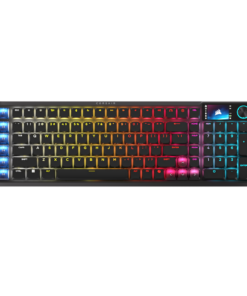
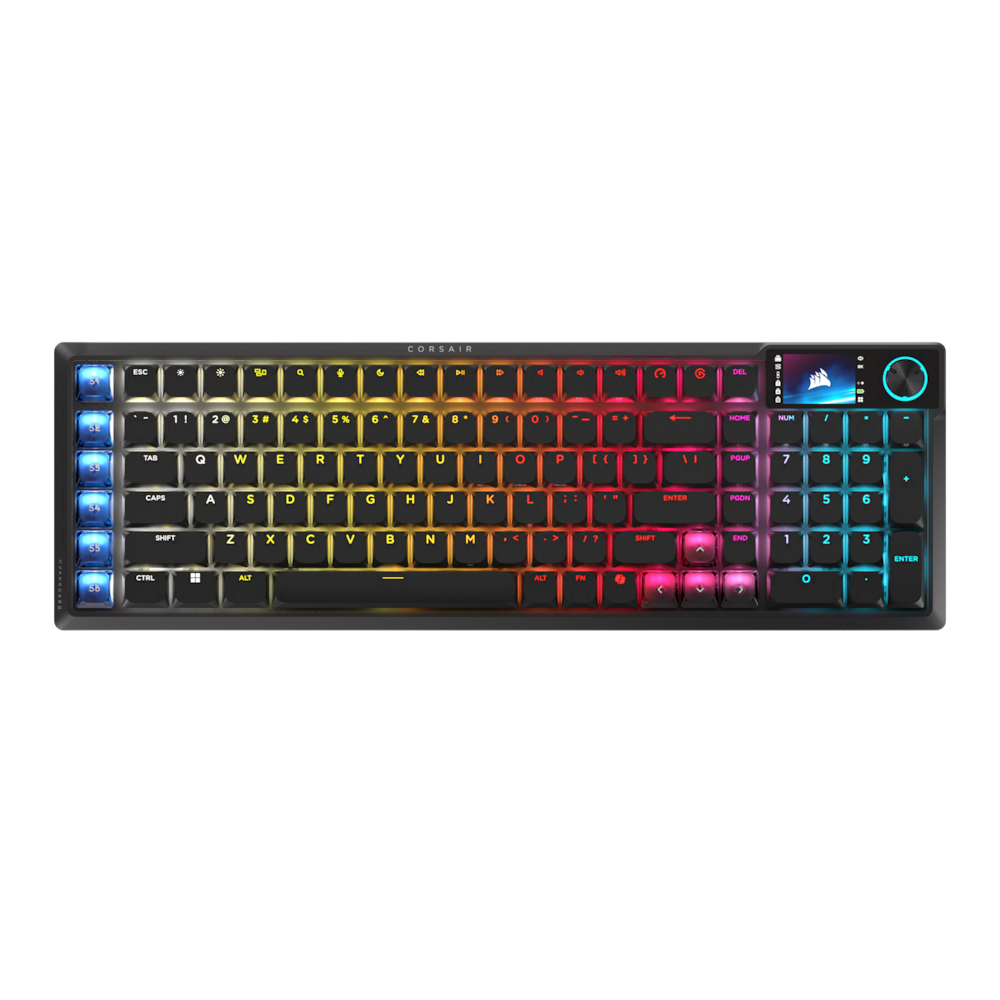
CORSAIR – VANGUARD AIR 99 WIRELESS Optical-Mechanical Gaming Keyboard with Pre-lubed, ultra-responsive OPX Low-Profile Switches – Black
★★★★★★★★★★ (4.1) 20 reviews
Original price was: $259.99.$207.99Current price is: $207.99. Save $52
In stock · Ready to ship
Delivery Mon, Nov 23 – Wed, Nov 25 Free shipping
Secure checkout · Visa · Mastercard · Amex · Discover · PayPal
Questions? Talk to a product specialist
(888) 519-3048
- Free shipping $60+3–5 business days
- 30-day returnsMoney-back guarantee
- Brand-newManufacturer warranty
- Ships from the USColumbus, OH
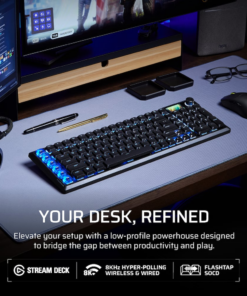
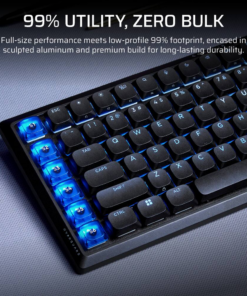
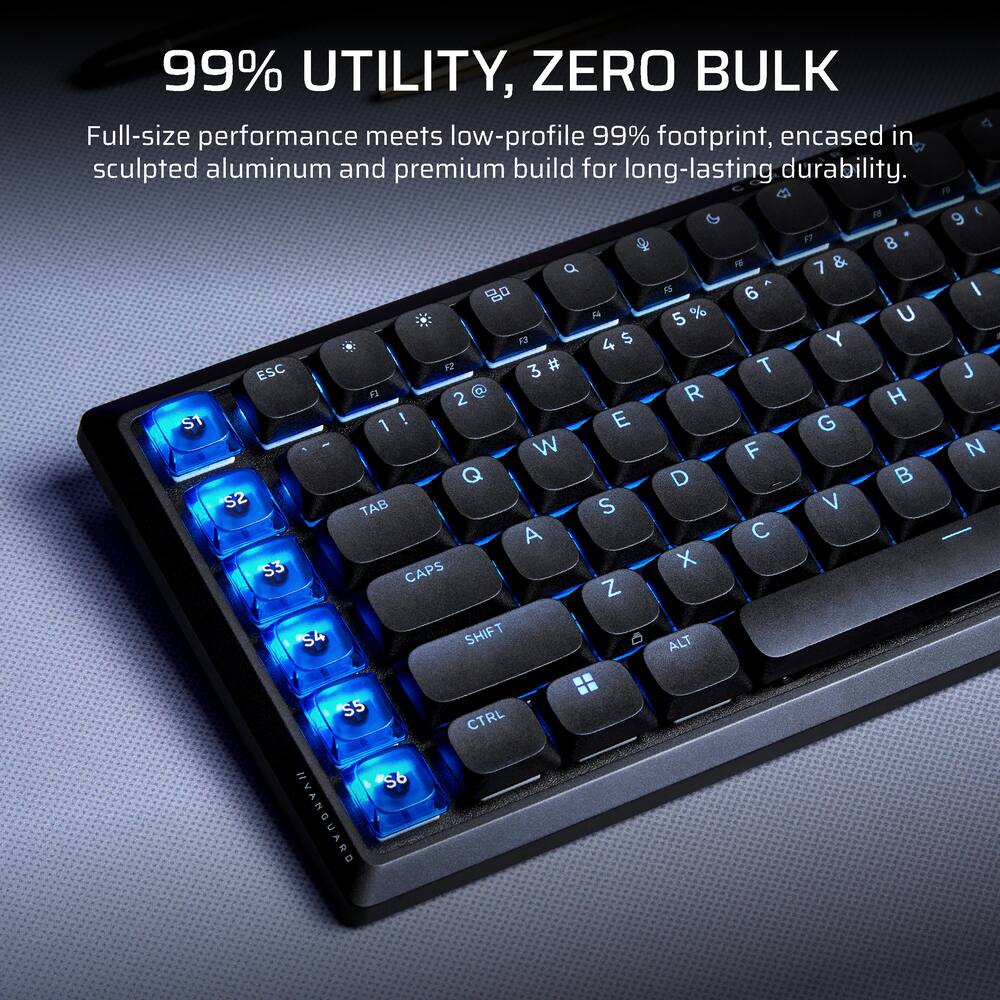
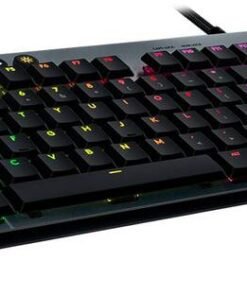
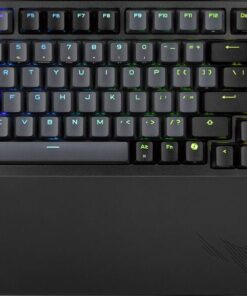
- Sculpted aluminum, zero bulk Get a sophisticated desktop centerpiece that’s as durable as it is refined.
- VANGUARD AIR 99 is a 99% layout keyboard with a compact, sleek aluminum frame.
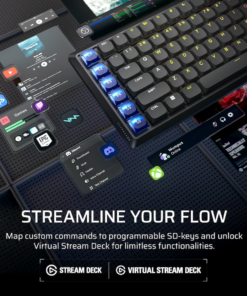
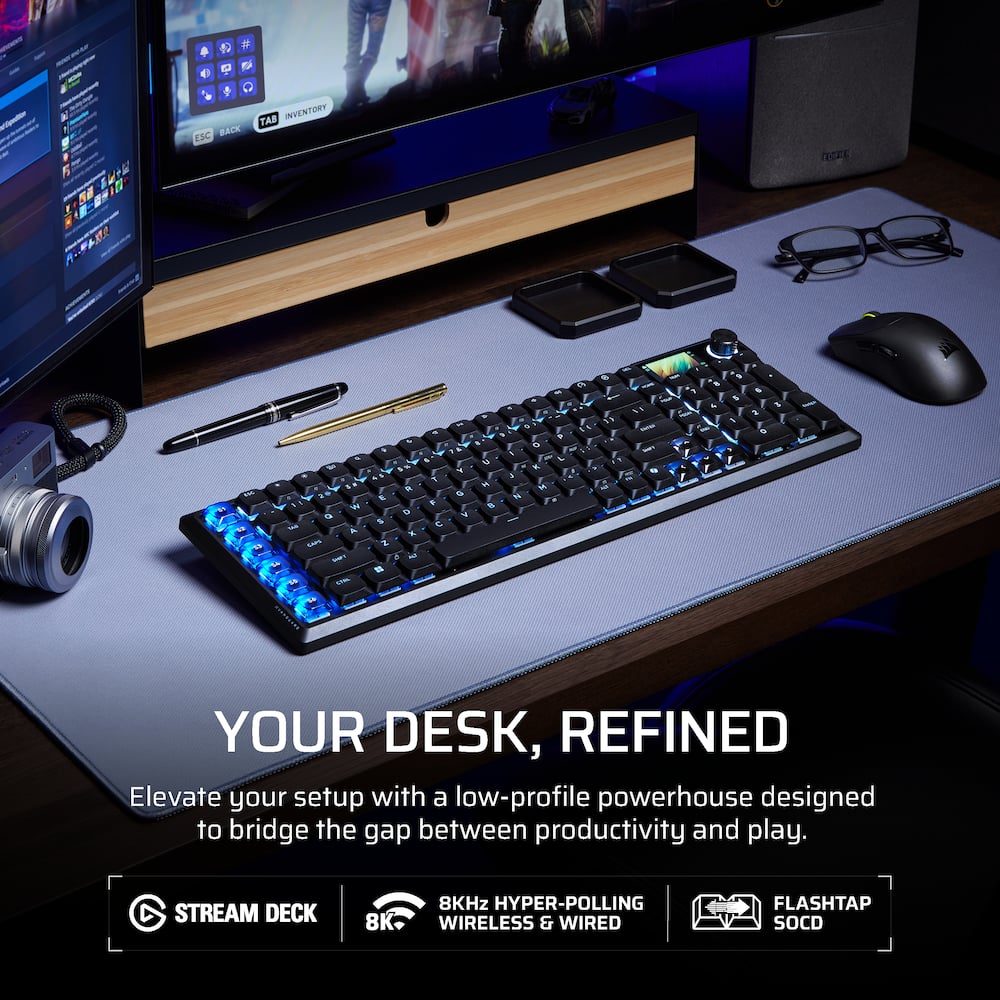
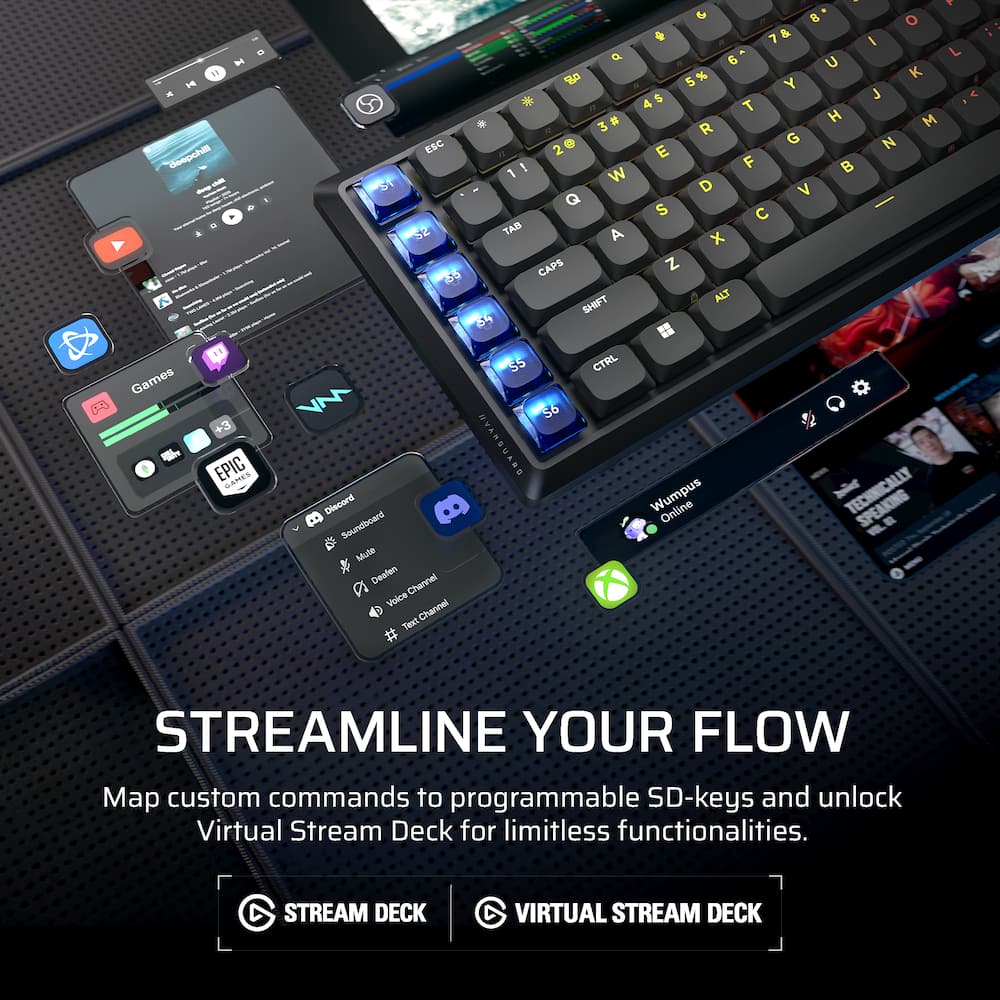
- Take command of your entire setup without unnecessary clutter.Elgato Stream Deck integration Take instant, one-touch control of your daily life.
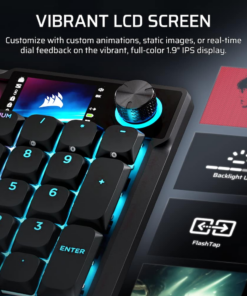
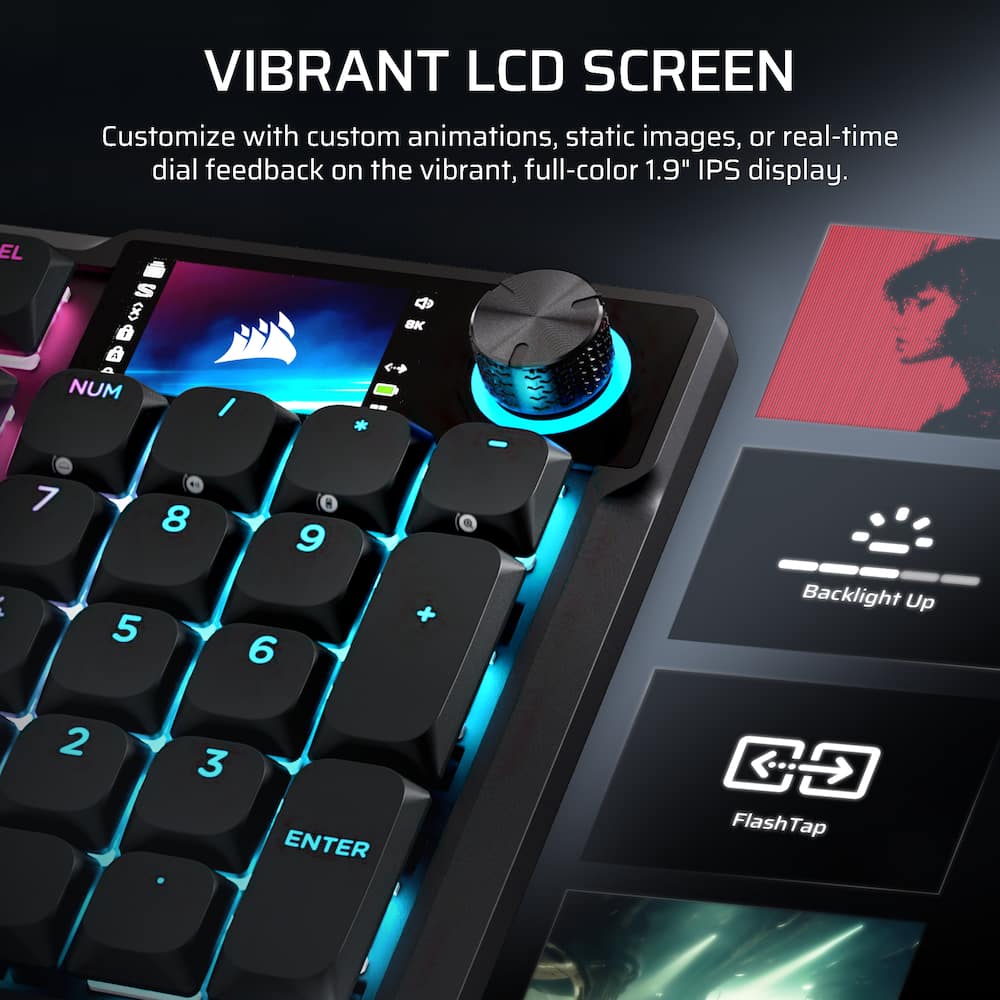
- Directly map your most used actions and shortcuts to the programmable Stream Deck keys and unlock Virtual Stream Deck functionality in the Stream Deck app.Vibrant full-color LCD screen Personalize your setup on a whole new level with a brilliant integrated 1.9” LCD screen you can use to display custom animations, images, and more.Gasket mounting for amazing keypress feel Enjoy exceptional keypress feel when typing, gaming, or creating thanks to premium gasket mounting.
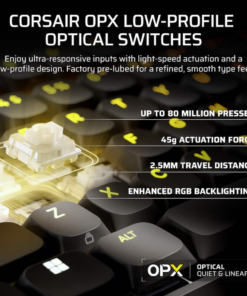
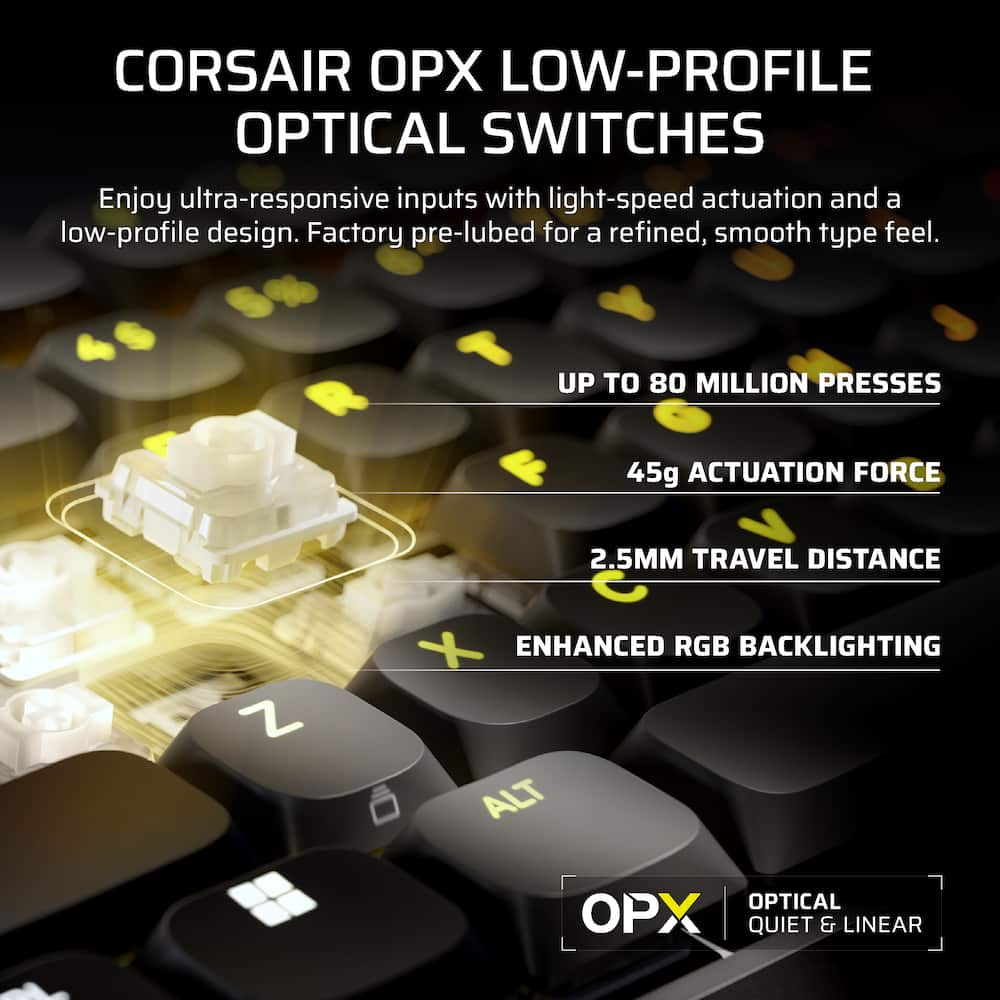
- 5 layers of sound dampening mute annoying sounds and deliver outstanding keypress acoustics.CORSAIR OPX Low-Profile Switches Low-profile OPX optical switches can detect actuation at the speed of light and feature a short actuation distance for better keypress responsiveness.
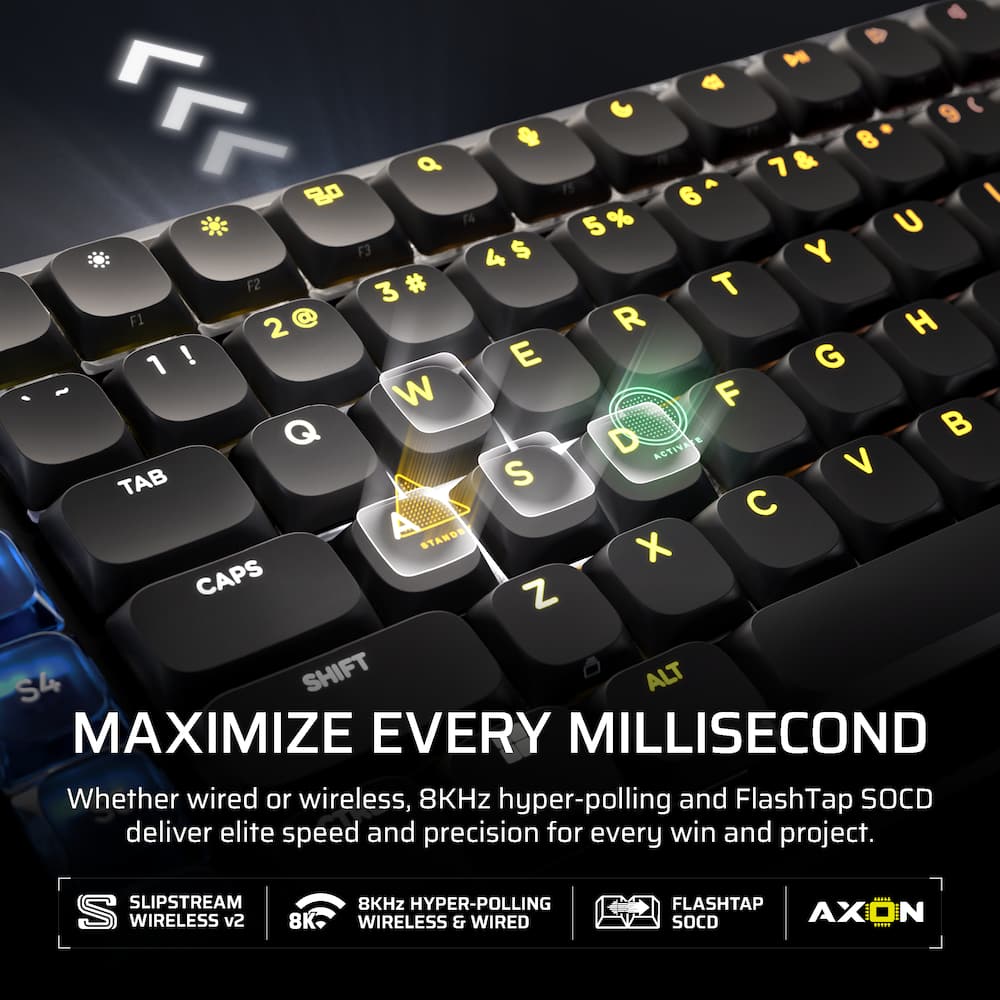
- They’re pre-lubricated for smooth actuation and an elevated typing experience.8,000Hz hyper-polling for lightning-fast inputs Own the speed advantage with ultra-fast 8,000Hz hyper-polling, even while wireless.
Key specs
- Weight
- 2.01 lbs
- Dimensions
- 16.76 × 5.42 × 1.03 in
- Brand
- CORSAIR
- Model Number
- CH-91HA01B-NA
- Product Name
- VANGUARD AIR 99 WIRELESS Optical-Mechanical Gaming Keyboard with Pre-lubed, ultra-responsive OPX Low-Profile Switches
- Color
- Black
- Lighting Type
- RGB
- Weight
- 2.01 lbs
- Dimensions
- 16.76 × 5.42 × 1.03 in
- Brand
- CORSAIR
- Model Number
- CH-91HA01B-NA
- Product Name
- VANGUARD AIR 99 WIRELESS Optical-Mechanical Gaming Keyboard with Pre-lubed, ultra-responsive OPX Low-Profile Switches
- Color
- Black
- Lighting Type
- RGB
- Customizable Lighting
- Yes
- Numeric Keypad
- Yes
- Touchpad
- No
- Keyboard Type
- Gaming
- Palm Rest
- No
- Spill Resistant
- No
- Foldable
- No
- Keycap Material
- ABS
- Maximum Number of Memory Profiles
- 5
- Form Factor
- Full-size
- Number Of Keys
- 107
- Keyboard Technology
- Mechanical
- Dedicated Macro Keys
- Yes
- Adjustable Tilt Function
- Yes
- Number Of Programmable Macros
- 6
- Key Switch Type
- CORSAIR OPX
- Key Switch Behavior
- Linear
- Multimedia Keys
- Yes
- Internet Keys
- Yes
- Number Of Programmable Keys
- 6
- Actuation Distance
- 1.5mm
- Actuation Force
- 45g
- Connection Type
- Wireless
- Wireless Connectivity
- Radio Frequency (RF - 2.4 Ghz/Low Latency)
- Operating System Compatibility
- Windows
- Plug and Play Operation
- Yes
- Rechargeable Battery
- Yes
- Battery Size
- 3.7V
- Battery Chemistry
- Lithium-ion polymer
- Batteries Included
- Yes
- On/Off Switch
- Yes
- Product Height
- 1.03 inches
- Product Width
- 5.42 inches
- Product Depth
- 16.76 inches
- Product Weight
- 2.01 ounces
- Mouse Included
- No
- Warranty - Parts
- 2 years
- Warranty - Labor
- 2 years
- UPC
- 840440490364
- Sculpted aluminum, zero bulk
Get a sophisticated desktop centerpiece that’s as durable as it is refined. VANGUARD AIR 99 is a 99% layout keyboard with a compact, sleek aluminum frame. Take command of your entire setup without unnecessary clutter. - Elgato Stream Deck integration
Take instant, one-touch control of your daily life. Directly map your most used actions and shortcuts to the programmable Stream Deck keys and unlock Virtual Stream Deck functionality in the Stream Deck app. - Vibrant full-color LCD screen
Personalize your setup on a whole new level with a brilliant integrated 1.9” LCD screen you can use to display custom animations, images, and more. - Gasket mounting for amazing keypress feel
Enjoy exceptional keypress feel when typing, gaming, or creating thanks to premium gasket mounting. 5 layers of sound dampening mute annoying sounds and deliver outstanding keypress acoustics. - CORSAIR OPX Low-Profile Switches
Low-profile OPX optical switches can detect actuation at the speed of light and feature a short actuation distance for better keypress responsiveness. They’re pre-lubricated for smooth actuation and an elevated typing experience. - 8,000Hz hyper-polling for lightning-fast inputs
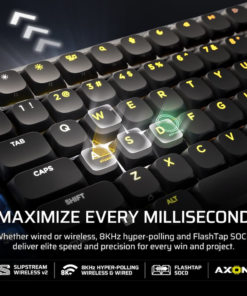
Own the speed advantage with ultra-fast 8,000Hz hyper-polling, even while wireless. Eliminate input lag and maximize every millisecond. - FlashTap SOCD
Unlock cleaner movement techniques and inputs with CORSAIR FlashTap SOCD handling. Decide how the keyboard resolves simultaneous conflicting keypresses so you move like you mean it. - Versatile tri-mode connectivity
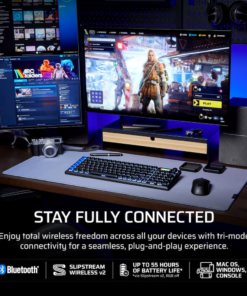
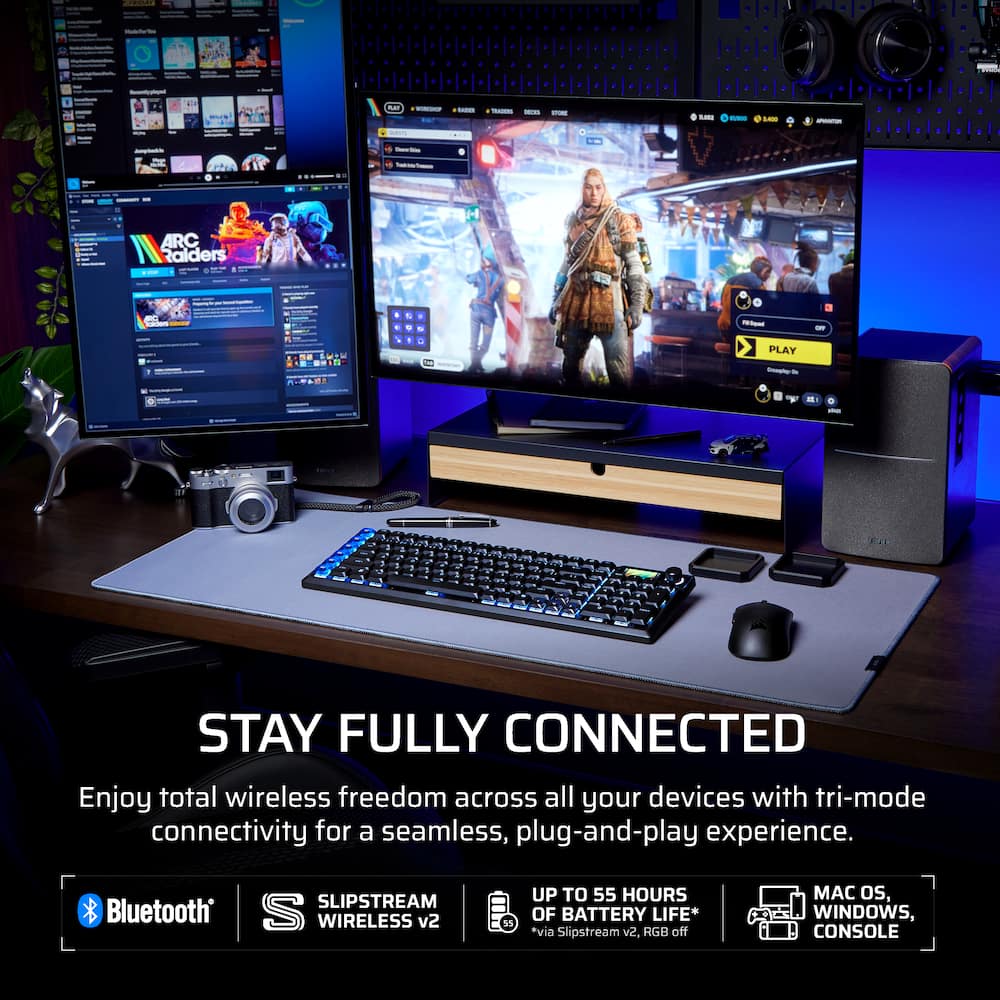
Easily shift gears and seamlessly connect the way you want: ultra-responsive SLIPSTREAM WIRELESS v2, convenient Bluetooth®, or USB-C cable connection. Up to 55 hours* of wireless gaming freedom. - Flexible multiplatform compatibility
A simple plug-and-play solution to streamline your whole ecosystem of devices. Compatible with PC, Mac, Xbox, and PlayStation. Includes a set of 6 Mac keycaps with Apple legends and a set of 6 studio media keycaps. - Customizable via CORSAIR Web Hub
Customize your keyboard over the web using lightweight CORSAIR Web Hub. Create macros, adjust lighting, set keybinds, and more all without installing additional software.
Standard US ground delivery is $5.49 and arrives in 3–5 business days. Orders over $60 ship free. Returns are accepted within 30 days of delivery.
RobG (verified owner) –
The good and the bad – It’s a really nice keyboard. Feels like a sturdy heavy keyboard, but not too heavy. With the Web hub, you can modify the inner workings of the keyboard. Like changing lighting effects and remapping keys. One of the downfalls I have is it keeps losing Bluetooth connectivity. I am sure that USB wireless connector would work better. But I don’t want 20 things plugged into my PC. Even though the keyboard has the ability to create macros. It doesn’t give you the ability to repeat that key stroke. Maybe this is something they will fix in the future. But for now, it does not work. I still love my keyboard.
Allen (verified owner) –
Love this keyboard. – Love this keyboard, it is quiet when typing. I really don’t do much on it, I develop mobile games and other apps.
Jase (verified owner) –
Responsive. – The keys are very responsive and very crispy. There is roughly a .1 response time which in the real world cannot be noticed. It is roughly .002 plugged in which is obviously better. The screen is fantastic and customizable.
Rafael (verified owner) –
Great for Whatever You Need It For – Great for gaming and everyday work. The connectivity is great when used wirelessly, and no lag.
Verified Buyer (verified owner) –
Comfortable, but a Pain After Updates – I bought this both as a replacement for my workbench computer and for at home gaming. The benefit of the bluetooth, wireless communication, and ease of use for directly connecting it to my gaming consoles was the main draw of this. I was initially looking at another Corsair brand keyboard but this was more appealing. The keys are tactile and comfortable. Has a very satisfying yet not too noisy level of feedback when the keys are pressed. Overall a very good keyboard and I gave this a good try to use it. At work it helped with coding to give me the feedback I wanted without the fatigue I get from using Apple Magic Keyboards to program. At home when gaming or using my desktop, it just worked without needing extra anything really to get going. Everything was smooth until I connected it to my desktop and iCue.
iCue informed me when I plugged in initially that the keyboard required 2 updates to unlock full functionality. One for the internal firmware and one for the wireless connection which I assumed was between the dongle and or the bluetooth connections. I plugged in and the firmware update pulled up an external site. It felt sketchy but it connected to my keyboard and kicked off. The 5 minute update only seemed to hit the firmware and then I had to perform the same steps to get the wireless update to go through. Unfortunately because the firmware update seemingly had not committed, I had to reboot my machine to get it to stick because I would open the same site for the upgrade and it would prompt again for the firmware. After a reboot I had to do the wireless and thankfully it was not prompting again for the firmware. It started but I never had any prompt, indication, or otherwise tell me the wireless update went through. I unplugged it from the USB and then tried the dongle connection to my desktop and from iCue the firmware was present but the wireless version was “-.-.-“. I assumed it was fine because the keyboard was still functional between my desktop and on my Xbox over the dongle. Problems started to randomly crop up afterwards from there.
On my desktop gaming mode, performance mode, or whatever iCue called it was either randomly turning on when games like Paralives, Age of Empires, and multiple other Steam games I tried to play using the keyboard were on. And it was never when the game was started, just randomly during the play sessions. When it would activate, the keyboard disabled all of the keys and the only 2 that were lit a different color from there were “A” and “D”. I would need to alt tab out of the program and back into it to get the keyboard back over to the saved color profile I had on the keyboard from iCue and when I’d look for the mode it activates from the panel it always showed turned off.
Then came using it with my Xbox after I started noticing the weird keyboard lock up. If I was typing into private messages on Xbox or typing into internal game chat like Warframe or Path of Exile, the game mode wouldn’t turn on but the keyboard just stopped responding suddenly over the dongle or USB connection and a single keypress would behave like it was stuck. I’d unplug or switch off the connection type on the back panel of the keyboard and it would stop but it was overall very weird when it would happen.
I had the keyboard for 4 days before ultimately deciding maybe I had purchased a dud, and gave it a fair shot because it looked like the perfect fit for all the use case situations I was planning to use it for. When I had purchased it, I was a little weary because it was on the shelf and the seals on the bottom were already cut but the contents were still present inside. I can’t point fingers at anything specific about this keyboard but I wouldn’t purchase it again outright for now knowing my experience post updates seemingly caused a lot of the problems. However I would still buy Corsair because they’ve been reliable for everything else I’ve bought from them.
LouieO (verified owner) –
Great Keyboard! – I bought this leyboard as I was looking for something with RGB. This has been a great addition, soft keys, customizable lcd screen, volume control and one of the best parts is an integrated elgato stream deck with 6 button. You can program them to do anything you like! The key caps are swappable and low profile which I like and very responsive. You can use it wired or wireless and it integrates into the icue eco system flawlessly. Its been a great addition to my setup.
DavidP (verified owner) –
Awesome keyboard – Really liked the function of this laptop. Maybe with out the ten key
MelvinS (verified owner) –
Its ok – Wanted a slightly smaller keyboard. I can’t complain much.
CursedK1ng (verified owner) –
Really Good Keyboard – The keyboard has a lot of good customization features and the batter lasts quite a while.
JAKE (verified owner) –
Amazing keyboard – Corsair never makes a bad keyboard. Love the colors and quality.
Nathan (verified owner) –
Versatile keyboard – This keyboard primarily jumps between my MacBook and my desktop making the switch the most used item on my keyboard. The stream deck keys took a while to get used to since I typically rest my pinky there when playing a game, but after digging around I managed to disable the keys and instead I use my stream deck plus. The keycaps and switches both feel very high quality and otherwise I have no complaints about optical switches and their accuracy. It’s not an overly loud keyboard but you can hear it clack from another room if that’s changes anything for you. Otherwise, Corsair did a good job with this keyboard, one thing to be cautious about is that while I could be alone in this, my first purchase of this keyboard had the lcd display pop out after less than a week of use and just sitting on my desk. I hadn’t even peeled the plastic off it and it was lifting like it had a battery expanded under it but after checking, it looked like a bad glue job. Swapping it out in store and haven’t had any issues with it since and I’m about half a year in at this point.
darkscar0 (verified owner) –
Screen Pops up – Don’t recommend this item the screen keeps popping up and then connectivity issues even with the cord
Ginma (verified owner) –
Great Keyboard but gave me a scare – The product overall is very well made and it feels great to use. The software is where I was having the scare. In wireless mode the backlighting wasn’t working and trying to update it to fix it was giving me a headache. iCUE on the web wouldn’t allow me to update the keyboard and kept wanting to upgrade the dongle, but eventually it allowed me to update the keyboard and now all is smooth sailing.
HylianKnight (verified owner) –
Amazing Low Profile keyboard with shortcomings – The build quality is outstanding and the performance of the keys is fantastic. Very responsive and have great feedback while maintaining the low profile feel. The software side is a bit of a mess. Two different softwares can configure the unit. Stream deck functionality also has yet to work for me. If you purchasing for stream deck features be warned as it has not worked for me whatsoever.
JAVIERG (verified owner) –
good full size keyboard. – was looking for a full sized keyboard AND low profile. And this fit the bill.
Benji (verified owner) –
Could’ve been great – The keyboard could’ve been great if there was decent QA in their manufacturing process. For this price point, I didn’t expect repeating keys and uneven actuation force across the keyboard. There are zero setup instructions in the box for their new web-app customization software, so I didn’t explore any of that before RETURNING it.
Finally, they should’ve kept it a 100% layout — the squished right side of the keyboard is just awful to type on. The function keys on the left are ridiculous (get rid of them and make the keyboard full size).
2 stars because the keys are a nice texture and it sounds great to type on. The screen is a cool feature.
ZeStupid (verified owner) –
Lagging keys – The key input would lag often on this keyboard. The product should’ve also came with iCUE support.
MattW (verified owner) –
loving it – well built, not noisy like some others (could be pro or con for some), but doing everything I need it to.
CoyoteWildfire (verified owner) –
Better than the K100 Air – Loved the chiclet keys of the K100 Air, but they were fragile and the caps would pop off even when cleaning.
Mechanical switches are prone to chatter on other keyboards, Optical switches do not suffer from this.
Love the included dust jacket.
Shame there isn’t a Hall Effect option for the Wireless Vanguard.
xvALKALINEvx (verified owner) –
Worth the price – Great keyboard I love the screen on it and the customization using icue software.