Sale


Sale!
GameSir Model 6674072
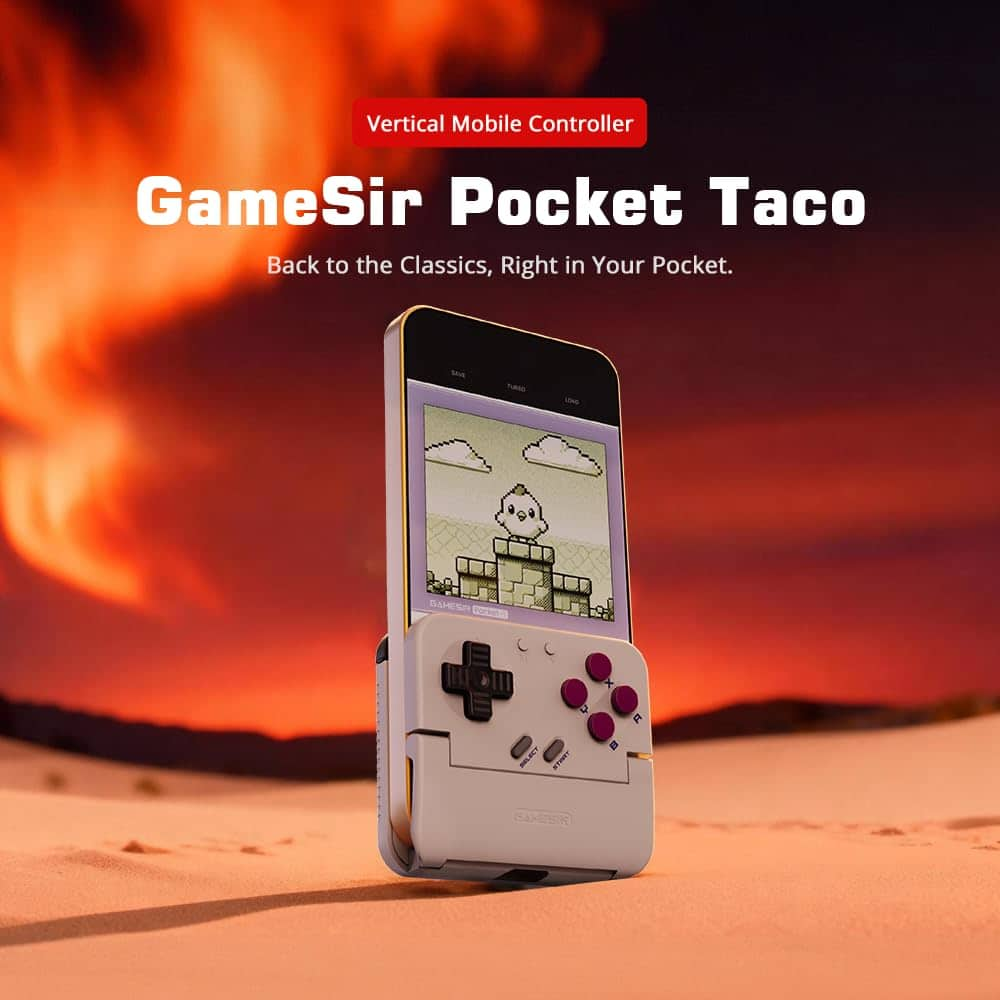
GameSir – Pocket Taco – Bluetooth Wireless Retro Mobile Gaming Controller for iOS & Android – Turn your SmartPhone into a GameBoy – White
★★★★★★★★★★ (3.5) 20 reviews
Original price was: $34.99.$27.99Current price is: $27.99. Save $7.00
In stock · Ready to ship
Delivery Mon, Nov 9 – Wed, Nov 11 Free shipping on orders $60+
Secure checkout · Visa · Mastercard · Amex · Discover · PayPal
Questions? Talk to a product specialist
(888) 519-3048
- Free shipping $60+3–5 business days
- 30-day returnsMoney-back guarantee
- Brand-newManufacturer warranty
- Ships from the USColumbus, OH
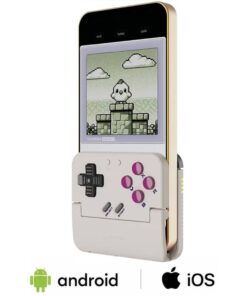
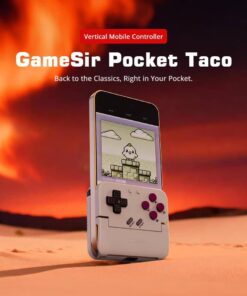
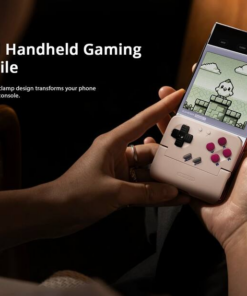
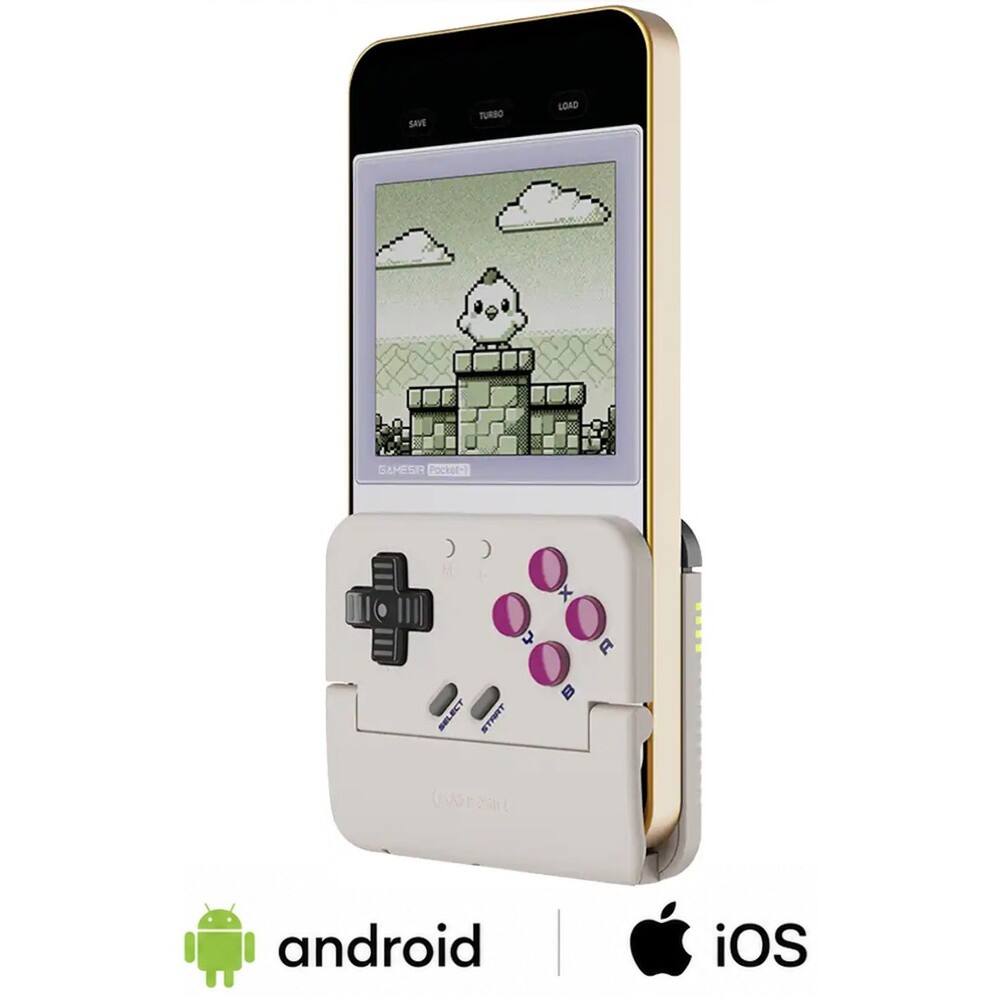
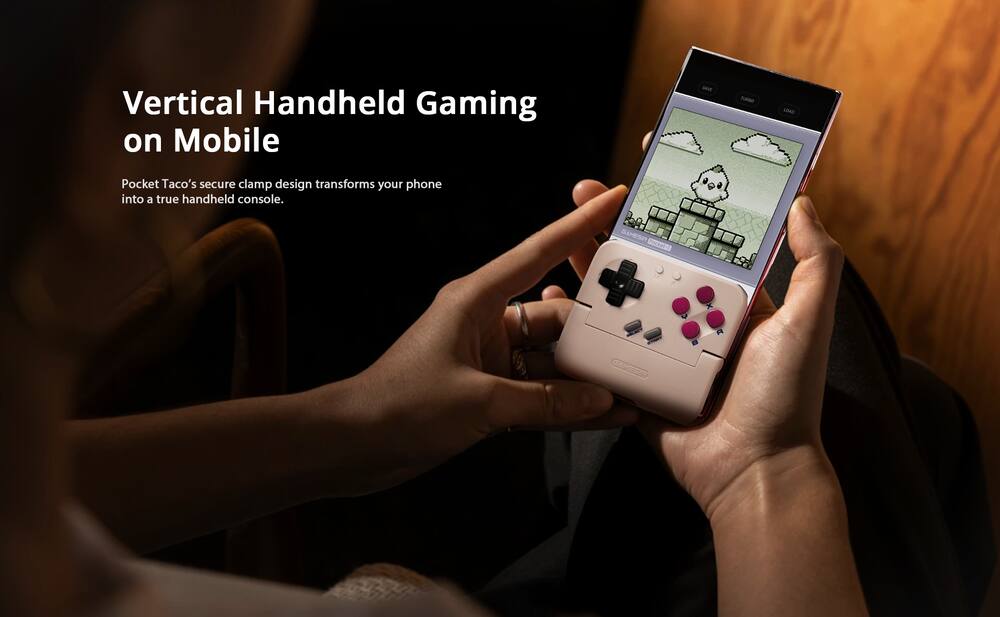
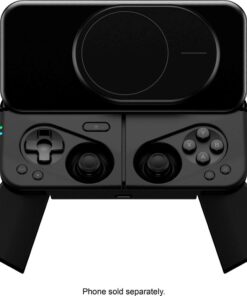
- Vertical Handheld Gaming on Mobile The Pocket Taco brings vertical handheld gaming to your mobile device with a secure clamp-style design.
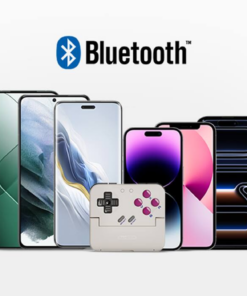
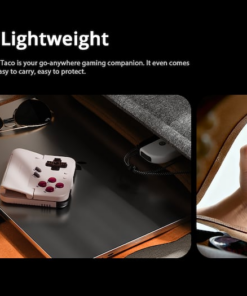
- Relive the classic retro and arcade gaming experience wherever you go.Bluetooth Connection Seamlessly connect via Bluetooth and enjoy smooth gaming across Android and other compatible devices.Portable & Lightweight Take your gaming anywhere with ease.
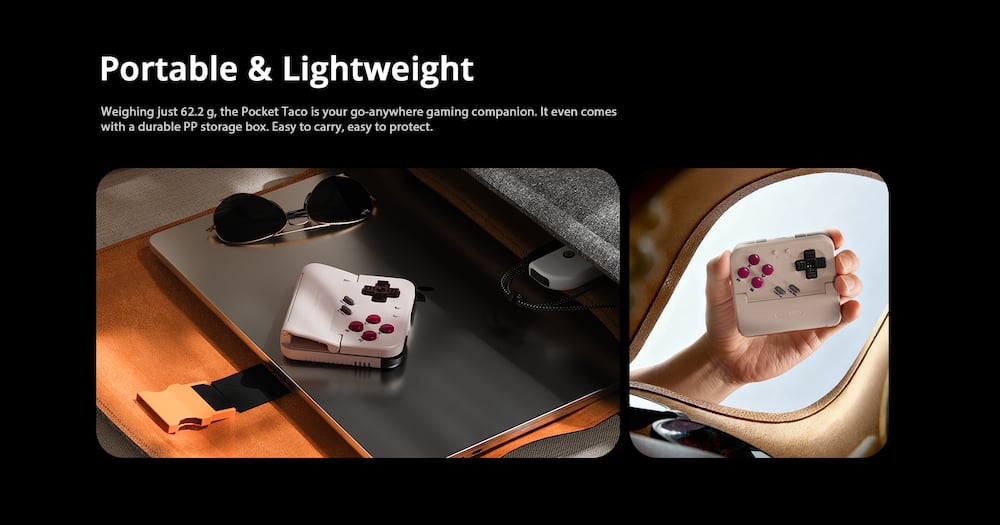
- With a compact design and a lightweight body of just 62.2 g, it’s perfect for gaming on the go.
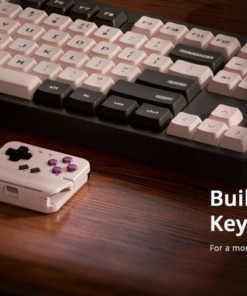
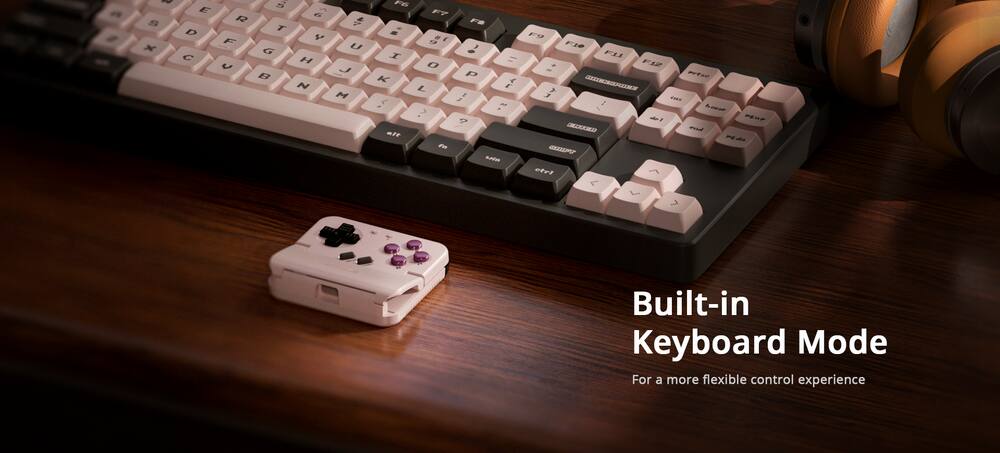
- It also comes with a PP storage box, providing convenient portability and secure protection for your device.Smart Power On/Off Automatically powers on when unfolded and powers off when closed, ensuring a seamless and convenient gaming experience.Built-in Keyboard Mode Supports switching to keyboard mode for versatile use.
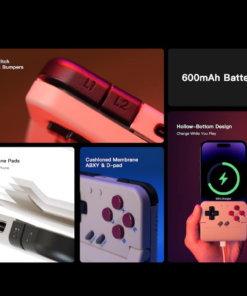
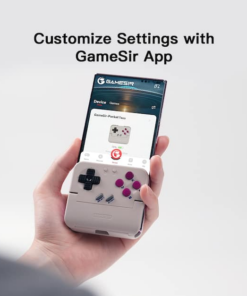
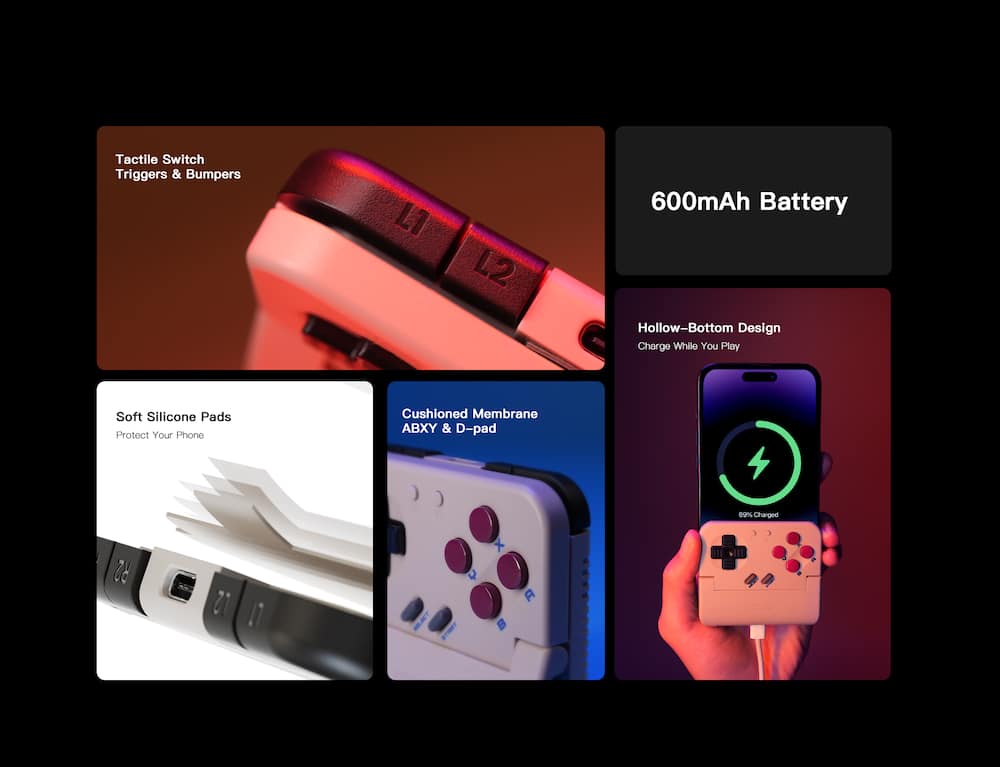
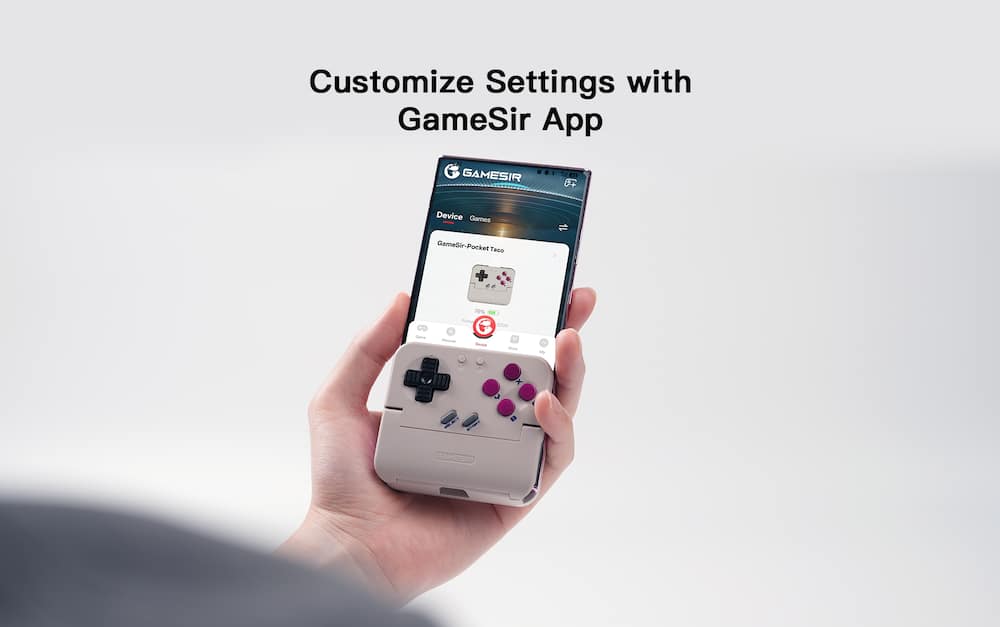
- In keyboard mode, the button values can be remapped, giving you full control over your gameplay setup.Phone Protection with Silicone Pads The clamp area is equipped with soft silicone pads to protect your phone from scratches and damage while keeping it secure during gameplay.Long-lasting Battery Equipped with a 600 mAh high-capacity battery, the Pocket Taco delivers long-lasting power to keep you gaming for hours without interruption.Responsive Button Design Featuring cushioned membrane ABXY and D-pad, along with tactile switch triggers and bumpers, the Pocket Taco delivers precise and responsive inputs for every move.Supports Phone Charging During Gameplay The Pocket Taco features a hollow-bottom design that aligns precisely with your phone’s charging port, allowing you to charge your device while gaming without any interruptions.Customization via GameSir App The Pocket Taco supports software customization through the GameSir app.
- You can remap button values, enable D-pad diagonal lock, enjoy full G-Touch and V-Touch support, and more.
Key specs
- Brand
- GameSir
- Model Number
- GameSir - P1
- Product Name
- Pocket Taco - Bluetooth Wireless Retro Mobile Gaming Controller for iOS & Android - Turn your SmartPhone into a GameBoy
- Color
- White
- Product Type
- Controller
- Button Mapping
- Yes
- Wireless
- Yes
- Brand
- GameSir
- Model Number
- GameSir - P1
- Product Name
- Pocket Taco - Bluetooth Wireless Retro Mobile Gaming Controller for iOS & Android - Turn your SmartPhone into a GameBoy
- Color
- White
- Product Type
- Controller
- Button Mapping
- Yes
- Wireless
- Yes
- Rechargeable Battery
- Yes
- Charging Interface(s)
- USB-C
- Battery Chemistry
- Lithium-ion
- Battery Size
- Proprietary
- Compatible Platform(s)
- iOS
- Warranty - Parts
- 2 years
- Warranty - Labor
- 2 years
- UPC
- 850074931515
- Vertical Handheld Gaming on Mobile
The Pocket Taco brings vertical handheld gaming to your mobile device with a secure clamp-style design. Relive the classic retro and arcade gaming experience wherever you go. - Bluetooth Connection
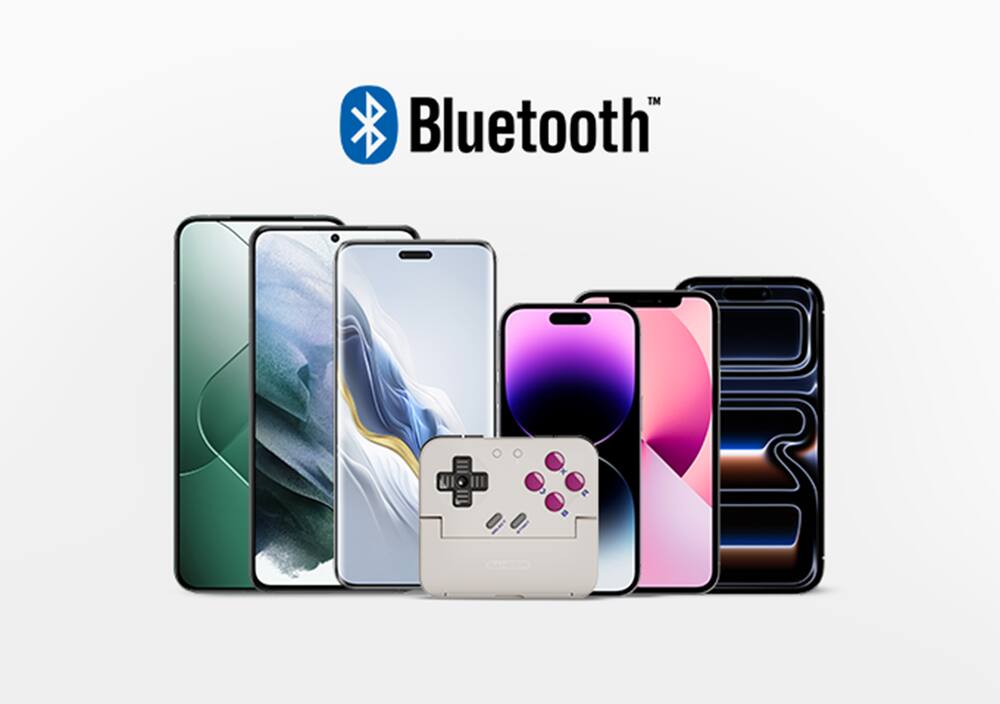
Seamlessly connect via Bluetooth and enjoy smooth gaming across Android and other compatible devices. - Portable & Lightweight
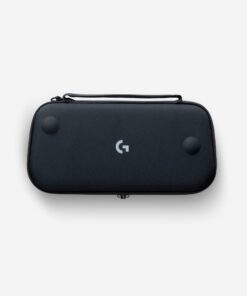
Take your gaming anywhere with ease. With a compact design and a lightweight body of just 62.2 g, it’s perfect for gaming on the go. It also comes with a PP storage box, providing convenient portability and secure protection for your device. - Smart Power On/Off
Automatically powers on when unfolded and powers off when closed, ensuring a seamless and convenient gaming experience. - Built-in Keyboard Mode
Supports switching to keyboard mode for versatile use. In keyboard mode, the button values can be remapped, giving you full control over your gameplay setup. - Phone Protection with Silicone Pads
The clamp area is equipped with soft silicone pads to protect your phone from scratches and damage while keeping it secure during gameplay. - Long-lasting Battery
Equipped with a 600 mAh high-capacity battery, the Pocket Taco delivers long-lasting power to keep you gaming for hours without interruption. - Responsive Button Design
Featuring cushioned membrane ABXY and D-pad, along with tactile switch triggers and bumpers, the Pocket Taco delivers precise and responsive inputs for every move. - Supports Phone Charging During Gameplay
The Pocket Taco features a hollow-bottom design that aligns precisely with your phone’s charging port, allowing you to charge your device while gaming without any interruptions. - Customization via GameSir App
The Pocket Taco supports software customization through the GameSir app. You can remap button values, enable D-pad diagonal lock, enjoy full G-Touch and V-Touch support, and more. Some settings can also be adjusted via on-the-fly button combinations, ensuring seamless adjustments during gameplay.
Standard US ground delivery is $5.49 and arrives in 3–5 business days. Orders over $60 ship free. Returns are accepted within 30 days of delivery.
Keirmeister (verified owner) –
This tiny controller goes everywhere with me! – This is a wonderfully small piece of gaming kit that essentially renders my small handheld retro game device obsolete.
The Pocket Taco is a small device – wide enough to completely cover most phones, but with buttons that present some challenge for my bigger hands. The A-B-X-Y buttons are so close together that I often press incorrect ones by mistake. That said, the buttons feel great. They aren’t too “clicky” and don’t have a tight keypress. The L1-L2-R1-R2 buttons on the back are surprisingly accessible. The taco is completely comfortable on my case-covered iPhone, although it often shifts slightly out of alignment because there’s nothing holding it straight.
Connectivity was a bit challenging – mainly because I didn’t find the instructions too informative. After going online, to help figure things out, I finally got the proper gamepad profile working, and it’s been perfect playing my retro games.
The GameSir software is quite useful. Once it detects the controller, you can use it to update the controller’s firmware, remap buttons. The app, itself, also provides a screen setting so you specify how much of the phone’s screen it takes up (to save room for the controller). And all of this works without requiring you to register an online account.
For the retro gaming app I use on my phone, the controller performs perfectly. And when I’m done, the controller comes with its own small case to keep it safe. It’s perfect for trips and fits in your…pocket – all for a low price that’s really a bargain nowadays.
MurphyR (verified owner) –
Looks easy, but I can’t get it to work – I’m not sure what the point of this is. It looks like you should be able to play games with an emulator so that they look like classic Gameboy games. The problem is that these don’t (legally) exist online to play. Let’s look at the problems…
1. This covers a lot of the screen – they have software to actually reduce the effective screen size so that you shouldn’t miss anything in the covered area. However, I wasn’t able to find any games that recognized this, so the screen is largely covered anyway.
2. They don’t have a store for compatible games – while they have a “store”, it just links out to your app store, and doesn’t filter for games that will work, so effectively they don’t actually have a store.
3. You need to find a separate emulator – after some googling and YouTubing, I found 3 different emulator programs… One would work on my device. More googling and YouTubing, I find one sketchy website that you can download games. All there is are anime themed dating simulators, none actually seem to work, and the emulator cannot recognize the files…
I’m sure there are ways of getting this to work, but I’m fairly tech savvy and couldn’t figure it out.
Santy41 (verified owner) –
Cool retro gadget but needs upgrades – I decided to get this Game Sir Taco retro mobile controller to conveniently play my favorite retro video games on the go. It comes with a hard case for carrying and a charging cable. The retro design is visually appealing, and my iPhone 17 Pro Max fits well even with the iPhone case. However, the Game Sir app and the process of connecting my iPhone were incredibly frustrating and confusing. It seems like they only designed this gadget with Android and other devices in mind. Despite following all the instructions, the Game Sir Taco connects to my iPhone, but it doesn’t allow me to play any of my retro games while using this controller , even when I use the Dual Shock 4 wireless control settings on my iPhone. While Game Sir had a great idea with this controller, they need to address the issues with the app and the connectivity to iOS devices. Apart from these problems, it’s a cool gadget if it works properly and at a good price. I really won’t recommend this gadget due to the connection issues, hopefully Game Sir will fix the issue and do a major update to their app.
Michael (verified owner) –
Cool retro gadget – Gamesir Pocket Taco – What a clever gadget! As the name implies, it’s a gaming device that fits in your pocket and holds your phone like a taco! The small, compact size comes with its own case and stores easily in your pocket. There’s even an opening in the base of the unit for charging while in the case or on your phone. It offers a 600 mAh battery for hours of uninterrupted game play.
The inner surface features a soft silicone that grips your phone without damage to the screen – it even fits over my phone case. It has a strong hinge design that opens easily and grabs the phone securely.
It connects easily to Bluetooth, however, I discovered that with an I-Phone, the controls only work if you connect it as a “dual shock 4 wireless controller”. Not sure if this is an I-Phone thing as that’s the only phone I have.
Not being familiar with Emulators, I found it difficult to find games to play. I’m sure I’m in the minority here and this is probably not common. A quick google search led me to Delta games where I was able to download some Nintendo games. Unfortunately, the controls on the Pocket Taco didn’t always respond with the game controls and I found it easier to play the games without the Pocket Taco. I discovered that the D-pad controls didn’t consistently respond when playing Mario, Mario Kart, or Donkey Kong Country. Maybe this is an I-Phone issue and not related to other brands of phones.
It’s a really cool product that is reminiscent of a GameBoy and certainly plays up to the nostalgia of older, retro games. Maybe there’s a firmware update in the future that will address these I-phone bugs – I certainly hope so. Otherwise, it would have been 5 stars from me!
RunJK (verified owner) –
It’s Halfway There – I’ve had some fun and frustration with the Gamesir Pocket Taco. I loved my Gameboy back in the day and it was great to play some Tetris again. The controller felt familiar, like a smaller version of the Gameboy. Frustration came in at the beginning and throughout my gaming sessions however.
Pros:
-It was easy to connect via Bluetooth
-Pocket Taco fits phones without taking (most) cases off
-There is a hole in the bottom so you can charge your phone while you play
-It comes with a sturdy case which also has a charging hole
-Nostalgia unleashed when I hear the 8-bit Tetris theme song – you can probably hear it now
Cons:
-I want an On/Off switch. The auto power really hasn’t been working for me. I put it in the case and my son grabbed it and started pressing buttons and my phone started going crazy since it was still connected
-For the most part, you need to use the Gamesir app which I did not have luck loading games on there with the iOS app. I kept getting errors. These are the same files that worked fine on Delta, but you can’t use the Delta app by default because if you connect a controller then the screen goes to the middle of your phone and the Pocket Taco covers the game screen. Hopefully Gamesir works on the compatibility of the app and this gets better.
It could be great if they can improve the iOS app to be more stable. The material even feels like my old Gameboy! For now I’m using it like any other controller and setting my phone up on my lap or a table so I can still play the games on other emulator apps. The buttons are responsive and have worked well so far. There are a lot of features like button mapping that you can use to customize your experience, but right now it’s just okay for me.
MissyMR (verified owner) –
Spans the Generations and Gets As all Around! – My thirteen year old son and I both tried this out and are BIG fans! I liked the idea as an “elder millennial” who just gets irritated by trying to navigate a touchscreen on a phone sized screen… my eyes ain’t what they used to be…
My son, though, actually felt the same way and put it much more eloquently when he explained how much he dislikes the touch controls on “phone emulators” and that having the actual buttons solves his complaints.
I love when he has less complaints.
We both agree that the pairing with our phones’ bluetooth was super easy and that neither of us experienced any glitching in the connection. He played solidly for a two hour road trip and still had no complaints so again, wins all around! Another really cool design feature that may not get much notice until you absolutely need it is that the Taco leaves space for your phone charger to easily plug in so you can keep playing, uninterrupted for your two (or more) hour car ride and plug into the charger when you need to and still not deter your game. These are the kind of design features that a mom, driving, REALLY appreciates because it’s one less need that she has to field from the peanut gallery in the rear seat.
studio421 (verified owner) –
Nice to have on long trips – I missed my gameboy from the golden age. So when I was “volunteered” to go on a long (11+ hour) trip, I knew I needed something to keep me sane. Well, this is the tickets for me. Not only can I play my fav games from the childhood, I can discover ones I have never tried. Few things kinda set me back, but nothing that really affects the use of this.
1. small, compact
2. comes with carry case and charge cable
3. retro buttons so I don’t have to learn new ones and what they do
4. hold decent charge for the size and can be topped off with a power bank if needed
5. holds phone firm, but still be careful when defending the universe
6. you have to download the makers app (low usage so far on store) and then find your ROM to play. so setting it up is not a few min task
7. controls are nice and work well. I need to figure out how to not touch the one in the back as much, to avoid messing up my gameplay
8. runs on bluetooth, so no messy cables or such to get in the way of your fun.
So with this being said. I am glad I got this and so far it works great for me. it is simple to attach and easy to use on a moments notice. I highly recommend this to anyone that needs a quick fix or a major distraction from travel or life.
Rick (verified owner) –
Great device with a little flaw – This is a great device when you want to play some emulation, but the biggest downside is that the size of it makes it difficult to play some games that require more screen. Apart from that, it’s very cute and very tactile. The buttons are very nice to the touch.
The packaging is very nice as well. The box and whatnot is very precise and the paperwork is minimal and not wasteful.
The overall feel is very well made. The device does feel a bit “fragile” because of the way you insert it into the device.
The Bluetooth connection is stable and works just right. It does have pass through charging so you can game and charge then go on the move if you have to.
Configuring the device to your game does take some time as with any other device you will use to game, but that’s just part of the fun. Don’t let that deter you or don’t just think it’ll just be a quick plug and play.
It doesn’t really make the phone bulky when you use it since the overall design is small, but it does come with a case so you can definitely bring it around anywhere in your pocket.
nickcal (verified owner) –
Fun idea, but needs some fine tuning – I’m a big fan of mobile gaming and have been using mobile gaming controllers for many years. GameSir is one of my favorite gaming peripheral makers and this Pocket Taco was a very intriguing to me. Being a child of the 80s, I love the retro design and was excited about using it to turn my phone into a retro handheld gaming device.
The controller comes with instructions, a charging cable, a protective storage case for the controller, and a lanyard. One thing to point out here is that as nice as the devices are from GameSir, they aren’t always the most user-friendly. The Pocket Taco is definitely plug-and-play especially if you are using an iPhone.
The controller connects to your smartphone via Bluetooth, but there are different pairing modes available. The trick is that you have to know which mode will work for your device. You also need to download the GameSir app, which is not specified in the user manual. Here’s the process I went through.
I powered on the controller. It went into the pairing mode and my iPhone recognized it as “GameSir-Pocket 1_b9”. I tapped on “GameSir-Pocket 1_b9” to connect and even though the app said it was connected, the LED indicators on the side were slow flashing, which meant that it was trying to reconnect. I did a little research online and found that with iOS devices, you may have to connect to a “DUAL SHOCK 4 Wireless Controller” which I did.
At this point, the GameSir app said I was connected, but the testing area didn’t show any input were being triggered even though I was press all the buttons. This led me to try a different pairing mode. I swapped to the Switch mode and finally the controller was working with the iPhone.
The next hurdle was playing a game. I took my phone out of the Pocket Taco so that I could navigate to the App Store and I downloaded Lego Star Wars. The first thing I wanted to do was test how well the controller would play. There was some lag, but it was playable.
In order to play retro games on an iPhone, you have to download an emulator. The emulator is free to download and in the App Store, but the ROMs are a different story. So, even though I was able to test that connection method and how well the controller could play, I wasn’t able to actually play with the controller attached to the phone because I couldn’t access any playable games that formatted properly since the Pocket Taco covers half the screen.
The controller isn’t a bad idea, but the current execution of it is flawed due to the access of appropriate games.
TechFan (verified owner) –
Fun, but you need to download an emulator to use – I realize that the older I get, the less I understand these newer video game systems. At the risk of sounding like my grandparents, back in my day, you had one or two buttons to use when playing video games. Nowadays, controllers have 237 buttons that are configurable, vibrating wireless bluetooth, and special moves made with a combination of buttons pressed at the same time. I grew up on A and B buttons. One is jump and the other was to punch.
The Gameboy was one of my favorite systems because it seemed more nostalgic than Xbox or Playstation. Fewer buttons are a plus for me, but the games are what I liked the best on my older systems.
First, its important to understand that this is a controller only. It does not include any games, so you wont be able to play until you download some using an emulator. I wasnt aware of that when I ordered this. I found several options in the app store, but they require subscriptions. No fault of the device, I just wasnt aware of it. Once you download the app, pair it with your device, you will need to import your games using the emulator.
I found the battery life to be really good and I can charge it while I’m using the device. It brings a nostalgic feeling back to games. I played some of my old favorites like Mario Bros, Galaga and Tecmo Bowl. I enjoyed this device, my kids did not though. I get it though. The graphics of the devices they play with are nothing like this. Overall, I liked the device and will continue to enjoy the old games that I grew up on.
HoMi3 (verified owner) –
Talk about a throwback – The Pocket Taco by GameSir is such a fun accessory to throw into your bag and be able to relive your Game Boy days whenever you want. I love the design on this thing, familiar button layout, color scheme, and even the crispness of each button press is a nod to a past of gaming glory. We all carry our phone in our pocket, this Pocket Taco now makes gaming really easy for you. It is lightweight and includes a pretty solid carry case. It is smart enough to power on or off depending on if you clip it to your phone on or off. It connects via bluetooth pretty easily. Solid battery life, rated at 30 hours, plenty for on the go gaming. If you run out of battery juice, you can easily connect your USBC cable to charge it up. On that same charging note, there is a convenient cut out on the bottom of the device that allows pass through charging for your phone so that you can continue to play even if your phone needs to be charged.
I love to rave just on the design alone but they thought of everything with protecting your phone screen with soft touch pads on the inner clamp. It fits great even with my phone protector.
As for game play, it is ready to go out of the box if you want to with the Game Sir Boy app. It has games you can play from there or bring your own to pull off local storage. If you want further button customization, you can remap button values, enable D-pad diagonal lock. You have access to full G-Touch and V-Touch support.
I want to deduct just one star, this may just be my own user experience but sometimes if I start up the Pocket Taco it syncs to my phone’s bluetooth but it doesn’t get registered in the Game Sir Boy app and I have to manually click the device to connect from the app. It is just a little bit annoying to do so but I hope it is just a app update down the road that fixes it.
BigRoy (verified owner) –
Great Controller for Non-Casual Phone Gaming – The GameSir Pocket Taco Bluetooth Mobile Gaming Controller is one of the coolest mobile gaming accessories I’ve purchased in a long time. If you grew up playing classic handheld systems, this controller instantly brings back that nostalgic retro gaming feeling while still working perfectly with modern smartphones. The design is incredibly unique and turns your phone into something that genuinely feels like a mini Game Boy. It’s compact, lightweight, and surprisingly comfortable to hold during long gaming sessions.
What impressed me most is how responsive the controls feel. The D-pad and buttons have a satisfying click that works especially well for retro games, emulators, arcade titles, and pixel-style games. Bluetooth pairing was quick and easy on my phone, and once connected, the gameplay felt smooth with very little input lag. The vertical layout also makes portrait gaming feel much more natural compared to traditional landscape mobile controllers.
Despite its small size, the build quality feels solid and durable. It doesn’t feel cheap or flimsy at all. I also like how portable it is because it easily fits in a backpack or even a larger pocket without taking up much space. The included battery lasts longer than I expected, and the controller is great for quick gaming sessions on the go.
Another feature I really appreciate is the retro aesthetic. The white color and classic button layout give it a clean old-school handheld look that stands out from typical mobile gaming accessories. It definitely feels designed for gamers who appreciate nostalgia while still wanting modern convenience.
This controller is best suited for retro gaming, emulation, and classic-style mobile games rather than competitive modern shooters, but for its intended purpose, it performs extremely well. For the price, the GameSir Pocket Taco delivers a fun, creative, and genuinely enjoyable gaming experience that makes mobile gaming feel fresh again. It’s easily one of the most unique controllers available right now.
GeekGirl10 (verified owner) –
Fun, solid, but a but limited – This is one of those gadgets that surprised me in a good way. I was interested in it mostly because I wanted something small and portable for gaming on my phone without having to carry around a full-size controller, and it’s ended up being way more useful than I expected. The first thing that stands out is just how compact it is. It’s small enough to toss in a backpack, sling bag, or even a jacket pocket without feeling bulky, which makes it super easy to bring along when traveling or just killing time somewhere.
The build quality also feels better than I expected for something this size. The buttons are clicky and responsive. It doesn’t feel cheap or flimsy at all. I’ve mainly been using it for retro emulation, cloud gaming, and a few mobile games, and it’s handled everything really well so far. Pairing it was quick and painless, and once connected, it stayed stable without random disconnects.
Battery life has also been solid. I haven’t had to constantly think about charging it, which is a huge plus for a portable device. Comfort-wise, it’s obviously smaller than a standard controller, but for shorter gaming sessions it’s surprisingly comfortable. I wouldn’t replace my main console controller with it, but that’s not really what it’s meant for anyway. The whole point is convenience and portability, and in that area it absolutely delivers. It does cover the botton third of the screen, so its obviously not compatible with every game.
Overall, if you want a lightweight, travel-friendly controller for mobile gaming, retro games, or cloud streaming, the GameSir Pocket Taco is honestly a really fun little device. Definitely feels like one of those tech purchases that I’ll actually keep using instead of throwing in a drawer after a week.
MKLight (verified owner) –
GameSir Pocket Taco – TL;DR:
SETUP: The Pocket Taco controller pairs easily over Bluetooth and feels solid in the hand.
USE: Works reliably once connected, but the button layout and responsiveness feel tuned more for emulator play than modern mobile games.
USABILITY: Limited compatibility with App Store games; many titles don’t recognize the inputs.
OVERALL: Well‑built, but not the right fit if you primarily play native iOS games.
REVIEW:
I spent some time using the GameSir Pocket Taco Bluetooth Mobile Gaming Controller, and while the build quality is surprisingly solid, the overall experience didn’t land for me.
Setup was simple. Pairing over Bluetooth took only a few seconds, and once connected, the controller stayed connected without any drops or hiccups. The sliding mechanism that turns your phone into a Game Boy‑style handheld feels sturdy and secure, which I appreciated. I like the slim, hard case it comes with, too.
Where things fell short for me was the actual gameplay. The Pocket Taco seems to work better with older games, retro systems, and anything designed around a D‑pad and simple button inputs. In that environment, it performed well and feels natural. I generally use App Store games and for me, I preferred using the onscreen controls rather than the Pocket Taco. Many games didn’t recognize the controller and others mapped controls in awkward or unusable ways. If your goal is to play mainstream iOS titles, Apple Arcade games, or controller‑supported App Store releases, this device just isn’t optimized for that ecosystem.
The hardware itself is good. I liked the retro GameBoy looks, but the software compatibility limits its usefulness. For someone who primarily plays emulator games, it could be a fun little device, but more of a novelty. For me, I wanted a controller for App Store gaming and it’s not intended for that.
Overall, the Pocket Taco is well‑made but not the right match for my needs. It’s a niche controller that excels in one specific lane, and if you’re outside that lane, it’s hard to recommend.
Garcia (verified owner) –
Amazing device with terrible build quality – I have bought 2 of these. And they each had different issues with the d-pad.
The first had a faulty right input. It would fail every other input. And the second was stuck in the down input.
I love this thing. It’s the perfect delta companion and it fits the large iphone like a glove, but I can’t for my life get a fully working unit and that kills me.
Honestly I can’t bring myself to give it a one star because of how great of a device it is in theory but unfortunately the lack of QA kills this one.
rjv86 (verified owner) –
Fun little gadget for nostalgia sake – the GameSir pocket taco is a great throwback toy, especially for the Elder Millennial or late Gen X. set up was really easy; as soon as opened up the clamshell, it turned on and a pair request shows up on your phone. comes with a neat carry case that can be charged while its in the case and has a strap if you wanted to connect it to your bag though aside from scratch protection, don’t expect it to prevent drop damage
There is a companion app to manage pair peripherals and install games. There is a large amount to choose from, but surprisingly, there are a large amount of landscape games, which obviously wouldn’t work with this. I don’t do too many “game” games on my phone. most of those are in landscape mode. I usually stick to simple mindless puzzle games, as well as retro console games that I’ve ripped from my collection. NOTE: this does not come with built in games, its just a BT controller.
As far as those go, out of the box, it worked well. buttons were properly mapped for use but you can customize. if you have bigger hands, it may be a bit awkward. easily using the inner rear shoulder buttons can be a bit tricky. My kid’s love it though because its easy for them to handle and gives them that old school Gameboy feel (which i still have that they enjoy using)
Battery life is really long, though I haven’t been able to use it continuously on a super long road trip or flight. Your phone would die before this did.
overall its really neat, and would make a great gift for kids or any game enthusiast, assuming you have access to games.
CONNORM (verified owner) –
Faulty software – Great idea , poor performances, especially the D pad.
BestBuyer (verified owner) –
Great idea, poor execution – At fist glance, the GameSir Pocket Taco seems like the perfect solution to playing retro games on your phone, but unfortunately this controller is uncomfortable to use for any extended period of time, and your hands will start to cramp up or go numb pretty soon, if you are fully grown adult. This product may be more comfortable to use if it came with a larger grip attachment, but unless you have really small or kid sized hands, then I would not recommend getting this controller. And to add insult to injury, the unit that I purchased came with a defective D pad that missed inputs half the time, so it seems like the build quality of this controller is not the best. Overall, for only $35 the GameSir Pocket Taco may be worth trying out, but good luck on using it comfortably or even getting a functional unit
figuer86 (verified owner) –
Gamesir Pocket Taco – A really good controller—ideal when you need something lightweight and handy to carry in your bag and play wherever you want.
SuperDukeDad (verified owner) –
Clever but case use specific – Clever mobile controller with stable low latency connection. No problems with Bluetooth latency for SNES/PS1, plays great. Only gripe is my s24 Ultra is too big (thick) with the case on to have a “plug and play” experience. I tried 2 different cases and the Pocket Taco doesn’t hold the phone when it’s in the case as flush as it does without the case. Since this is a very mobile on-the-go centric accessory it’s a big of a deal breaker, unfortunately. One of my cases is a rugged more protective deal, but my other case is about as minimalistic as I dare to go outside with. Otherwise very nice little controller that works really well. Lastly the A, B, Y & X buttons are just too clacky for playing in bed with anyone else in the room trying to sleep. So close but incompatible with what I need. Very neat and very deserving of 4-5 stars based on your individual use case.