Sale


Sale!
HP Model 6539791
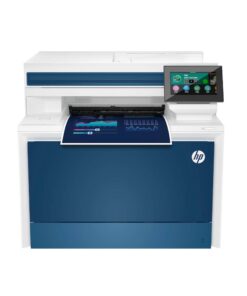
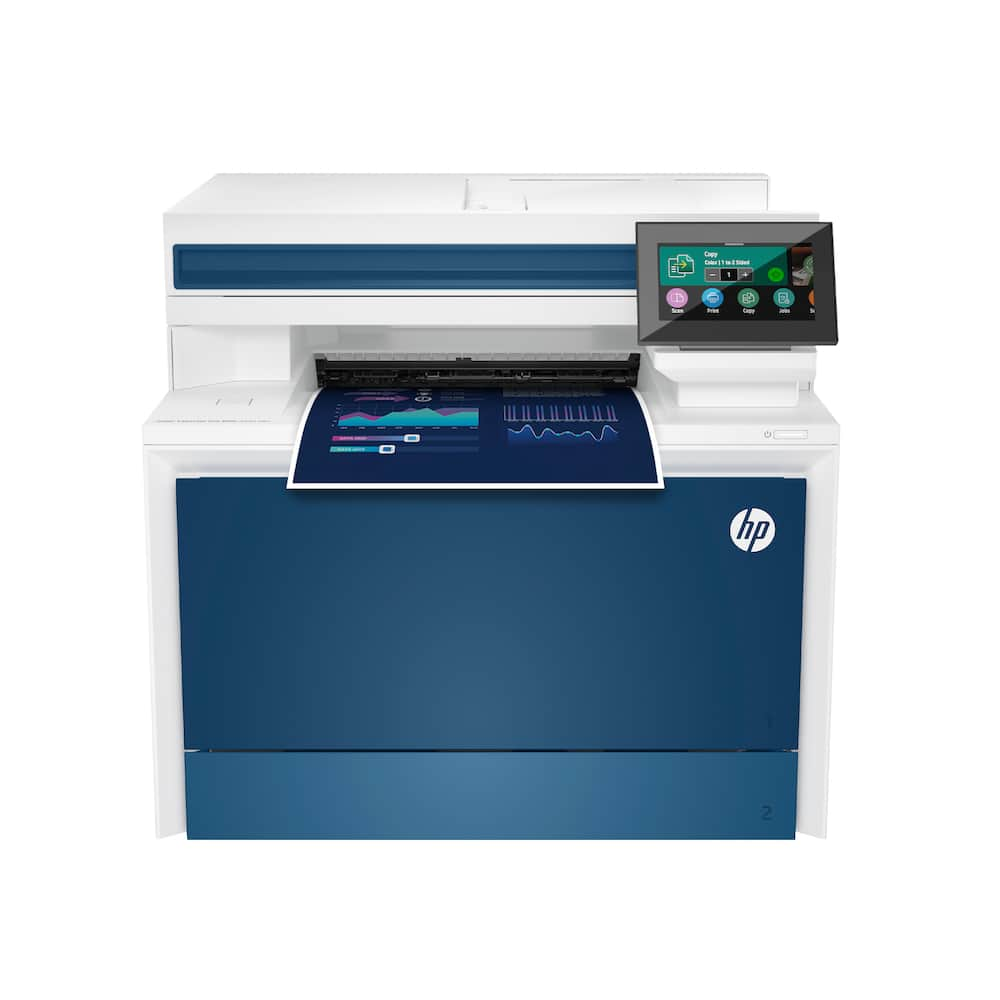
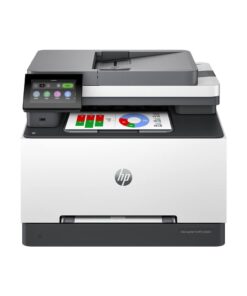
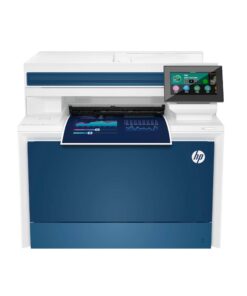
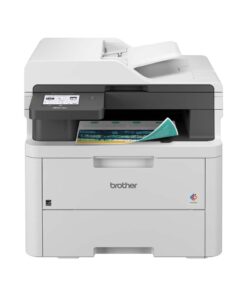
HP – LaserJet Pro 4301fdn AI-Enabled Color All-in-One Laser Printer – White/Blue
★★★★★★★★★★ (4.8) 20 reviews
Original price was: $859.99.$687.99Current price is: $687.99. Save $172
In stock · Ready to ship
Delivery Fri, Nov 20 – Tue, Nov 24 Free shipping
Secure checkout · Visa · Mastercard · Amex · Discover · PayPal
Questions? Talk to a product specialist
(888) 519-3048
- Free shipping $60+3–5 business days
- 30-day returnsMoney-back guarantee
- Brand-newManufacturer warranty
- Ships from the USColumbus, OH
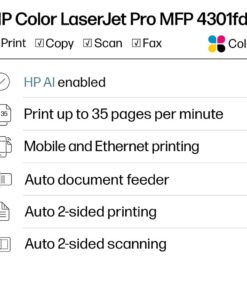
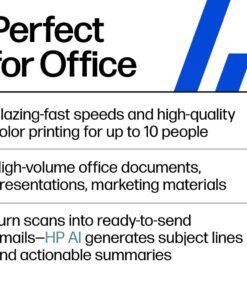
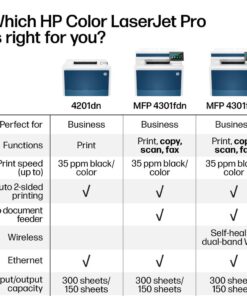
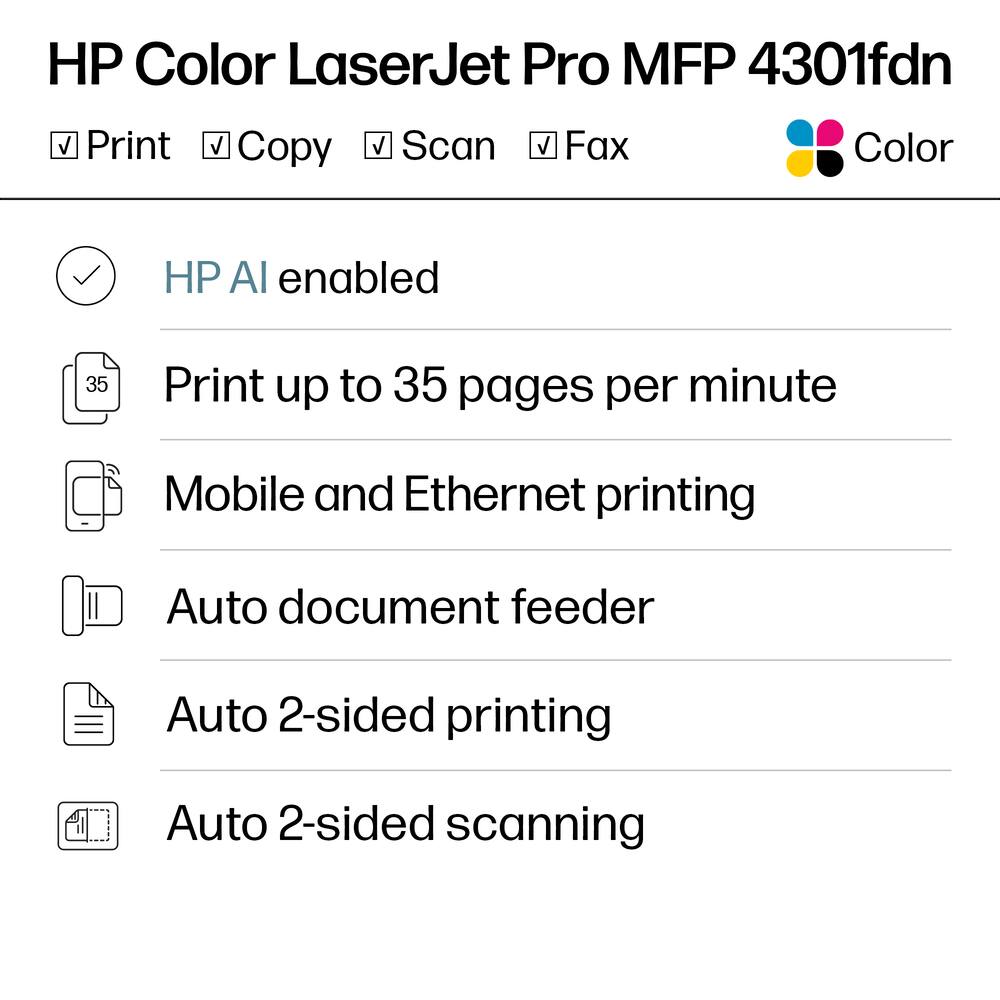
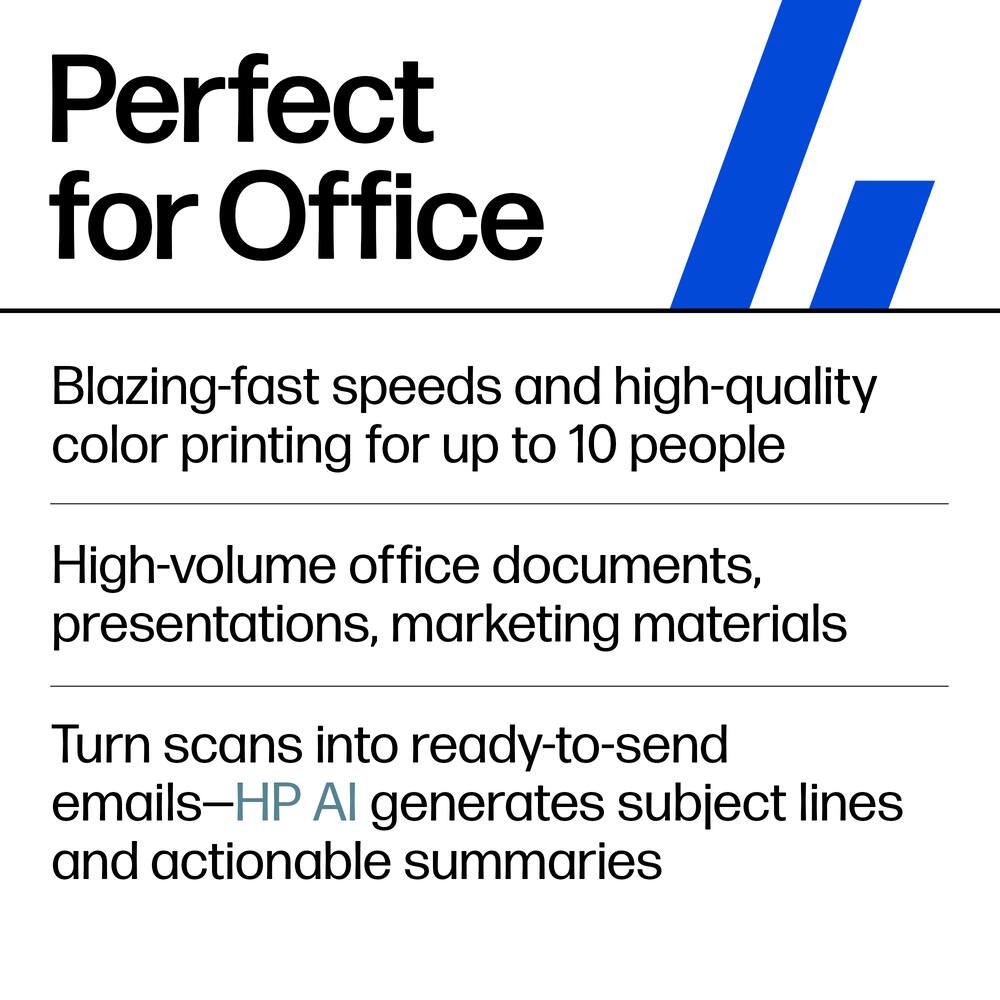
- Everything small offices need Print, scan and copy professional-quality color documents and reports plus fax.
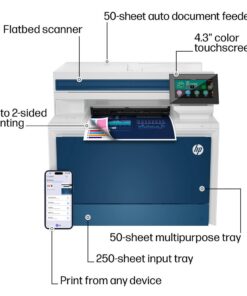
- Auto 2-sided printing/scanning and auto document feeder for fast scan/copy.
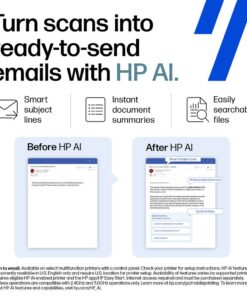
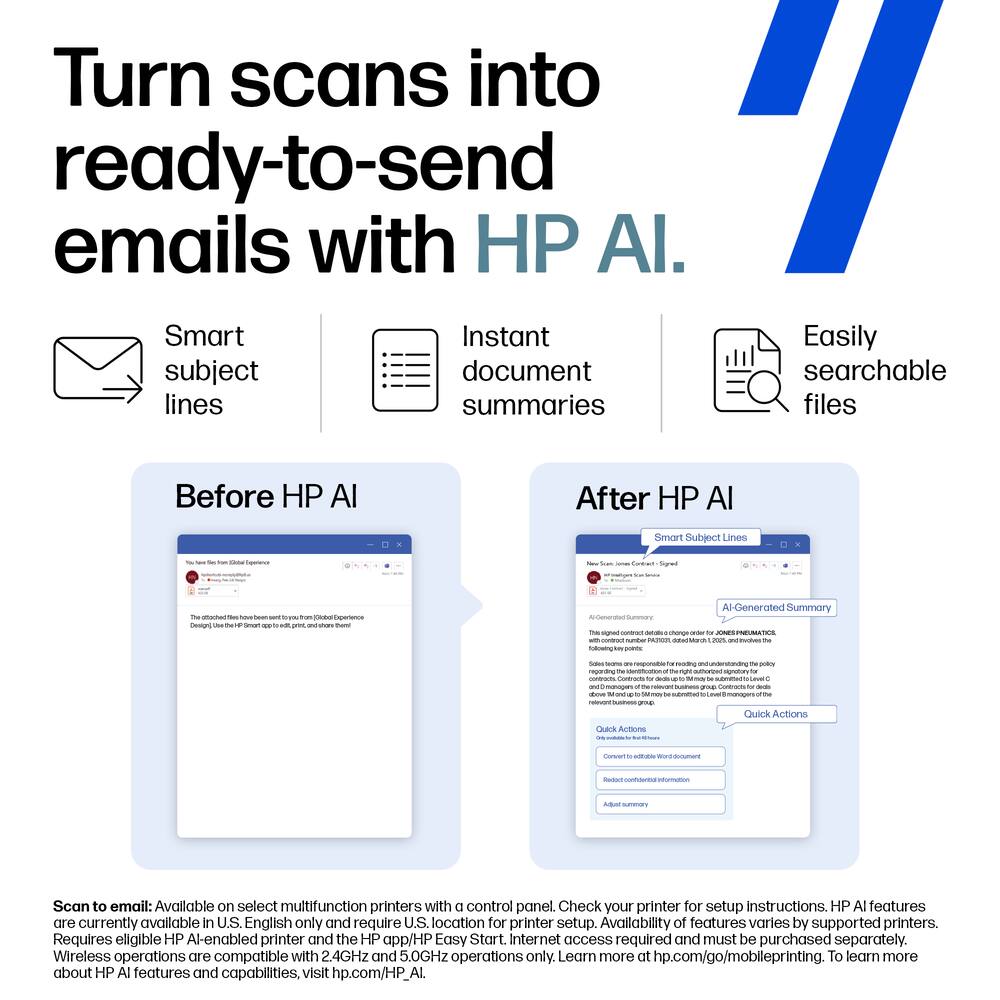
- Perfect for up to 10 people.Simplify scan to email Save time when scanning documents to email.
- HP AI automatically generates smart subject lines, file names, and actionable summaries to streamline your workflow and find files effortlesslyBlazing fast color Up to 35 color pages per minute, with sharp details and incredible colorNetwork connected Gigabit Ethernet allows up to 10 team members to share one printer with easeProtects your data Includes HP Wolf Pro Security with customizable settings so your printer and information are always secureEasy to set up Get started fast with easy setup that guides you, step by step.
- Simply download the HP app, connect to a network, and share your printer across all your devices
Key specs
- Weight
- 45 lbs
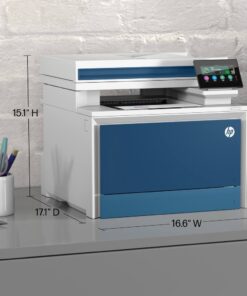
- Dimensions
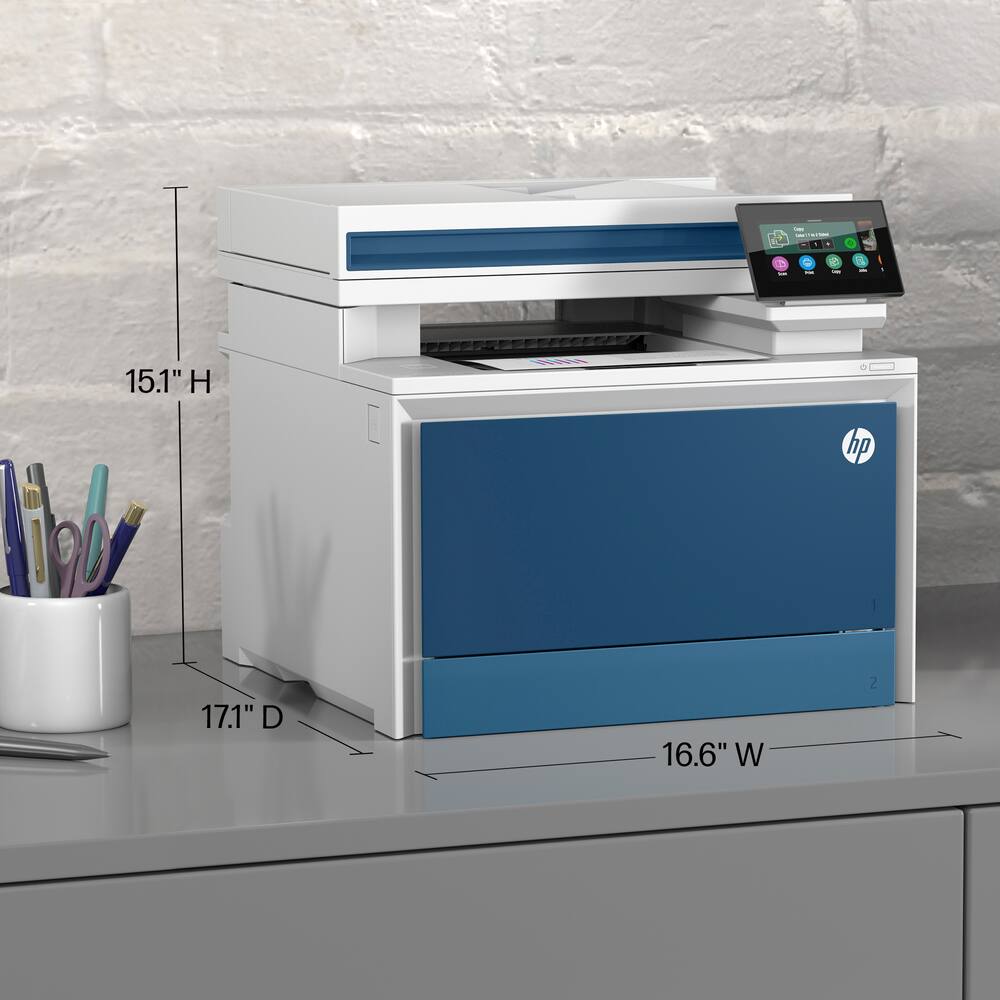
- 17.1 × 16.6 × 15.1 in
- Brand
- HP
- Model Number
- LJP 4301FDN/4RA81F#BGJ
- Product Name
- LaserJet Pro 4301fdn AI-Enabled Color All-in-One Laser Printer
- Color
- White/Blue
- Networking
- Wired
- Weight
- 45 lbs
- Dimensions
- 17.1 × 16.6 × 15.1 in
- Brand
- HP
- Model Number
- LJP 4301FDN/4RA81F#BGJ
- Product Name
- LaserJet Pro 4301fdn AI-Enabled Color All-in-One Laser Printer
- Color
- White/Blue
- Networking
- Wired
- ENERGY STAR Certified
- Yes
- Product Height
- 15.1 inches
- Product Width
- 16.6 inches
- Product Depth
- 17.1 inches
- Product Weight
- 45 pounds
- Automatic Document Feeder
- Yes
- Photo Printing
- Yes
- Printer Type
- All In One
- Wired Connectivity
- Ethernet
- Wireless Connectivity
- None
- AI Document Editing Features
- Image and text optimization
- EPEAT Registered
- Yes
- EPEAT Level
- Silver
- Automatic Document Feeder Capacity
- 50 sheets
- Touch Screen
- Yes
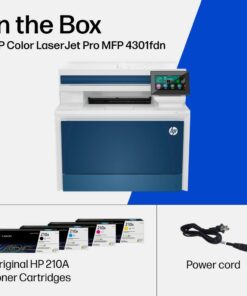
- Compatible Cartridges
- HP 210
- Copier Resolution (Color)
- Up to 600 x 600
- Automatic Two-Sided Printing
- Yes
- Duplex Scan Function
- Yes
- Wide Format Printing
- No
- Duty Cycle
- Up to 50,000
- Ink Cartridges Required
- 1 x Black
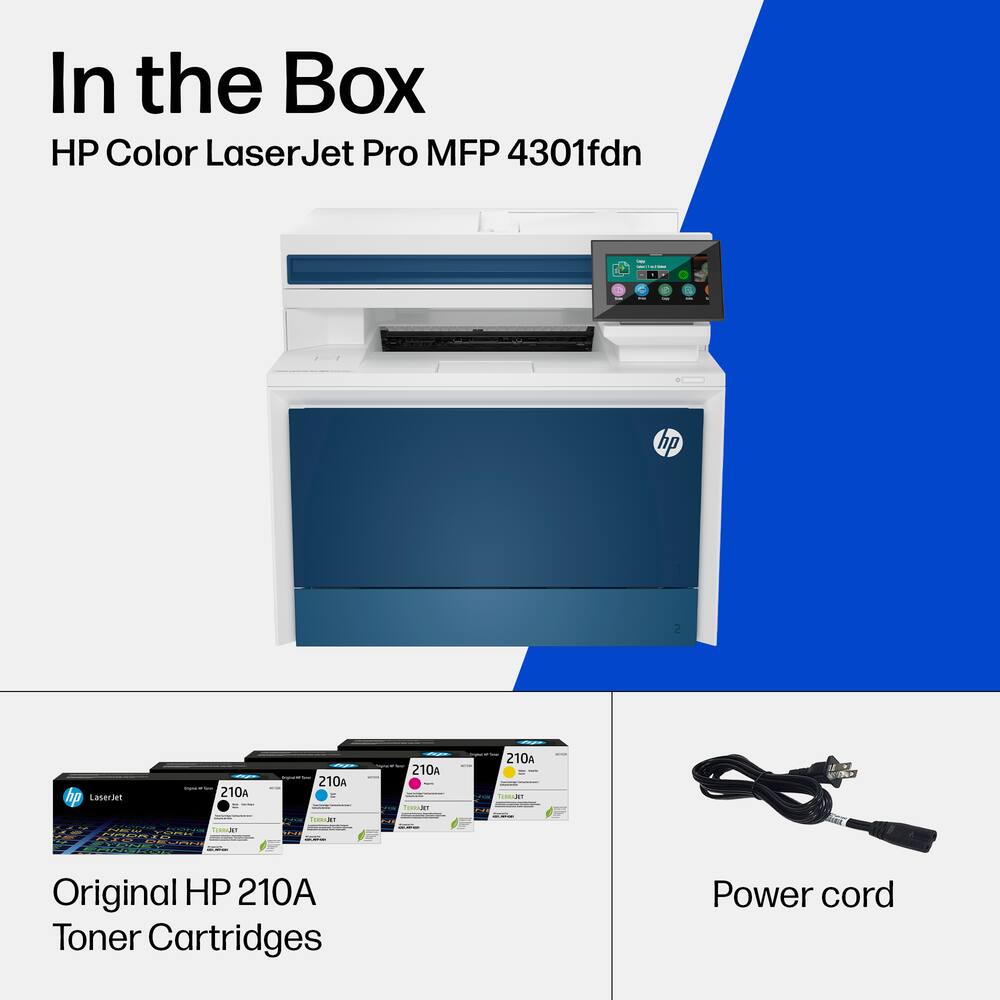
- Ink Cartridges Included
- 1 x Black
- Integrated Fax
- Yes
- ISO Color Print Speed
- 35 pages per minute
- Maximum Document Length
- 14 inches
- Maximum Document Width
- 8.5 inches
- Maximum Number Of Copies
- 999
- Monochromatic/Color
- Color
- Paper Feeder
- Tray loader
- Paper Handling
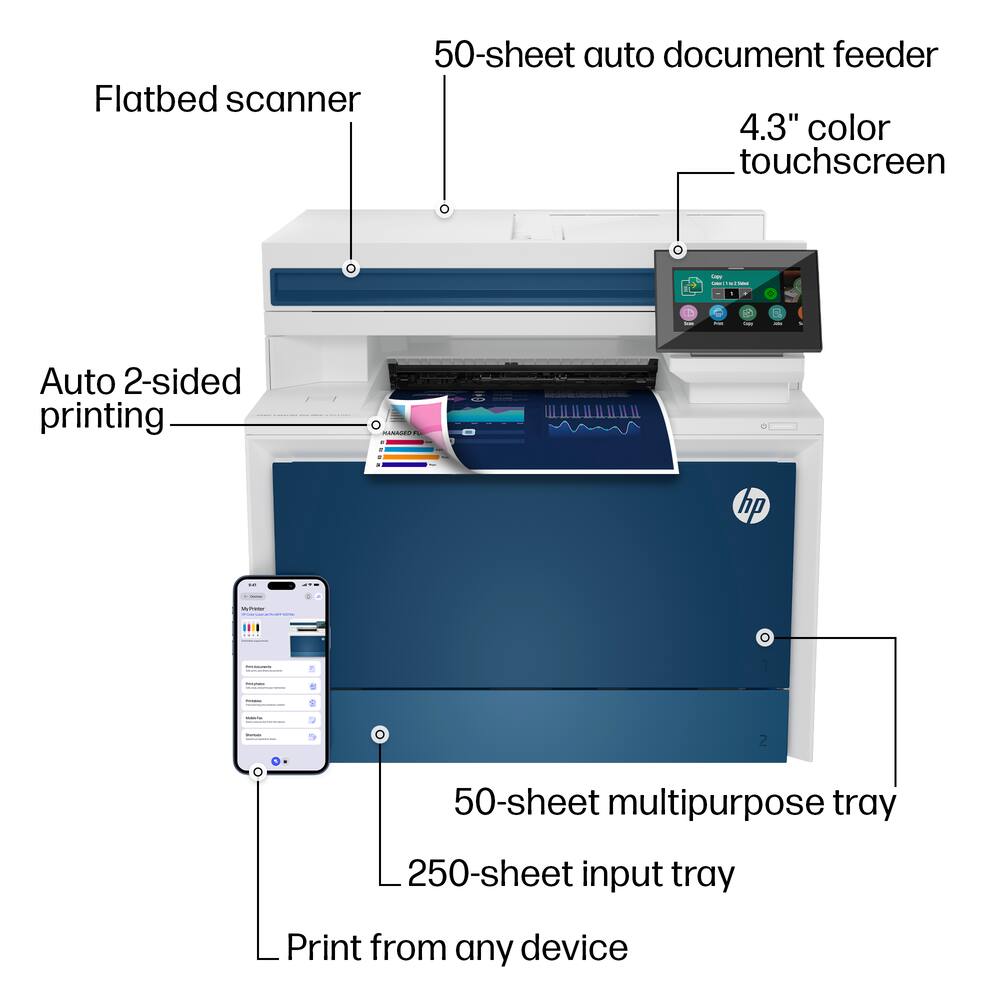
- 50-sheet multipurpose tray, 250-sheet input tray, 50-sheet Automatic Document Feeder(ADF); 150-sheet output bin
- Approximate Page Yield (Black)
- 0
- Printer Resolution (Black)
- Up to 600 x 600
- Printer Resolution (Color)
- Up to 600 x 600
- Scanner Resolution
- Up to 600 x 600
- Scanner Type
- Flatbed
- Supported Paper Sizes
- Letter, postcard, label, envelopes
- Tray Capacity
- 300
- Output Tray Capacity
- 150
- First Page Out Time
- 9 seconds
- Warranty - Parts
- 1 year
- Warranty - Labor
- 1 year
- Display Screen
- Yes
- Display Screen Size
- 4.3 inches
- UPC
- 196068323097
- Everything small offices need
Print, scan and copy professional-quality color documents and reports plus fax. Auto 2-sided printing/scanning and auto document feeder for fast scan/copy. Perfect for up to 10 people. - Simplify scan to email
Save time when scanning documents to email. HP AI automatically generates smart subject lines, file names, and actionable summaries to streamline your workflow and find files effortlessly - Blazing fast color
Up to 35 color pages per minute, with sharp details and incredible color - Network connected
Gigabit Ethernet allows up to 10 team members to share one printer with ease - Protects your data
Includes HP Wolf Pro Security with customizable settings so your printer and information are always secure - Easy to set up
Get started fast with easy setup that guides you, step by step. Simply download the HP app, connect to a network, and share your printer across all your devices
Standard US ground delivery is $5.49 and arrives in 3–5 business days. Orders over $60 ship free. Returns are accepted within 30 days of delivery.
Nicholas (verified owner) –
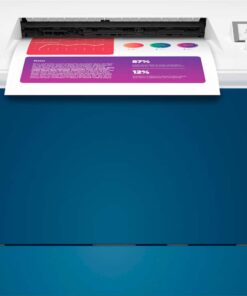
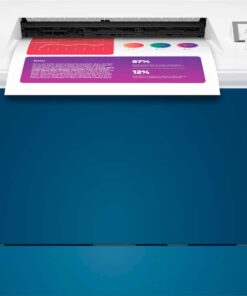
Not Just for the small business – I suppose my needs are a bit more then your typical home use, but not quiet the level of a small business. All the same, this laser printer has been a welcomed addition to our home. I work from home and my wife home schools our four kids, all to say, we do our fare share of printing even in this digital age. This printer was easy to setup straight out of the box, FYI, it is quiet heavy so watch your back lifting, however it gave me immediate confidence that this printer was solid and well made. One of the best features that we really enjoy is the ability to print quality printed content using the HP Smart app. We printed graph paper (pictured) for home school and graphing activities. Though there is a huge array of content from holiday images to work searches and more. It saves the hassle of having to search the internet and it can all be done from your phone and sent directly to the printer. There is also the high yield cartridge you can get, however they are a bit pricey. With that said, I find the value of these way better then my recent experience with inkjet printers; which never seem to last or if you have a break in use they seem to dry out or call for needing to be replaced. All over, this is a top notch printer that the family is getting a lot of use and value of.
MetalManCPA (verified owner) –
HP Printers – the best in my eyes – I received the Color LaserJet Pro MFP 4301fdn at the perfect time. I’m a CPA, and tax season is just starting. I needed a reliable printer, and in the past, HP has always delivered the best. It’s no different in this case. This particular model’s connectivity is ethernet only as compared to the 4301fdw which has wifi/bluetooth. In my case I only needed it to be wired/connected to my network. I always feel wired is the fastest and most reliable connection.
Setup was simple and fast. I personally did not require the instructions as I have set up many HP printers before. I plugged it in, connected it to the network, and downloaded the HP software. I really like the blue accents which makes the printer stand out. That may not be the most important thing, but a client came in and mentioned it, so it does get some attention. The display panel is easy to read, and makes maneuvering through the printer settings a breeze. I can also adjust settings from the PC. It prints fairly fast, but I did not time it against the up to 35ppm as advertised. It takes around 10 seconds for the first page to print, and then it’s off to the races.
For my office needs, the 600x600dpi is more than adequate. If you are relying on photos and other more demanding color printing, it may not be good enough for your particular needs. It’s rated for up to 50,000 pages per month which is great since I print out a lot of tax returns, although it’s recommended to print between 750 to 4,000 pages (I did not research the why to this compared to the monthly duty cycle. HP does disclaim that this printer is designed for HP toner that has a built-in chip for authentication, so I would think if you use 3rd party toner you may want to think about it.
At this early stage, I am very happy with this printer as I always am with HP printers. The real test will come in the heart of tax season. Regardless, I would recommend this printer.
Ikancu2 (verified owner) –
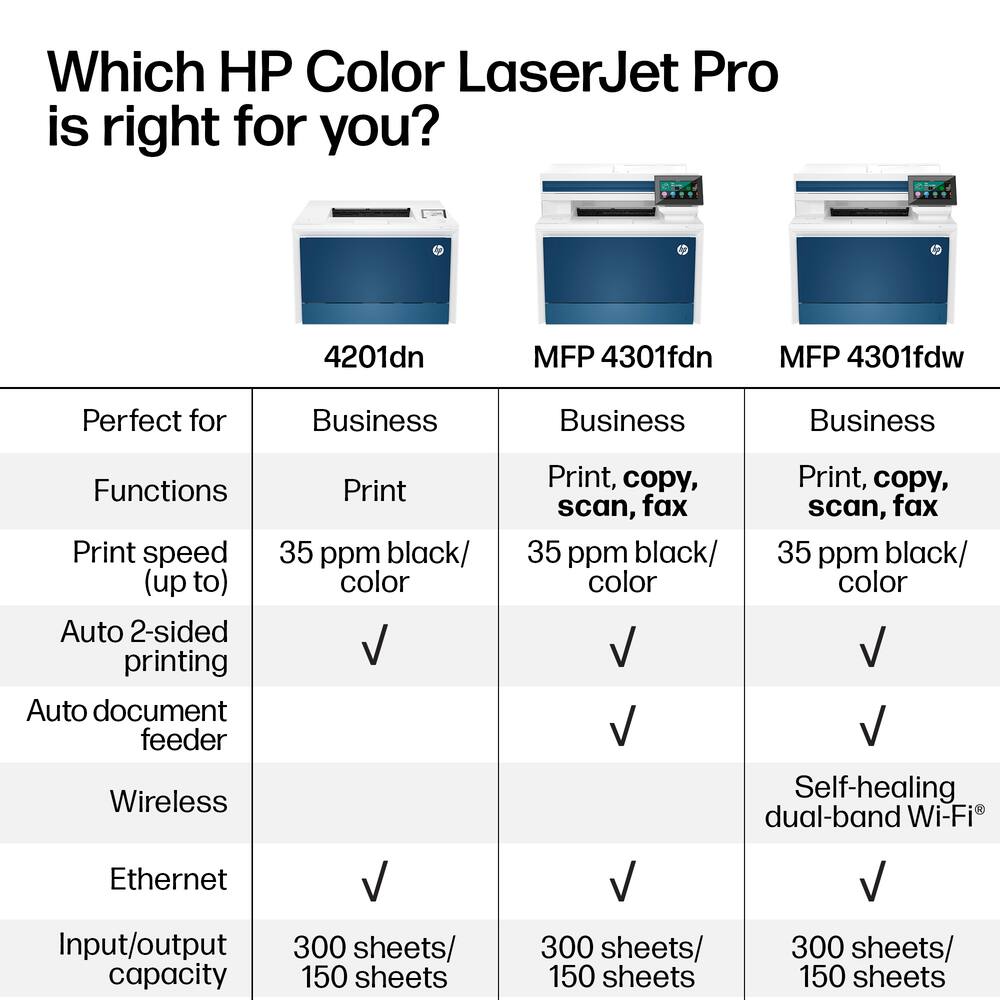
Excellent Multi-function Color Laser Printer – Unpacking and setting up this printer was straightforward – remove from box, remove the pieces of tape from around the printer, connect the power cable, and finally connect the network cable. Do note that for this particular model (4301fdn), it is not a “wireless” printer that you connect to your network wirelessly – you must connect the printer to your network via an ethernet cable. There is a model that allows you to connect via wireless (4301fdw), but this model is not it.
With the default settings, computers on the same network (both Windows and Mac) were able to communicate with the printer, install the correct drivers, and print (and scan). Using the web interface to adjust various setting was also straightforward – you need the pin that you get from where you would install toner cartages (the various toner color one came pre-installed). Do note that when I turned on the firewall on the web interface (without adding any rules), it did prevent me from accessing the web interface until I reset it – so just be aware of what you are doing.
HP claims that this printer is “blazingly fast” and they are correct. From “sleep” mode to printing something it take a couple seconds. The color resolution is up to 600dpi and printing a photo on glossy paper yielded very nice results. It is by no means a professional quality photo printer, but I really don’t have a need for that type of printer.
While using this printer, I came across two minor issues. The first was the update. I updated the firmware via the web interface and it seemed to go well and then it just said it failed to update. However, once I restarted the printer, it said it was on the latest firmware. The second issue was using “Tray 1”. In the old Multifunction laser printer, when using the manual feed tray (in this case it was Tray 1), the printer would use that for any print jobs. This is useful in that when you want to use special quality paper (say glossy), you would just open the manual feed tray and the printer would automatically choose that. Unfortunately, this was not the case here and the firmware update did not fix this issue either. I did get around this by opening Tray 2 (which contains the bulk plain paper), so it was forced to use Tray 1, but this was an annoyance.
Overall, this has been a great printer so far and I would recommend this to anyone that needs a color multi-function laser printer.
SaintelDaily (verified owner) –
The LaserJet Pro MFP 4301fdn is must buy! – The Color LaserJet Pro MFP 4301fdn is revolutionizing printing setups. You can bid farewell to the era of cumbersome ink cartridges and limited functionality. This game-changing printer is a true marvel in the world of printing technology! Packaging: One box, everything was already installed. No fumbling with ink or toner. Great time saver. Enhanced Workflow: Gone are the days of toggling between devices for different printing needs. With this all-in-one solution, we seamlessly transition from monochrome to vibrant color prints with unmatched ease. Wireless Connectivity: While the initial lack of wireless printing capabilities was a minor setback, the promise of future software updates brings hope for an even more streamlined experience. Space-Saving Design: Our workspace feels liberated with the compact footprint of this printer, reclaiming valuable real estate without compromising on performance. In conclusion, this printer has exceeded our expectations, seamlessly integrating into our workflow with its exceptional quality, hassle-free setup, and multifaceted capabilities.
RamG (verified owner) –
A Mighty Color Laser Printer – If you’re looking for a new business printer that blows the competition out of the water, the HP Color LaserJet Pro MFP 4301fdn is the one to get!
Unboxing and Setup
This HP printer comes very well packaged and is very easy to unbox. HP even includes picture guides on removing the printer from the box, and the shipping materials are straightforward to unpack. Once you’ve unpacked the printer, it’s just a matter of loading blank paper and plugging it in.
Initial Impressions
This printer lives up to the “Blazing Fast” printing speeds advertised. Historically, color laser printers have been clunky and slow, but I was amazed at how quickly this printer printed full-color pages, and the print quality is definitely professional-grade. In addition to being great at printing, the document feeder makes scanning documents with multiple pages a breeze – you can even scan double-sided documents, saving a lot of time! After getting the printer set up, I was able to easily print from my laptop and iPhone without any additional setup required – it just worked right out of the box.
Pros
– The printer is fast – whether you’re printing in color or black and white, you won’t miss a beat (or a deadline).
– The document feeder makes scanning multiple pages a snap – you can also use the regular scanner for documents you can’t run through the feeder.
– If you need to quickly scan something, you can do so right from the touch screen and send it to yourself through email. No USB drive is required, although this printer supports USB drives too!
Cons
– The printer is a bit bulkier than your standard laser printer – but not by much, and you get many more features in exchange for the slightly bulkier form factor.
– This printer does not have WiFi built-in, so you’ll need to hardwire it to your network – not a significant drawback, and you’ll ensure that your printer is always available and doesn’t randomly disconnect when you need it most.
Overall
If you’re looking for a printer that can easily meet the needs of a small team or your small business, look no further than the HP Color LaserJet Pro MFP 4301fdn – I love using this printer, and it makes my overall printing experience a pleasant one.
Bill875 (verified owner) –
Excellent Print, Scan & Copy Speed/Capabilities – I recently purchased this HP Color LaserJet Pro 4301fdn and after about one week of use, I am very impressed. The print quality, speed and capability of this device are outstanding and will be perfect for a small office or even a family of four or more!
We homeschool our children, so having the ability to easily print, scan and copy double-sided documents effortlessly is a big advantage. HP has decreased the operating noise and device footprint, which allows us to place this printer in a much more convenient location in our home. This is a huge win as it is much more convenient than where we had our previous printer.
A very cool feature of this printer is the ability to print what HP calls QuickForms. Ever needed some notebook paper or graphing paper but you didn’t have any in your home or office? No need to run to the store as the HP QuickForms has you covered. Easily print Notebook Paper (College/Wide/Child Ruled), Graphing Paper, Checklists (1 or 2 Column) or blank Music Staffs. This feature, in my opinion, is ingenious!
The copy/scan function (double-sided, aka duplex) is outstanding as the colors are very faithfully reproduced. This has been a problem with other brands of multi-function printers, so it was a pleasant surprise to see that the colors are copied quickly and accurately through the automatic document feeder and flatbed scanner.
Need to scan or copy from a hardcover book or something large? This is not a problem with the HP Color LaserJet Pro 4301fdn as the touch panel display folds flat so you can lay your oversized document or book down flat on the scanner bed. Easy and convenient and it makes scanning so much easier than competitors devices.
Printing from our Windows, Mac and Chromebook devices over our home network is fast and the resulting documents and images are top-notch. I’ve come to expect this from HP over the years and this printer is no exception. Even my wife commented how nice her work documents come out of the printer compared to our old competitors device. The ability to print duplex (double-sided) has helped us to reduce our paper use as well and who doesn’t like that?
The toner cartridges are easy to access and replace. Simply press the button on the left side and the front panel opens and slides down. Pull out the toner cartridge drawer and replace the toner cartridge in seconds.
If you are in the market for a new home or office printer, I highly recommend the HP Color LaserJet Pro 4301fdn.
DavidW (verified owner) –
Excellent workhorse of a printer – I upgraded to this printer for my home office from an earlier HP inkjet printer. The performance and cost/efficiency of laser were the main drivers, as well as better network access and duplex scanning via a document feeder. The printer is very fast for a home printer, printing faster than the warm-up cycle I’ve experienced in other laser printers.
Networking support is excellent, as long as you aren’t looking for Wifi from this particular model. For my Macintosh printers, it works without any drivers, and the Bonjour support provides easy access to guests on my wireless network.
I was surprised at how well the colors turned out when I printed two somewhat difficult test photos from my albums onto plain paper. An inkjet will still beat the quality, especially with darker areas, but it was substantially better than I anticipated. I don’t anticipate any problem with color graphics on business documents.
This printer can scan either via the document feeder or via the bed. The document feeder does fairly good document quality at up to 300 dpi, but the bed scanner is significantly better at 1200 dpi. After configuration, you can scan directly from the printer to USB or to a number of other configured network sources including directly to network storage.
The network security features are otherwise difficult to speak to, since they scale well beyond my home office needs.
All in all, I am very happy with this printer. It performs better than every previous printer I’ve used except in photo printing, which inkjets are somewhat purpose-built for.
NotJustAnyDad (verified owner) –
The office printer for a growing business. – For the past few years, I’ve been thinking about adding a color laser printer to my home office. I’m a seasoned 20-year IT professional with a passion for technology. Having installed numerous ones in commercial spaces, I understand their convenience and efficiency. Choosing the right model from the get-go is crucial. HP, along with maybe one other brand, often comes to mind as my preferred choice.
The exclusion of WIFI makes the HP 4301fdn stands out for printing sensitive documents whether in a large department or a personal office. Despite its multifunctionality, its size is manageable; it’s somewhat taller and deeper than some might prefer for home offices, but its overall footprint is comparable to many high capacity personal inkjet printers.
Pros:
– The printer operates quietly. Being just a few feet away, it neither bothers nor distracts me.
– It delivers fast and detailed prints in both color and black & white.
– Scanning is quick and produces sharp details.
– The manual feed easily accommodates legal-sized paper and bond paper without jamming.
– Features a large, responsive, and accurate touchscreen display.
– Produces vibrant photos, though not quite a substitute for a dedicated photo printer.
– Comes with a 250-sheet tray, and there’s an optional 550-sheet tray for busier settings.
Cons:
– The absence of Wi-Fi might be a significant drawback for some.
– Its clinical appearance could use a dash of style like the HP Envy lineup (a personal quibble).
– I would have appreciated Wi-Fi as an optional feature rather than it being omitted altogether, though I recognize the security concerns in certain office environments.
In summary, if you’re in the market for a dependable printer with a range of features for either a small or large office, the HP LaserJet Pro MFC 4301fdn is an excellent choice.
TiliraA (verified owner) –
Love this printer – Nice and fast printer.Love the look and that’s it wireless.
Tour (verified owner) –
Perfect, fast, simple setup! – This laser color printer is awsome! all toner’s are already installed, just pull all the white tapes off, plug it in and pretty much it’s ready to go. the colors this thing print out is amazing! Bright and deep colors.
Very easy to setup with wifi or direct. Very impressive
Rob33 (verified owner) –
Unfortunate start – Off to a bad start. While setup was easy, the starter ink (said to give 2k copies) gave me about 10 copies before 2 of the 4 tanks were empty. the 4 new once came to 900 bucks, hopefully they last long enough to be worth it. Secondly it cycles every 5-10 minutes and so far I haven’t gotten an explanation if this is normal or not… which I doubt it is. Print quality is nice though….
Lopsidedcomb456 (verified owner) –
Good for the price – Does everything I wanted but lacks WiFi and slightly unintuitive design great imaging though and cost effective
eyt12 (verified owner) –
Love this printer! – Wonderful printer. Love the bright colors for photos and printing greeting cards. Quiet printing and it is fast. Easy to setup wirelessly to my laptop.
MargaretB (verified owner) –
printer new – Love the printer, BUT my e-mail is all messed up again.
user480389 (verified owner) –
Great Printer! – This printer works great. Color is good and works awesome for our business.
JDSR (verified owner) –
New Printer – This printer is a great replacement for my old printer. Works perfectly.
OrlandoF (verified owner) –
Great printer! – Easy to set up, print quality is very good.
Highly recommend this product.
Mikex49 (verified owner) –
Great printer is fast and quick – Fast printing can handle a lot of documents still learning how to use just wish I got the wireless edition
JOAQUINM (verified owner) –
HP LASER JET PRO 4301fdn – The printer works great and love how fast it prints out per minute. Bets decision to purchase this item.
ReneeD (verified owner) –
Perfect printer for Quickbooks Checks – I purchased this to print our Law Firms checks out of Quickbooks because we needed to have a reliable printer that did not smear. It’s perfect for QB as you do not need to reverse the checks, you lay them face up in the tray and it works perfectly!