Sale


Sale!
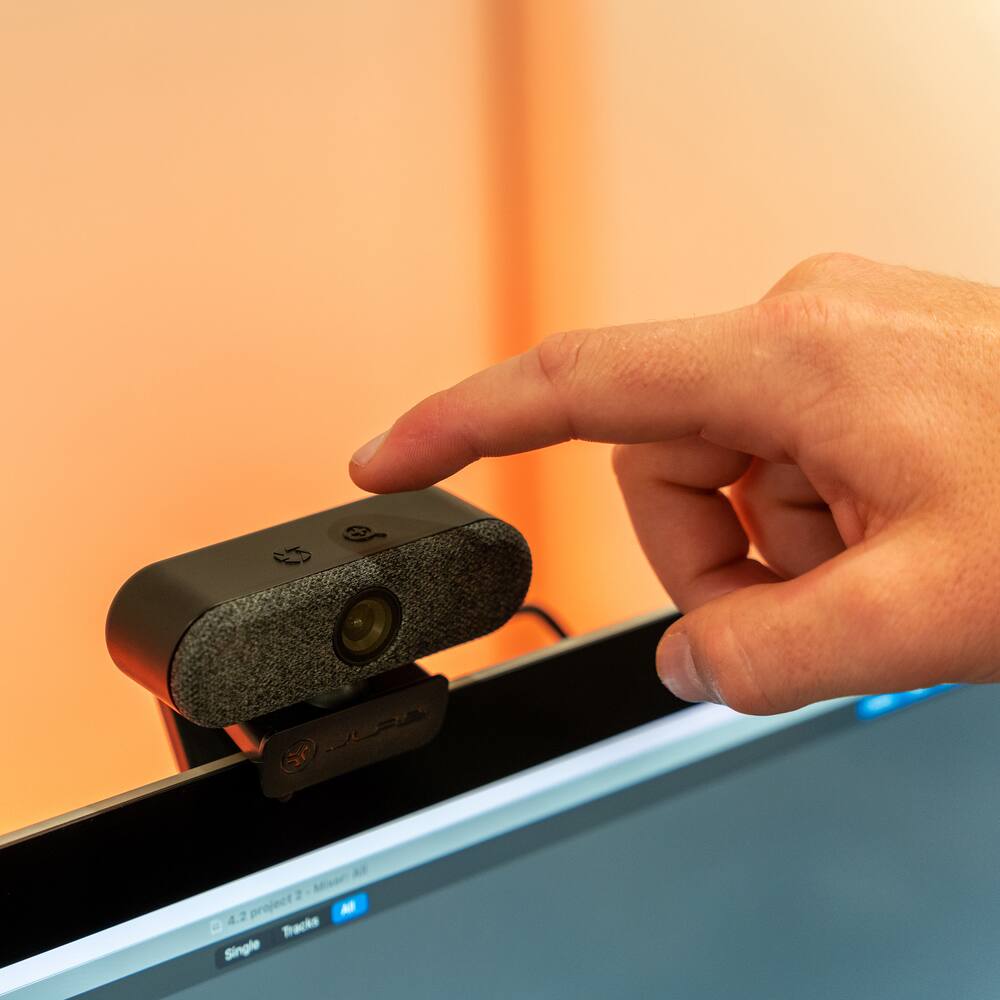
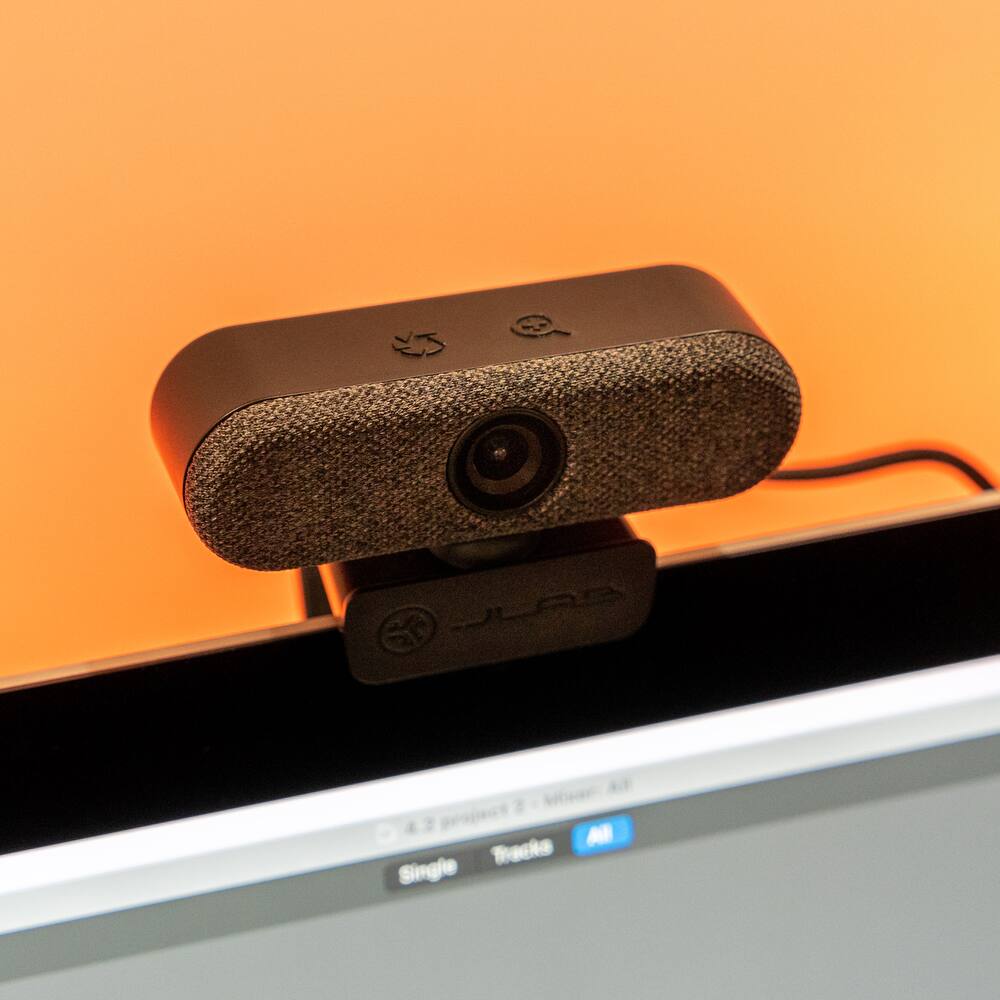
JLab Model 6550545
JLab – Epic Cam Webcam – Black
★★★★★★★★★★ (4.8) 20 reviews
Original price was: $99.99.$79.99Current price is: $79.99. Save $20
In stock · Ready to ship
Delivery Mon, Nov 9 – Wed, Nov 11 Free shipping
Secure checkout · Visa · Mastercard · Amex · Discover · PayPal
Questions? Talk to a product specialist
(888) 519-3048
- Free shipping $60+3–5 business days
- 30-day returnsMoney-back guarantee
- Brand-newManufacturer warranty
- Ships from the USColumbus, OH
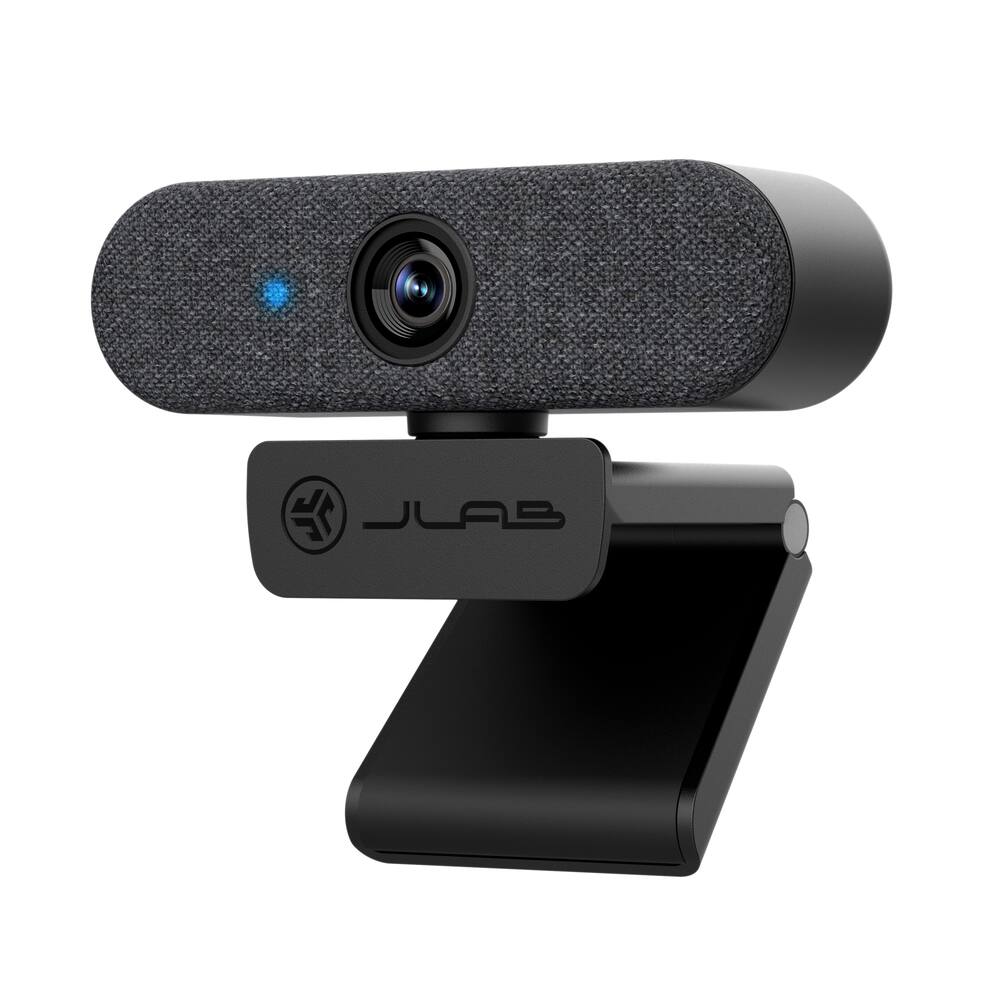
- JLab Epic Webcam HD USB Webcam with 2K Video and auto focus with 15 adjustable exposure settingsHi-Definition With full 2k video, 5 megapixels, and 30 frames per second, this webcam offers fantastic resolution and a crystal clear image for conferencing, live-streaming, vlogging, webinaring, chatting, meeting, teaching, happy-houring, and anything else you can think of.Adjustable Controls Customize your appearance effortlessly!
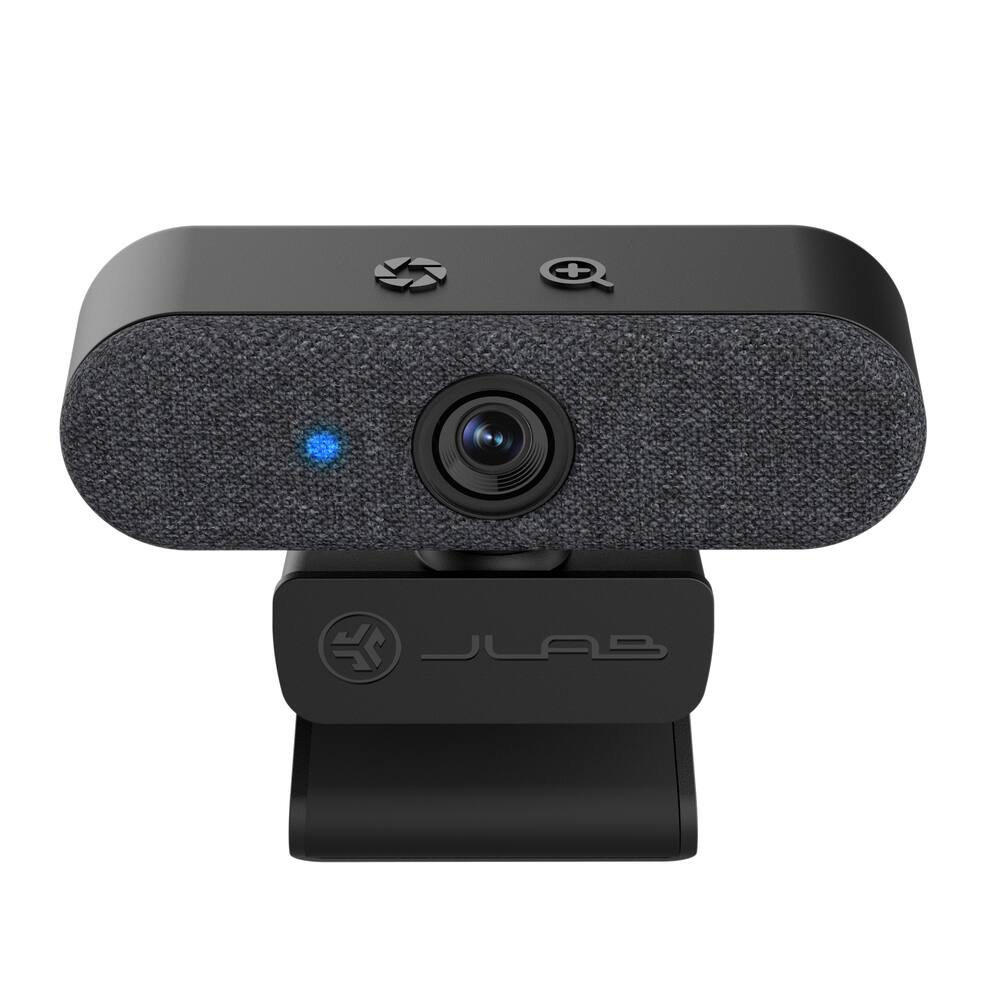
- With adjustable zoom and exposure levels, achieve the perfect image and crop.
- Ideal for presentations or video series.
- No app required—toggle between 15 settings for a flawless, photo-perfect look in any office or WFH environment.Dual Built-In Microphones The Epic HD Webcam comes with dual built-in microphones so your picture and voice are always perfectly in sync.
- And they’re omni-directional, so even when you can’t meet in person, your calls and recordings will sound just as natural as if everyone were right there with you.Auto Focus Work from anywhere with ease with Epic Cam.
- Auto focus spotlights you amidst challenging lighting and shadows, while its wide 90° angle lens captures wider frames for friends, pets, or conference rooms.
Key specs
- Weight
- 166 lbs
- Dimensions
- 1.99 × 362 × 2.2 in
- Brand
- JLab
- Model Number
- WEPICCAMRBLK124
- Product Name
- Epic Cam Webcam
- Color
- Black
- Video Resolution
- 2K (1440p)
- Weight
- 166 lbs
- Dimensions
- 1.99 × 362 × 2.2 in
- Brand
- JLab
- Model Number
- WEPICCAMRBLK124
- Product Name
- Epic Cam Webcam
- Color
- Black
- Video Resolution
- 2K (1440p)
- Maximum Video Frame Rate
- 1080p (Full HD) @ 30 FPS
- Megapixels
- 5 megapixels
- Image Resolution (Display)
- 2560 x 1440
- Autofocus
- Yes
- Field of View (Diagonal)
- 90 degrees
- Integrated Microphone
- Yes
- Mount Type
- Clip-on
- Plug And Play Operation
- Yes
- 360 Degrees Rotation
- No
- System Requirements
- Compatible with PC, Mac and Chromebook
- Connectivity
- USB Type A
- Product Height
- 2.2 inches
- Product Width
- 362 inches
- Product Depth
- 1.99 inches
- Product Weight
- 166 pounds
- UPC
- 812887017459
- JLab Epic Webcam
HD USB Webcam with 2K Video and auto focus with 15 adjustable exposure settings - Hi-Definition
With full 2k video, 5 megapixels, and 30 frames per second, this webcam offers fantastic resolution and a crystal clear image for conferencing, live-streaming, vlogging, webinaring, chatting, meeting, teaching, happy-houring, and anything else you can think of. - Adjustable Controls
Customize your appearance effortlessly! With adjustable zoom and exposure levels, achieve the perfect image and crop. Ideal for presentations or video series. No app required—toggle between 15 settings for a flawless, photo-perfect look in any office or WFH environment. - Dual Built-In Microphones
The Epic HD Webcam comes with dual built-in microphones so your picture and voice are always perfectly in sync. And they’re omni-directional, so even when you can’t meet in person, your calls and recordings will sound just as natural as if everyone were right there with you. - Auto Focus
Work from anywhere with ease with Epic Cam. Auto focus spotlights you amidst challenging lighting and shadows, while its wide 90° angle lens captures wider frames for friends, pets, or conference rooms. Say goodbye to background clutter and hello to clear, inclusive video calls. - Pick your style
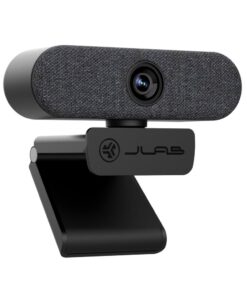
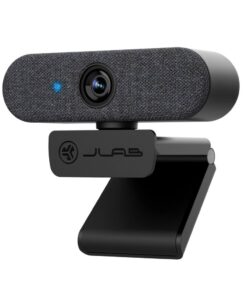
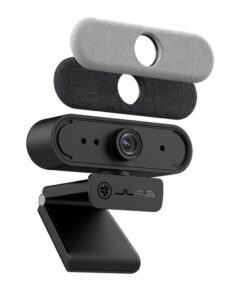
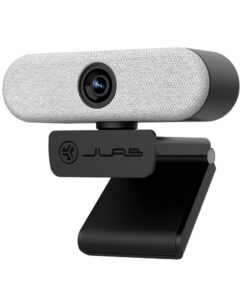
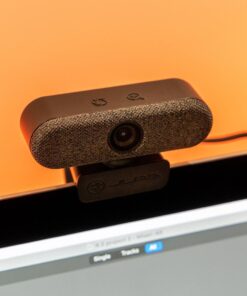
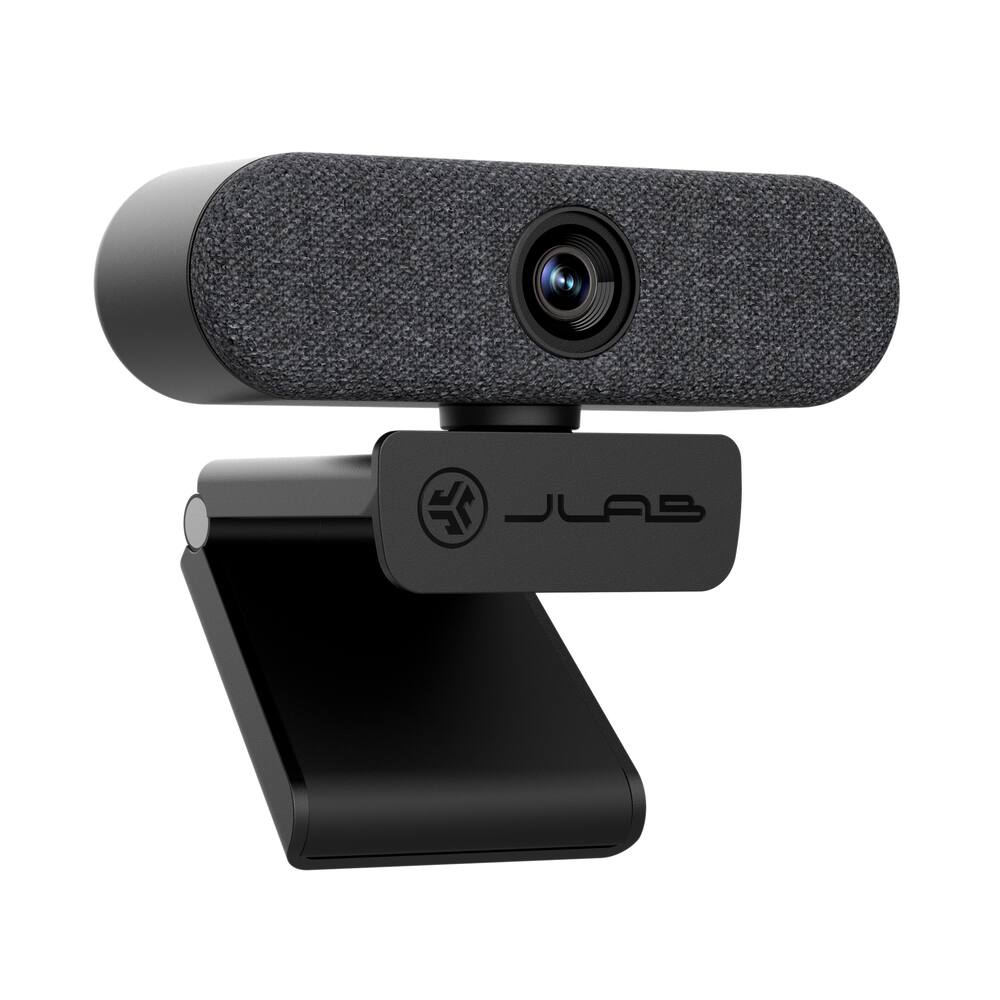
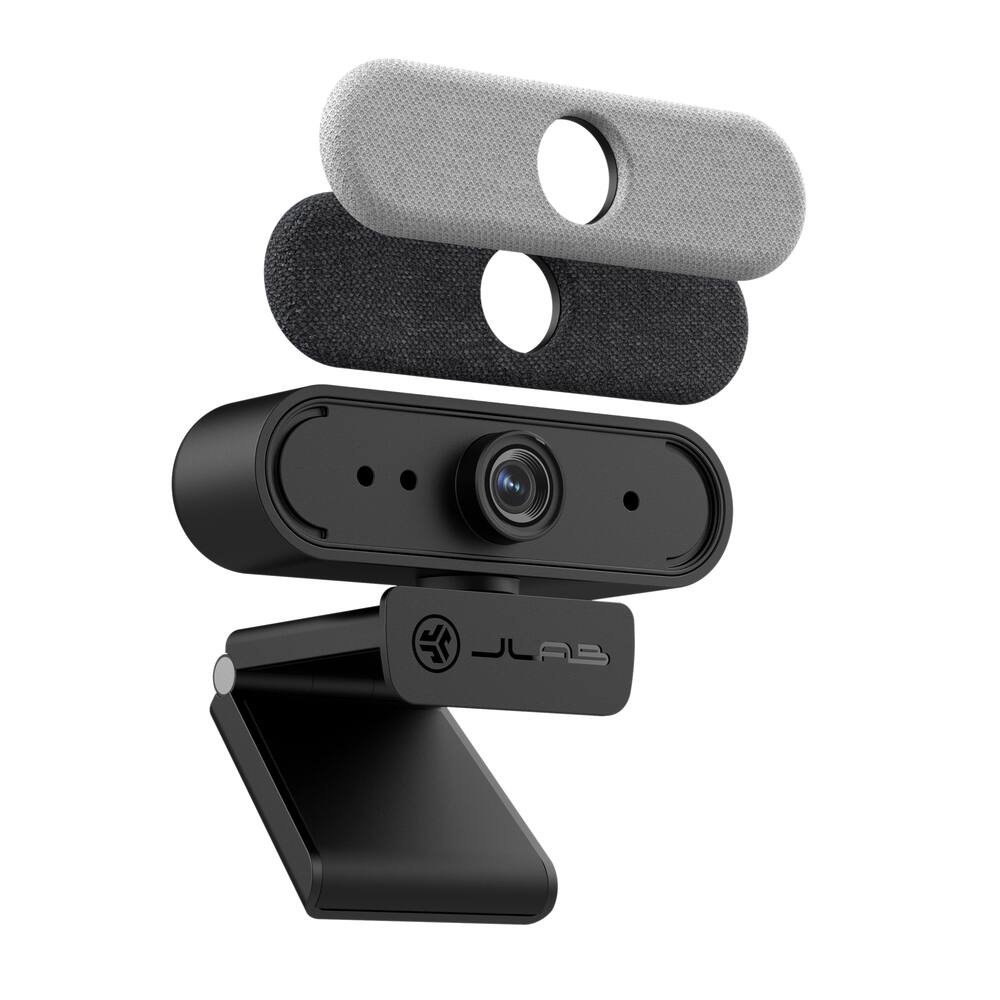
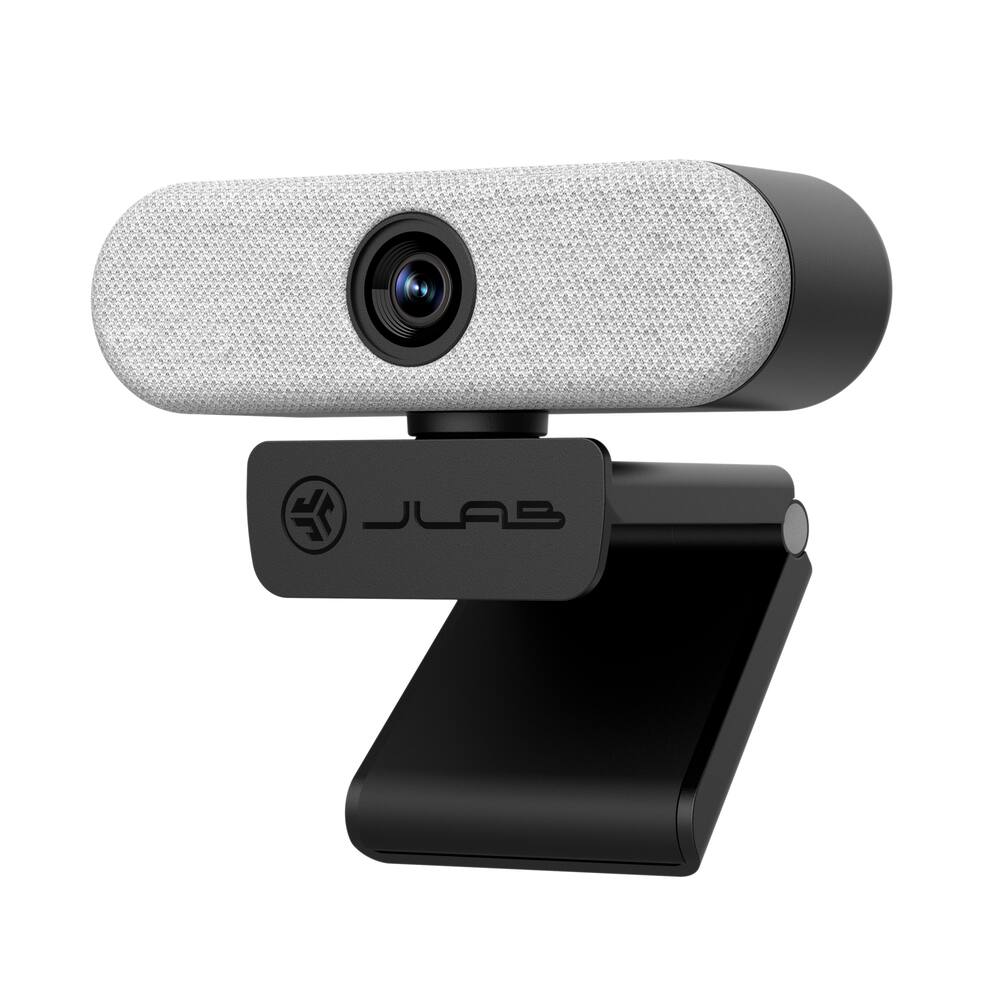
No matter what your WFH vibes are, the Epic webcam is designed to fit right in so you and your work can stand out. Interchangeable fabric face plates come in two classic colors so you can match your desk aesthetic – smooth white Mac vibes or darker styles. - Video your way
The Epic HD Webcam is made to fit into your setup and your style of working. It has a minimal, clip-on design that works with PC, Mac, and Chromebook, so no matter your hardware, it’s always ready to plug-in and go - 100% RECYCLABLE PACKAGING
JLab was the first major audio brand to have fully recyclable packages when we announced it in 2019. And fully recyclable is a big deal: This means after you open your product, you can put the box directly into the recycling bin and every component of it is recyclable. We looked at every detail to make it 100% recyclable.
Standard US ground delivery is $5.49 and arrives in 3–5 business days. Orders over $60 ship free. Returns are accepted within 30 days of delivery.
zaxdad (verified owner) –
Easy to Use and Good Resolution – This JLab webcam worked immediately out of the box with no effort at all. I unfolded the built-in clip on the camera and positioned it on top of my monitor. Adjusting it to the proper angle was simple to do and with minimal effort. I am using it on my secondary monitor connected to a MacBook Pro which only has USB-C connectivity so you will need to have an adapter to plug it into a USB-A port. Not any major requirement these days and easy to solve for. As a side note, the cord is very good quality as it is nylon braided making it more durable.
I spent the day on conference calls and occasionally asked others how I sounded and looked. After the sarcastic remarks were done, the feedback was positive. I was coming across very clearly with minimal noises from the background. I was told that the picture was very clear and focused and, the automatic light control made it easier to see me if my background was a bit dark.
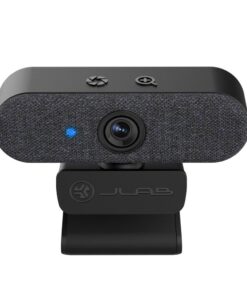
It is an HD camera at 1080P and 30 FPS allowing for high-def video if you want to use it for recording. On the top of the camera, there are controls that you can use to zoom as well as for changing the exposure. There are two microphones built in and on each side of the lens. Included are two faceplates so you can decide if you like black or grey best.
Overall, this is a great webcam and for the price, will not break the bank. You will be very happy with the performance and you are not giving up anything by choosing this one over some of its competitors.
tmcgo510 (verified owner) –
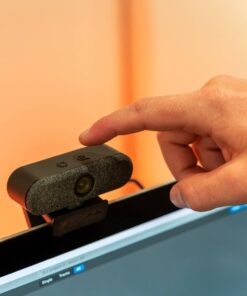
Great Camera but No Privacy Shield – I use a webcam a lot throughout the week. Usually it is for recording content or video calls. At first glance, the JLab Epic Cam is a premium looking device. It feels well made and it goes well with most any decor inside an office. The camera comes with two different faceplates so you can customize the look of the device. I personally liked the black faceplate and kept that one on the camera. The video quality is very impressive. The first day that I used it for a video chat, my business partner, completely unprompted, told me how great the video quality looked coming from my end! The camera advertises 2k quality out of the box with 5 megapixels The camera also picks up great audio. It has dual microphones and it comes in clear. On top of the camera are two touch sensitive “buttons.” One is for zoom and the other is for white balance. I liked the ability to zoom the camera, as I felt like the standard setting that the camera defaults to is way too wide. I use a green screen that is a limited size so I definitely needed the zoom function. There are only two things that I do not like about this camera. The first thing is, I do not like that the camera does not come with a privacy shield that can cover the lens. Most all manufacturers include a privacy shield, whether detachable or built in. Privacy is a huge concern with webcams. The camera does have a light that indicates when it is on, however, most people will still find some alternative method to cover the camera. The other issue I have with this camera is that there is currently no app to adjust the controls. They advertise being able to use the camera without an app, which is nice of course, but I would also like the ability to fine tune my settings without having to continue to touch and fidget with the camera itself. All in all, this is a great camera with awesome video quality!
Booknerd (verified owner) –
JLAB EpicCam tests my memory – Upon connecting the new camera, I was disappointed. The image was grainy and my skin tone was too pink/red to be lifelike. As I examined the picture of myself, I kept referring back to my old webcam, a Logitech Pro 9000 which I remembered as having a fairly sharp image and normal skin tone right out of the box. Ahh, the tricks of memory…
The JLab EpicCam was easy to connect and setup on my computer, as it is plug and play. I attached the webcam to my monitor, but then decided to place it on the shelf above the monitor, and both locations were stable. There isn’t an install disc and that’s a blessing and a curse; not having to deal with bloatware, but losing flexibility in altering the settings of the image. My computer is in a bedroom/office that is low light and that introduced problems right away. The image was giving skin tones a reddish/pinkish cast and the picture was grainy. Other objects in frame were dark with little contrast but seemed to have the proper hue and saturation. I used the button on top to increase the exposure and that decreased the pink cast, but anything beyond the first level increase in exposure was too much and the view became washed out. Raising the exposure one level did bring out the indistinct objects in the background so that they weren’t lost in darkness.
I was used to my Pro 9000, so I knew I could adjust the settings for that webcam in the software they provided. And I assumed that their Right Light 2 software that came with the Logitech webcam was helping to automatically improve the brightness of the shot.
I then used the Windows Camera App Brightness setting (about the only setting you get. No white balance, contrast, gain, and color intensity) on the EpicCam, and by setting the brightness at 124 and the exposure at +1, I got a reasonable picture. It still seemed a little grainy and my face still seemed a tad too pink, but my arms were normal color.
I Skyped my son and we shared screens so I could see what he could see, and the Skype video quality of my image was better than I was seeing from my camera image in the Windows camera app, so I was a bit confused. Skype gives you the ability to adjust the settings I mentioned above as well as the brightness and exposure. Some of these settings I had adjusted in the past. Adjusting these settings for this webcam through the Skype app fixed all the picture quality issues I was experiencing. I did not test either Zoom or Teams picture settings to see if other platforms allowed these improvements. As far as the audio quality, my son stated that it was crystal clear on his end, though we didn’t test the stereo image.
I decided to take some video of myself in my office and compared it to a video I had made months earlier in the same room with the Pro 9000. The results showed that my memory was way off. The sharpness and detail were so much better with the JLab EpicCam. The graininess I was seeing was also in the Pro 9000’s picture, as well as video noise and jaggies around objects that were absent in the video from the EpicCam. And the pink cast to my face was on the Pro 9000’s video as well. When you turn on the Pro 9000, you get to test it on an image that is only 4 ½” X 3 ½”, so it hard to see the detail. But when I compared both videos as they filled my 2k monitor’s 27-inch screen, it was no contest. Now it was easy to see the 720p of the Pro 9000 was way more degraded than the 1080p or 2k image of the EpicCam. My Pro 9000 is over a decade old and when using direct comparisons, it was easy to detect the advantages of this new camera vs. the older technology. My son had made the same positive comments about the image quality on our video call, but at the time I was still unsure of his assessment. It turns out he was right. This is a great camera.
Finally, I added a couple of lamps with daylight temperature bulbs to my office and the graininess all but disappeared. And my pink face became normal hue once again. Now I know that altering my room’s lighting is an additional step in order to get a properly exposed image, so that is why I decided to take away one star. I was hoping it would have better low light performance. By doing side-by-side comparisons I now know that the JLab EpicCam is a vast improvement over my Logitech Pro 9000’s image quality, and it is a welcome addition to my office set-up.
Pros:
1) Easy initial setup-plug and play.
2) Mounts easily including a heavy/substantial threaded tripod mount.
3) Looks very nice and allows the choice of two faceplates (white or charcoal gray) attached magnetically. And a braided cable.
4) The camera can rotate on its stand at least 180 degrees, though the downward tilt is limited.
5) Impressive specs. 5MP camera, 2k video, and up to 60fps
6) picture settings are available in Skype, if that is what you use.
7) Four-step Exposure and Zoom available on touch buttons on top of webcam.
9) Two omnidirectional microphones.
Cons:
1) Have to use Windows camera app settings and Windows has no versatility with this webcam in settings. No white level/saturation or other settings in windows default camera settings.
2) Low Light and/or Warm White lamps lend a pinkish skin tone to the image produced.
3) Low light environment also caused graininess in the image.
4) No built-in privacy shutter.
5) A bit pricey.
I think this is a quite good webcam and I would recommend this purchase. It shows that you can fool yourself when comparing your new experience to the memory of a prior experience. You have to do the right comparisons, and when you do, you come to the right conclusions. The JLab EpicCam gives a detailed and precise image, and the video is smooth and clear. I do wish it could handle low light situations better, but it still performs very well in most situations. I know I will be using it for many years to come.
Drew B (verified owner) –
The little EpicCam that could… – Starting off with the JLab Epic USB Webcam, my initial impressions were a mixed bag. The 1080p video resolution felt a bit misleading at first, especially when attempting to zoom in, as video noise became all too apparent. It’s worth noting: while the camera isn’t quite up to 2K standards, it does deliver on its 1080p promise.
With a bit more time and experimentation, things began to shift. Proper lighting is crucial. I found that warmer lighting gave the camera a noticeable boost, making the image quality more appealing. Another game-changer was discovering the light exposure adjustment button. By tweaking the exposure on the lens, the image quality underwent a transformation, bringing out a much clearer and detailed video.
Speaking on a personal note, I noticed the video quality is somewhat forgiving, especially for someone like me who doesn’t have flawless skin. It seems to be more favorable for men on video conference calls, as opposed to women who might wear makeup and want every detail to pop.
Turning to audio, the microphone is decent. On a scale where 10 is studio-quality and 1 resembles a tin can, I’d rate it a solid 6. It’s passable for most video conference calls, but don’t expect studio-grade clarity.
Overall, the JLab Epic Webcam took some getting used to. While it didn’t wow me right out of the gate, with a bit of tinkering, it turned out to be a decent pick. If you’re open to a bit of a learning curve and making some adjustments, it can be a solid choice for your video conference needs.
Betsy (verified owner) –
JLab – Epic Cam Webcam – This webcam is easy to operate and mount. The view is not quite wide angle. It is sleek and being black it blends into the monitor frame. It is worth the price I paid.
Olive (verified owner) –
Easy set up and great video quality. – Out of box – Quality material used to make this webcam. Easy installation to my laptop and adjustment to my monitors. The cable is long enough to allow you to hide cable behind monitor and reach laptop or desktop. Whatever configuration you have the cable is long. What’s great is how it connects to the monitor, it is very portable and not permanently attached. It’s easy to transport to office and home. I have been using this at my office because I dock my work laptop and this allows me to have video meetings so I don’t have to have my laptop open while it’s docked at my desk.
I like how adjustable the camera is with height. It also has a magnetic faceplate to match whatever look you are going for. The charcoal gray face or black face. The indicator lights are very clear so you know if you are connected or not.
Video quality is great, sometimes it can be a too bright in our office or dark but it allows adjustments via MS Teams settings and JLab settings. People at work were impressed with the video quality.
It would be nice if it was wireless because sometimes I forget to disconnect if I needed to undock my laptop and the cord and webcam would get pulled off the monitor. Other than that I really like how easy this webcam was to use, the video quality and construction. I highly recommend if you are looking for a webcam.
user261956 (verified owner) –
Good for streaming – Its such a good option if you want to start streaming at the beginning.
DavidS (verified owner) –
Camera to use for zoom – Works a whole lot better than the two other cameras I tried before
Thank uou
Maxx (verified owner) –
Recommend – Great Webcam. Very crisp video on zoom and recordings.
user140824 (verified owner) –
Wonderful Product – Works great and easy to use. I would recommend tbhis camera to anyone.
OscarB (verified owner) –
Webcam – Overall, I have found to be extremely useful and efficient in meeting my needs. The quality of the product is excellent, and I appreciate the attention to detail in its design.
JosephG (verified owner) –
Web Cam – The camera has a very clear picture and the mic pics up the sound from a good distance away.
Jsmith (verified owner) –
Easy To Use – Works better than I expected. Great video quality and quickly connected to both computers I attempted.
JabberwockyBaby (verified owner) –
Works as advertised – Needed a cam for zoom calls for classwork. This fit the bill nicely. Clear audio and video. Just what I asked for.
CharlesM (verified owner) –
PC Camera – This camera is very vivid and is adaptable for desk or on top of monitor
EdgarN95 (verified owner) –
Webcam – Looks very clear and needs little to no know how on getting it connected.
Jeremy (verified owner) –
Great affordable webcam! – This webcam was extremely easy to set up (plug in and change some setting for apps with set camera inputs) and the video quality is solid. There are brightness options in case of dark or bright environments. This webcam is great for meetings!
JaceM (verified owner) –
Can’t complain too much but colors are a bit weird – [Employee of bestbuy] It was really easy to set up the camera; however, I have noticed the colors on it are a bit off. I don’t know proper terminology but it seems the red/blue balancing is off. Basically under normal lighting the image it captures has a bit of a blue tint to it, but by using reddish/yellow lighting towards my face it makes the image show up normal
ChrisE (verified owner) –
easy to use – works well, decent picture. Plug and play, no issues with setup
TonyR (verified owner) –
Great Camera – Camera works great! I use it for proctored tests for school. Never have any issies with it connecting to proctoring programs, great quality