Sale



Sale!


Microsoft Model 6537888
Microsoft – Surface Thunderbolt 4 Dock – Black
★★★★★★★★★★ (4.9) 20 reviews
Original price was: $299.99.$239.99Current price is: $239.99. Save $60
In stock · Ready to ship
Delivery Tue, Nov 10 – Thu, Nov 12 Free shipping
Secure checkout · Visa · Mastercard · Amex · Discover · PayPal
Questions? Talk to a product specialist
(888) 519-3048
- Free shipping $60+3–5 business days
- 30-day returnsMoney-back guarantee
- Brand-newManufacturer warranty
- Ships from the USColumbus, OH
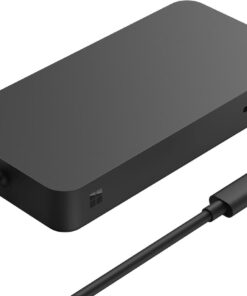
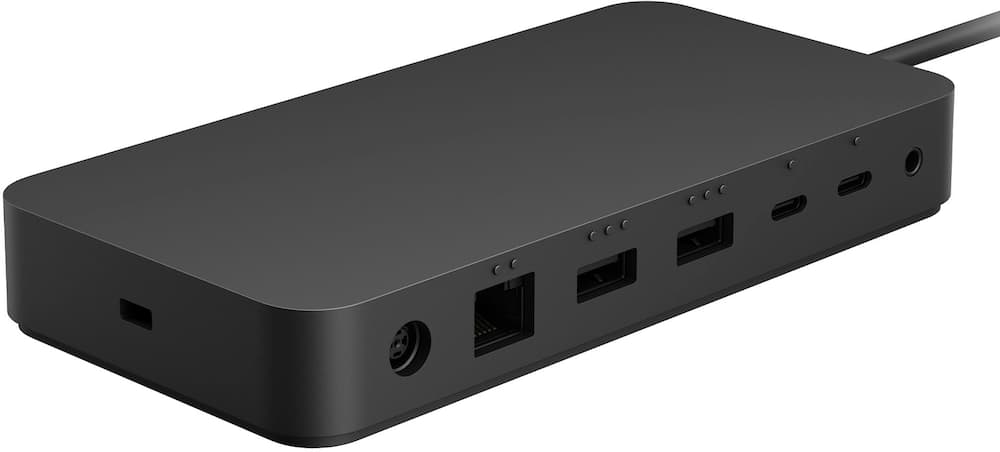
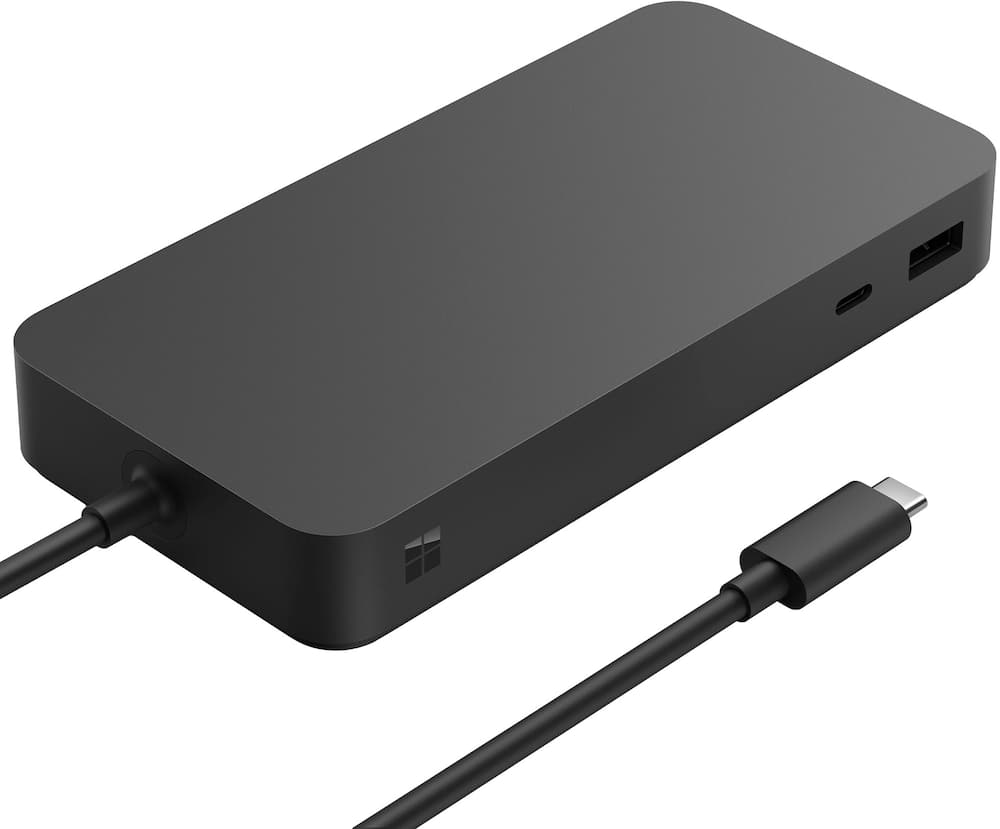
- Maximize your workspace with Surface Thunderbolt 4 Dock Surface Thunderbolt 4 Dock, delivers ultra high–speed data transfer, 8 versatile connection ports to power all your favorite accessories, and connect up to two 4K monitors.
- ²High-speed Thunderbolt 4 ports Transfer data and files up to 40Gbps - four times faster than USB 3 ² with compatible devices.Ultra-fast charging Take your laptop battery from low to full in about 2.5 hours ¹ with extra power for your phone and accessories.Planet friendly Surface Thunderbolt 4 Dock was designed with sustainability in mind.
- It's dock and PSU enclosures (excluding AC cable) are attributed to 20% ocean-bound plast.
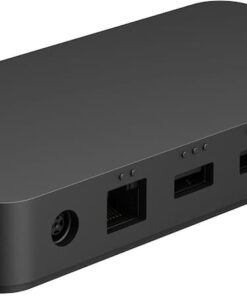
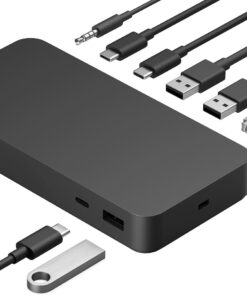
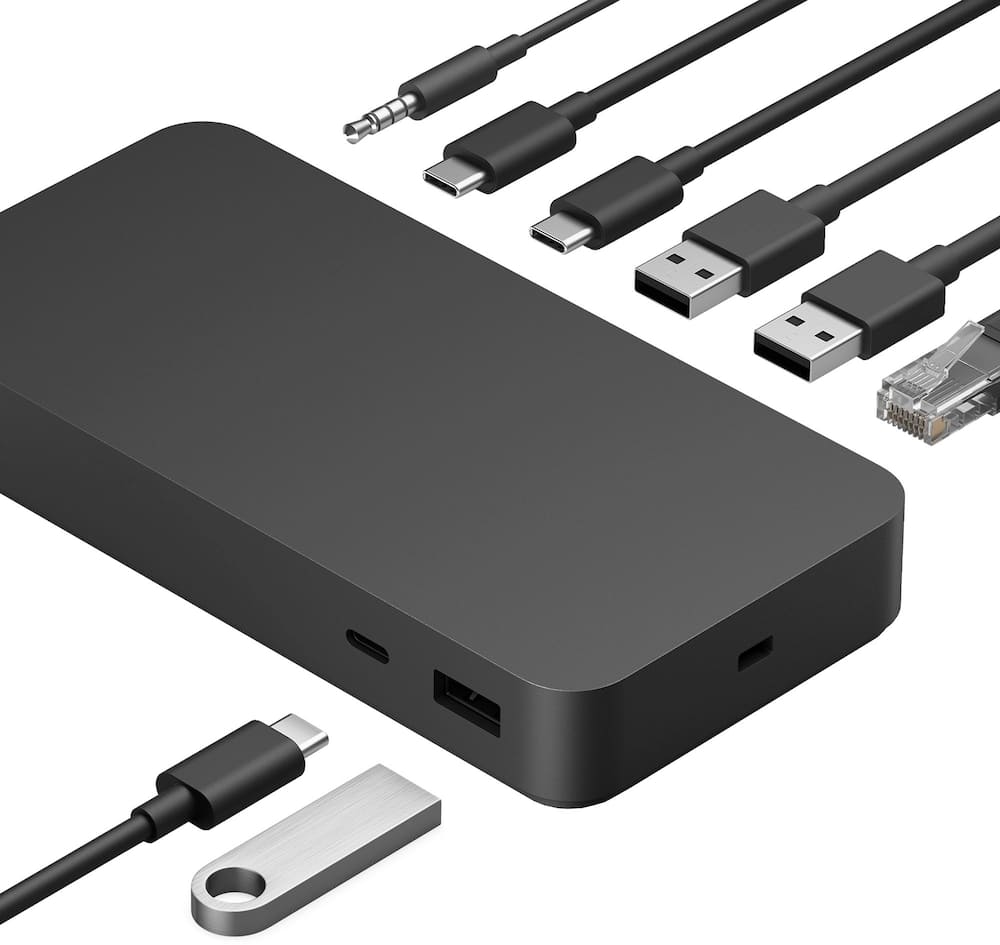
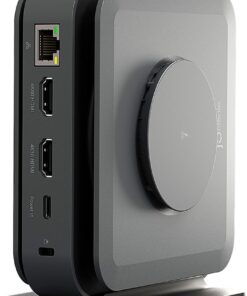
- ³Connnect up to two 4k monitors Elevate the way you work by connecting two monitors ² while powering your device.Connect to your devices 8 versatile connection ports: (3) USB-C with USB4/Thunderbolt 4; (3) USB-A; (1) 3.5mm Audio Jack; (1) 2.5G Ethernet; (1) Security lock slotInclusive design Raised tactile indicators on the rear-facing ports, make it easier for people of all abilities to find, identify, and use the versatile connections.Designed ⁵ for devices with USB-C with USB4/Thunderbolt 4 ports Works best with Surface Laptop 5, Surface Laptop Studio, Surface Pro 8 and Surface Pro 9 (Intel/WiFi).
- Thunderbolt 4 connection supports two 4K external displays at up to 60hz (when supported by device and display).Also compatible with these devices with USB-C port Surface Pro (11th Edition), Surface Pro 9 with 5G, Surface Pro 7+, Surface Pro 7, Surface Pro X, Surface Laptop (7th Edition), Surface Laptop 4, Surface Laptop 3, Surface Laptop Go 2, Surface Laptop Go, Surface Go 3, Surface Go 2, Surface Book 3, Surface Studio 2+(no charging).USB-C connection supports one 4K external display at up to 60hz (when supported by device and display).¹ Up to 96W power passthrough to PC with compatible devices.²Requires device with USB-C USB4/Thunderbolt 4 port and when supported by device and display.³ Ocean-bound plastic is plastic waste recovered from oceans and waterways, cleaned, and processed into recycled plastic resin pellets.
- These recycled pellets are blended in with virgin plastic during the manufacturing process.⁴ Additional compatibility details can be found at aka.ms/SurfaceDockCompatibility⁵ Learn more about Design for Surface and the mount at https://learn.microsoft.com/en-us/surface/surface-dock-whats-new⁶ Warranty: Microsoft’s Limited Warranty is in addition to your consumer law rights.
Key specs
- Weight
- 14.4 lbs
- Dimensions
- 5.91 × 2.95 × 0.84 in
- Brand
- Microsoft
- Model Number
- T8H-00001
- Product Name
- Surface Thunderbolt 4 Dock
- Color
- Black
- Maximum Number of Displays Supported
- 2
- Weight
- 14.4 lbs
- Dimensions
- 5.91 × 2.95 × 0.84 in
- Brand
- Microsoft
- Model Number
- T8H-00001
- Product Name
- Surface Thunderbolt 4 Dock
- Color
- Black
- Maximum Number of Displays Supported
- 2
- Maximum Supported Resolution
- 4K (2160p)
- Maximum Supported Refresh Rate
- 60Hz
- Display Connector(s)
- 2 x Thunderbolt
- Number of DisplayPort Outputs (Total)
- 0
- Number of HDMI Ports (Total)
- 0
- Number of Thunderbolt Ports (Total)
- 3
- Number of VGA Ports
- 0
- Number Of Ethernet Ports
- 1
- Number of USB Ports (Total)
- 6
- USB Ports
- 2 x USB-A
- Headphone Jack
- Yes
- Memory Card Slot
- No
- Powered
- Yes
- Power Supply Included
- Yes
- Power Supply Input
- USB-C
- Maximum Input Power
- 165 watts
- Passthrough Power
- Yes
- Power Supply Output
- USB-C
- Maximum Output Power
- 96 watts
- Brand Compatibility
- Microsoft
- Model Compatibility
- Surface Pro (11th Edition) / X / 9 (Intel / Wi-Fi / 5G) / 8 / 7+ / 7, Surface Laptop (7th Edition) / 5 / 4 / 3, Surface Laptop Go 2, Surface Laptop Go
- Cable Lock Slot
- Kensington Security Slot (K-Slot)
- Indicator Light(s)
- Yes
- Product Height
- 0.84 inches
- Product Length
- 5.91 inches
- Product Width
- 2.95 inches
- Product Weight
- 14.4 ounces
- Warranty - Parts
- 1 year
- Warranty - Labor
- 1 year
- UPC
- 196388142026
- Maximize your workspace with Surface Thunderbolt 4 Dock
Surface Thunderbolt 4 Dock, delivers ultra high–speed data transfer, 8 versatile connection ports to power all your favorite accessories, and connect up to two 4K monitors. ² - High-speed Thunderbolt 4 ports
Transfer data and files up to 40Gbps – four times faster than USB 3 ² with compatible devices. - Ultra-fast charging
Take your laptop battery from low to full in about 2.5 hours ¹ with extra power for your phone and accessories. - Planet friendly
Surface Thunderbolt 4 Dock was designed with sustainability in mind. It’s dock and PSU enclosures (excluding AC cable) are attributed to 20% ocean-bound plast. ³ - Connnect up to two 4k monitors
Elevate the way you work by connecting two monitors ² while powering your device. - Connect to your devices
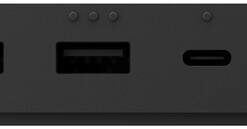
8 versatile connection ports: (3) USB-C with USB4/Thunderbolt 4; (3) USB-A; (1) 3.5mm Audio Jack; (1) 2.5G Ethernet; (1) Security lock slot - Inclusive design
Raised tactile indicators on the rear-facing ports, make it easier for people of all abilities to find, identify, and use the versatile connections. - Designed ⁵ for devices with USB-C with USB4/Thunderbolt 4 ports
Works best with Surface Laptop 5, Surface Laptop Studio, Surface Pro 8 and Surface Pro 9 (Intel/WiFi). Thunderbolt 4 connection supports two 4K external displays at up to 60hz (when supported by device and display). - Also compatible with these devices with USB-C port
Surface Pro (11th Edition), Surface Pro 9 with 5G, Surface Pro 7+, Surface Pro 7, Surface Pro X, Surface Laptop (7th Edition), Surface Laptop 4, Surface Laptop 3, Surface Laptop Go 2, Surface Laptop Go, Surface Go 3, Surface Go 2, Surface Book 3, Surface Studio 2+(no charging). - USB-C connection supports one 4K external display at up to 60hz (when supported by device and display).
- ¹ Up to 96W power passthrough to PC with compatible devices.
- ²Requires device with USB-C USB4/Thunderbolt 4 port and when supported by device and display.
- ³ Ocean-bound plastic is plastic waste recovered from oceans and waterways, cleaned, and processed into recycled plastic resin pellets. These recycled pellets are blended in with virgin plastic during the manufacturing process.
- ⁴ Additional compatibility details can be found at aka.ms/SurfaceDockCompatibility
- ⁵ Learn more about Design for Surface and the mount at https://learn.microsoft.com/en-us/surface/surface-dock-whats-new
- ⁶ Warranty: Microsoft’s Limited Warranty is in addition to your consumer law rights.
Standard US ground delivery is $5.49 and arrives in 3–5 business days. Orders over $60 ship free. Returns are accepted within 30 days of delivery.

EJ2345 (verified owner) –
Solid docking station – Good docking station. Has all the connections I need.
BAAR (verified owner) –
Microsoft dock station – OEM docking station for variety of computers and my application is for Microsoft Laptop 6 for Business.
MatthewS (verified owner) –
The OG – Still the OG and works the best with Surface Pro; having used cheaper versions, this remains the dock of choice for Surface Pro users with multiple monitors to be docked with
Still quite expensive, but it’s worth the money in my opinion
DFWnerf (verified owner) –
great upgrade to docking for surface pro – Very helpful, especially with the docking, its not like the previous versions that were much more flimsy
MichaelB (verified owner) –
What’s Up Dock? – THE MS Surface Thunderbolt is the perfect match for my Surface Pro. Having 2 of these allows me to easily use my Surface Pro at 2 locations when I travel to and from my home & office.
bandguy (verified owner) –
Good Dock Overall – Decent connectivity options, but disappointed in the lack of dedicated video connections. This requires purchase of adaptors, as most monitors include only HDMI or VGA connection.
user746636 (verified owner) –
Surface Docking Station – Exactly what I needed to set up my computer and 3 monitors.
n8n8 (verified owner) –
Great expansion device for my MacAir – This is running on my MacAir. I have an external drive and monitor attached to it. Everything is running great.
DarrellP (verified owner) –
Great power supply – Great for my Surface pro and has no problems also can be used with Ethernet
ObedF (verified owner) –
Expensive but worth the price – Expensive but works great. Easily portable. Size allows you to stow it away from view.
WilliamS (verified owner) –
Better than what HP or Dell makes – Great dock, been using it for over a month now. Had no issues, I wish it had some more ports.
Stateof2 (verified owner) –
Our go to docking station – We have multiple Surface laptops in our office and this is our go to answer for docking stations. Easy setup and they always work. Could use a few more ports if you’re a power user
JAMELS (verified owner) –
Surface Docking Station – I’ve been using the Microsoft Surface Thunderbolt™ 4 Dock for several weeks now, and it has quickly become one of the most reliable and well‑designed accessories in my workspace. As someone who works in IT and frequently connects and disconnects laptops throughout the day, this dock strikes the perfect balance between performance, simplicity, and build quality.
First and foremost, the single‑cable Thunderbolt 4 connection is a game changer. One cable delivers power, high‑speed data, and display output seamlessly. Plugging in my Surface instantly transforms it into a full desktop setup with external monitors, keyboard, mouse, Ethernet, and accessories all coming online without delay. Disconnecting is just as easy, making it ideal for hot‑desking or hybrid work environments.
The port selection is excellent and well thought out. With multiple USB‑A and USB‑C ports, Ethernet, audio, and dual external display support, it covers everything needed for a modern workstation. I appreciate that Microsoft prioritized future‑proofing with Thunderbolt 4 performance, ensuring fast transfer speeds and compatibility with newer devices and displays. Everything feels stable and responsive—no random disconnects or flaky peripherals, which is something I’ve experienced with third‑party docks in the past.
From a hardware standpoint, the dock feels premium and durable. The matte black finish matches Surface devices nicely and looks professional on a desk or in a conference room. It runs cool and quietly, even when driving multiple displays and peripherals simultaneously, which speaks to solid thermal design and internal engineering.
Another big win is reliability and compatibility. Being a first‑party Microsoft device, it integrates smoothly with Surface hardware and Windows without requiring constant driver updates or troubleshooting. It simply works. For business users and IT‑managed environments, that consistency and predictability matters a lot and saves real time.
Cable management is also a subtle but welcome benefit. With everything routed through one dock, my desk stays cleaner and more organized. This is especially useful in professional settings where presentation and efficiency both matter.
While the price is higher than some generic docks, the quality, stability, and peace of mind absolutely justify the cost. If you’re investing in a Surface device—or any Thunderbolt 4–capable laptop—and want a dock you won’t have to think about or babysit, this is the one to get.
Overall, the Microsoft Surface Thunderbolt 4 Dock delivers exactly what it promises: a dependable, high‑performance, and elegant docking solution that feels purpose‑built for productivity. Highly recommended for professionals, power users, and anyone who values a clean, reliable desk setup.
MATTHEWD (verified owner) –
Microsoft thunderbolt for dock station – Love this dock station hub works great in my studio
BernardinoE (verified owner) –
Great doc – Works amazing super fast is easy to connect ethernet cable connection super fast
ChefwanabeAntonioPhillips (verified owner) –
Fantastic way to increase your productivity by improving your flexibility options
CODYP (verified owner) –
Desk Setup tool – Makes my desk way less cluttered for my laptop. Works perfectly even when outputting 4k to my external monitor.
SurfaceProUser (verified owner) –
It works, but pricey – All the ports work except HDMI and able to use external display. I have a portable external display with different cables included for HDMI or usb-c, so this dock works for me. I purchased this after buying 2026 Surface Pro 13 inch.
StephanieT (verified owner) –
Perfect – I love the convenience this allows me to run a monitor and my surface as well as any other device I may need in the future! Easy set up!
JMBB (verified owner) –
Great product – High quality docking station. I use it daily for more than 8 hours a day and it is fantastic.