Sale





Sale!



Norton Model 6647021
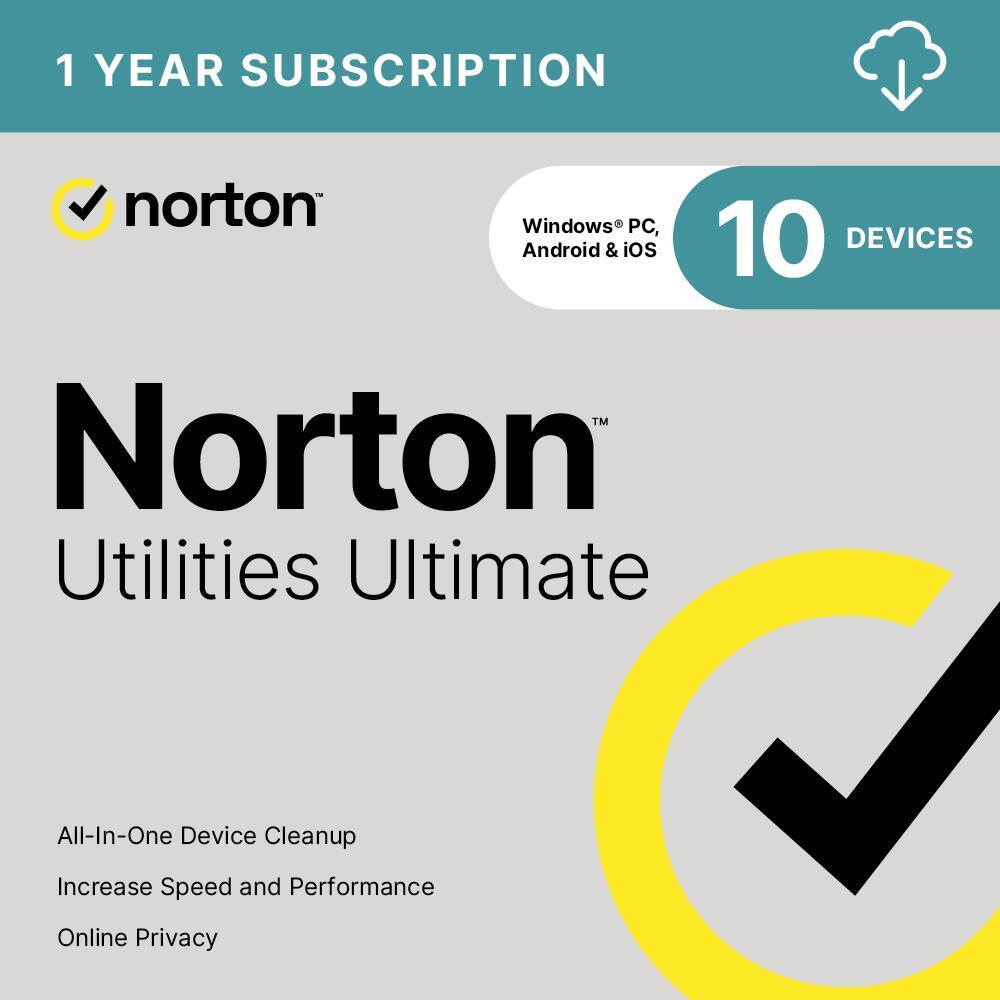
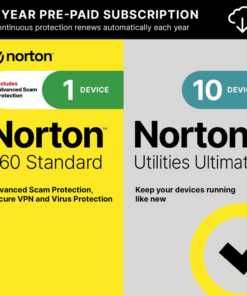
Norton – Utilities Ultimate (10 Device) – Android, Apple iOS, Windows [Digital]
★★★★★★★★★★ (3.9) 20 reviews
Original price was: $39.99.$31.99Current price is: $31.99. Save $8.00
In stock · Ready to ship
Delivery Wed, Nov 11 – Fri, Nov 13 Free shipping on orders $60+
Secure checkout · Visa · Mastercard · Amex · Discover · PayPal
Questions? Talk to a product specialist
(888) 519-3048
- Free shipping $60+3–5 business days
- 30-day returnsMoney-back guarantee
- Brand-newManufacturer warranty
- Ships from the USColumbus, OH
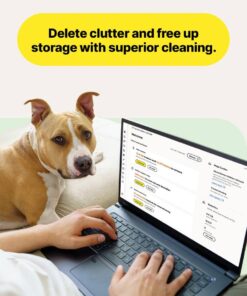
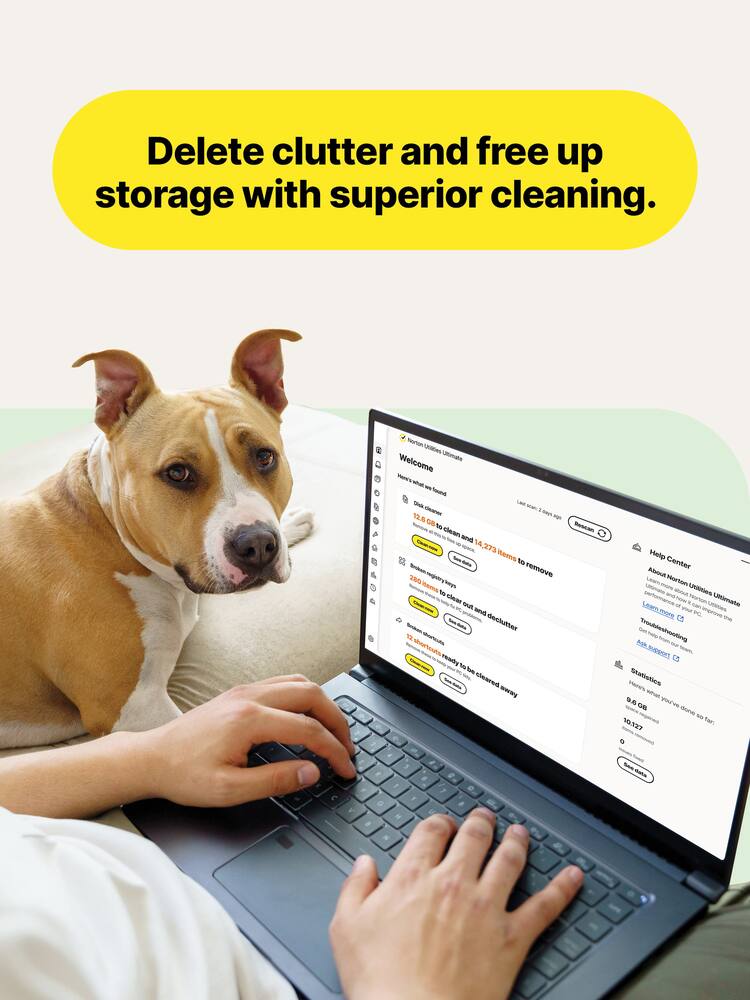
- All-in-one PC cleanup Helps detect and clean out junk files, private data, registry issues, browsing data and more to help improve device performance and keep your device use history private.
- Cleans out internet files to help improve your devices privacy and frees up drive space.Application Accelerator Boost file access speed and increase drive efficiency.
- With one click you can clean and help speed up your PC and fix common issues that can cause frustrating slowdowns or crashes.DriveScrubber® Helps you permanently erase sensitive data on your hard drive.File Shredder Helps to securely dispose of personal documents for good while preventing others access to them.Search & Recover Search a specific folder, removable media or your entire hard drive for accidentally deleted files and recover them to a new location.On-Demand Boost Temporarily turns off background services that use system resources.
- By turning off unnecessary items, more resources are available for specialized uses such as gaming, streaming and other functions that high system resources demand.Registry Cleanup Helps free up valuable disk space by removing invalid and obsolete data.CPU Optimizer Improves program responsiveness by preventing background tasks from monopolizing CPU resources during periods of high activity.
- Automatically evaluates and dynamically adjusts processor resource priorities.Super Control Panel Provides you access to hidden Windows settings so you can customize to meet your needs.
- Allows you to customize nearly everything about how your Windows PC looks and works.Pre-paid subscription A payment method must be stored in your Norton account to activate* You won’t be charged again until the prepaid term ends.
Key specs
- Brand
- Norton
- Model Number
- SYC940800V057
- Product Name
- Utilities Ultimate (10 Device)
- Firewall Type
- None
- Number of Devices
- 10
- Operating System Compatibility
- Android
- Software Format
- Digital
- Brand
- Norton
- Model Number
- SYC940800V057
- Product Name
- Utilities Ultimate (10 Device)
- Firewall Type
- None
- Number of Devices
- 10
- Operating System Compatibility
- Android
- Software Format
- Digital
- Subscription
- Yes
- Subscription Period
- 1 Year
- Digital Download Type
- Productivity software download
- Publisher
- Norton
- UPC
- 037648701266
- All-in-one PC cleanup
Helps detect and clean out junk files, private data, registry issues, browsing data and more to help improve device performance and keep your device use history private. Cleans out internet files to help improve your devices privacy and frees up drive space. - Application Accelerator
Boost file access speed and increase drive efficiency. With one click you can clean and help speed up your PC and fix common issues that can cause frustrating slowdowns or crashes. - DriveScrubber®
Helps you permanently erase sensitive data on your hard drive. - File Shredder
Helps to securely dispose of personal documents for good while preventing others access to them. - Search & Recover
Search a specific folder, removable media or your entire hard drive for accidentally deleted files and recover them to a new location. - On-Demand Boost
Temporarily turns off background services that use system resources. By turning off unnecessary items, more resources are available for specialized uses such as gaming, streaming and other functions that high system resources demand. - Registry Cleanup
Helps free up valuable disk space by removing invalid and obsolete data. - CPU Optimizer
Improves program responsiveness by preventing background tasks from monopolizing CPU resources during periods of high activity. Automatically evaluates and dynamically adjusts processor resource priorities. - Super Control Panel
Provides you access to hidden Windows settings so you can customize to meet your needs. Allows you to customize nearly everything about how your Windows PC looks and works. - Pre-paid subscription
A payment method must be stored in your Norton account to activate* You won’t be charged again until the prepaid term ends. For new Norton subscriptions only at an introductory price. - Auto-renewal
Never have a service disruption since this subscription auto-renews annually. If you do not wish to renew, you can cancel in your Norton account anytime. - General disclaimers and disclosures
No one can prevent all cybercrime or identity theft. - *Payment method required for pre-paid subscription. You are purchasing a recurring subscription which will automatically renew after the first year. To activate, you must enroll online and provide your billing information.
- The price paid today is valid for the first year of subscription, and will automatically renew and charge your stored payment method. Applicable renewal price found at Norton.com/pricing.
- The price is subject to change, but we will always send you a notification email in advance. You may cancel the automatic renewal by logging in to your account, or contacting Norton.
- Coverage may include product, service and/or protection updates and features that may be added, modified or removed, subject to the applicable License and Services Agreement found on Norton.com/legal
- Data collection, storage and use for subscription management and renewal purposes subject to the Global Privacy Statement at Norton.com/privacy.
- Not all features are available on all platforms. See Norton.com/sysreq for opearting systems supported and system requirements.
- Currently, this item is available only to customers located in the United States.
Standard US ground delivery is $5.49 and arrives in 3–5 business days. Orders over $60 ship free. Returns are accepted within 30 days of delivery.



DavidJr (verified owner) –
Not as good as expected – I don’t know, when I see something listed as “Ultimate”, I really expect it to do everything a utilities app used to do. Sure, this one will help clean up and optimize your drive, can help shut down processes and uninstall software. It even has a simulator for removing the apps so you can see how it might affect your system without actually removing them.
But, then you are going to get a constant reminder that there are driver issues, despite the drivers it shows you know for certain are up to date. So, you click “fix” and it just takes you to another one of their apps for another 1 year subscription.
Speaking of subscriptions, why does everything have to be a subscription?
Sure, I can get it as “1 year of updates”, but in another year or two, they are going to introduce another version that will do something this one won’t do, so you’ll have to switch over to it and subscribe to it for a year.
To top it all off, this doesn’t even remove all the things it claims to remove. When you do the “Clean Junk” on browser data, then go into it and select everything, for some reason, I’m logged in on applications that should have removed all cookies to prevent that from happening. Then, go to the manage data > data recovery and you can just recover everything. So, it’s not really protecting any privacy, you need another app for that. But, you can shred individual files or folders. No idea why you can’t do free space like most other shredder apps offer.
For simple optimization and space clearing as well as recovering resources, this works. But, that is also all things you can do yourself through the apps your computer already has. This just brings them to a single place. On an Android phone, it is the same way and literally, once you give it all the permissions, will go through your settings and push all the same buttons you can push to clear the data yourself. But, it is a lot faster than doing it yourself.
The Android version of the app has an issue with using login details, but if you use your product key, will operate just fine. It does give a few ways to look at and manage your storage, like showing similar photos or “bad quality” photos for you to sort through and remove. But, all this is once you give the app some of the highest control over your phone there is.
Overall, if you don’t want to learn the simple steps to clear these things yourself, or don’t want to trust the cheaper or free apps out there that offer the majority of the same thing, this is fairly simple, mostly safe from removing the “wrong” things and pretty inexpensive for a years worth of access. It just feels pretty short coming for an “Ultimate” product and the constant reminder to get yet another product to do another thing that this one could have done to start with.
veritech13 (verified owner) –
Great Tool for Fine Tuning – I’ve used Norton Utilities Ultimate (10-Device) for a few weeks—simple to use, clean dashboard, and the utilities actually speed up my PC.
INSTALL/SETUP
No hiccups. I installed it on my Windows 11 PC and it was up and running fast. Activation was straightforward—download, sign in, first scan. No weird errors or conflicts.
BUILD/FEEL (UI/UX)
The dashboard is easy to navigate—everything is where you expect it. Labels are easily designated, buttons are clear, and you’re not digging through mystery menus to find routine tasks.
FEATURES/FUNCTIONS
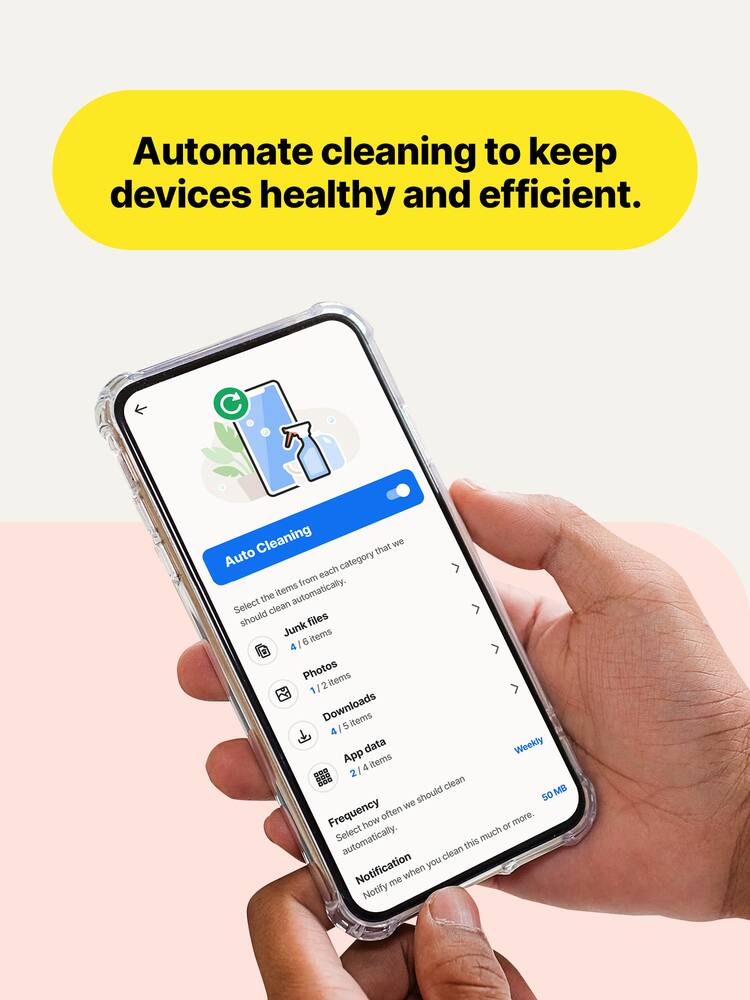
AUTO CARE / SCHEDULING — I set a weekly schedule to clear temp files and scan for issues. It runs on its own, which keeps me from forgetting maintenance.
DAY-TO-DAY — After a couple of runs, the PC feels snappier—apps open quicker and general clutter is kept in check. On mobile, it’s been smooth with no performance hiccups so far.
DOWNSIDE/WISH
I wish it had a tracker-cookie eraser—I didn’t see an option to hunt down sticky tracking data or leftover cookies from old apps/sites.
OVERALL
Keeps devices running smoothly with low effort—set it once, let it maintain, and you stay ahead of small problems. Easy recommend.
APFLORES413 (verified owner) –
Simple all-in-one tool to clean up your devices – I have been a subscriber to Norton for several years now, and they continue to amaze me with their consistency and reliability. In a world where there are several other competing brands, I still turn to Norton for my computer and device protection. Norton Utilities Ultimate is a cleanup and tune-up tool that helps keep your computers, smart phones, and tablets running faster and smoother. It also works on Windows Computers as well. This one subscription is able to support up to 10 of your devices on the same account, which is great for me and my family as we have multiple devices that would require this. Over time, your devices begin to slow down due to so many different types of files and junk The cleanup ability from Norton allows to clean and organize your devices quickly and simply.
This is very easy to set up and you are good to go. Since this is has an app as well for mobile devices, you are able to clean up files, clear browsing data, removes unwanted apps and other large files as it is sorted for you for easy access. After using this on my Tab S9 and Dell Computer, there is a noticeable improvement to quality and speed. On my phone though, the app is limited as it focuses primarily on your contact lists and media organization. I was able to see my very large files and incomplete contact list.
Overall, I am very pleased with Norton Utilities Ultimate. If you are looking for a simple and fast cleanup, this is an excellent everyday usage for your devices.
BillK (verified owner) –
Good Set of Tools but Costly – Norton has been providing system optimization solutions for many years. It has suffered from performance issues in the past. It’s nice to see that this version doesnt seem to have the same issues.
Installation is straightforward. I installed it on Windows 11 and had no issues. Keep in mind Norton doesn’t make a Mac version of this software. I guess that’s because Mac doesnt suffer from the same issues as a Windows machine.
There are 16 different tools available in this application. So far I have used Disk Cleanup and Registry Cleaner. These tools seem to work just fine. However there is no noticeable performance boost but that’s not to say there isnt a speed increase there. Another interesting tool is the Super Control Panel which allows you to dig deeper into Windows settings and making changes that are readily available. I did like playing with this.
Some of the tools seem to be from a bygone era. The net booster says it will make your internet faster by optimizing settings. That was fine in the days of 1MB connections but with 100MB+ connections, this seems to be less of an issues. The other tool is RAM reclaimer. In that days of 4MB or less RAM it was helpful but most systems have more than enough RAM and Windows does fine managing it.
While the tools are good overall, the downside of this package is the price. There is a discount for getting into the package initially but each year will set you back $70 on average. This seems to be quite a bit for tools that may or may not be useful for every system. At the very least there are options for similar tools that are much less price.
If you can get by the price, this is a good package even with some of the tools not being that useful on many systems.
Keep in mind this not only
mkcar1 (verified owner) –
Its okay – The question I think one would need to ask is how much do I really want to dig into my computer or phone to keep them running smoothly? If you would prefer something that will do most everything for you – this software would work fine. But most functions can be accomplished with tools that already exist within your devices or can be done using free software.
I did need to create a Norton account. After that you can download directly or send a link to someone else so they can also install it. With a 10 device limit you can easily share as it works with Android, Apple and Microsoft. Installation states there is auto renewal, but I did not have to enter any payment info to install/use as I am NOT a fan of auto renewal. License is good for 1 year.
On my MS desktop it installed easily but I could not find anyway to maximize the window – so I was left having to scroll through it on window just a tad larger than on my Android phone (which was fine) – but on a 34 inch monitor it …was a tad irritating.
It was easy to install on my Android phone. But it wanted what I would refer to as total access to my data. I wasn’t comfortable with this, so I only allowed when I was using it and removed access after.
Some options are
auto clean – which looks for broken registry keys, broken shortcuts, cleans “junk” files/browser cache/cookies and browsing history. You can run ad hoc or schedule. This worked well.
Manage programs – this looks for programs you haven’t used. You can set a time frame of 2 weeks, 1 month, 3 months, 6 months or 1 year. I did find this useful and the results interesting – to see what programs after many years I may have installed that I don’t really use. Also, I can see what impact apps have on resources and if uninstalled what it would affect.
Browser data – you can use to clean cookies and/or browsing history. Can choose always clean, keep 7/14/30 days. Most browsers can be setup to do this.
Data shredder – I don’t use this unless cleaning a hard drive before giving to charity. File by file basis leaves little recourse to recover. I do daily backups which would help though. Windows 11 really doesn’t have a shredder per se, but there is a lot of free drive software that does,
Privacy – whether you want to share this apps info with Norton.
Themes – light/dark/auto
Disk optimization – I do have a couple of large SATA hard drives in my desktop that I might use this on – but MS has the same kind of option. For M.2 SSDs I use the manufactures software if I can.
Manage Data – data recovery. I tried this on an empty SATA hard drive, and it quickly showed a number of files that could be recovered. I chose a 3.5GB file which took 10 minutes to recover. I do multiple backups just to avoid having to try and recover a file, but if you don’t backup too often this may be helpful. I already mentioned shredding.
So, it does have a couple of unique options that are fun to play around with and for the initial cost it is a nice addition. Some options require additional purchase – such as driver update/issues. Don’t know renewal costs so hard say if I would use long term. I am torn but ultimately would suggest for anyone looking for a one stop shop to help maintain their device(s).
BriannaM (verified owner) –
Norton Utilities – 10 utilities to scan devices back to their working state. fast set up
blahnika (verified owner) –
Simple Utility if you need to clean files – This is a simple utility that I’ve used on windows and iPhone, plus the cloud cleanup on OneDrive. Starting with Windows, after the scanning it found a bunch of files I didn’t need and after deleting and restarting, my PC still worked. I also fixed shortcut error and registry errors. Now did I notice a difference? Not really, computer was working as it was before and since I didn’t run out of space before you won’t really notice much.
On my iPhone the app is super slow and crashes. It found duplicate contacts and tried to merge them, but had problems to get it done. You can also do this in iOS itself, but the one thing that this seemed to do was duplicate contacts with different names, and merge those too, but I had issues as it kept crashing on my iPhone 15 pro. The storage cleanup didn’t do or find much.
The cloud cleaner was probably what I like the best. I used it on OneDrive and it found backups of photos I had 2 or 3 times, so I was able to delete the extras. This was a great way to clear out things I didn’t need to have twice.
Overall, the app works and does what is says. Its simple to use, and didn’t delete anything that then broke what I was doing. So if you want to clear out some extra files, then this is a decent option. But it also doesn’t feel like it does much for what you’re paying for, so its OK but nothing outstanding.
Mahtin (verified owner) –
Overeager elephant in the china shop – Used to have Norton antivirus years ago when the protection provided by Windows was not up to par and having a decent antivirus software was kinda a necessity. Then the Windows Defender improved a lot and was less heavy on resource use than the Norton. So I stopped using Norton and paying for the use of it. The Windows Defender was good enough and gentle on me.
Several weeks ago I got the message from my Google account that there was some unusual activity on my PC, suggestion was to log out from the account. No information was provided about the nature of the event. So I used the Defender to check what’s going on and nothing came out. Still intrigued and uneasy about that Google notification I decided to get the Norton Antivirus, just in case the Defender missed something.
After installing the Norton Antivirus and running the scans I got assured all was fine in terms of malware and viruses but my PC was supposedly having some other issues that could be fixed. For the price of course by getting a different Norton software. In my nativity I decided to go for the Norton Utilities Ultimate.
Since installing it and doing initial runs of the utilities I decided to stop using this software and delete it from my PC. Here is why. The Utilities gives you suggestions on how to “improve my PC” by removing shortcuts that do not work. As the result it removed a whole bunch of shortcuts on my desktop to my apps installed on the PC, shortcuts that actually did work and work well and now I need to go through the pain of reinstalling them. It also signed me out of everything that my PC was connected to like Facebook, my Google and Yahoo apps and log ins.
The worst part is that I do not see how I can reverse the damage. My PC Recycle Bin is empty and there is no recycle bin or undo feature in the Norton Utilities.
To me the Norton Utilities is like an elephant in the china shop. It promises wonders and then creates havoc. Yes, you can review files before proceeding, but to review thousands of files and unselect the important ones. We are living in the current times where the expectation is that the tool is smart enough to differentiate what is right and what is not. The Norton Utilities in the old fashion of the 90’s dumps the responsibility on you for that.
Overall I find it unusable and damaging. The intent is good, the execution terrible. After removing it I will need to spend couple of hours to restore the shortcuts in sign in to all the apps I got signed out from. Definitely not recommended. Stay away.
Trobadour (verified owner) –
User-friendly and Worth It! – — SETUP —
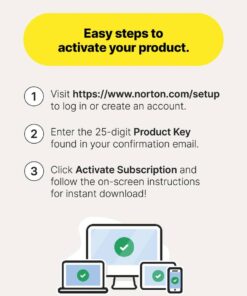
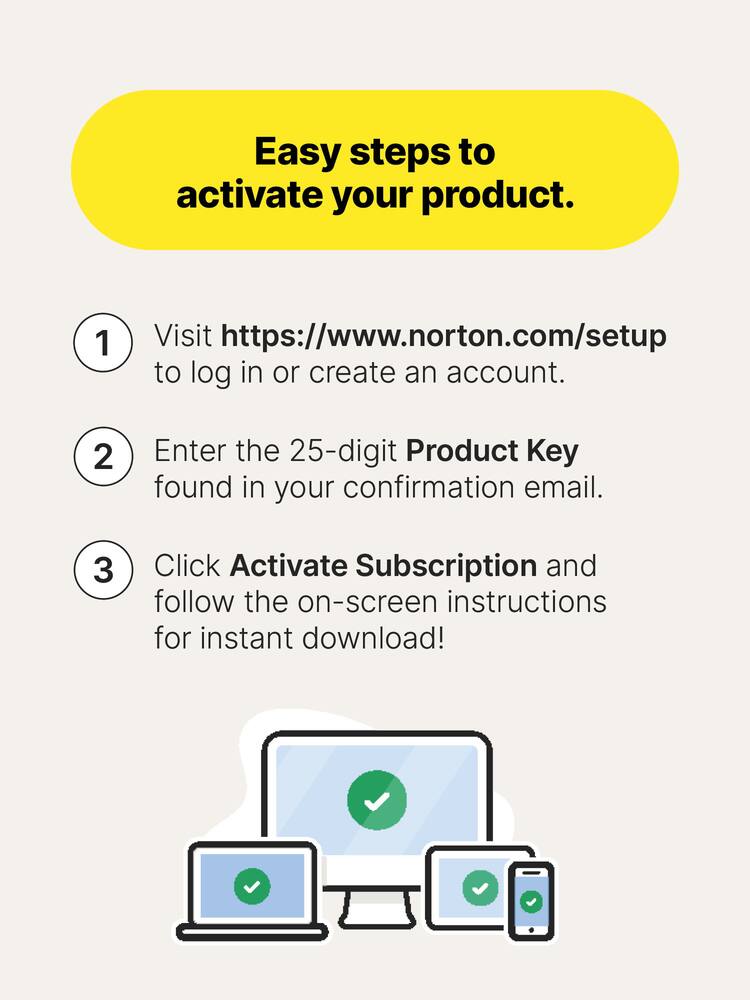
After getting the product code, all I had to do was to go to the indicated Norton Setup website, enter my code, and download the automatic software to my PC. For multiple PCs, including Macs and iPhones, the process was the same.
— PERFORMANCE AND EXPECTATIONS —
Norton has been a trustworthy household name with my family for over a decade. Though I subscribe to their anti-virus software, this is the first time I try their utilities software. Keep in mind that this is not to remove/prevent viruses. Instead, it optimizes your PC from clutter that all PCs inevitably get. Ever wonder why your PC is starting to slow down? It’s because of clutter that builds up from software that you have installed to it over time. What this Norton Utilities (NU) software does is, it removes the unessential parts of those softwares without breaking the apps that you use. And that’s just the main feature of the software, as it does so much more, and it does it very well.
This version can be activated in up to 10 devices, which can be a combination of a PC, a Mac, and Android/iPhone devices. This review will focus mainly on the PC experience with a touch of the iPhone.
On the PC side, I installed this software on my gaming rig. After doing a quick scan, it found a lot of broken shortcuts that lead to nowhere. Since I install a lot of games, and then uninstall them when I am done, sometimes, the game shortcuts stay behind. NU made it a breeze to remove those shortcuts. Next, I targeted the system junk and was able to remove over 43,000 items, freeing up 14 gigabytes of space. After doing that, I looked at the software that automatically opens up at the startup of my PC, and turned a lot of those off, as I don’t use them every single time I turn on my PC. I tested the data recovery for accidental deleted files. I did find success recovering a few, but not all, files. Still, it’s a good option to have, should I ever need it, especially because I also use this PC to edit videos/photos as a side hustle that I have. Finally, I optimized my OS (C:) drive and my PC now runs noticeably faster, especially at startup. All of these actions were mostly just single-click actions with explanations of what you were about to do to your PC before taking action. Very user friendly to people who don’t normally understand all PC functions.
A feature that I really enjoyed was doing a similar type of clean up, but with my Google Drive (or other cloud storage). I was able to log in to Google Drive through Norton to clean up my cloud space, allowing duplicate files to be combined into one, and taking a look at older large files that haven’t been opened in a while.
Now, using this software on my phone was also a great experience. After downloading the app for the iPhone app store, I was able to log in using the same username and password as the PC version. It immediately recognized that I had an active subscription and began recommending things I could do on my phone. Among my favorites, I like that I was able to merge duplicate contact info, delete contacts that had no information on them, and merge duplicate photos. An additional feature that was a welcoming surprise was that it has its own vault. What this means is that, if you have photos/videos that are sensitive in nature, you can store them in the Norton app under password instead of on your regular photos app. This way, when you open your photos app, there is no risk of accidentally opening sensitive photos that you may have forgotten to delete/hide.
— APPROVAL —
This NU app is very useful and user friendly. I would recommend this to anyone who has multiple devices to optimize and wants a stress-free user experience.
Verified Buyer (verified owner) –
Good but not great – It would be 5 star if Norton can provide a service that includes all in one package, as it is very annoying the messages 4 other items not included in order to protect your electronics
EagleCroft (verified owner) –
Great program – twenty years ago! – It’s difficult for me to recommend this product to anyone. If you have any computer skills, there’s nothing this program can do that you couldn’t do yourself with tools built-into the OS, or available for free (CCleaner). Does it do what it claims to do? Ummm… That’s a stretch. None of these types of cleaning tools are actually going to make your old computer feel new, or magically perform better. At best it might put it back to the best performance a system is capable of. But more likely it’ll barely make a difference. Modern operating systems do a good job already keeping themselves optimized. Browsers come with their own internal tools for cleaning. Optimizing the Windows Registry can be playing with fire if you don’t know what is being changed. There is nothing in this program that I can’t do manually, with full control on my own. But if you aren’t savvy enough, maybe you can get benefit from this app. But be warned, you can also cause problems. Mess up your registry, without a backup – and you’ll be regretting it. Aggressively clean-out your browsers and other system temp files, and you might suddenly find yourself re-inputting things like addresses, passwords, links, and other items that get cleaned without you knowing about it. Maybe you allow the program to free-up space, then you later regret it because the files were deleted locally and in the cloud – and now they’re gone. If you know what you are doing, then the program can be controlled. But if you know what you are doing, you don’t need this application. This application would have been useful a decade or two ago when operating systems weren’t as intelligent, and when storage was at a premium. I think Norton is simply milking this application, something that is no longer needed. It might be easy to justify the purchase when you can load it on up to 10 machines. But it’s an annual subscription, so you’ll be paying for it every year. It’s a thumbs-down from me. There is no value in me using it.
MoniMouse (verified owner) –
Great utility package fo all of your devices. – This 1 year subscription of Norton Utilities Ultimate can be used on 10 different devices. It’s compatible with Windows, Android, and iOS. There are substantial differences in what the software will do in each platform, with the Windows platform being the most thorough, followed by the Android platform version, and lastly the iOS platform version.
The Windows platform version does a lot. These Clean Junk tools will help your pc run like it is new again. It has an all-in-one pc cleanup that will search and remove system junk, browser data, broken registry keys, clean the cloud data, and broken shortcuts.
The Manage Programs will show you all the process, the impact it is having on your system and allow you to turn it off. It also has an Uninstall Simulator and an Uninstaller.
Optimize Disc will allow you to optimize your hard drive, although if you have an SSD, that is not always necessary as it would be with the older Hard Drives that are not SSD drives.
The Manage Data is a pretty cool feature. It will scan your PC to retrieve lost, damaged, or corrupt data on drives, USB drives and memory cards. It’s a great tool to have. There is also a Data Shredder that will permanently delete all of the data and make it impossible to recover, which is what you want when selling, donating, or trading in your computer.
There are a few features that I feel should have been included, but weren’t, like the driver updater.
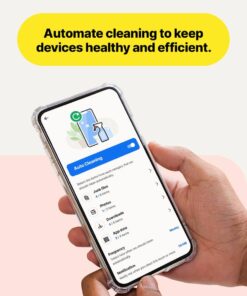
The Android version does a lot of what the Windows version does, but not all of them. It stops the system processes and apps that are slowing down your device, uninstalls apps and things that slow it down, removes junk files, browser data, and media files. You can also set it up to do automatic cleaning.
The Apple iOS version is super limited as it only does the contacts and media.
All-in-all this is a great utility package for all of your devices.
Television (verified owner) –
Great product to keep the bad at bay. Easy to setup and use.
Tweeders2011 (verified owner) –
Gets rid of junk on your computer! – This purchase is amazing with fixing broken registries and getting rid of a lot of junk files on your computer!
user378331 (verified owner) –
Norton’s utilities – The reason why I’m giving this a two star review is after installing this product. All my Computer does is crash right now.
Molar (verified owner) –
Good, but needs improvement – Good product, not clear how to navigate to what one wants to accomplish. Optimizing discs procedure scarce on information after analysis.
iMty (verified owner) –
Norton Utilities – This is my second time purchasing Norton Utilities Ultimate. Great product for your PC or Laptop. I recommend it to you all.
PaulP (verified owner) –
Be Aware – It does remove fragmented stuff. However, it also removes passwords and other items you do not want removed.
RFTmimi1962 (verified owner) –
Norton Utilities – Fantastic product. Does a great job cleaning your PC or phone.
HunterS (verified owner) –
Safe on the internet – Cleaning my compters and phone four
So far great product