Sale


Sale!
Turtle Beach Model 6676909
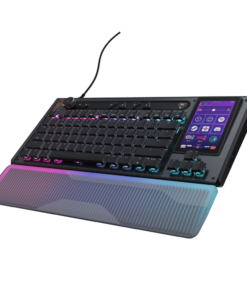
Turtle Beach – Command Series KB7 TKL Wired Hall-Effect Gaming Keyboard for PC – Black
★★★★★★★★★★ (4.1) 20 reviews
Original price was: $199.99.$159.99Current price is: $159.99. Save $40
In stock · Ready to ship
Delivery Wed, Nov 11 – Fri, Nov 13 Free shipping
Secure checkout · Visa · Mastercard · Amex · Discover · PayPal
Questions? Talk to a product specialist
(888) 519-3048
- Free shipping $60+3–5 business days
- 30-day returnsMoney-back guarantee
- Brand-newManufacturer warranty
- Ships from the USColumbus, OH
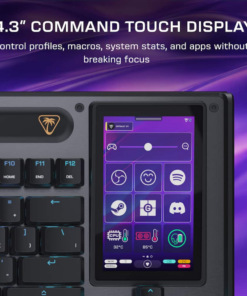
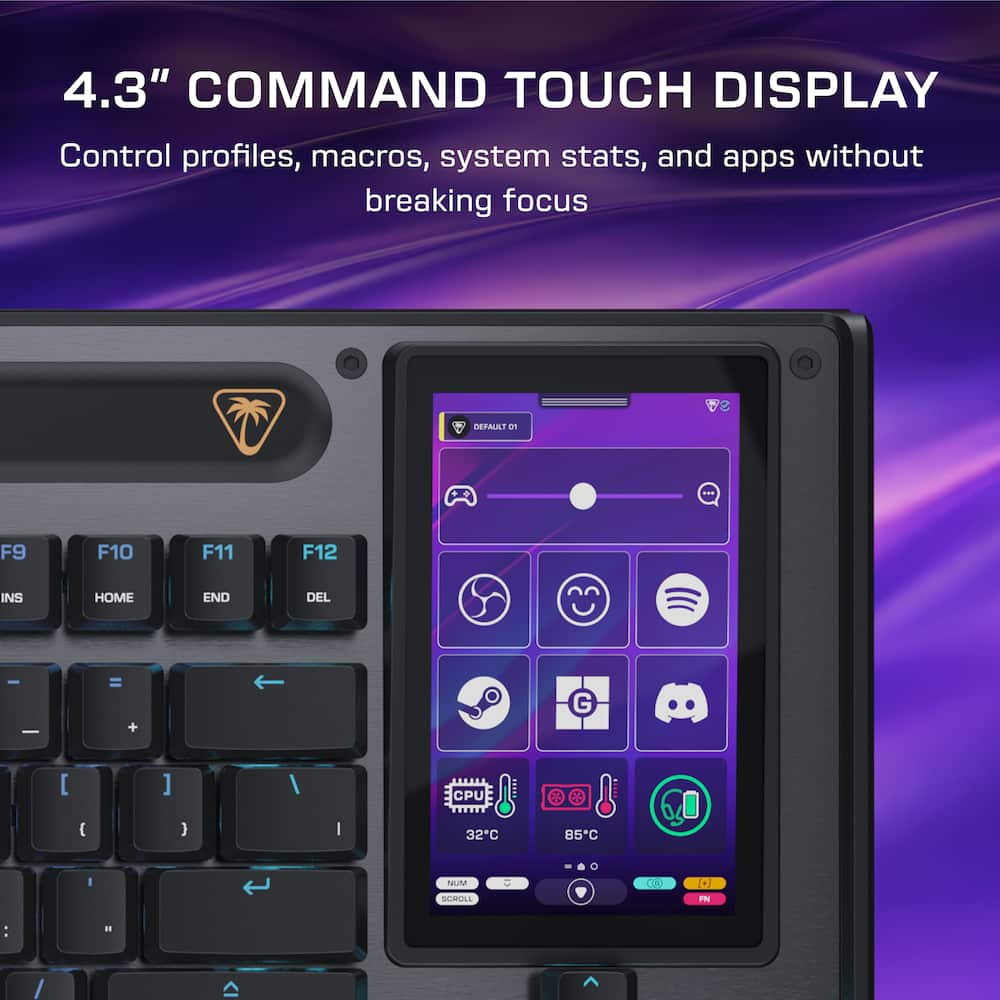
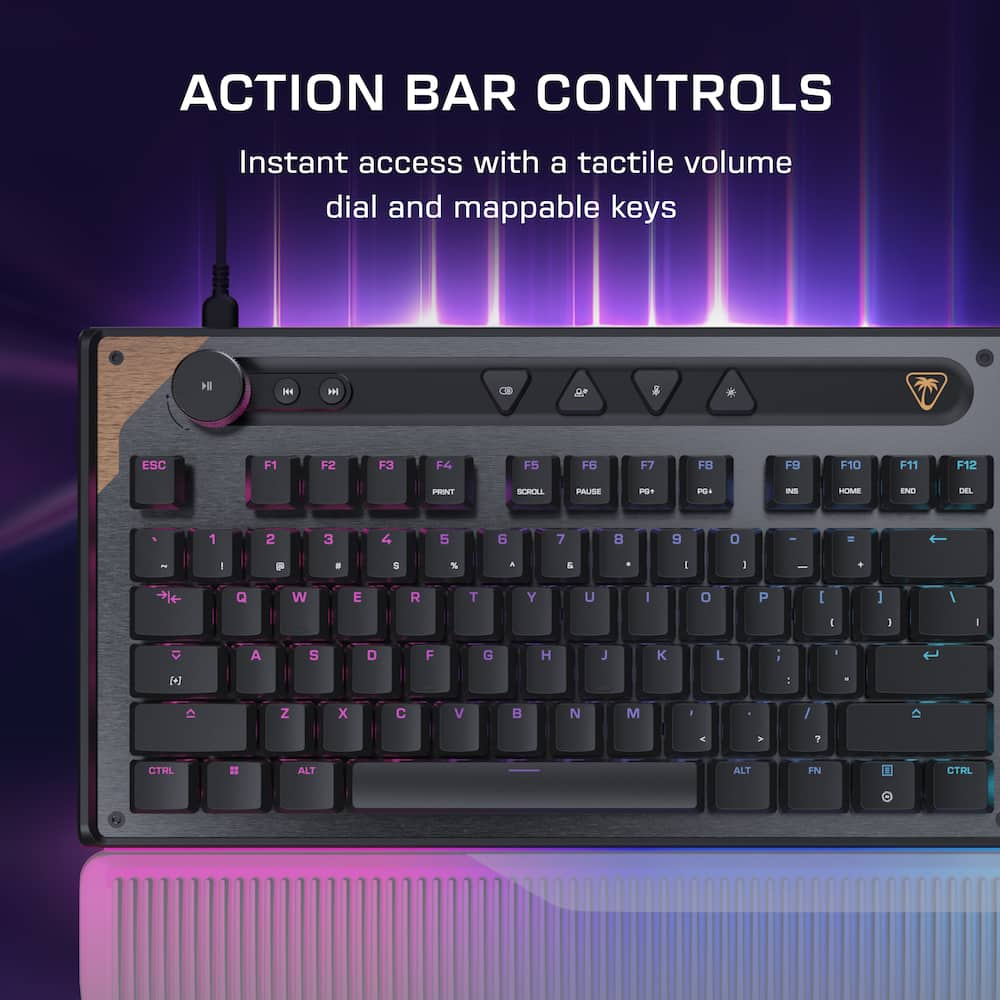
- 4.3” Command Touch Display Take control without breaking focus.
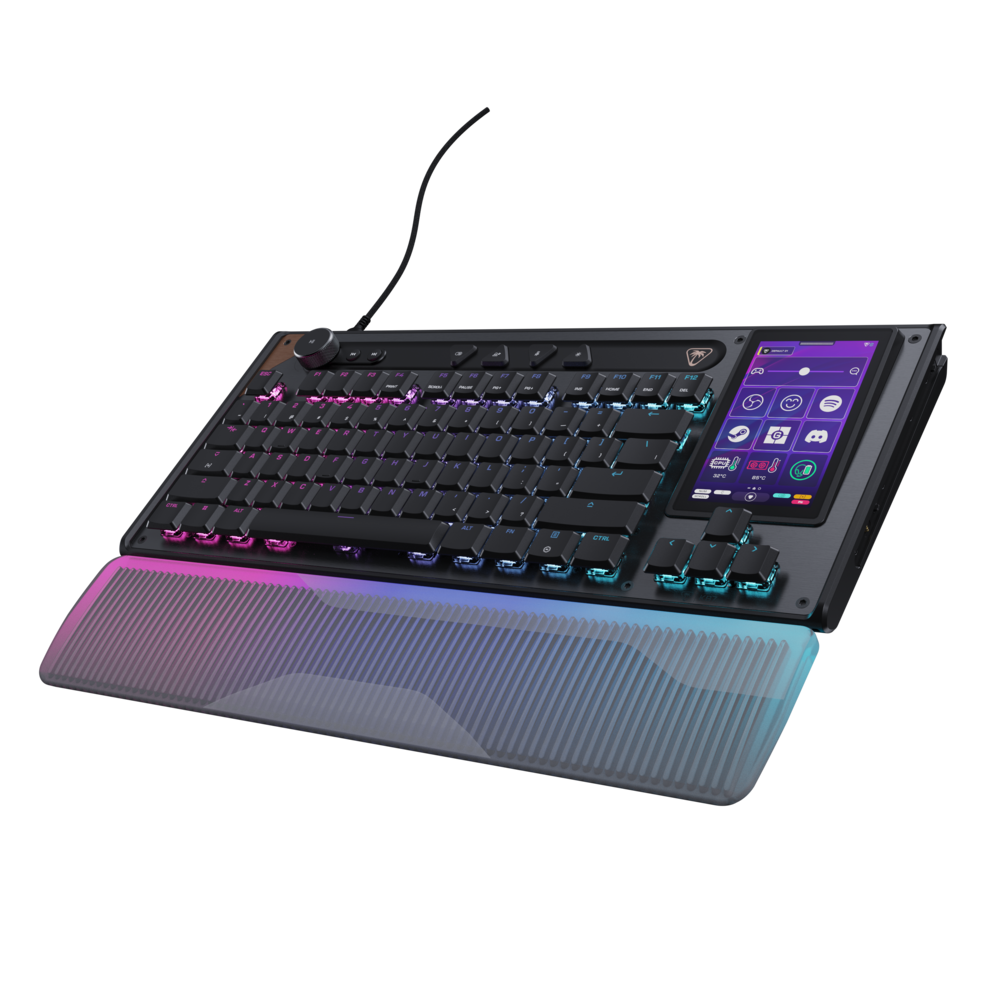
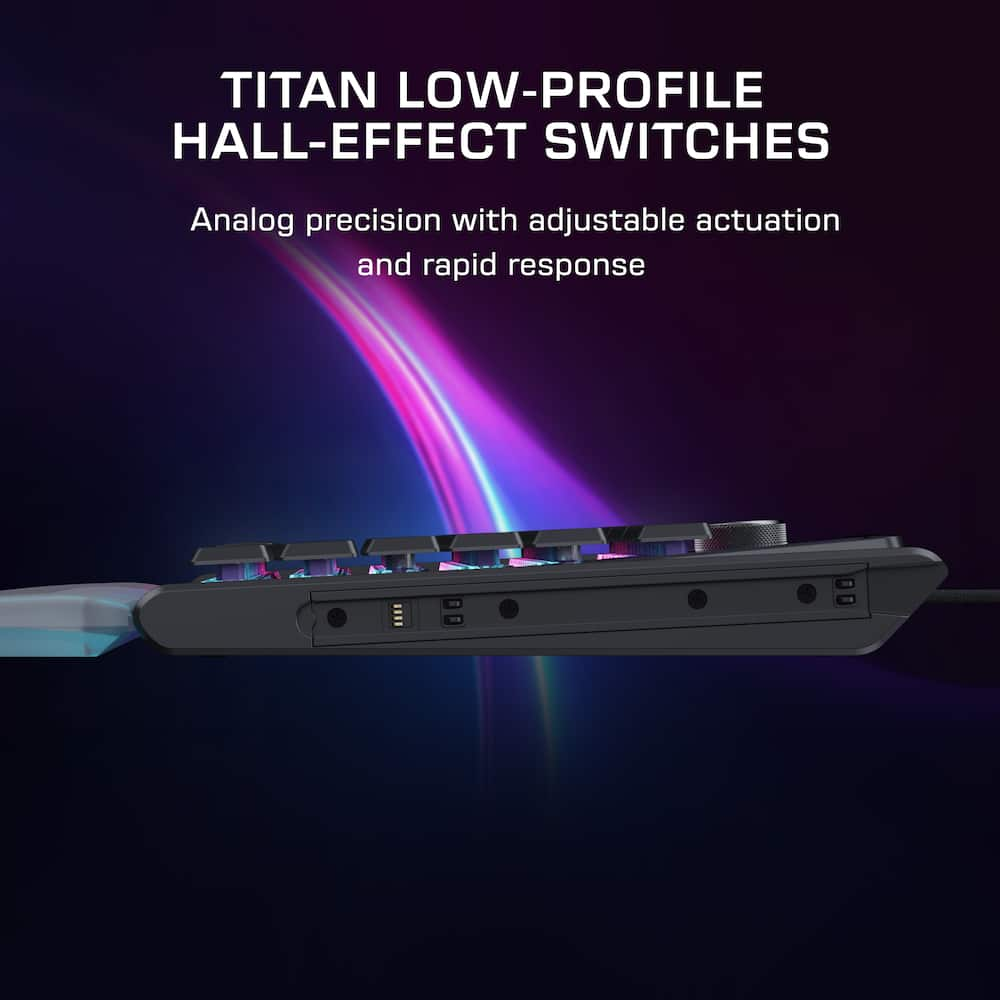
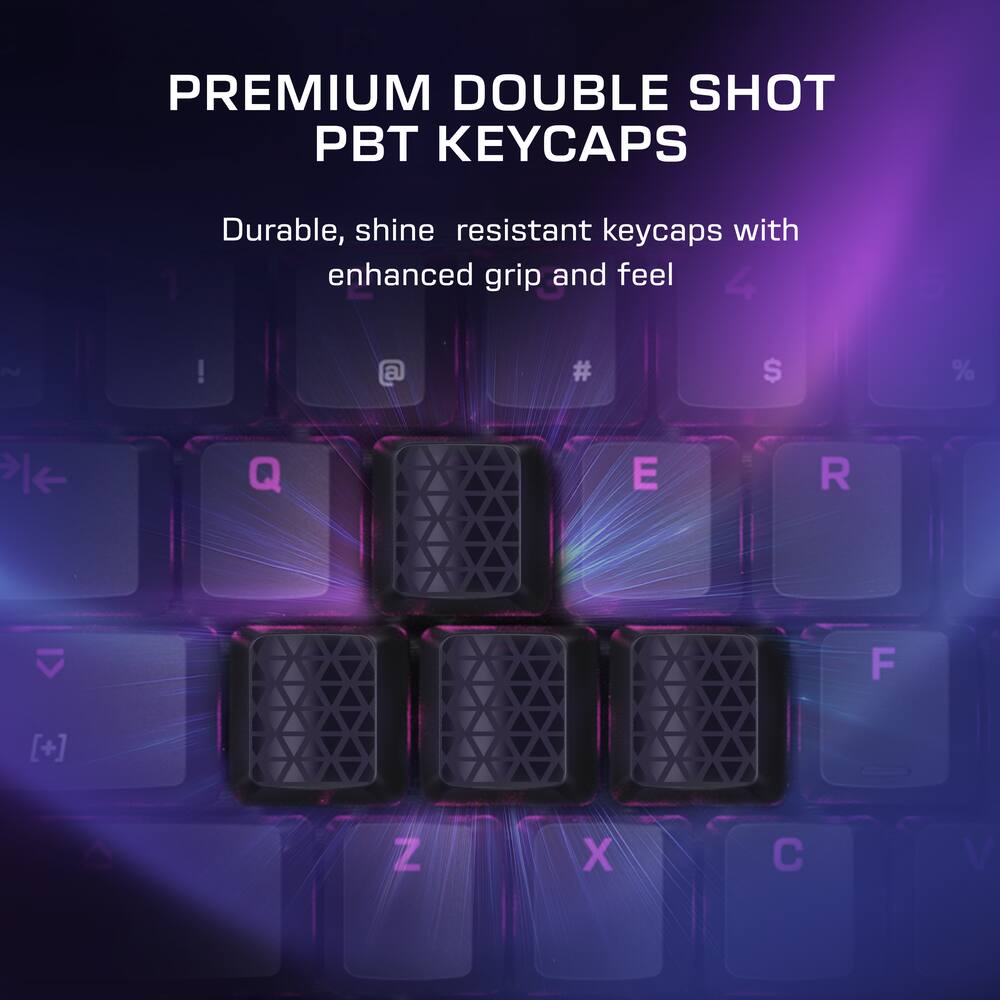
- Customize profiles, trigger macros, monitor system stats, and manage audio or apps directly from the Command Touch Display.Modular Command Series Design More than a keyboard, KB7 anchors the Command Series ecosystem, with dual modular rails designed to integrate seamlessly with the Command Series KP7 keypad.Titan Low-Profile Hall-Effect Switches Lightning‑fast analog precision with adjustable actuation down to 0.1mm, Rapid Trigger support, pre‑lubed smoothness, and a 100‑million keystroke lifespan.Premium Double Shot PBT Keycaps Premium double‑shot PBT keycaps resist shine and wear while delivering a refined tactile feel and balanced acoustics.
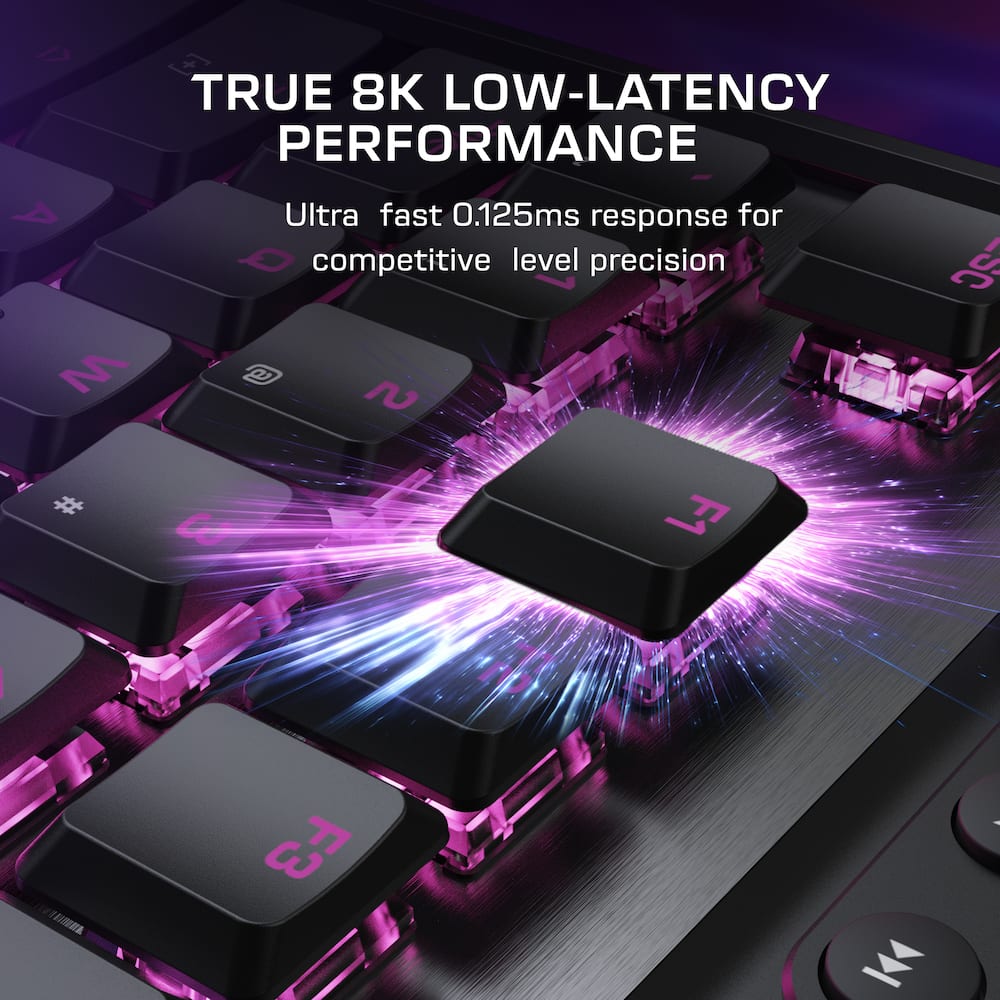
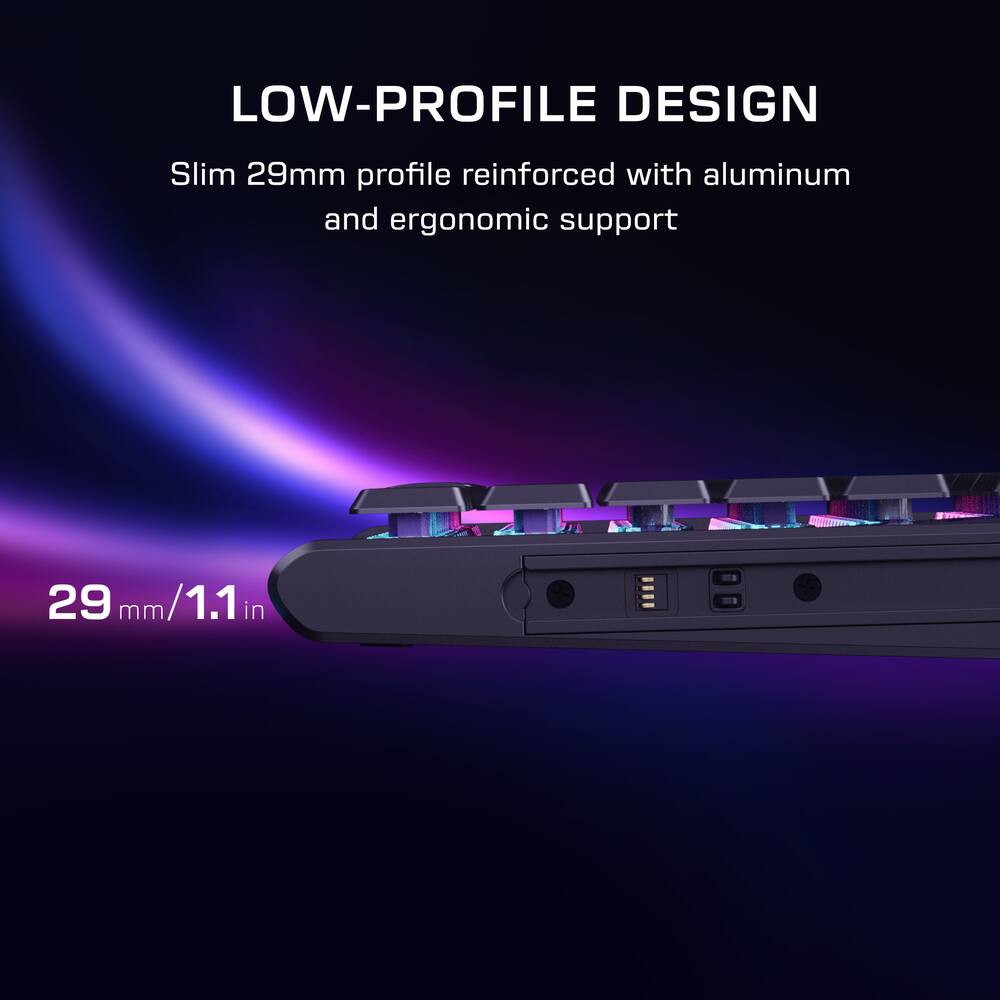
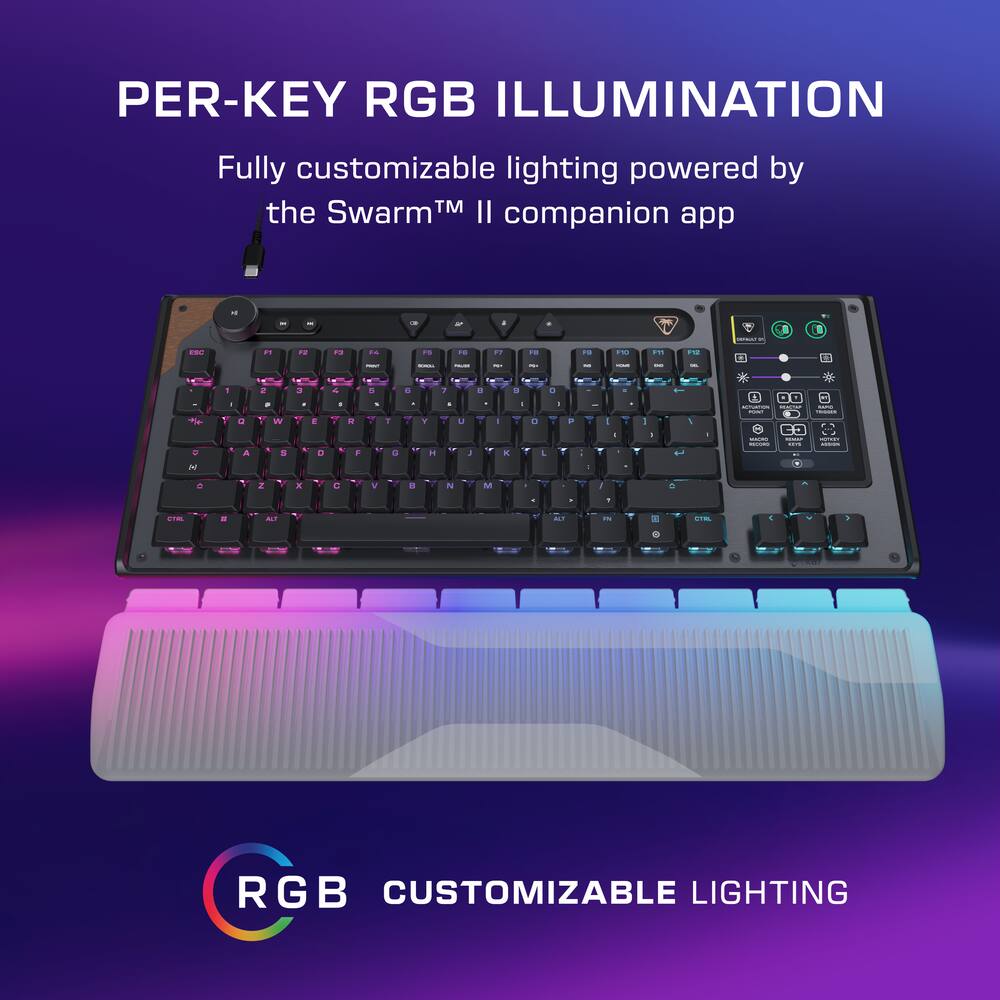
- Additional textured WASD keys provide added grip for confident control.ReacTap SOCD The technology prioritizes the most recent directional input between two keys, enabling smooth, continuous movement with faster, more precise counter‑strafing and directional control.True 8K Low‑Latency Performance True 8K polling rate and 0.125ms latency enable response up to 8x faster than standard keyboards for fast, precise, low‑latency input.Low-Profile Design Low‑profile switches, stabilizers, and keycaps ensure smooth, precise input, paired with a reinforced 29mm/1.14in‑tall chassis, adjustable kickstands, and a detachable wrist rest.Action Bar Controls Tactile control bar with a clickable volume dial, dedicated media buttons, and four fully mappable quick‑access keys for instant control.Compact TKL Layout Tenkeyless form factor frees up desk space and allows greater mouse movement for improved accuracy and comfort.Per‑Key RGB Illumination Fully customizable per‑key RGB lighting powered by Swarm II for a cohesive, personalized setup.Advanced Customization with Swarm II Software Advanced customization for the Command Touch Display, profiles, RGB lighting, macros, and performance tuning.
Key specs
- Weight
- 2.47 lbs
- Dimensions
- 6.85 × 15.71 × 1.22 in
- Brand
- Turtle Beach
- Model Number
- TBK-2004-01-US
- Product Name
- Command Series KB7 TKL Wired Hall-Effect Gaming Keyboard for PC
- Color
- Black
- Lighting Type
- RGB
- Weight
- 2.47 lbs
- Dimensions
- 6.85 × 15.71 × 1.22 in
- Brand
- Turtle Beach
- Model Number
- TBK-2004-01-US
- Product Name
- Command Series KB7 TKL Wired Hall-Effect Gaming Keyboard for PC
- Color
- Black
- Lighting Type
- RGB
- Customizable Lighting
- Yes
- Numeric Keypad
- No
- Touchpad
- Yes
- Keyboard Type
- Gaming
- Palm Rest
- Yes
- Spill Resistant
- No
- Keyboard Features
- 4.3” Touchscreen Command Display, Titan Low-Profile Hall-Effect Switches, Double Shot PBT Keycaps, True 8K Polling, RGB Lighting
- Foldable
- No
- Keycap Material
- PBT
- Maximum Number of Memory Profiles
- 5
- Form Factor
- Tenkeyless (TKL)
- Number Of Keys
- 78
- Keyboard Technology
- Hall-effect
- Dedicated Macro Keys
- Yes
- Key Switch Behavior
- Linear
- Rollover
- Full-key
- Multimedia Keys
- Yes
- Actuation Force
- 46gf
- Connection Type
- Wired
- Wired Connectivity
- USB-A
- Cable Length
- 5.9 feet
- Detachable Cable
- Yes
- Operating System Compatibility
- Windows
- Plug and Play Operation
- Yes
- System Requirements
- Swarm II
- Product Height
- 1.22 inches
- Product Width
- 15.71 inches
- Product Depth
- 6.85 inches
- Product Weight
- 2.47 ounces
- Mouse Included
- No
- Warranty - Parts
- 1 year
- Warranty - Labor
- 1 year
- League/Association
- Not Applicable
- UPC
- 840454401738
- 4.3” Command Touch Display
Take control without breaking focus. Customize profiles, trigger macros, monitor system stats, and manage audio or apps directly from the Command Touch Display. - Modular Command Series Design
More than a keyboard, KB7 anchors the Command Series ecosystem, with dual modular rails designed to integrate seamlessly with the Command Series KP7 keypad. - Titan Low-Profile Hall-Effect Switches
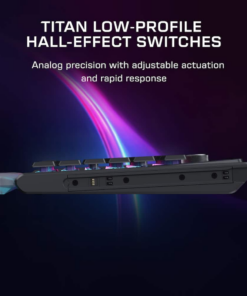
Lightning‑fast analog precision with adjustable actuation down to 0.1mm, Rapid Trigger support, pre‑lubed smoothness, and a 100‑million keystroke lifespan. - Premium Double Shot PBT Keycaps
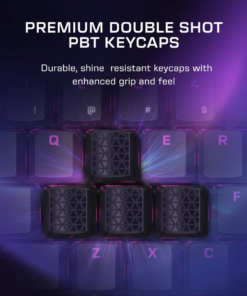
Premium double‑shot PBT keycaps resist shine and wear while delivering a refined tactile feel and balanced acoustics. Additional textured WASD keys provide added grip for confident control. - ReacTap SOCD
The technology prioritizes the most recent directional input between two keys, enabling smooth, continuous movement with faster, more precise counter‑strafing and directional control. - True 8K Low‑Latency Performance
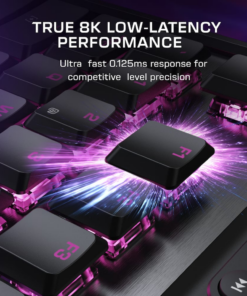
True 8K polling rate and 0.125ms latency enable response up to 8x faster than standard keyboards for fast, precise, low‑latency input. - Low-Profile Design
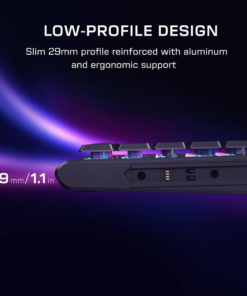
Low‑profile switches, stabilizers, and keycaps ensure smooth, precise input, paired with a reinforced 29mm/1.14in‑tall chassis, adjustable kickstands, and a detachable wrist rest. - Action Bar Controls
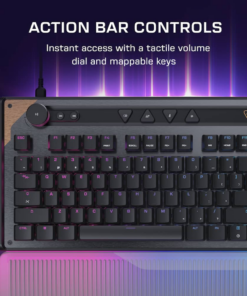
Tactile control bar with a clickable volume dial, dedicated media buttons, and four fully mappable quick‑access keys for instant control. - Compact TKL Layout
Tenkeyless form factor frees up desk space and allows greater mouse movement for improved accuracy and comfort. - Per‑Key RGB Illumination
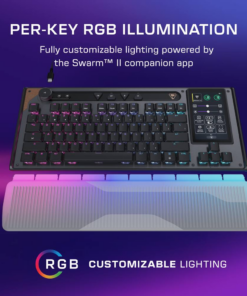
Fully customizable per‑key RGB lighting powered by Swarm II for a cohesive, personalized setup. - Advanced Customization with Swarm II Software
Advanced customization for the Command Touch Display, profiles, RGB lighting, macros, and performance tuning.
Standard US ground delivery is $5.49 and arrives in 3–5 business days. Orders over $60 ship free. Returns are accepted within 30 days of delivery.
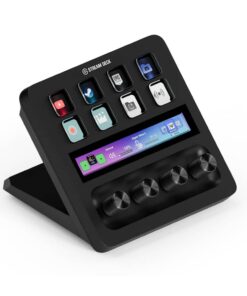
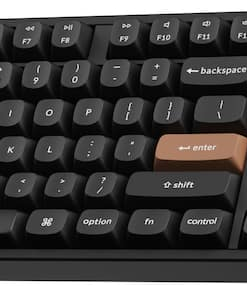
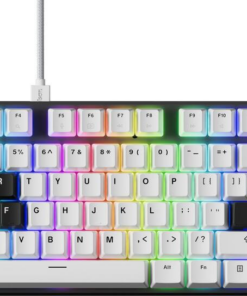
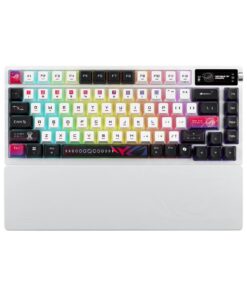
Ian L (verified owner) –
A Keyboard Plagued By Awful Software – The Turtle Beach Command Series KB7 TKL is one of those keyboards that sounds great on paper. It has Hall Effect switches, adjustable actuation, Rapid Trigger, an 8,000Hz polling rate, per-key RGB lighting, a built in 4.3-inch touchscreen, dedicated media controls, programmable buttons, onboard profiles, and even the ability to attach a separate numberpad to either side of the keyboard. On paper, this should be one of the more impressive gaming keyboards Turtle Beach has ever released. Unfortunately, my experience with the KB7 has been the exact opposite. The hardware itself is actually pretty decent, but getting the keyboard to consistently work like a normal keyboard is a completely different story. I’ve used a lot of Turtle Beach products over the years, and honestly, I’m baffled that the KB7 was released in this state.
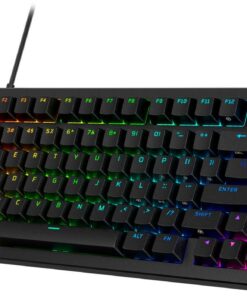
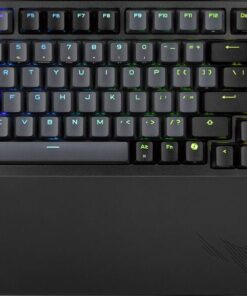
The KB7 is a wired, TKL keyboard with a 78 key layout. Instead of the traditional 6 navigation keys, Turtle Beach uses that space for the 4.3-inch color touchscreen. The chassis combines a plastic body with an aluminum top plate, giving it a somewhat premium feel without making the keyboard excessively heavy. It also comes with a detachable shine through wrist rest, double-shot PBT keycaps, adjustable kickstands, per-key RGB lighting, and a detachable USB-C to 2x USB-A Ports, which can be an issue for those wanting to use this keyboard with a laptop. The KB7 also supports an 8,000Hz polling rate with a claimed 0.125ms latency. Turtle Beach includes a USB-C-to dual-USB-A adapter, and they recommend connecting the keyboard directly to the PC rather than through a USB hub. Also, if you game on a laptop make sure you have 2x USB-A ports side by side, because you won’t be able to use this keyboard if they are not.
The touchscreen is supposed to be the star of the show, and I really wanted to love it. The KB7 has a 4.3-inch color touchscreen built directly into the keyboard. You can use it to switch profiles, control lighting, adjust actuation, enable Rapid Trigger, record macros, control applications, monitor system information like GPU and CPU temps and launch various functions. You can also create multiple pages and swipe between them, essentially turning the display into a built-in macro pad. The Swarm II app allows integrations for applications such as OBS, Streamlabs, Discord and games like CS2. In theory, this is really cool. In practice, the touchscreen is one of the more frustrating parts of the keyboard. I’ve experienced noticeable latency when swiping between pages, and the touchscreen can feel inconsistent. Having haptic feedback would also be ideal so you get some sort of feedback when pressing it. Then when swiping between the different pages the touch detection is just awful and registers a swipe as “press”, so you accidentally will press the tile when you are trying to change pages. It feels like you’re interacting with a prototype implementation of the product and not a final product. There is definitely potential here, but Turtle Beach needs to spend considerably more time optimizing the software and touchscreen experience.
Above the function row is the Action Bar, which includes a clickable volume dial, media controls and four programmable shortcut buttons. The four additional buttons can be mapped to different functions, and you can configure things such as Game Mode, profile switching, microphone mute and lighting control. Unfortunately, these buttons feel and sound noticeably cheaper than the rest of the keyboard. The switches underneath those buttons have a more plasticky feel, which is a little disappointing considering the price. One of the more interesting aspects of the Command Series is the modular design. Turtle Beach designed the KB7 with modular rails and pogo-pin connections that allow you to attach the Command Series KP7 keypad. This is an interesting idea in that the keypad can be attached to either side of the keyboard, which I can see being a big selling point for those left-handed gamers.
Now this is where the review takes a turn and it’s the moment you plug this keyboard into your PC, where my experience with the KB7 completely falls apart. The keyboard just simply didn’t work properly right out of the box. I’m not talking about some features not working or an advanced setting that wasn’t configured correctly. I’m talking about the keyboard itself just refusing to cooperate with the computer. There were situations where I couldn’t even reliably use the keyboard to log into Windows, and there would be times where at login it would spam one letter at the Windows login and locking me out. I ended up needing a second keyboard just to log into my PC and troubleshoot the KB7. This is completely unacceptable for a wired keyboard. A wired keyboard should be one of the simplest peripherals you can connect to a computer. Plug in the USB’s, and Windows immediately detects it, and it works.
The problems do not stop there. One of the most frustrating issues is what happens after shutting the computer down. If I turn my PC off for the night and come back the next day and power it back on, the KB7 just refuses to work. The keyboard is connected, but Windows does not properly recognize the keyboard input. The solution is to unplug the keyboard and plug it back in. Then I have to wait around 13 seconds for the keyboard to boot back up and register with the PC. Again, this is a wired keyboard. This should not be happening. I shouldn’t have to physically disconnect and reconnect a keyboard every time I start my computer. If this were a wireless keyboard that occasionally needed to reconnect, I could maybe understand having some connectivity quirks here or there , but this keyboard is physically connected to the computer. There should be almost nothing to troubleshoot.
Installing the firmware was also another headache I ran into. Turtle Beach’s Swarm II software would immediately crash when I tried to launch it, so I ended up having to uninstall and reinstall the software just to get it to open properly. Then, once I finally got the software running, trying to update the KB7’s firmware became another frustrating process. The firmware update would start and then crash or fail during the process. The entire selling point of this keyboard is customization. You need the software to get the most out of the Hall Effect switches. You need it to customize the touchscreen, configure RGB, create profiles, program macros and access many of the keyboard’s advanced features. So when the software crashes, and fails to recognize the keyboard or has trouble completing firmware updates, it undercuts the entire product.
If Turtle Beach can fix the software and the touch screen latency, I could see the KB7 becoming an ok gaming keyboard. The foundation is there. But right now, it feels like a product that was released before the software was ready.
Pros
Hall Effect switches
Adjustable actuation point
Rapid Trigger
8,000Hz polling rate
Low-profile design
Detachable wrist rest
Modular Options
Cons
Major out of the box connectivity issues
May not work when Windows first boots
Needed a second keyboard just to set it up
Swarm II software is awful
Touchscreen can feel sluggish when swiping between pages
Needs 2x USB-A for connection
Wont work with a lot of laptops
Overall, the Turtle Beach Command Series KB7 TKL is a case of decent hardware being held back by terrible software. The Hall Effect switches and feature set are good when they work, but the number of bugs I’ve encountered makes it incredibly difficult to recommend. Until Turtle Beach gets Swarm II and the keyboard’s firmware and startup behavior sorted out, I would personally wait before buying this keyboard.
jailoliv (verified owner) –
Amazing with Just a Minor Issue – Beyond gaming, I love technology and electronic gadgets in general. For that reason, I was very excited to try this keyboard, especially because of the 4.3-inch touchscreen that can be customized not only for games, but also for different applications besides being able to display temperature and CPU utilization, which is great when running any high-end app, especially games.
I can’t deny that I’ve had a lot of fun with it, creating macros, changing widgets, and genuinely enjoyed that the screen is actually very useful unlike the ones in other keyboards that I’ve tried.
Although I was not very impressed with the wrist rest, I liked the light diffusion and the very nice, brushed aluminum top plate.. The size is also perfect. You can add a numeric keypad, but I was happy with having that functionality onto the screen instead.
For gaming nothing like low latency and I didn’t notice any at all. At least, none that would affect gaming performance negatively. One of the most responsive keyboards ever.
Unfortunately, it does have some rough edges and the one that was most annoying to me was that its screen froze almost every single time that I used the software to push profiles or update widgets. I’ve had to disconnect and reconnect it to make it work again. Interestingly, when it comes back up, it has the configuration you had tried to push. In other words, you don’t lose anything except time and patience. Here’s hoping Turtle Beach fixes it quickly. It seems though that this issue is related to power from the USB source, but I’m using USB-C 3.1 and Thunderbolt which should provide enough power. I had the same experience using another computer with the two-port adapter. That annoyance made me change my 5-star rating to 4.
Overall, I’m very happy with this keyboard. The price is a bit steep, but except for the software issues that can be fixed, it is worth the extra cost.
Dan0Sterling (verified owner) –
Fine Foundation for Future – Fight well…later – I wanted a board that could handle gaming and get me quickly to some of the regular apps I use, as well as specialized controls. On the hardware side the KB7 is exactly what I was looking for. the real thing. Key actuation is smooth and fast for both typing & gaming. The construction is rock solid. There’s no flex in it, no creak. It certainly lives up to the Turtle Beach name.
The lighting is a nice playground. There are more LED combinations here than most people need. Certainly enough to keep you entertained while waiting for your favorite game to load. The custom keys are the more useful version of that same flexibility: media, volume, or whatever else you want to put there. I set mine up once and I’ve stopped reaching for the mouse to change a track. The volume knob with a pause / play function is a nice space saving touch!
The headline feature is the touchscreen stream deck built into the board itself. Smart idea, fully customizable, sitting right where your hands already are. It’s also where the compromises show up. You only get three virtual screens, so if you were planning a deep set of pages for different games and different apps, you’ll hit that wall faster than you’d like. You can expand that with the 6 different profiles, but that seems unnecessarily complicated when you could just scroll through the pages forever (or link to the page as Razer does). It also takes the place of Home, End, Page up, Page down, etc which complicates things if you’re doing dual use for writing & gaming. Bbecause it’s a single LED panel rather than physical buttons as an external stream deck is set up, there’s nothing to feel for. No edges, no bumps, and no haptic feedback when you hit something. You look down, or you guess. It’s less than ideal compared to what I was imagining.
Same story over on the keys. There’s no demarcation on ASDW, so no raised nub or shaped cap to find your home position by touch. There’s the standard bar on F and J, but it would be a cooler look to have the gaming keys offset visually and physically. It isn’t a deal breaker, but other manufacturers have been more clever about this. It’s a premium keyboard after all!
The macro system is the part I most wanted to like. You can record your own, or pull from Turtle Beach’s library of pre-created macros, which is extensive enough that plenty of people will never need to record anything. There’s dozens of games which have profiles pre-configured. Better still, the key remapping and the macro combinations are programmed into the keyboard itself rather than living in the software, so your setup travels with the board instead of requiring reconfiguration if you switch PCs. Best up, you don’t even need to have Turtle Beach’s software on each machine. Set it up once, then go!
Unfortunately, the software is not quite ready for prime time. Getting it running properly without glitches took far more time than it should have. It closed unexpectedly on me while I was in the middle of building macros, which hampered the whole process. At one point I ended up with macros assigned to the Ctrl and Windows keys, and there was no way to peel them back off. The only fix was to reset the keyboard mapping and start over from scratch, soft keys included. When the hardware is this good and the on-board storage is this well thought out, having the configuration tool be the weak link is a frustrating place to lose points.
One practical thing to sort out before you buy: this is a power hungry keyboard. It wants two USB-A ports or a single USB-C. If the back of your desktop is already full, or you’re running everything through a hub, that could be a deal killer.
None of this is a concept problem. The idea behind this keyboard is a good one, and the bones underneath it are good too. It’s the execution that’s a little bit lacking right now. “Right now” is key as TB has already released a couple of firmware updates. I’m confident they can get their act together and make this the product it was meant to be. The question is whether you want to be along for the ride while it gets there.
Bottom Line: Excellent switches, excellent build, a real stream deck under your fingertips, and macros that live on the board where they belong. If that’s what you’re after and you’ve got the patience to fight the software through setup, there’s a lot of keyboard here. If you rely on feeling for your custom keys, need more than three deck screens, or you want to configure a keyboard once and never think about it again, give it a couple of firmware cycles and check back.
nickcal (verified owner) –
Great Hardware With a Few Software Rough Edges – I’ve been using the Turtle Beach Command Series KB7 for gaming as well as everyday typing, and I’ve been pretty impressed with it overall. There’s a lot going on with this keyboard, and while it isn’t perfect, the hardware itself is really good.
I love the design of the keyboard. The TKL layout give me plenty of room on my desktop, which keeps it comfortable for everyday use as well as gaming. Since I use Apple Magic keyboard with my Mac Studio, I really like the low-profile keys. The aluminum top gives it a nice premium feel.
The keyboard is very comfortable to type on. The Hall Effect switches are incredibly smooth and responsive and it’s great that I can adjust the actuation point. The KB7 feels extremely fast, and I haven’t noticed any latency while using it.
The programmable buttons and media controls are also handy. I like being able to adjust the volume and control media without reaching for the mouse. There are a lot of ways to customize the keyboard, and Turtle Beach gives you plenty of room to make it work the way you want.
The 4.3-inch touchscreen immediately grabbed my attention. I have used another keyboard that has a similar feature and it’s actually a suprisingly useful feature. I can set up shortcuts, control different functions, access macros, and monitor things like system information. It’s basically a little control center built right into the keyboard, which is pretty cool and saves me from having another device taking up space on my desk.
Where I’ve run into some frustration is with the Swarm II software. It gives you a ton of customization options, but it can also feel slow and a little clunky. Some changes take longer than I’d expect to sync, and the firmware update process could definitely be more straightforward. I’ve also had the touchscreen occasionally feel sluggish, particularly when switching between pages. It’s easy to accidentally hit a button when you’re trying to swipe to another page.
That’s probably my biggest complaint about the KB7. The hardware feels like a premium product, but the software doesn’t always feel like it’s at the same level yet. Hopefully Turtle Beach continues to improve it with firmware and software updates.
One other thing worth knowing before buying is that Turtle Beach’s Swarm II software is Windows-only. The keyboard itself can be used with a Mac, but you won’t have access to the full customization experience through the software. That’s not necessarily a deal breaker for a gaming keyboard that’s primarily designed for PC, but it’s something Mac users should know before spending this much on it.
I’d also pay attention to the USB requirements before buying. Depending on your setup, the keyboard can require two USB-A connections, which could be a problem if you’re using a laptop or already have most of your ports occupied.
Despite those issues, I really like using the KB7. The switches feel great, the keyboard is responsive, the customization options are impressive, and I actually find the touchscreen useful. It’s definitely more keyboard than most people need, but if you’re a serious gamer, streamer, or someone who just likes having a lot of customization options, there’s a lot to like here.
Viabledata (verified owner) –
One cool keyboard – The Turtle Beach Command Series KB7 Keyboard is cool, functional, and comfortable. The touchpad
that replaces the number pad is a great upgrade that allows many functional changes to make use of.
Out of the box, It is a very cool looking keyboard. I was excited to get it hooked up and using it! You do need to download the Turtle Beach Swarm 2 App and update firmware on the keyboard in order for it to function correctly. The included wrist support was a tad bit difficult to get it hooked into the bottom. It does light up colors through the bottom into the clear wrist support which looks cool. It does include 4 swappable keys if you choose to change your wasd keys or any other keys. The keys do pop off fairly easily, as I did have one floating around the box when I first opened it. It connects through the computer with an included usb-c to usb-c. It is around a 6ft cable which gives you tons of flexibility in where you can use it.
The Swarm 2 App is crucial to changing and setting up your keyboard. Make sure to download any firmware updates as it will help the keyboard connect and function with your computer better. In the touchpad, you can change and move every tile to what you want, and there are so many different options. You can even put your pc temps and usage right in the touchscreen in order to keep an eye on them.
Typing with the keyboard is nice, and seems to be a bit too sensitive sometimes. I have not found a way to adjust that in the settings if there is one. That does help though when playing games, as the response time is very very fast and you don’t even need to push the key fully down for it to trigger.
Overall, I love the functionality of this keyboard and having the touchpad makes it so interactive and gives quite the edge when setting macros in games. Overall I highly recommend.
PhillipB (verified owner) –
Great keyboard with slick side screen. – Super excited for a keyboard that has a display and other options.
This Turtle Beach Command Series KB7 TKL Wired Hall-Effect Gaming Keyboard for PC was my wish come true.
Setup. Setup was super easy. plug and play with keyboard recognition. I also had the Swarm 2 program on my PC and went through all of the setup.
Customization of the screen was really easy using the Swarm 2 program. Also all of the lights and affects are easy to control.
The wrist pad is a nice touch as it allows for the LEDs to be shown off more. Basically using it as a medium to transmit light through.
Color is nice black with subtle metallic accents.
Use is good. Keys are medium. Not too squishy and not too clicky. Response time is good for game play. No noticable lag. BTW it requires double USB a connectors. At least that’s what the instructions call for.
There is also a side rail option to buy a 10 key pad that locks into the side. Might be my next purchase to complete this keyboard.
On board diagnostics for Motherboard info was not complete for my PC. The website did indicate that this feature does not work for all setups. For mine, it would not pickup the CPU temp. It picked up GPU, RAM etc.
Overall nice keyboard with cutting edge screen use.on keyboard.
Overall nice keyboard. Something fresh and slick.
BarackObama (verified owner) –
Gaming Keyboard with Display? Sure, why not! – The Turtle Beach KB7 TKL wired gaming keyboard is a unique gaming keyboard with a built-in display. This is a TKL keyboard, but with the display, it is slightly smaller than a full-sized keyboard. I found the display to be a bit gimmicky at first, but after using the display for some time, it grew on me. I found various ways to use the display to my advantage throughout my testing. I tested the keyboard in both a gaming and office setting, so I will cover both areas. This is my review of the Turtle Beach KB7 TKL Wired Gaming Keyboard.
*TLDR at the bottom
====================
IN THE BOX/SET-UP:
In the box, you receive a wrist pad, a USB-C to USB-C cable, a USB-C to double USB-A adapter, keycap puller, textured WASD keycaps, and some documentation.
In terms of setup, the KB7 is plug-and-play unless you would like to dig into the keyboard’s settings. While the app is optional, I do recommend it, as it is necessary to be able to fully customize this keyboard. The app also provides your keyboard with firmware updates to patch any newly discovered bugs outside the box. The display has a built-in shortcut that will open a Run window on your computer and launch a website to download the software.
====================
BUILD QUALITY/COMFORT:
In terms of build quality, the KB7 feels sturdy. The frame does have plastic, but it is reinforced by an aluminum chassis. The top plate is metal with a nice brushed finish. The media keys and the keys on the top row are plastic and feel like an afterthought compared to the rest of the keyboard. The keycaps don’t appear to be the most premium keycaps, but they certainly will last a long time due to them being double-shot PBT. The 4.3” display feels nice and responsive. It does have thick bezels, but they don’t stand out too much. One neat feature that would’ve been nice to have is a height-adjustable display. This way, the display is more easily accessible, especially if you are locked into a game or need access to constantly used shortcuts.
I tried the keyboard with and without the wrist rest. While I do typically use my keyboards without wrist rests. This one did feel uncomfortable without it due to the raised height. The wrist pad places your hands in a more ergonomic position. In terms of typing, the keyboard is incredibly smooth. It is also quiet. The keys are more bunched up together compared to my previous keyboard, so it is taking me a while to get used to the spacing. The display’s location relative to the keyboard is also perfect if you are somebody that is wanting to use it as a number pad or for the special keys (Home, End, Del, etc.).
====================
FEATURES/SWARM II PC APP:
The KB7 has plenty of features for the average gamer or office worker. The display offers many customization options, like an OBS app integration for those who use OBS to stream/record videos. I’ve used OBS to record videos in the past, and having shortcuts to start, pause, take screenshots, etc., is amazing. There are even templates to display your PC’s performance(CPU/GPU usage, etc.). For the office worker, the template that is an absolute godsend is the website template. Being able to launch frequently used websites is extremely convenient. Also, a tip for the display. If you scroll using the middle, you are bound to accidentally open an app. The best way to scroll between pages is by scrolling using the bottom empty space. There are also dedicated media keys and alternative keys (RGB lighting, profile switcher, etc.) on the top row. The rails on the side can be used to connect external accessories like a gaming number pad.
The keyboard is incredibly customizable through the Swarm II app. The display’s widgets/pages, per-key actuation point configuration as low as 0.1 to as high as 3.2, remapping keys, and per-key RGB customization are some of the main customization options for this keyboard. While I love the customization options, the software has been too buggy, which makes the user experience frustrating. On top of that, the UI could be more user-friendly. There are icons with no labels, options that are hard to find, and a lack of description/tutorials on some settings (e.g., custom macros), which has made the software frustrating to use. On top of that, I have run into several software/hardware breaking bugs. In one instance, the space bar stopped working after deploying a display update. I had to unplug and replug the keyboard to get it to work again. In another instance, the software was non-responsive and would continually crash when launching. I had to force-close the app and restart it to get it working again. Luckily, the software can be updated on Turtle Beach’s end. I hope in 6 months to a year from now, some of these items get fixed or improved upon. This is a neat gaming keyboard that seriously would be a 5/5 if the software were more user-friendly.
====================
GAMING/OFFICE PERFORMANCE:
The KB7 is marketed as a gaming keyboard, but it can absolutely be used as an office keyboard. I work in IT, and being able to customize the display, create macros, and set website/folder shortcuts on the display has been a godsend. I have to consistently navigate around different websites at work, and instead of clicking a shortcut or typing a website into the search bar, the shortcuts are easily available on the display at the click of a button (very neat). The volume knob and media controls are convenient, although the controls do require more effort when pressing down on them compared to previous keyboards I have used. They are also loud when clicking down (at least the keyboard itself is quiet). I would’ve preferred rubber buttons or some type of haptic feedback button. Also, if you are someone who is crunching numbers together, the display can be turned into a number pad.
In terms of gaming, the KB7 is a great gaming keyboard. It is comfortable, and key travel is incredibly short. The ability to set the actuation point on a per-key basis is great, especially for those FPS games where a quick move can be the difference between a win or a loss. I also love the ability to update system volume from the display. Sometimes I like listening to music while gaming, and if I need to quickly turn the music down to hear dialogue in-game, I can simply swipe to the far left and use the slider on the display. Every once in a while I also like to see my PC’s performance during a game. The display can be customized with widgets that do just that. So, rather than having performance monitor take up space on your precious display space, the keyboard can display those performance stats.
====================
CONCLUSION/TLDR:
In conclusion, the KB7 is a solid gaming keyboard that also doubles as an excellent office keyboard. For a gamer, the keyboard has everything you could want. From per-key actuation point customization options to creating/setting your custom macros, and the myriad of widgets that can be installed on the display (performance monitor, Discord shortcuts, system volume settings, etc.), there is plenty to be customized. For the office workers, the display can be turned into a number pad or a shortcut launcher for frequently used sites, folders, docs, etc. There is also a Teams/Zoom page available that can be used to run shortcuts within the app(e.g., mute mic, turn camera off). While the software is buggy and can be significantly improved, the keyboard itself is a great gaming/office keyboard. If Turtle Beach can clean up the bugs and improve the UI for the software, this keyboard would be a perfect 5/5. Overall, I would recommend the keyboard in its current state, but if you find buggy software frustrating, definitely wait it out for half a year or a year. Hopefully, by then, Turtle Beach would’ve cleaned up the bugs and UI.
Manny (verified owner) –
Unique low profile Hall effect with SCREEN! – If you’re a content creator or streamer, especially, you’re going to love this keyboard. Historically speaking, I really enjoy using low profile keyboards and especially the linear key switch versions. I’ve been unhappy with other releases because none of them really had the hall effect magnetic switches that everybody else does on the standard height keyboards, but this changes that.
So first off, as a keyboard, I want to explain that again, this is low profile so if you’re used to this, great if you’re not, you’re still going to love it because it’s way less draining on your wrists, especially with the wrist rest that is included here. It’s got hard media control keys at the top and a USB-C cable. Obviously, the TKL form factor is perfect on this, and I like the way the F1 key is lined up with the number 2 instead of being further over like some of them are.
The screen is pretty much the star of this keyboard. Now, it has several base screens that you can swipe through on the actual screen itself, as it’s a touch sensitive panel, of course. You can have a number pad or one of many quick functions that can all be customized in the swarm software. I like using some of the defaults, like mic mute, seeing my RAM use, my CPU and GPU temperature, and being able to launch Steam. It does pick up a lot of fingerprints, but that’s to be expected and is easily wiped off.
LEDs on the switches are nice and bright and fully customizable again in the software, so is the lighting at the bottom of the keyboard that goes into the wrist rest which is a really cool effect, especially at night.
I will say I don’t tend to use any sort of snap tap or anything like that with the hall effect switches I’m more of a set it and forget it type, but this really makes sense when you buy another keyboard and you’re trying to get used to it, and it’s a different actuation point than your last one it becomes very annoying. This resolves that because you can just send it to the exact same height that it was, which for me was 1.2 mm all the way around. Super buttery feel when typing or gaming special feels great that it’s low profile.
I think this is a really clutch keyboard for those that have a use for shortcuts, especially streamers. For the money, I don’t think there is really any competition in this space, and it fills a gap I’ve never really thought any company was going to.
Michael (verified owner) –
Impressive hardware, but the price asks a lot – Turtle Beach packed a lot into this keyboard and it shows. The Hall Effect switches are the real headline. Smooth, quiet, and adjustable actuation down to 0.1mm means you can tune how sensitive each key is to your actual typing style. Combined with 8K polling and rapid trigger support, the input performance is genuinely top tier. If you care about competitive gaming or just want a keyboard that responds exactly how you want it to, the switch technology alone is hard to argue with.
The 4.3 inch touchscreen is a genuinely interesting feature. You can manage profiles, trigger macros, monitor system stats, and control audio without alt-tabbing out of a game. Whether you’ll actually use it that way day to day depends on how deep you want to go with customization, but it works well and feels like more than a gimmick once it’s set up. If you’re someone like me that edits a lot of video, the muscle memory of page up/down and home/end moving from that spot might be a deal breaker. It’s certainly something to get used to.
Build quality is solid too. Aluminum chassis, double-shot PBT keycaps, and a detachable wrist rest all give it a premium feel that matches the price.
The price is where hesitation sets in. At $200 for the keyboard alone, and another $100 if you want the optional KP7 numpad, you’re spending real money. The switches are not hot-swappable either, so if Hall Effect isn’t your preference there’s no upgrading around it. Wired only as well, which rules it out for anyone who wants a cleaner wireless setup.
For the right buyer, this is a standout keyboard. For everyone else, the value proposition takes some convincing.
David (verified owner) –
Very Nice Gaming Keyboard – 3The Turtle Beach Comman Series KB7 is a very nice gaming keyboard with a novel touch screen that is actually more useful than I thought it would be. First off, we can talk about the keyboard itself. It is a mechanical style keyboard, but the keys are not nearly as clicky as some other mechanical keyboards. It is very comfortable to type on, and comes with a lighted wrist rest, which can be removed. It also features media keys as well as a volume knob for easy media control. The keys themselves are actually hall effect analog keys which can be customized on the touch screen or in the downloadable software. This is a very useful feature and you can definitely feel the difference when changing the actuation point of the keys. The keyboard also features RGB lighting, and can be customized in the software as well. This brings me to the most novel feature of this keyboard that really separates it from all other keyboards. And that is the 4.3 inch color touch screen display on the right hand side of the keyboard. This screen can be highly customized to display many things from a number pad, to extra keys, to custom macros, to media/streaming controls and much more. The possibilities really are plentiful and really much more useful than I had originally thought. I decided to put a copy/paste shortcut on mine and it has proven to be really useful. You can also put system diagnostics such as CPU/GPU temp, which can be really useful when playing games without taking up precious screen real estate. What I found most promising was streaming controls. While I don’t stream anymore, my son is getting into it and I can see how having some quick controls to cameras/mics is going to be extremely useful. In the end, it is just a really customizable screen than you can adjust to your specific needs and it works really well. Overall, this is a great gaming keyboard. The touch screen is definitely the standout feature and if you don’t think you’ll use it, you’re probably better off saving some money. But, I wouldn’t write it off too quickly. If you are even the least bit curious, I think you’ll be able to find a good use for it, and you will not be disappointed.
charleyhustl3 (verified owner) –
turtle beach keyboard – i like alot of different elements with this board. the lights and heel rest are great of course. the keys are sensitive! so it makes for quick work but i will say that it takes some getting used to cause you can accidently hit keys especially for someone like me who is used to computers, but have using my phone for so long before finally getting myself a home pc.
KevinR (verified owner) –
Best Keyboard ive bought yet – The touch screen comes in handy when i need to open orher programs
Saitzev (verified owner) –
Interesting concept, just not well executed. – The KB7 isn’t a bad keyboard, but… There are certainly better options out there, especially if you’re wanting something that also has a screen that allows you to have things like Stream Deck capabilities.
Build quality wise, it’s a pretty steep downgrade compared to the Vulkan TKL I tested a few years ago. That keyboard felt very well built and solid. The KB7 just doesn’t have as good of a feel to it. The bottom is plastic, the top is what I can only assume is some type of faux aluminum. Visually it’s a nice looking keyboard, but looks don’t do anything for how well a keyboard works. The claim about them being Double Shot PBT, time will only tell if they hold up.
The keys are responsive. I’ve not had any issues so far with repeated characters. I’ve played a fair few different games and have had no issues at all. It was super responsive in Tarkov, Cyberpunk, Palworld and numerous other titles. One thing I did appreciate with this keyboard is that the keys themselves are half the height of what the Vulkan II used, which were full length stems but half height keycaps.
The “kickstand” I do wish would angle higher. Compared to my other keyboards it sits quite low.
The Swarm Software still remains a lightweight with install size and resource allocation. It takes a fraction of space as the competitors, around 150MB in size. Most competitors are in gigabyte territory and heavier resource allocation.
Configuring the Command screen… is a mixed bag. Editing the stock screens and buttons is fairly straightforward. Adding things like Discord is quite complicated and the steps available do not match the process, in fact they’re backwards and out of place. You have to get some link/api/key and such and then link it in Swarm. It’s all incredibly convoluted. You’d be better served by creating a macro. Also the Deafen button completely mutes all of Discord, it doesn’t just mute output, but input as well, meaning if you still need to communicate with others but don’t want to hear, you have to open discord or use your keyboard shortcuts.
On paper, the screen seems like a great idea, but in real world application, it just doesn’t pass the test which is really unfortunate. You also cannot turn the screen off. Even with the brightness all the way down it remains on. I’ve never seen it go to sleep or completely dim, and with it being on all the time it does beg me to question the longevity of it.
I do like the wrist rest, it’s a kind of silicon I believe. The Keyboard itself has LED’s that are front facing that shines through the wrist rest as well which is a neat feature.
Overall, it’s not bad, but it’s not great. If you need a TKL Keyboard but also want something along the lines of s stream deck, I strongly suggest looking elsewhere and use two separate devices.
KYTwinsDad (verified owner) –
KB7 & KP7 are cool with quirks – Let me start by stating that I am not a streamer, And while I thought about doing so I’ve yet to do so. Do you upload YouTube videos for my car (a 2025 Nissan Z). But that is sporadic and not something that I do as a job or for money. It is strictly done for fun. I do however have play some video games & I wanted the opportunity to give this keyboard a shot.
Unboxing & First Impressions
I usually do not like ten-keyless (TKL) keyboards, I feel they are too small and don’t have everything that I need. And when I unboxed this one, I noticed that it was much smaller than what I’m used to because I am used to utilizing an economic keyboard that is much more spread out. But this one looked nice felt nice to the touch, the keys have a had a nice click to them, and it felt like it had just the right amount heft to it.
Rating: 5/5
Working From Home
Well, I do love the game, I spend most of my time working from home. So that means that this keyboard is gonna be utilized most of the time doing work. Which I know it’s overkill for that, but I still wanted it because I don’t like having to switch between two keyboards and two mice (one for working, one for gaming). So I’ve been looking for a key keyboard that will allow me to do both. And I think I found it. I do wish it was a little bit more spread out like an economic keyboard, but it’s not an absolute must because this one feels just as nice to type on to me. I will say the keys are a little bit louder than I anticipated, I think that comes from the fact that I use a quiet keyboard up until now. And the reason I did so was because I type really quickly and kind of heavy-handed and so whenever I’m typing fast, it sounds like I’m angry. Luckily, my computer has some noise canceling as far as the microphone goes where it will allow me to really silence the keyboard clicks that way nobody hears it anyway. The only fall to that is if I’m typing when I’m on the phone with a customer because I use my phone which does not do that.
Rating 4.5/5
Gaming
This is where it absolutely it excels it. Gaming felt…. I don’t know…quicker? Definitely felt like I was able to more plainly select what I was trying to do versus my non-gaming, ergonomic keyboard. I myself, my significant other, and each of my kids all of this keyboard. I think they are gonna be fighting me on the who gets to use it daily. Which will be me I will win that fight. I’d like to be able to customize the screen, and being able to slide the KP7 Into the TB7 was a nice touch. I was afraid it wasn’t going fo work fish way and it was going to throw me off but it did not at a.
Rating: 5/5
Conclusion
In closing, I believe that this keyboard will work for anyone whether you’re working from home or your gaming or you’re streaming or whatever, it will just work. It’s been able to do everything that I’ve asked to do which granted I know we’re not pro gamer levels of requests/asks. I think that others will like this keyboard just as much and that it will serve them well.
Rating: 14.5/15
Cryos (verified owner) –
Great hardware, software could use some work – A touchscreen on a keyboard seems like a novel idea, and I was interested in trying it out. I go back and forth on TKL as a concept, and I can’t really decide whether I like it or not. There are pros and cons to the smaller format, but I won’t waste time talking about the obvious.
The keyboard is impressive, in terms of hardware. The hall effect keys feel good to touch, even though I tend to prefer clicky switches and it’s taking some time to get used to. I don’t know if I’ll ever prefer it to clicky switches, but I suspect not. It’s solidly built, with enough weight to keep it in place, and it doesn’t flex at all. It’s got a very “gamer” vibe. The lighting is bright and vibrant, as is the screen, which is far more responsive than other reviews I’d seen had led me to believe.
Along that same vein, I was also expecting the software to be a bit of a mess, and while I think it needs work, I didn’t encounter any of the nightmare scenarios I’ve read of others’ experiences. Either TB managed to work those out, or I got lucky, but the firmware updated without issue and I haven’t had any major issues using the software. It’s just clunky and a bit unintuitive, and I’d just like to see more out of it.
In general, the performance seems very good. TB advertises 8K polling. Whether or not that means anything, I don’t know. I don’t think if I’ve ever encountered a keyboard that performed poorly with regard to response time, but if you’re a fan of twitchy shooters, maybe this is a notable boon.
Although I’ve yet to decide whether or not to take advantage of it’s availability, I do like the fact that you can slot a companion keypad attachment into the side, as this addresses my aforementioned TKL concerns, allowing for the best of both worlds. There are docks on both sides, actually (reminds me of a Nintendo Switch). I’d like to see other modules show up for customization.
It doesn’t seem to have any real compatibility with macs apart from basic keyboard functions, which is a shame. My wife would probably love to use this with her MacBook.
Overall, I’d recommend this keyboard if you’re a fan of TKL, are into hall-effect keys and want to play with a very cool touchscreen, even if setting it up the way you want is a bit finicky.
TechNerd (verified owner) –
Great concept keyboard, but needs refinement – The Turtle Beach Command KB7 is a great-looking keyboard with a lot of potential. One of its standout features is the 4-inch touchscreen display, which can be customized with hotkeys, macros, system information, and other useful controls.
One thing I really like about the KB7 is how much information and functionality you can put on the touchscreen. You can create custom macros, launch apps or websites, and display computer vitals such as CPU and GPU temperatures, fan speeds, CPU usage, and RAM usage. I actually use quite a few of these features. For work, I use macros for things like copy and paste and other shortcuts I use frequently. Instead of having to press a two- or three-key combination, I can turn it into a single button on the touchscreen. For gaming, the KB7 has hall effect keys and adjustable actuation points that are almost infinitely adjustable to what you like. It sounds like a small thing, but once you start setting up shortcuts for things you do all the time, it becomes pretty useful.
Where the KB7 falls short for me is customization. While there are quite a few things you can do with the touchscreen, you’re still limited by what Turtle Beach allows through the Swarm software and the updates they release. I would really like to see more freedom to customize the screen and create my own functions. I couldn’t really find that sweet spot for the actuation point adjustment or maybe I’m not that sensitive enough to feel the difference.
To Turtle Beach’s credit, they have been releasing updates for the keyboard fairly often, and I’m glad they’re continuing to support it. That’s exactly what you want to see with a newer product like this. The KB7 has become more easier to use with each update, like small things that just let you know if the keyboard has cap/number lock/etc on. Switching between pages on the touchscreen became much more clean without “accidentally” pressing a key/function.
Unfortunately, updating the keyboard has also been one of my biggest frustrations. I’ve updated the KB7 several times since I’ve had it, and almost every firmware update has initially failed to complete. I’ve had to retry the update multiple times, disconnect and reconnect the keyboard (which the instructions do tell you to do), restart Swarm, and on some occasions uninstall and reinstall the Swarm software before finally getting the update to work.
Pros:
Useful and customizable touchscreen
Displays CPU/GPU temperatures, usage, fan speeds, etc.
Custom shortcuts and hotkeys
Custom macros
Can launch apps and websites
Cons:
Touchscreen customization is still limited
Firmware updates have repeatedly failed for me
Swarm software needs more refinement
Firmware/update process needs to be more reliable
I really want to like the KB7 because I think it’s an awesome concept. The touchscreen isn’t just there to look cool; I’ve found legitimate uses for it both for work and everyday computer use. The keyboard has a lot of potential, and I think Turtle Beach is headed in the right direction with it.
My biggest issue isn’t just the failed firmware updates. Those definitely hurt the overall experience, but the bigger issue for me is that the KB7’s capabilities and customization still feel limited by the Swarm software. There are so many things that could potentially be done with a touchscreen like this, and right now it feels like the hardware is ahead of the software supporting it.
If Turtle Beach continues expanding the customization options and improves the reliability of Swarm and the firmware update process, I think the KB7 could become a really good keyboard. In its current state, though, I would wait a little longer for the software to mature before buying it. As much as I like the concept, I can’t recommend the KB7 just yet.
dbickpg (verified owner) –
Keyboard with WOW Factor – My son is a gamer and I’ll admit, the touch screen is why I purchased this particular keyboard. I didn’t, but thought about leaving off 1 star because I prefer a keyboard with the numerical pad, but I’ll touch on that later. While I prefer the number pad for work, I felt the screen with the features was the coolest looking and best fit for how the keyboard is used in our home. I am so happy, and it is such a great feature that you can customize the touch pad with profiles for different users. I was pleasantly surprised when I was able to use the screen as a number pad for my profile and while its not as tactile as a physical number buttons, it definitely adds to the adaptability and versatility of this keyboard. You can also get an add-on physical number pad for all those hard core number pounders like myself. The fit and finish is absolutely top level, the bronze accent knobs add to the look, and the buttons 100 percent feel amazing. If you don’t have rgb these days, you are behind the times so it adds even a little more to the experience. Love the rapid trigger mode and it works well and is intuitive. Keyboard is basically plug and play, and for us Geeks out there, the software to customize all the buttons and features is needed and expected on this level of keyboard. It is advertised as low profile and fits the bill and just happens to be a very ergonomic and comfortable keyboard for me personally! Turtle Beach knocked it out of the park with this product and the quality matches the look!
Richy (verified owner) –
Slow and laggy – And just not worth your money they’re better ones out there for it just too much for a keyboard that doesn’t have the newest abilities
ManuelV (verified owner) –
Amazing – It is easy to use and really amazing love the colors
TONJA (verified owner) –
Great keyboard – I love this keyboard it has so many different functions and you can program the hot keys for your gaming preferences