Sale


Sale!
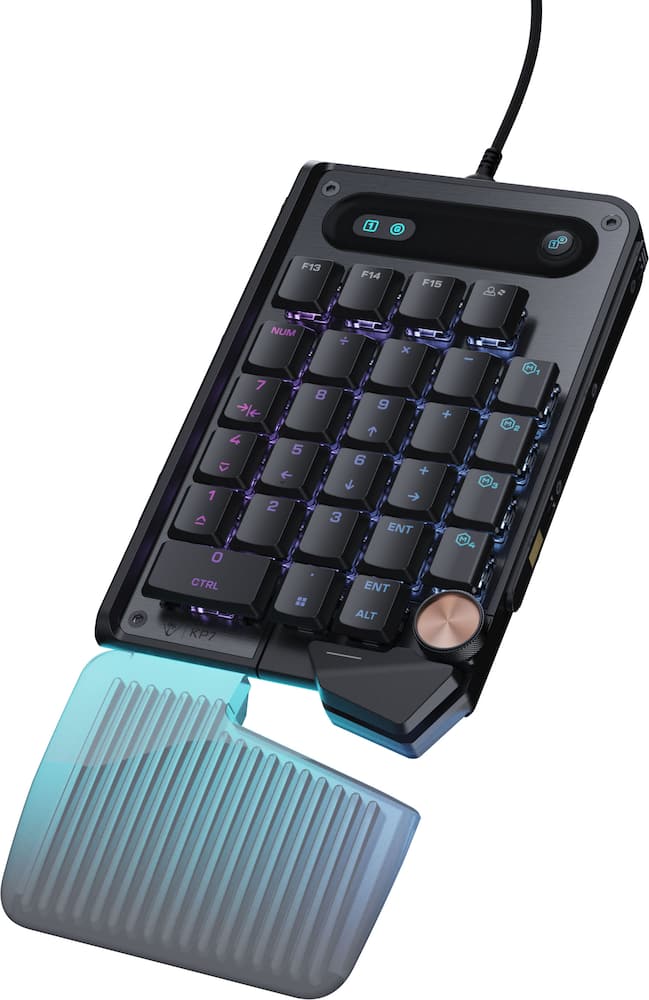
Turtle Beach Model 6676908
Turtle Beach – Command Series KP7 Wired Hall-Effect Gaming Keypad for PC – Black
★★★★★★★★★★ (4.5) 20 reviews
Original price was: $99.99.$79.99Current price is: $79.99. Save $20
In stock · Ready to ship
Delivery Wed, Nov 11 – Fri, Nov 13 Free shipping
Secure checkout · Visa · Mastercard · Amex · Discover · PayPal
Questions? Talk to a product specialist
(888) 519-3048
- Free shipping $60+3–5 business days
- 30-day returnsMoney-back guarantee
- Brand-newManufacturer warranty
- Ships from the USColumbus, OH
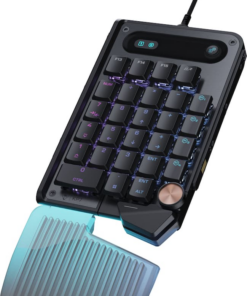
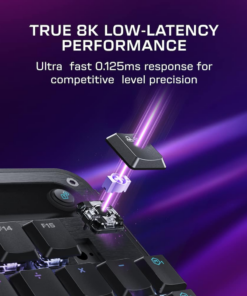
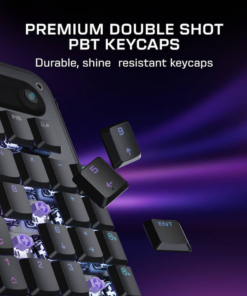
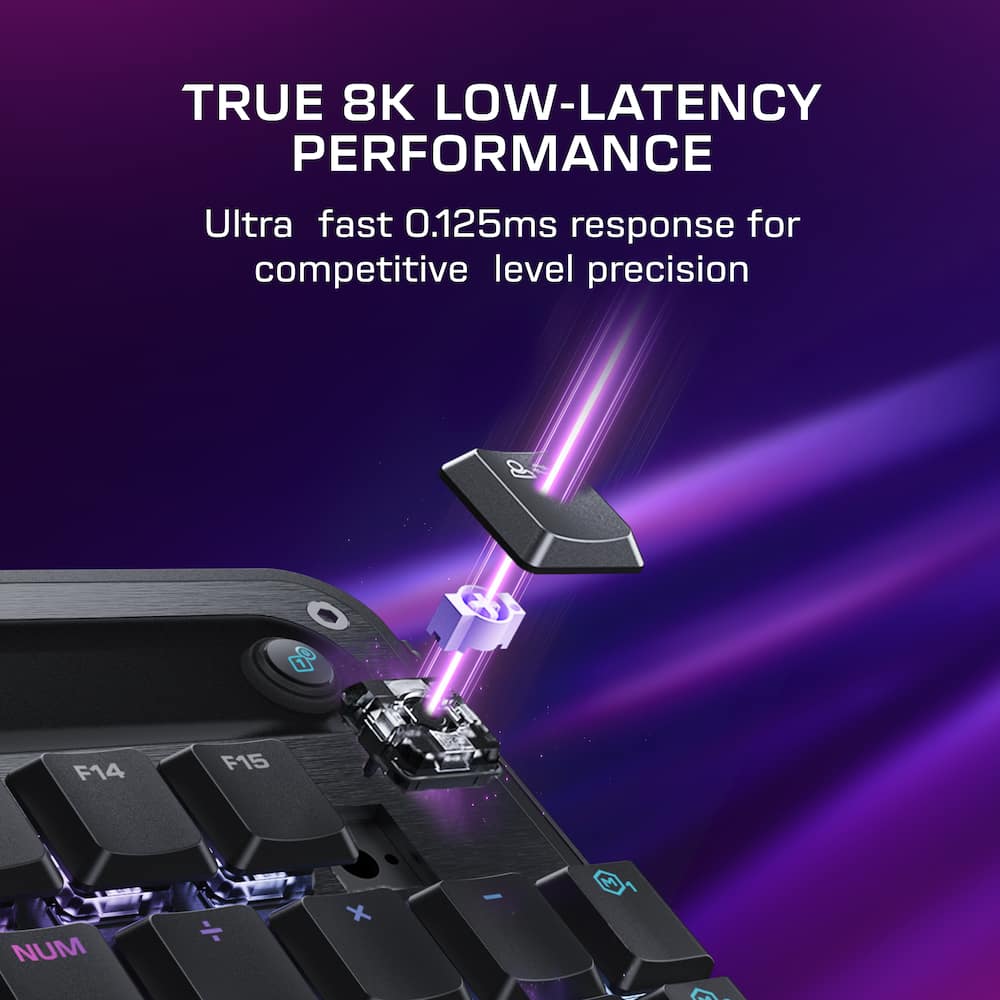
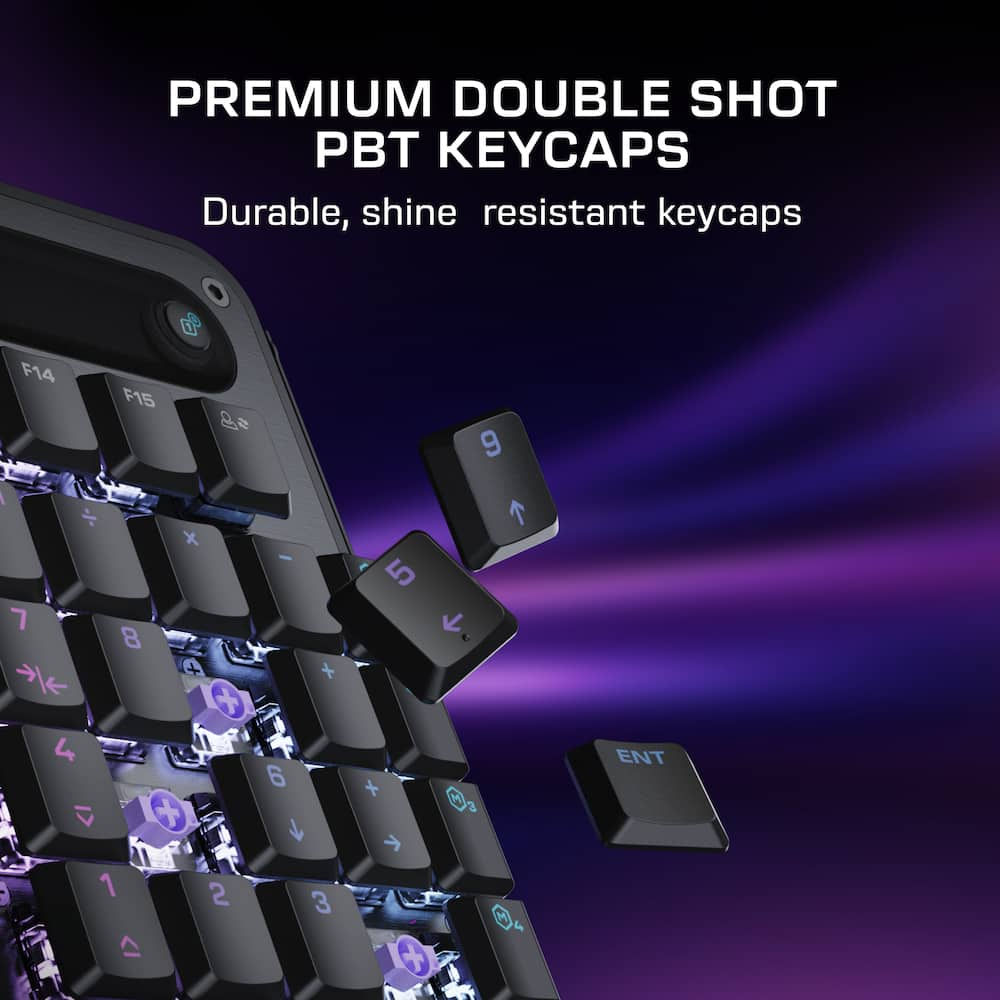
- Compact Footprint Built for fast, efficient input, the compact layout keeps essential controls within easy reach while freeing up space for smooth, precise mouse movement.Modular Design Seamlessly docks with the Command Series KB7 keyboard via rail‑based mounting or works as a standalone with simple plug‑and‑play flexibility.Titan Low-Profile Hall-Effect Switches Lightning‑fast analog precision with adjustable actuation down to 0.1 mm, Rapid Trigger support, pre‑lubed smoothness, and a 100‑million keystroke lifespan.True 8K Low‑Latency Performance True 8K polling rate and 0.125ms latency enable response up to 8x faster than standard keyboards for fast, precise, low‑latency input.Premium Double Shot PBT Keycaps Premium double‑shot PBT keycaps resist shine and wear while delivering a refined tactile feel and balanced acoustics.
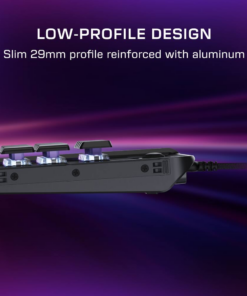
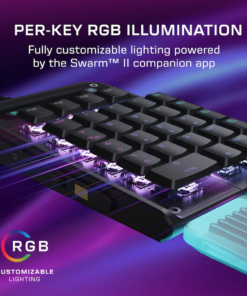
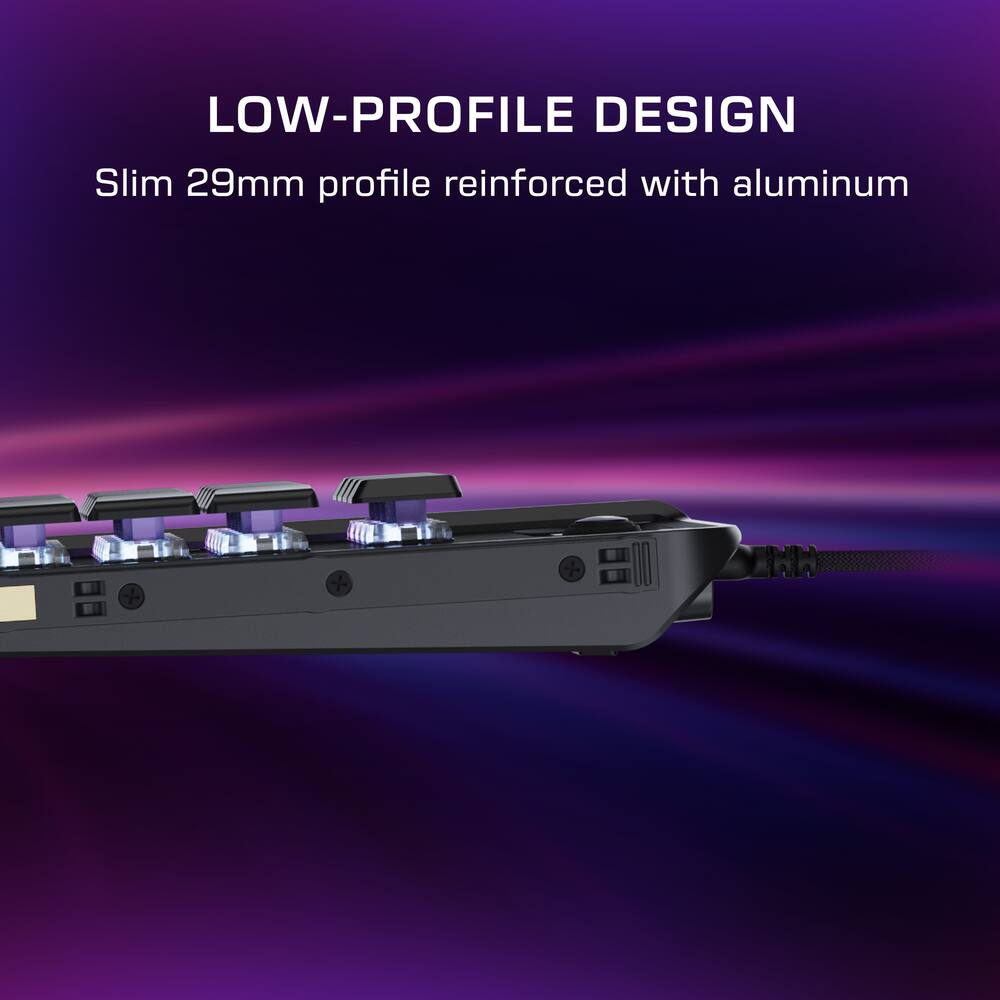
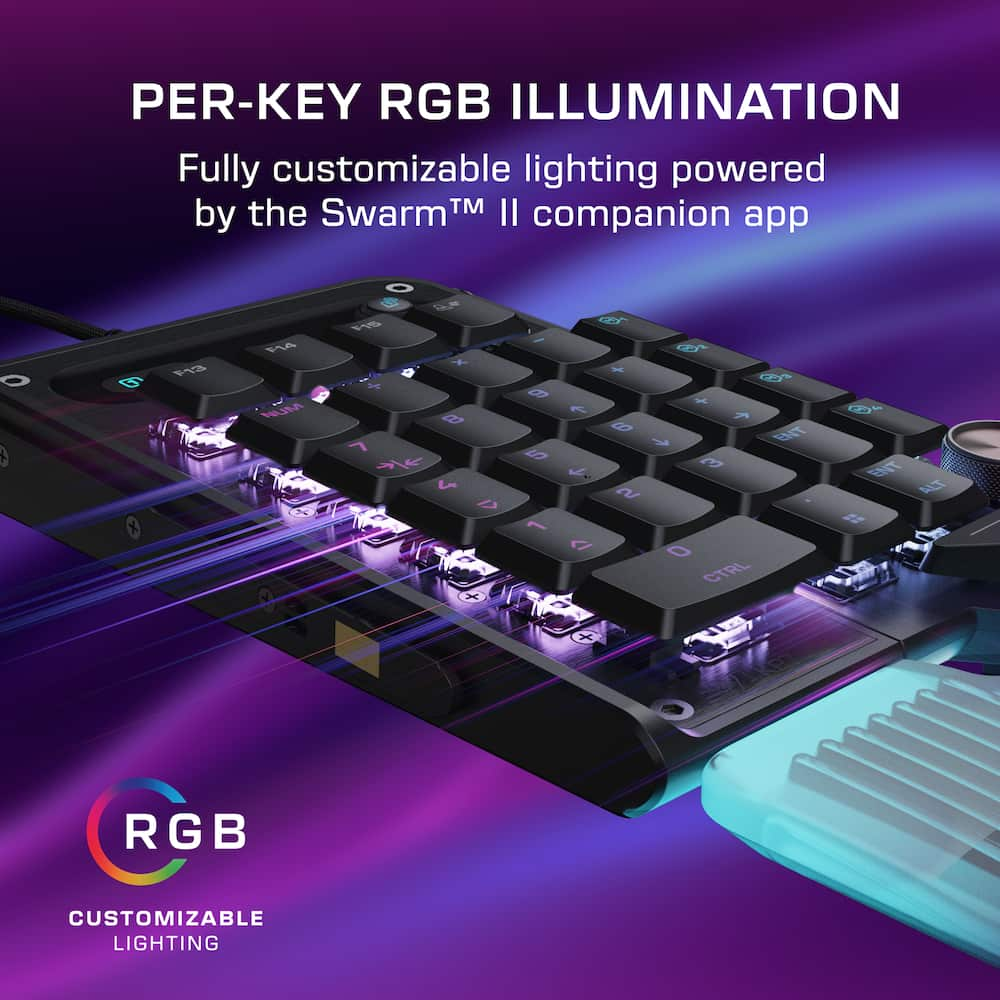
- Additional textured WASD keys provide added grip for confident control.Low‑Profile Design Slim 29 mm/1.14in design promotes natural wrist alignment, with aluminum reinforcement, adjustable kickstands, and a detachable wrist rest.Extendable Thumb Bar & Programmable Wheel Adaptive thumb bar mirrors spacebar functionality when mounted to right side of the KB7 keyboard or as a standalone, while a programmable scroll wheel enables intuitive macro and shortcut control.Per‑Key RGB Illumination Fully customizable per‑key RGB lighting powered by Swarm II for a cohesive, personalized setup.Advanced Customization with Swarm II Software Create profiles, fine‑tune performance, and personalize RGB lighting with Swarm II desktop software.
Key specs
- Weight
- 0.68 lbs
- Dimensions
- 6.85 × 4.45 × 1.14 in
- Brand
- Turtle Beach
- Model Number
- TBK-7001-05
- Product Name
- Command Series KP7 Wired Hall-Effect Gaming Keypad for PC
- Color
- Black
- Lighting Type
- RGB
- Weight
- 0.68 lbs
- Dimensions
- 6.85 × 4.45 × 1.14 in
- Brand
- Turtle Beach
- Model Number
- TBK-7001-05
- Product Name
- Command Series KP7 Wired Hall-Effect Gaming Keypad for PC
- Color
- Black
- Lighting Type
- RGB
- Customizable Lighting
- Yes
- Numeric Keypad
- Yes
- Touchpad
- No
- Keyboard Type
- Gaming
- Palm Rest
- Yes
- Spill Resistant
- No
- Keyboard Features
- Compact Design, Rapid Trigger, Hall-Effect Switches, Programmable Wheel, 8K Polling, Double Shot PBT Keycaps, RGB Lighting for FPS, MOBA Precision
- Foldable
- No
- Keycap Material
- PBT
- Maximum Number of Memory Profiles
- 5
- Form Factor
- 40%
- Number Of Keys
- 29
- Keyboard Technology
- Magnetic hall effect
- Dedicated Macro Keys
- Yes
- Key Switch Behavior
- Linear
- Rollover
- Full-key
- Multimedia Keys
- Yes
- Actuation Force
- 46gf
- Connection Type
- Wired
- Wired Connectivity
- USB-A
- Cable Length
- 5.9 feet
- Detachable Cable
- Yes
- Operating System Compatibility
- Windows
- Plug and Play Operation
- Yes
- System Requirements
- Swarm II
- Product Height
- 1.14 inches
- Product Width
- 4.45 inches
- Product Depth
- 6.85 inches
- Product Weight
- 0.68 ounces
- Mouse Included
- No
- Warranty - Parts
- 1 year
- Warranty - Labor
- 1 year
- League/Association
- Not Applicable
- UPC
- 840454402148
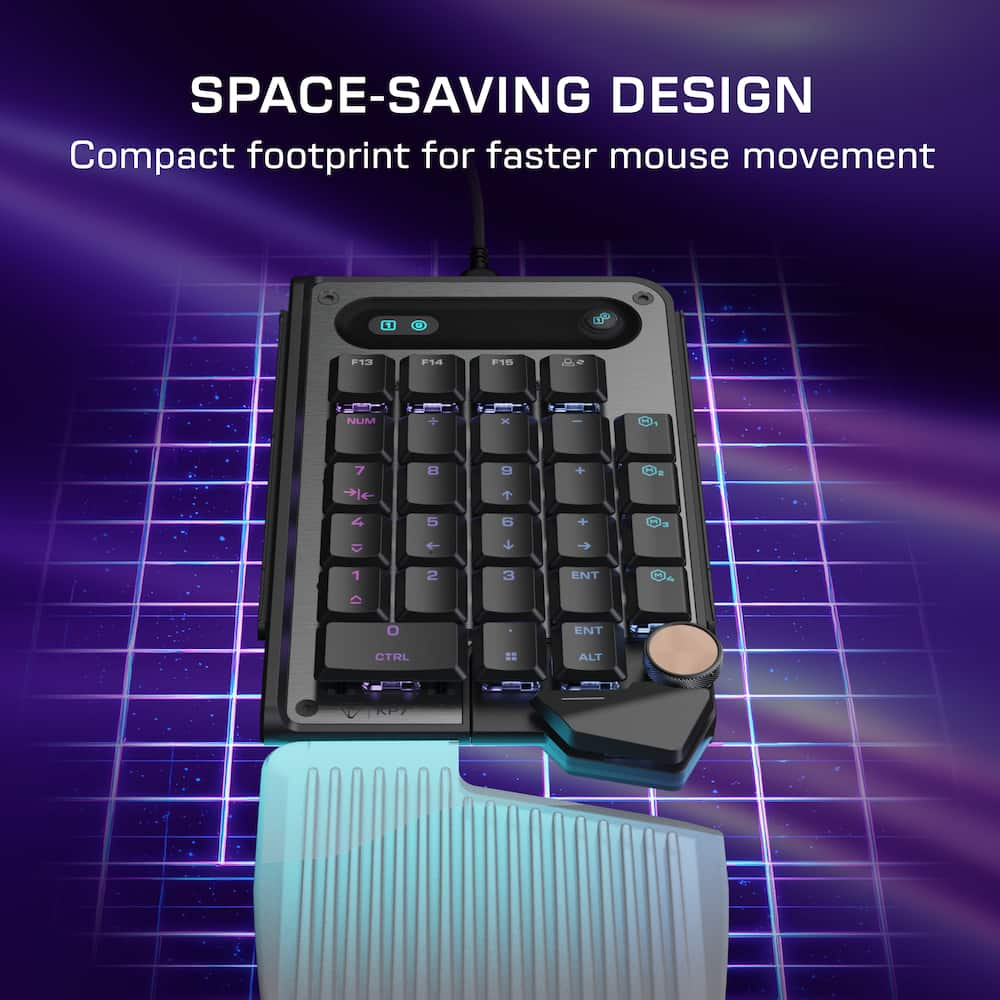
- Compact Footprint
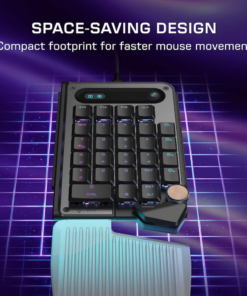
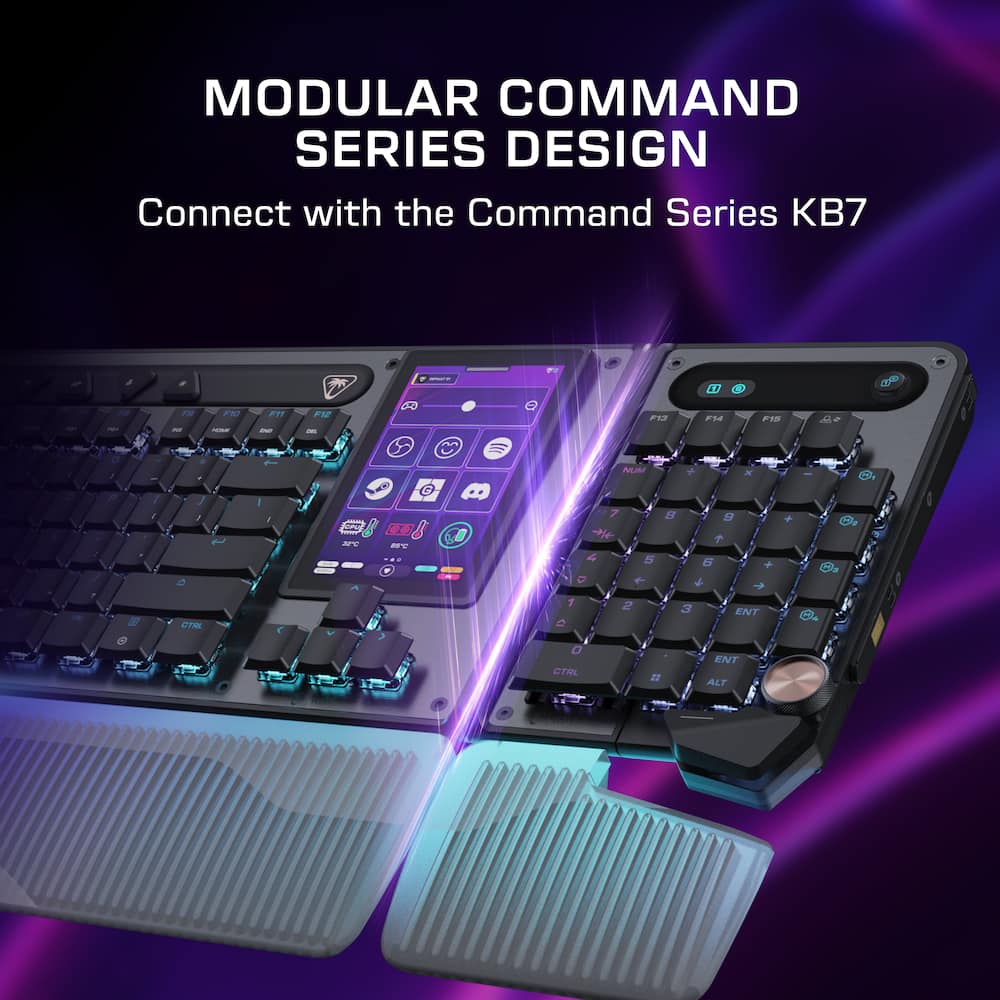
Built for fast, efficient input, the compact layout keeps essential controls within easy reach while freeing up space for smooth, precise mouse movement. - Modular Design
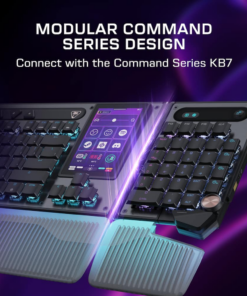
Seamlessly docks with the Command Series KB7 keyboard via rail‑based mounting or works as a standalone with simple plug‑and‑play flexibility. - Titan Low-Profile Hall-Effect Switches
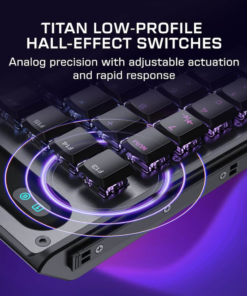
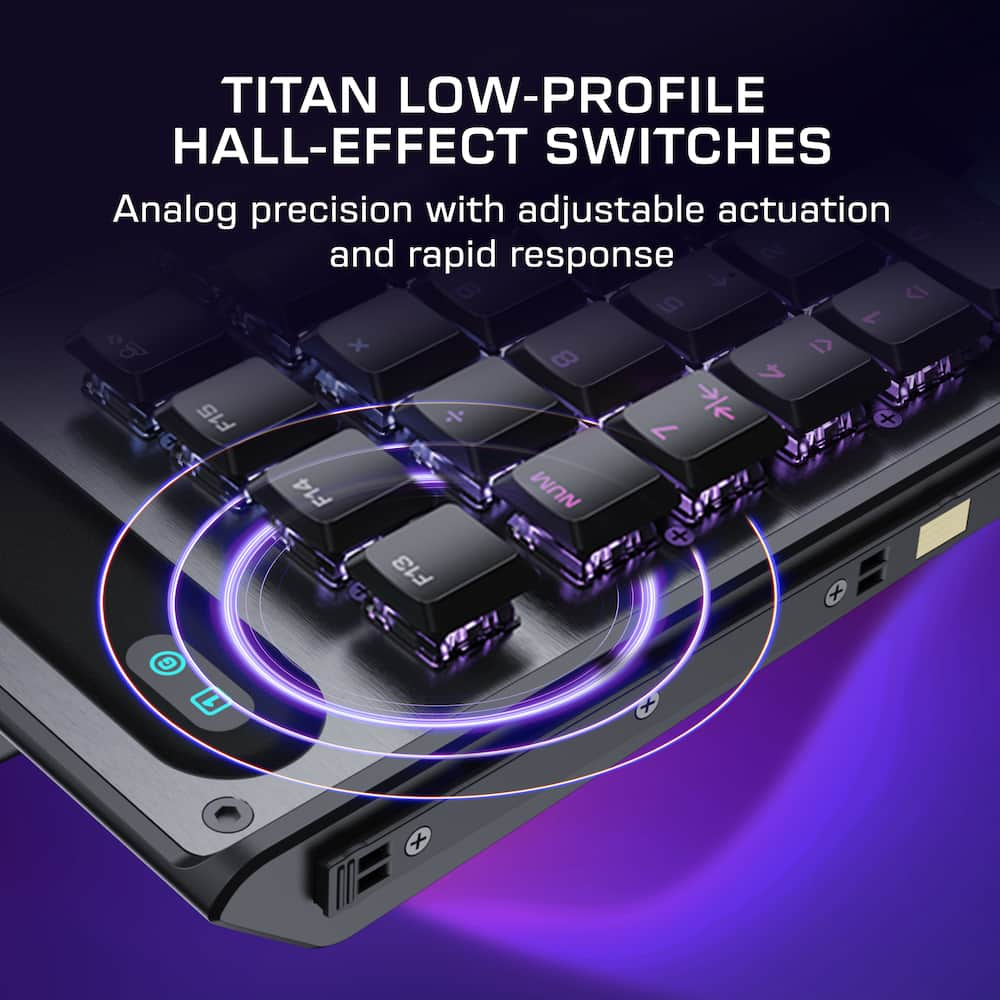
Lightning‑fast analog precision with adjustable actuation down to 0.1 mm, Rapid Trigger support, pre‑lubed smoothness, and a 100‑million keystroke lifespan. - True 8K Low‑Latency Performance
True 8K polling rate and 0.125ms latency enable response up to 8x faster than standard keyboards for fast, precise, low‑latency input. - Premium Double Shot PBT Keycaps
Premium double‑shot PBT keycaps resist shine and wear while delivering a refined tactile feel and balanced acoustics. Additional textured WASD keys provide added grip for confident control. - Low‑Profile Design
Slim 29 mm/1.14in design promotes natural wrist alignment, with aluminum reinforcement, adjustable kickstands, and a detachable wrist rest. - Extendable Thumb Bar & Programmable Wheel
Adaptive thumb bar mirrors spacebar functionality when mounted to right side of the KB7 keyboard or as a standalone, while a programmable scroll wheel enables intuitive macro and shortcut control. - Per‑Key RGB Illumination
Fully customizable per‑key RGB lighting powered by Swarm II for a cohesive, personalized setup. - Advanced Customization with Swarm II Software
Create profiles, fine‑tune performance, and personalize RGB lighting with Swarm II desktop software.
Standard US ground delivery is $5.49 and arrives in 3–5 business days. Orders over $60 ship free. Returns are accepted within 30 days of delivery.
Christopher (verified owner) –
For the right person – I like the minimalist look of a sixty percent keyboard on my desktop. For gaming I really don’t need or miss having a bunch of extra keys taking up desk space. For work and routine use, it’s a different story. I use a ten-key enough the going without one just isn’t practical. Therefore, most of the time when testing out keyboards and what not, I tend to always plug back in my full bodied board. That’s where the Turtle Beach Command Series KP7 really works for my world. It gives me back the pad when I need it, but it’s much more than a basic standalone number pad peripheral device.
Out of the box the unit is sleek and looks very space aged. But then again so does the Turtle Beach Command Series KB7 TKL keyboard. Which this device is really meant to compliment, even though it is not required for use or performance. There are some setup instructions that you have to pay attention to such as plugging the USB-A directly into your computer and not a hub. I can confirm that peripheral hub does make the performance a little wonky at times. But overall, my experience was not diminished, so as a non-representative of Turtle Beach don’t do that, as a consumer, you, do you, I guess. I personally did not want another cord management situation. Next, you must download the Turtle Beach Swarm II app to get updates to the unit and to exploit its coolest features. The quality of the building is excellent so as I have adapted and incorporated into my vibe, it feels durable and quite conformable. The programmability of the keys is slick and adds for some need mixing opportunities. I say that because I have added the macros that allows the device to open screens, play sounds, record snippets, as well as a litany of other things. For me even though trying to teach myself, I don’t play a lot of games were having the fire button or whatever not on the mouse is a benefit. That said, I did mess around with trying to game with just this board and my mouse. I won’t say it was unsuccessful, but it was less than desired. Again, this unit makes the most sense paired with its counterpart. That said, for streamers, or above novice gamers there are a ton of uses for this keyboard peripheral.
Overall, this is probably not a must have that creates that competitive edge we are all looking for. However, for someone who like me prefers the look of the minimalist keyboard or someone at that next level who needs extra easily accessible keys this is an absolute win, and it has RGB, which we all still love, I don’t care what anyone says.
Frank Omelu (verified owner) –
Great Gaming Keypad – I have been using the Turtle Beach Command Series KP7 Wired Hall-Effect Gaming Keypad for a few days, and it has been an excellent addition to my gaming setup. The compact design makes gameplay feel easier and more efficient while also providing additional space for precise mouse movement.
The Titan low-profile Hall-Effect switches are smooth, responsive, and highly customizable, with adjustable actuation and Rapid Trigger support. The true 8K polling rate and extremely low latency also deliver fast, precise input during gameplay.
I especially appreciate the modular design because the KP7 can function as a standalone gaming keypad, macro pad, or number pad, or it can connect with the Command Series KB7 keyboard. The detachable wrist rest, programmable scroll wheel, extendable thumb bar, durable keycaps, and customizable per-key lighting add both comfort and functionality.
Overall, the KP7 combines strong performance, thoughtful ergonomics, and excellent customization in a compact package. It makes gaming more intuitive and enjoyable, and I recommend it to anyone looking for a versatile, responsive gaming keypad.
TheOffice1234 (verified owner) –
Best when used with paired KP7 keyboard – PRODUCT
Turtle Beach – Command Series KP7 Wired Hall-Effect Gaming Keypad
QUICK REVIEW
It is a great feeling, well build 10 keypad. I assume it makes a lot more sense when paired with the main keyboard vs stand alone. The SWARM II software does not exactly play nice with the keypad only but I assume it will get better overtime. It is plenty responsive and feels great.
REVIEW
The Swarm Software has always been a weak spot for me with Turtle Beach Products. While it has improved over the years it is still frustrating at time. For example you supposed to be able to set the colors of the keys individually, but that section is cut off on my screen, so I can only use pre-set wave patterns. Another example is the preset gaming profiles. But they all seems to be only for the main keyboard, not the keypad as a stand alone.
The keypad itself is pretty nice, but there are some questionable choices.
There is a “thumb wheel” for audio. Which would be great if it was on the left side (you know where my thumb is) instead of the right side, which makes it impossible to use. There is a numlock light, but not a numlock button. The wrist pad while nice, looks and feels cheap. The button for numlock / game mode only seems to control game mode on/off. Game mode changes the arrow keys to WASD configuration.
I have a number of 10keyless gaming keyboards, and this is OK to have on the desk for when I want a 10key. I received the product as a “stand alone” keypad and I am reviewing it on that basis.
The good part is that you can program just about anything on the keys and being a hall effect keyboard, you can control how hard you must press to trigger an action. So the keyboard itself is very customizable.
RECOMMENDATION
I think is mostly makes sense in the context of an add on the main KP7 keyboard. I don’t really recommend it for using it without the main KP7 keyboard.
swemoney (verified owner) –
Great for smaller keyboard lovers – I’m a big fan of smaller keyboards but the one downside is when I need a keypad. This solves that problem and still offers the hall effect keys I can’t live without anymore. Probably a little pricier than I’d like but it does it’s job and does it well. It’s also fairly versatile.
Setup is as easy as any keyboard. Plug it in and you’re ready to go. The included USB cable is braided and feels nice and is plenty long. Onboard memory means you don’t always have to keep the software running but you’ll probably want to install it to customize things. That’s where this keypad shines.
On top of being just a ready to go keypad if your current keyboard doesn’t have one, you can customize everything about every key to make it do exactly what you want it to do. Swap it to the left side of your keyboard and activate Game Mode and there’s an existing configuration that turns it into a small WASD section of your keyboard. Customize profiles for a very specific game you need certain keys for. The software even has a bunch of prebuilt macros for a lot of games already included.
Customizing what each key does is one thing but hall effect keyboard are known for an extra benefit, customizing HOW each key does it. Every key can customize it’s actuation point as well as well known up and down activation for rapid presses or linking two keys so the keyboard ignores the first one when a new one is pressed (great for strafing without needing to full depress a key).
The RGB is fairly basic but there are a dozen or so prebuilt settings and then you can make a custom one with limited abilities. It does it’s job well enough.
The volume/scroll knob at the bottom is a little bit stiff and moves the keypad when you try and scroll it sometimes. Not ideal.
If you own the Command Series KB7, this keypad slots right in on either side. I don’t have that keyboard but thought it was neat when I saw the slide track and contact on each side. You can dock the keypad to either side (or each side if you have two of these!) and make this a natural extension of your keyboard.
Overall, this is a nice keypad for those times when you’re missing a keypad. But it also doubles as just a nice gaming pad when you switch sides instead of using your keyboard’s standard WASD controls. The keys feel good and are as customizable as you’d expect for a hall effect keyboard. Great little pad that could be better for a few less dollars. Give this one a look if it fits your budget and you miss being able to fly in GTA 5.
Maclemoor (verified owner) –
Not a full keyboard – This little guy is so intriguing to me. I’ve never owned anything like it so I’m steadily learning all of its features but right out of the box. It is perfect for comfortable Lane position of your palm so that your fingers have easy access to all of the buttons. They designed it very well in a sense that everything you need is within a fingers reach.
Connection and reaction is very fast and precise.
Its functionality works both gaming or regular every day use.
It’s compact in a sense that it’s not an entire keyboard but for its functionality it’s actually pretty medium sized. I wouldn’t call it actually compact or overly large. It does take a decent amount of space on your desk with the cushion pad for your palm.
And because it’s not a standalone keyboard, you still need the rest of the keyboard which will take even more space.
It’s wired only so you are limited in the direction of location. You wanna put it in relation to your screen desktop and or other keyboard. If you’ve never had anything like it, I suggest trying it but it’s not a game changer.
Goor00inTX (verified owner) –
A Gaming Keypad That Actually Gets It Right – I’ve tried a couple of gaming keypads over the years, and honestly, both left me disappointed. Weird layouts, awkward sizing, and overall clunky designs made them more frustrating than helpful. I was close to giving up on gaming keypads altogether.
Then I picked up the Turtle Beach Command Series KP7, and everything changed. From the moment I unboxed it, it felt like someone finally designed a keypad with real gamers in mind.
Packed With Smart Features That Actually Matter
This isn’t just a number pad with a few extra buttons – it’s a genuinely useful gaming tool. You get:
* Three dedicated function keys
* A quick-switch button to swap between Keypad Mode and Gaming Pad Mode
* Full macro support
* A dedicated space key
* A rotary volume knob
* Fast profile switching
* 4 textured Keycaps to mimick WASD
It’s surprisingly versatile. You can place it on either side of your keyboard, so it works great whether you’re left-handed or right-handed. And that volume knob? Way more convenient than reaching for your main keyboard or headset controls.
Everything about the KP7 feels intentionally designed, not thrown together.
Premium Build Quality That Feels Worth Every Dollar
The KP7 uses low-profile Hall-Effect magnetic switches, and they’re incredible. Every keypress feels smooth, accurate, and fast – easily some of the best switches I’ve used on any gaming device.
The mix of metal and plastic gives it a sturdy, high-end feel, and the translucent rubber palmrest adds a nice visual touch. It’s a bit shallower than I personally prefer, but it’s still comfortable for long sessions.
Overall, the build quality is exactly what you’d expect from a premium gaming accessory.
Customization Made Easy With Swarm II
The Swarm II app takes this keypad to another level. You can remap every key, build complex macros, create multiple profiles, and fine-tune the keypad to match each game you play.
The software is clean, stable, and easy to use – even if you’re not super technical. It gives you full control without feeling overwhelming.
Final Thoughts: Absolutely Worth It
After using the KP7 daily, I can confidently say it’s one of the best gaming peripherals I’ve added to my setup. The price feels more than fair for the features, build quality, and performance you get.
If you’re serious about gaming and want a keypad that actually improves your experience instead of getting in the way, the Turtle Beach Command Series KP7 is absolutely worth picking up.
Bappy (verified owner) –
worthy gaming keypad, software not so much – The Turtle Beach Command Series KP7 is an interesting device that is primarily marketed as a gaming keypad and companion device for the Turtle Beach KB7 keyboard. I do not own the KB7, so I have been using the KP7 as a standalone device connected directly to my ASUS ROG gaming laptop via the included USB-C (device side) to USB-A cable (computer side). Initially I wasn’t sure how useful a dedicated keypad would really be, but after spending time with it I found it to be a good addition to my setup.
My primary use case is gaming. I have the illuminated wrist rest attached, and I have extended both the thumb bar and the wheel assembly to make them easier to reach during gameplay. The compact design frees up additional room around my mouse, which is especially useful where large mouse movements are used. The thumb bar also creates a more comfortable hand position than I expected and gives quick access to important command keys on the right side of the keypad without having to reposition my hand.
The hardware is where the KP7 really stands out. The Hall Effect switches feel fast and responsive, with smooth key presses and adjustable actuation settings for those who like to fine tune their controls. While I cannot honestly say I notice the full benefit of the advertised 8,000Hz polling rate during normal gameplay, input responsiveness has never been a concern and the keypad always feels immediate. The PBT keycaps feel durable and the overall build quality is much closer to a premium gaming keyboard than a typical numpad or macro pad. The programmable wheel is another feature that I ended up using more than expected. Depending on the game or application, it can be assigned to useful functions and adds another convenient input option without taking up additional desk space. Although the KP7 is designed primarily for gaming, I could also see it being useful for productivity shortcuts, streaming controls, or even light content creation tasks.
Software support comes through Turtle Beach’s Swarm II application. It provides a considerable amount of customization; however, it is the weakest part of the overall experience. The hardware feels polished and premium, while the software not so much, it gets the job done but leaves room for improvement.
Overall, I came away more impressed with the KP7 than I expected. While Turtle Beach positions it as part of a larger ecosystem, it works perfectly well as a standalone device. If you already own a gaming laptop or desktop and want a compact controller for gaming that also offers macro functionality and customization options, the KP7 is worth considering.
>>> Pros >> Hall Effect switches feel fast and responsive >> Compact footprint leaves more room for mouse movement >> Comfortable wrist rest and extendable thumb bar >> Premium build quality with durable PBT keycaps >> Programmable wheel adds additional functionality >>Works well as a standalone device without requiring the KB7 keyboard >> Plenty of customization options through Swarm II (although hoping for some improvements on the software side). <<< Cons << Swarm II software could be more better << Premium price compared to traditional gaming keypads or number pads << Some of the ecosystem-focused features are less relevant if you do not own a KB7 << May be overkill for users who only play casual games.
TechEnthusiast (verified owner) –
Nice gamer aesthetic. Software is intuitive. – I’ll confess, I mostly got this because it looks cool.
The sharp angles, the RGB lights, the extra little knob, and the extra macro buttons all give this a very “gamer vibe.” It looks great on my desk.
I was surprised by how useful this is for day to day activities though.
In order to fully utilize this pad, you have to install Turtle Beach’s “Swarm II” software.
Installation was fairly smooth, and the software itself is quite intuitive.
I did struggle some with setting up keys for “easy shift,” but setting keys up for “game mode” and multiple profiles was simple enough.
The software does a fairly good job of guiding you through macro setup. I mostly just used it to setup quick, 1-press access to some programs and 1-touch copy / paste for word processing.
I like the scroll wheel on the keypad. By default, it’s a volume knob. I appreciate having granular control over my volume, and I also like that I can mute my computer with a single button press.
The pad itself feels well constructed, but the rubber wrist rest feels a little too delicate for my taste. It’s not terribly well supported, and you need to have it firmly on your desk to avoid having it tip off.
The included USB cable is type-A to type-C. It’s cloth wrapped and feels sturdy.
They also included a key puller and 4 blank key caps.
I think this is a great keypad. It’s useful for gaming, but it’s also great for productivity.
It has a great look to it and adds functionality to my setup.
Benb (verified owner) –
Love the Gaming mode, perfect for on the go gaming – So I am using this without the main keyboard, I have a surface tablet that I enjoy playing fortnite on when I’m on the go but my Bluetooth keyboard that I have paired with the Surface isn’t the best (It’s a non-Microsoft one that is much less expensive), This keypad was kind of perfect, when I have some extra number kind of things I now have a keypad I can grab and utilize for data entry, but that is used far less then utilizing it for gaming, I remapped several buttons to get all the command I use in Fortnite as well as mapped the scroll wheel in game mode, it was a little weird that it was mapped to volume in number mode but had no mapping in game mode, but I mapped it plus pressing down on the volume button is my mic mute so that works pretty good. The wrist rest is really nice for gaming and I love that I can change the individual actuation of each button so that buttons that I have to give a little more pressure on some to get a reaction. I had to replace the 4 direction control keys with the texturized ones that came in the box as I had trouble at first, I have the number pad memorized so I don’t need to know where the 9,5,6, and then I got real confused. I had to go look at my keyboard for it to make sense, there were two + buttons right above and below each other, then I realized that on my normal keyboard it’s a big button and that made sense all the sudden and I really like that it is two buttons on here as that is really useful for game mode. I love the RGB and the weight of it feels really nice. Overall, I am happy with the quality, the extra buttons for game mode and the ability to customize it,
I don’t love that the cord is USB A on one end, but at least it is USB C so grabbing a USB C to USB C cord wasn’t an issue for me.
BillFromKC (verified owner) –
Solid gaming keypad with fun features – The Turtle Beach KP7 wired Hall-effect gaming keypad is an interesting piece of equipment. It’s meant to pair with the KP7 or KP5 keyboards, though it can work with any keyboard you’d like, or can even be paired with a laptop. The ergonomics make this a solid option for keyboard and mouse players looking for more desk space, though the macro keys can get annoying being they’re along the side of the keypad and not where the F keys are. Also, having used the original SWARM software before, SWARM II feels like both an advance and a digression with the way the software works. Overall though, I like the KP7 Keypad as it reminds me of hybrid keyboard/joypad controllers.
Unboxing and setup:
The KP7 keypad is packaged well, and opening it is an experience similar to what most high-end electronics and computers give you.
Inside the box, you’ll find the keypad, a USB cable, a wrist rest, WASD textured keys, a key puller tool, and a quick start guide.
Setup is easy – slide the wrist rest into the bottom of the keypad, connect the USB cable between the keypad and your computer, and install the SWARM II software. From there, you’ll be able to program the RGB lighting and configure macro keys and the knob. You’ll also be able to adjust the sensitivity of the Hall-effect key switches.
Usage is fine. I played several first-person games – Doom 2016, Doom Eternal, Quake, Halo Combat Evolved, and Mouse PI – and all played great after reassigning keys to the keypad. The thumbbar space bar and macro wheel were both in the perfect position to switch through weapons in a hurry.
SWARM II is the downfall of this device. While it’s more stable than the original SWARM software is, it’s not as intuitive. SWARM II also forces you to disable OG SWARM if you have devices supported by both programs, which I do and did test with; doing so made it impossible to change the settings on my older mouse that isn’t supported by SWARM II but is supported by OG SWARM.
If you’re entering the Turtle Beach ecosystem of peripherals and need a keypad, the KP7 keypad is a good choice, especially if you’re adding it to a KP5 or KP7 keyboard. However, keep in mind that the software is ultimately what holds this back from greatness.
DavidJr (verified owner) –
Not just a numberpad – Sure, this looks like a typical number pad at first glance and by default, that is what it will function as. However, this is just a keypad and you can make every key do whatever you want it to do. Once you install the Turtle Beach Swarm II software, the world is yours to command.
There is no need to put it on the right side where a numberpad usually is. Put it on the left and replace your typical WASD configuration. Maybe you just want a bunch of individual macros. Maybe you just need a few commands but want to make them color coded so you can easily recognize them. You can make each key be different commands based on the FN/Shift/Game mode. You don’t need the matching keyboard either, as this is a completely standalone device.
With all the button customization, you can even make the individual keys react differently. With the Hall Effect settings you can customize the trigger point and release point, making the slightest little touch into rapid fire precision. You can even make a single key have 3 functions based on how hard you press it with the Multi-input actuation settings.
This keypad is pretty unique with all its options. Like the ability to move the period and half the enter bar with an added space bar, a bit further down. In the right hand that seems oddly placed, but when in the left hand, it gives you 3 buttons and the knob under your thumb, making it a bit more comfortable for the WASD style gaming pad.
This may take some getting used to, but once you program it for everything you want and give it some profiles for whichever game you are playing, you won’t want to go to anything less. The only thing I’m disappointed in is the four textured replacement keys don’t let any light through. Being able to set the color per key only looks like a void in the keypad with those buttons in place.
Overall, don’t let the numberpad layout fool you. This is a completely customizable keypad that can be used on either side you choose with any number of combinations and customizations to work for you.
Wendal Weets (verified owner) –
Eminently customizable and comfortable – Of course I waited until computer parts are insanely expensive to get back into PC gaming.. I’m an Xbox guy but the graphics capabilities are getting long in the tooth while PC gamers get 60fps 4K gaming but that’s a different story. It took me a while to get used to using a mouse and keyboard again and it was almost natural except WASD wasn’t working for my old man wrists the way it did when I was in my 30’s lol.
The KP7 keypad add on looks like a number pad on the side of old, full size keyboards but it’s standalone. And it has a bunch of extras that make it elite and much more useful than sliding your keyboard over and using the number pad (if you have one).
The thumb key (corresponding to space bar) can be extended out, so it has three positions. It also has a clickable wheel that is default for volume control and mute but it can be modified. Which brings me to the main attraction: Swarm II software. It’s insanely customizable and probably way too intense for most gamers. The buttons are Hall effect sensors, so the actuation point and repeated press sensitivity are able to be modified to micrometers. When programming macros, the length a button is tapped, pressed, or held is measured in milliseconds. Everything can be so tailored, it’s mind boggling.
Buttons aren’t clicky and feel soft but everything about the way they “feel” in use can be changed so they can feel hair trigger like or heavy. To the right side of the controls are 4 fully customizable buttons. Multiple profiles can be saved and there’s a dedicated button for toggling between them. Like I said, mind-boggling amount of customization. Can’t reiterate that enough.
For me, the comfort of having the arrow keys symmetrically aligned, the fact that I can keep it to the left of my keyboard and game comfortably, the built in wrist pad, and the overall natural feel while sitting at my gaming desk make this the perfect cherry on top of my rediscovered love for PC gaming.
OmieOne (verified owner) –
Something you need without knowning you need it. – This is something I didn’t know I needed until I got this. While I don’t have the full keyboard this keypad is still a winner for me. Its small footprint works great when I travel and want to play a game on my laptop, being a keyboard gamer, I don’t need a full keyboard with me, I can use use this with a mouse and have great FPS experience with a small footprint. But also its great for when I need a keypad at work, since I carry this with me, I can use both afterhours and work. The hall effect low profile switches are great feeling and with the Swarm II software you can adjust the touch on them, as well as the lighting. Its also nice to have a wheel, can adjust sound or other items which is a nice to have. Now they claim 8K polling for faster then standard keyboards, but honestly for me I don’t notice a difference, but its nice to know. Just know first use you will definitely want to install Swarm II software and ensure you update the firmware, I did just plug it in and use it before doing it, and was happy to see the firmware seemed to make a different and make it feel solid. This is a great additional keypad for those that need but also perfect for FPS or other games where you don’t need the full keyboard giving you more space for the mouse. Win Win.
MoniMouse (verified owner) –
Great hardware but with some software issues. – This Turtle Beach Command Series KP7 Hall-Effect Gaming Keypad has great features and great potential. It is built great with quality materials and feels great to the touch. The keys are smooth and super responsive with the Hall-Effect switches. I love having a dedicated keypad. It makes all the difference in the world. I use it for gaming and for productivity as well. As far as gaming, it works like a charm, but it has its quirks. The Swarm II software seems to be a bit of an issue. I am almost certain that the firmware and the software itself have updated several times over the past several weeks that I have had this keypad. The issues that I have had is that the keypad becomes disconnected at times, and I have to restart my computer before it will recognize it again. Also, the per key RGB lighting seems to be off quite a bit too. I have had to freeze up on me and have had it just stop working. When it freezes up, the entire game freezes. I have to restart my computer. When it just stops working, I have to disconnect the keypad, restart the computer and then connect it again. There have been updates that I thought fixed the issues, but it will work fine for a bit, then start some of the issues again. The hardware itself is fantastic. I have no issues with the hardware. It’s the software, Swarm II, that seems to be causing the issues. I uninstalled the software after doing the firmware updates, and just tried the keypad without the software, which I don’t recommend, because you can’t set the adjustable key actuation settings, the lighting or any other custom settings. I just wanted to see if I had issues with the keypad without the software installed. I did have some issues, but not like I did when it was installed. It’s a great keypad for gaming, and the issues will be taken care of in updates.
In the box you get the keypad, keycap puller, USB Cable, User Manual
Setup: install the Swarm II software on your computer and follow the instructions. Setup isn’t that bad.
Pros:
-It’s versatile and can be used as a gaming keypad, macro pad, or numpad
-Integrates seamlessly with the KB7 keyboard
-Titan low profile Hall Effect switches with 100-million click lifecycle
-Rapid Trigger
-adjustable key actuation
Cons:
-Swarm II software needs new updates
-has trouble staying connected
-has trouble freezing
jonnyd2885 (verified owner) –
Interested to see what gets added to this system. – The Turtle Beach Command Series KP7 is a wired, modular keypad designed to be used either on its own or alongside the KB7 keyboard. When used individually, it connects using the included USB-C to USB-A cable. When attached to the modular rail on the KB7, it can receive power directly through the keyboard without requiring its own USB connection. With an illuminated wrist rest, programmable scroll wheel, Hall-effect switches, and PBT keycaps, this is clearly positioned as a premium keypad in Turtle Beach’s lineup.
The dual modular rails on both the KP7 keypad and KB7 keyboard let you choose which side of the keyboard you want to attach the keypad to. This gives you quite a bit of flexibility. You can use it in the traditional keypad position on the right side or attach it to the left and use it more like a gaming keypad. When mounted on the left, you can move the expandable thumb bar into a comfortable position and use it somewhat like a traditional gamepad, with a conveniently positioned spacebar near your thumb.
I’m interested to see what else Turtle Beach adds to the Command Series lineup. I am a little confused by the decision to remove the keypad from the KB7 keyboard in favor of a customizable touchscreen, only to release a separate keypad that essentially adds back what was removed. I suppose the benefit is that people who need a keypad can add one, while those who don’t can simply leave it off.
While I appreciate the modular design of the KP7, I don’t think it makes nearly as much sense unless you’re using it with the Turtle Beach KB7 keyboard. If you have a tenkeyless keyboard and only occasionally need a numeric keypad, there are more affordable options without all the bells and whistles of the KP7. Likewise, if you’re specifically looking for a gamepad-style keypad, there are other options that fulfill that role better.
Ultimately, I think Turtle Beach tried to make the KP7 do a little too much without making it excel enough in any one area to be particularly appealing as a standalone product. Paired with the KB7, however, it makes considerably more sense and is a great way to add a keypad while retaining the flexibility of Turtle Beach’s modular design. On its own, I think there are better options.
RedScorpion (verified owner) –
Great Gaming Keypad for Right Handed Players – The Turtle Beach KP7 looks like a number pad on steroids, but it is really part of a larger keyboard system that pairs with the Turtle Beach KB7 to create a command center. Thankfully, the KP7 also works on its own as either a dedicated gaming keypad or a numpad, depending on your setup. With one press of the game mode switch, it can take over the left-hand keys for FPS or MOBA games. My main complaints are that the layout feels clearly designed for left-side placement, so using it as a right-side numpad can make the keys feel out of place, and Turtle Beach’s Swarm 2 software still feels like a work in progress. Even with those caveats, the KP7 is a solid gaming peripheral and pairs especially well with the KB7 command system.
Unboxing: The KP7 includes textured replacement keys, a key puller, a USB-C to USB-A cable, and the keypad itself.
Setup: To configure and update the KP7, you will need the latest version of Turtle Beach’s Swarm 2 software. The software is serviceable, but it is not especially user-friendly and still feels a bit rough around the edges.
Experience: The first thing I noticed was the build quality. The keypad is solid with good weight. The wrist rest is comfortable, the key presses feel snappy and responsive, and the KP7 fits the left hand particularly well. That said, left-handed players may find the overall experience a bit backwards, since the layout seems optimized for right-handed players using their left hand for movement keys.
In FPS and MOBA games, the KP7 feels and works very well. The key actuation is satisfying, and the lighting effects are bright. It fits the left hand comfortably, and I appreciate how easy it is to reach the thumb knob and spacebar. I do wish the default key labels changed more clearly when switching into gaming mode, because it takes some muscle memory to remember which keypad input matches the corresponding key on a traditional keyboard.
The key lighting effects look good and offer plenty of brightness.
The KP7 is a solid gaming device that feels a few tweaks away from being great. I can see myself using it often during gaming sessions, especially for FPS or MOBA-style games where the left-hand layout makes the most sense. If you plan to use it on the right side of a keyboard as a numpad, the key placement may take some adjustment. But if you already have the Turtle Beach KB7, the KP7 is an easy recommendation.
For FPS or MOBA-style games, the KP7 has been a great little device. If you already have the Turtle Beach KB7, it is a no-brainer. Recommended: 4.5/5.
TechnicallyCorrect (verified owner) –
Too niche , not enough wide appeal; – I guess I am in the minority, but I have always preferred and purchased full-size keyboards. I just like the spacing and the number keypad. Recently, I decided to switch to a 75% keyboard to save space. However, I found myself missing the number keypad. So when BestBuy offered the Turtle Beach KP7 to review, I jumped at it.
First impression and the basics –
The quality is good, but I was expecting more at this price point. The K7 has an aluminum top plate with a plastic chassis. The plastic has a cheaper feel than expected but that is subjective. The keypad has rubber feet on the bottom, so it does not slip around. There are two feet that flip out to elevate the keyboard. Like nearly every gaming keyboard, it has the full RGB lighting. The K7 has slots on the bottom to insert a wrist rest. It is translucent and conducts the light from the keypad – just barely. In addition to the number and math keys, there are 4 macro buttons, a programmable pressable knob (volume, scrolling etc.) enter keys, a thumb button and main button to switch between a number keypad and game mode. It is designed to be attached directly to the Command Series KB7 Keyboard, but I am reviewing as a standalone. Overall, it is a nice package that is well thought out.
Performance –
The keys are incredibly responsive and have just the right tactile feel to them. People that use this as a game pad will not be disappointed. The keys are spread out enough for most size hands, but I did find myself accidentally hitting the thumb button quite often if I left my wrist on the pad. This is a wired keypad so there are connectivity nor latency issues. I did find the knob a bit too flush and hit other keys when trying to use it. I think that just might need some getting used to.
Software –
You will need to download the software to take advantage of the customization. I did not have an issue downloading but it had me update twice before I could even use it – odd. Once it was up and running, you could set everything you want and assign it to a profile. There are 5 default profiles, and you can create more. Interestingly, you can export and import existing profiles. For some reason, the keypad would go into hibernation too frequently. It was not consistent and I looked through all the software to see if there was a setting I could adjust, but there was none (at least that I could see.)
Conclusion –
I have mixed feelings on this keypad. If you already own the KB7 keyboard this makes more sense to buy it rather than if you were buying it as standalone keypad. That begs the question as to why you would not have bought one of the KB5 or Vulcan II series keyboards that has the keypad . There is a lot of technology in this package, more than I think most people will ever use. Then there is the price, it is expensive – about half the cost of the high-quality gaming keyboard. Add all that together and it leaves me wondering who it the target customer. It seems this was designed for those who already bought KB7 and found themselves missing the keypad. That is not a large target audience. This is niche product with a high price. Based on the above, I find it difficult to recommend.
Mike (verified owner) –
Calling all accounting, finance & data gamers! – Your 10-key just got a serious upgrade with this offering from Turtle Beach with their Command Series KP7 Keypad! I love this thing for work and play, the keys are whisper-quiet, excellent travel, great lighting, and easy to use software to boot! First thing you notice when taking the keypad out of the box is just how sturdy it feels, as it should, with the deck under the keys being brushed aluminum and the Hall Effect keys are sturdy with a large amount of plastic bracing the keycap. The keycaps are also very easy to change out, as it’s a circle with a plus design that holds the key in place and actuates the switch. The switch actuation is smooth, like buttery smooth! Using this thing for gaming is amazing easy by utilizing it with the per-key RGB, swappable keycaps (some included for custom key), or using it as a numpad with however you may assign those keys! I use a 10-key regularly enough professionally that I thought I’d give it a try at my desktop/workstation in my home office to get the most use out of it, at least initially, and wow was that the correct choice! My normal daily keyboard is a Logitech G915 that also has per-key lighting, so my 10-key is already lit in an easily identifiable way (for me) to know if they’re being used as a traditional number pad, or if it’s setup in a custom ‘macro’ mode. I carried that same lighting style to this… and have been making excellent use of the four ‘M’ keys for macro switching, even more with the “quick shift” button in the top right of the keypad! The added visual cue to quickly indicate that the keypad has switched from work to play is amazing! No more going into software or trying to remember if the keypad is in numbers or game control mode, just a quick push of the dedicated button and it shifts my RGB, key assignments, and even the dial control to their ‘game’ modes. If only it would also slide the bottom right of the keypad out for games and in for work, too! That I am nervous about, as the sliding mechanism doesn’t seem especially sturdy once it’s extended out like it is in the collapsed form, but I hit the space key pretty hard and it’s held up so far, here’s hoping it holds up like that in the long run otherwise you might lose your period/decimal and [second] ‘Enter’ key. Oh yeah, the enter key is split in two, which makes sense since this keypad has split personalities. One is all about business, the other is whatever you want it to be! There’s also F13-16 and a mode changing key for different user profiles that add even MORE functionality and customization abilities! Turtle Beach even added rails to both sides with contacts to attach it to either side of the Command Series keyboard & other accessories and a detachable three zone RGB wrist rest. I don’t know how the sliding period/Windows key, Enter/Alt, Space, and wheel work with the keyboard on the right side of the keypad, or with any of the other possible accessories works, but it seems thought out enough that they’ve thought of this, at least based on the thought that’s been put into this part of the system. This is one seriously cool, seriously overkill, but incredibly functional keypad and I’d recommend it to professionals, whether that’s a professional gamer or Excel warrior, you’ll love how you can build out this whole series, especially the KP7 Keypad!
Balboa3 (verified owner) –
Great Sidekick – I was stoked when Turtle Beach released a new keyboard add-on. After using it across several games, I now find it hard to play without it.
Setup was straightforward. Because I have used Turtle Beach gear for years, Swarm II was already on my PC, so the device appeared immediately upon connection. The customization depth is impressive, as expected from Turtle Beach; you can adjust individual key lighting and functions.
The switches and keycaps feel high quality and comfortable. I appreciate the textured keycaps, which help keep my hands positioned correctly without looking down. The thumb bar and dial are valuable tools that provide an extra edge during play.
I have tested it in some FPS titles, but it has also been essential in WoW and Diablo 4, along with other action RPGs I enjoy. It really gives you so many more options for setting up actions. Being to setup multiple macros and having them all just a short flick of a finger away is great.
This is an excellent gaming accessory. I cannot imagine playing without it now. It is definitely highly recommended.
Sean (verified owner) –
Cool Gaming Gadget – The Turtle Beach Command Series KP7 is a cool take on the gaming keypad accessory. It gives you the ability have a dedicated gaming and macro keypad without limiting itself to just gaming or even having to be a stand alone device. While I do not own the KB7 keyboard that the KP7 is meant to be paired with, I think that it’s an awesome idea that the number pad can be attached to either side of the keyboard based on how it’s being used.
Even if you do not use this with the KB7 it’s a fun device. I use this paired with my laptop primarily for gaming. There is a hardware button on the KP7 for switching between game and numpad mode for those few times it’s home is on the righthand side of my laptop.
I like the extra textured keycaps that are included as a replacement for the 9, 5, 6, and + (aka arrow) keys. I even installed the keycap replacing the 9 key rotated 90 degrees for a little extra grip. The key switches feel very linear, no tactile bump, and are decently quiet. These being hall-effect keys allow the bundled Swarm software to set actuation height either globally or on a per key bases. This can be set from 0.1, barely touching the key, to 3.2, slamming it fully down. I opted to leave the global setting at the default 1.9 but it’s nice to know that if I were good enough I might be able to tell a difference.
I do enjoy using the KP7 for the increase in comfort over my laptop keyboard as well as the added functionality of dedicated macro buttons, re-assignable keys, and switchable profiles.