Sale


Sale!
Turtle Beach Model 6678596
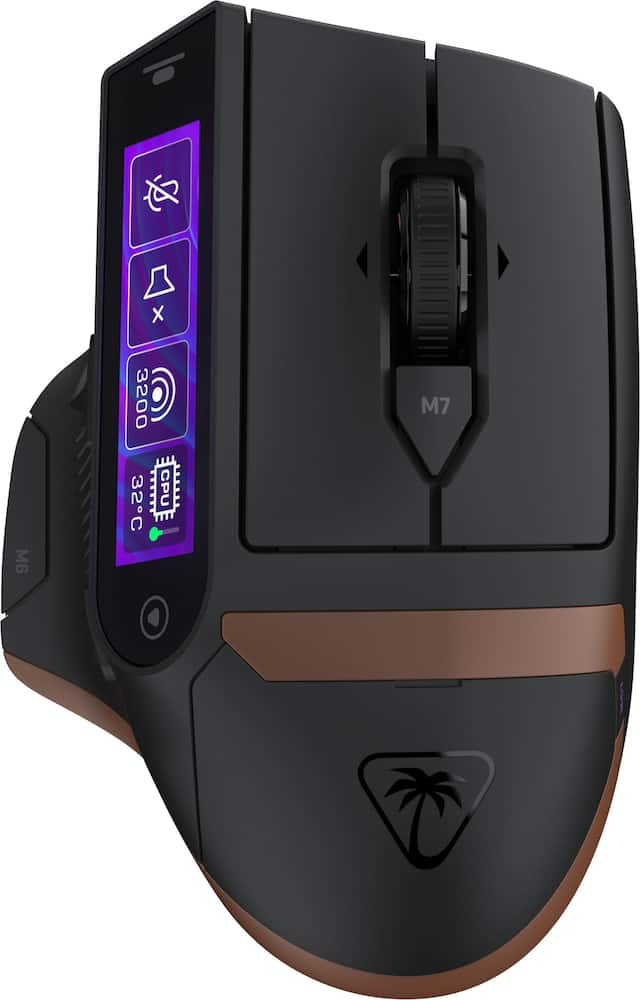
Turtle Beach – Command Series MC7 Advanced Wireless Touchscreen Optical Gaming Mouse for Windows 10/11 PC – Wireless – Black
★★★★★★★★★★ (4.2) 20 reviews
Original price was: $159.99.$127.99Current price is: $127.99. Save $32
In stock · Ready to ship
Delivery Wed, Nov 11 – Fri, Nov 13 Free shipping
Secure checkout · Visa · Mastercard · Amex · Discover · PayPal
Questions? Talk to a product specialist
(888) 519-3048
- Free shipping $60+3–5 business days
- 30-day returnsMoney-back guarantee
- Brand-newManufacturer warranty
- Ships from the USColumbus, OH
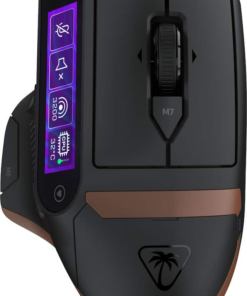
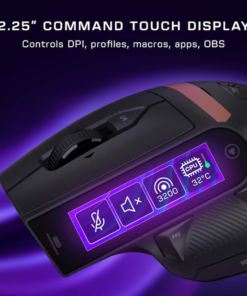
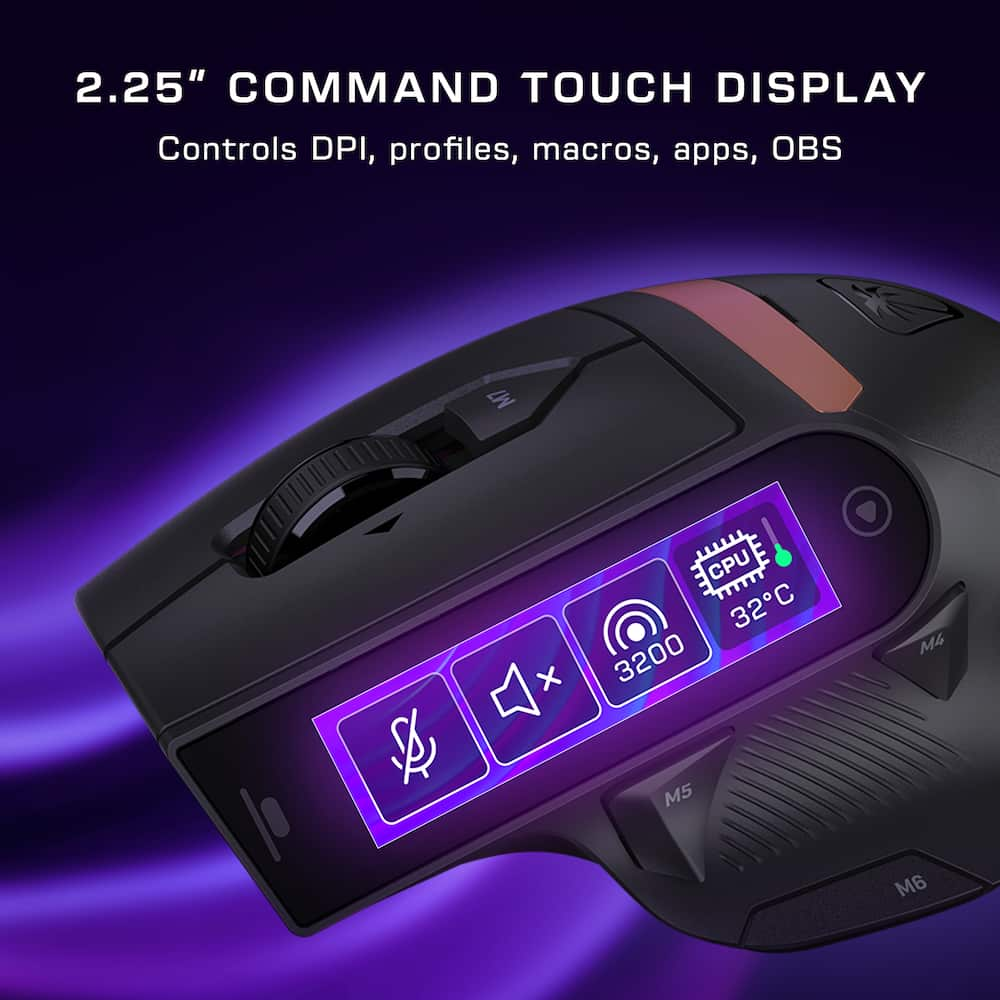
- Command Touch Display A built-in 2.25” touchscreen puts essential commands directly at your fingertips beyond a traditional mouse.
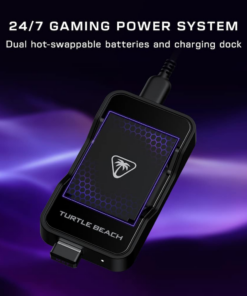
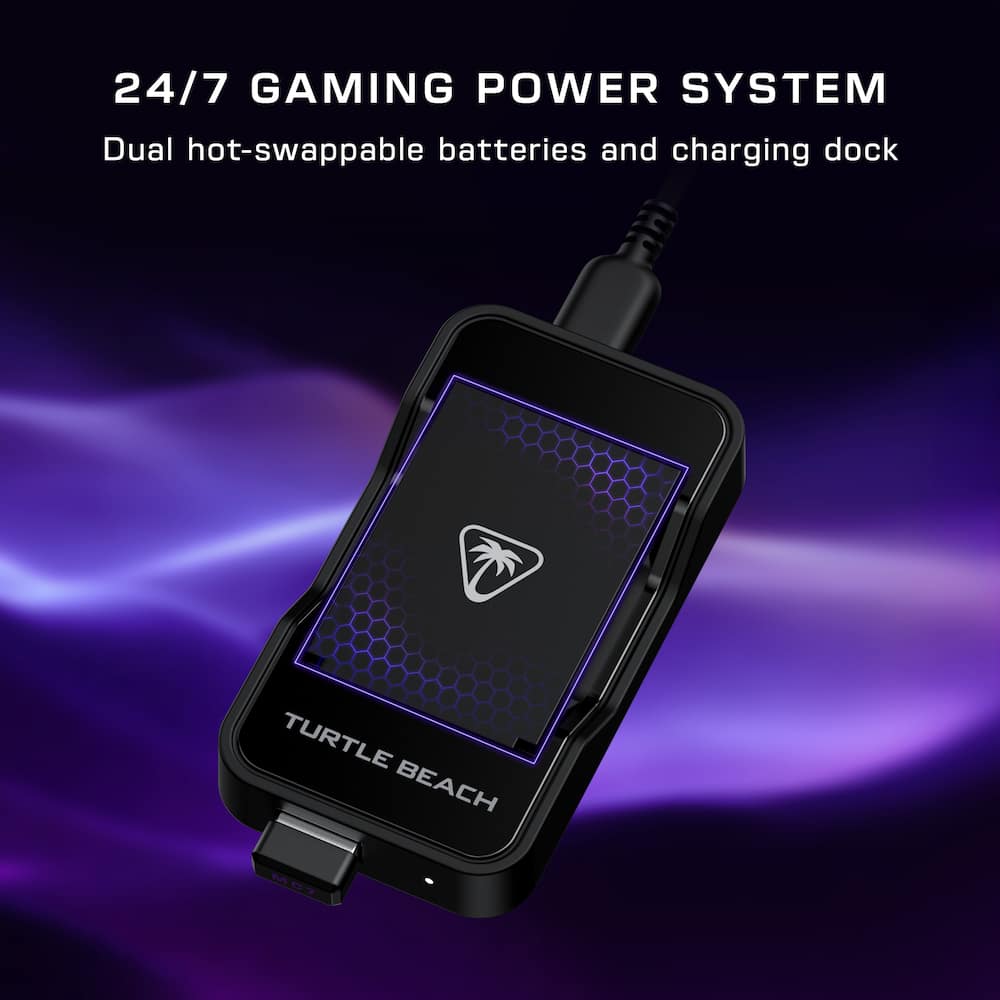
- Fine-tune DPI, profiles, macros, and app or OBS control without breaking focus.24/7 Gaming Power System Stay powered with dual 1000 mAh hot-swappable batteries and charging dock.
- Enjoy up to 10 hours per battery out of the box, or 15 hours at 8K with LED and LCD off.
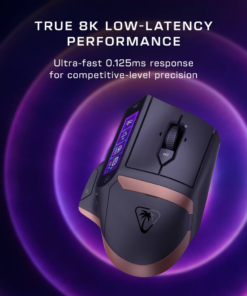
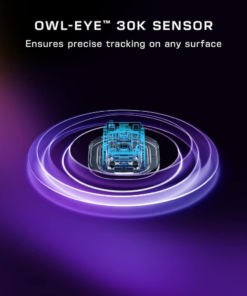
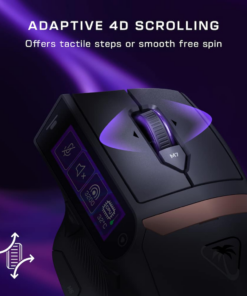
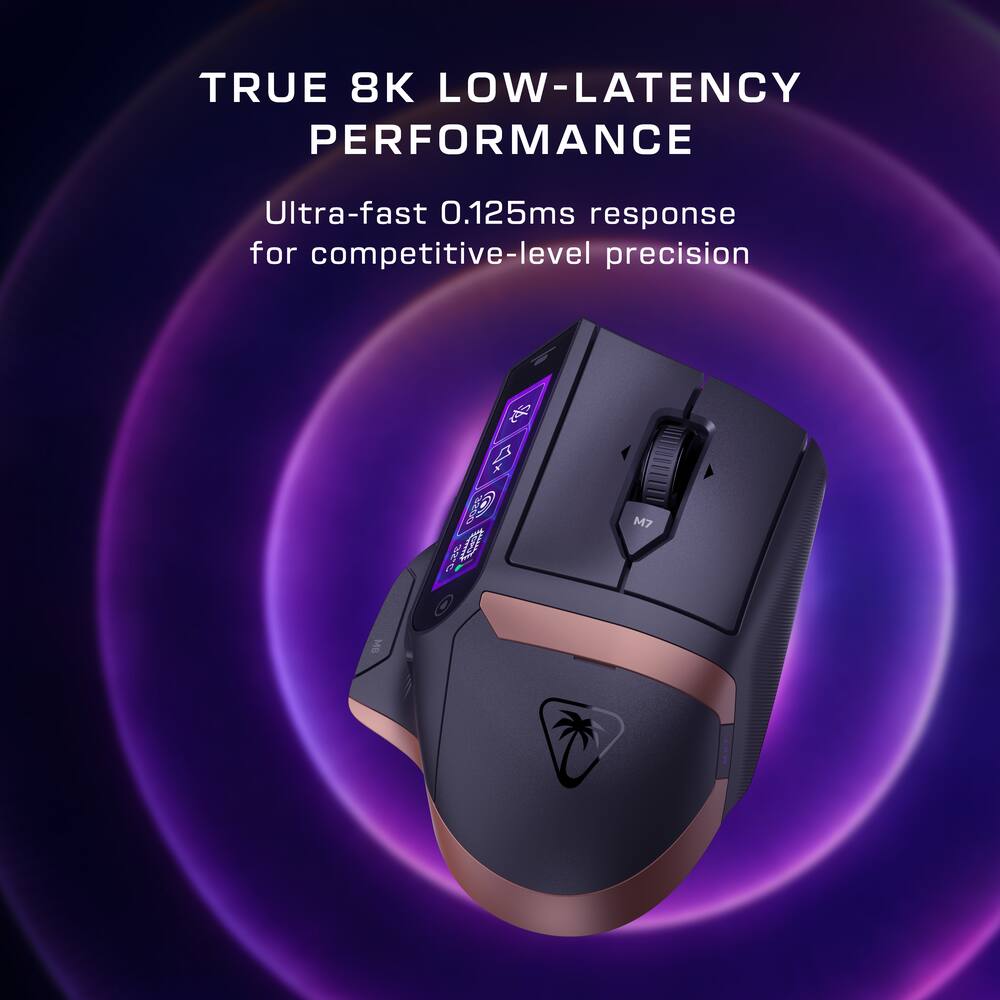
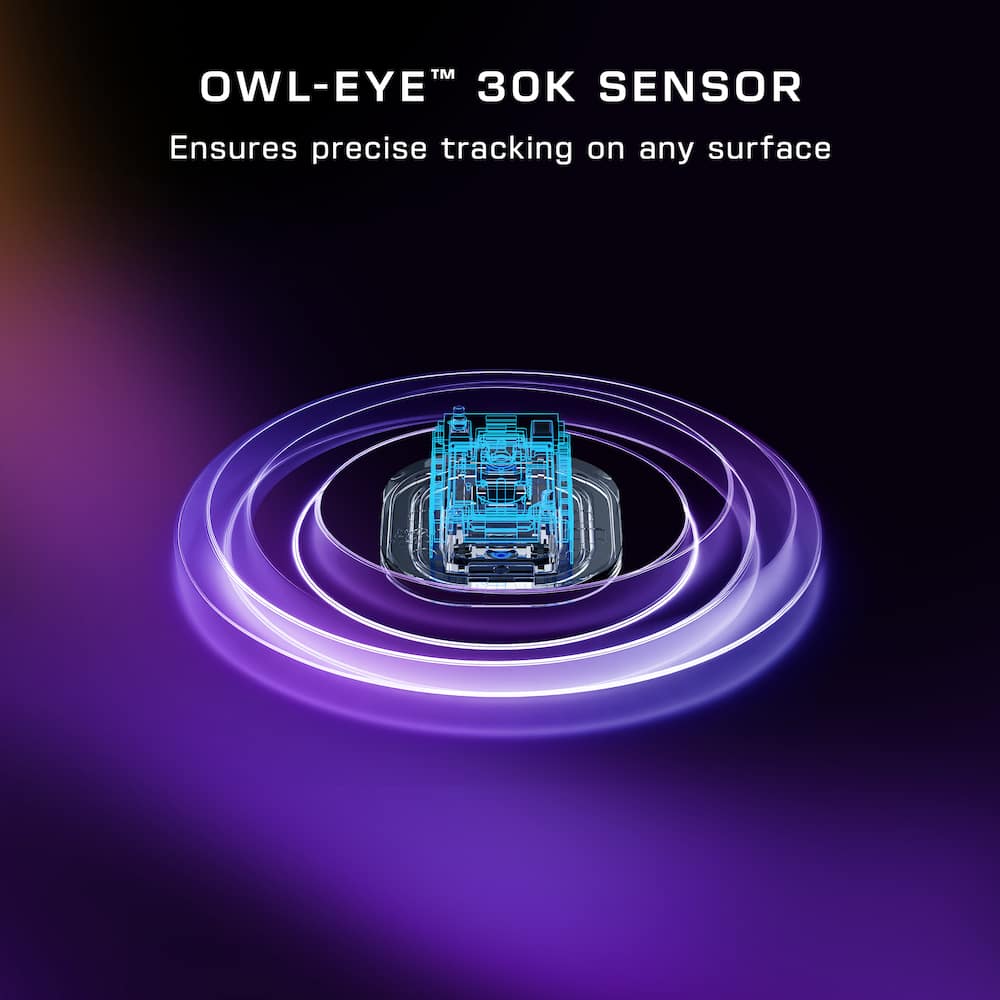
- The same batteries can be shared with the Stealth Pro II.True 8K Low‑Latency Wireless True 8K polling and 0.125ms latency provide ultra‑responsive performance, up to 8x faster than standard mice for precision aiming and rapid actions.Owl‑Eye 30K DPI Optical Sensor Owl‑Eye 30K sensor delivers flawless tracking with 750 IPS speed, 70g acceleration, and consistent performance on nearly any surface.Adaptive 4D Scroll Wheel Shift seamlessly precise step scrolling and fast free spin, with side tilt inputs for custom commands.
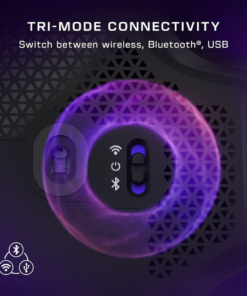
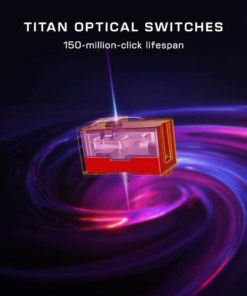
- It adapts naturally to gaming and productivity, so every action feels instant and intentional.Tri‑Mode Connectivity Switch seamlessly between 2.4GHz wireless, Bluetooth, and USB wired modes for flexible, high‑performance control across gaming and work devices.Titan Optical Switches Titan Optical Switches delivers instant actuation, adjustable debounce, and a 150‑million‑click lifespan for fast, accurate, and long‑lasting performance.Pure PFTE Glides Pure, heat-treated PTFE feet deliver incredible glide and the smoothest mouse movements right out of the box.Extra Customization & Onboard Profiles Customizable RGB lighting, up to 11 programmable buttons, and five onboard profiles allows you to build a personalized experience across games, apps, and workflows.Swarm II Software Advanced customization for the Command Touch Display, profiles, RGB lighting, macros, and performance tuning.
Key specs
- Weight
- 135 lbs
- Dimensions
- 5.03 × 3.36 × 1.81 in
- Brand
- Turtle Beach
- Model Number
- TBM-1106-05
- Product Name
- Command Series MC7 Advanced Wireless Touchscreen Optical Gaming Mouse for Windows 10/11 PC
- Color
- Black
- Mouse Type
- Gaming
- Weight
- 135 lbs
- Dimensions
- 5.03 × 3.36 × 1.81 in
- Brand
- Turtle Beach
- Model Number
- TBM-1106-05
- Product Name
- Command Series MC7 Advanced Wireless Touchscreen Optical Gaming Mouse for Windows 10/11 PC
- Color
- Black
- Mouse Type
- Gaming
- Lighting Type
- RGB
- Customizable Lighting
- Yes
- Maximum Number of Memory Profiles
- 5
- Mouse Operation
- Button(s)
- Mouse Grip Style
- Palm grip
- Handedness
- Right-handed
- Tracking Method
- Optical
- Maximum Sensitivity
- 30000 dots per inch
- Minimum Sensitivity
- 50 dots per inch
- Number of Programmable Buttons
- 11
- Adjustable Weight
- No
- Connection Type
- Wireless
- Wireless Connectivity
- Radio Frequency (RF - 2.4 Ghz/Low Latency)
- Maximum Wireless Range
- 32.81 feet
- Operating System Compatibility
- Windows
- Plug and Play Operation
- Yes
- Number of Devices Connectable Simultaneously
- 1
- Mouse Power Source
- Battery-powered
- Rechargeable Battery (Mouse)
- Yes
- Wireless Charging
- No
- Charging Interface(s)
- USB-C
- Battery Chemistry
- Lithium-ion
- Mouse Pad Included
- No
- Product Height
- 1.81 inches
- Product Length
- 5.03 inches
- Product Width
- 3.36 inches
- Product Weight
- 135 grams
- Warranty - Parts
- 1 year
- Warranty - Labor
- 1 year
- League/Association
- Not Applicable
- UPC
- 840454401660
- Command Touch Display
A built-in 2.25” touchscreen puts essential commands directly at your fingertips beyond a traditional mouse. Fine-tune DPI, profiles, macros, and app or OBS control without breaking focus. - 24/7 Gaming Power System
Stay powered with dual 1000 mAh hot-swappable batteries and charging dock. Enjoy up to 10 hours per battery out of the box, or 15 hours at 8K with LED and LCD off. The same batteries can be shared with the Stealth Pro II. - True 8K Low‑Latency Wireless
True 8K polling and 0.125ms latency provide ultra‑responsive performance, up to 8x faster than standard mice for precision aiming and rapid actions. - Owl‑Eye 30K DPI Optical Sensor
Owl‑Eye 30K sensor delivers flawless tracking with 750 IPS speed, 70g acceleration, and consistent performance on nearly any surface. - Adaptive 4D Scroll Wheel
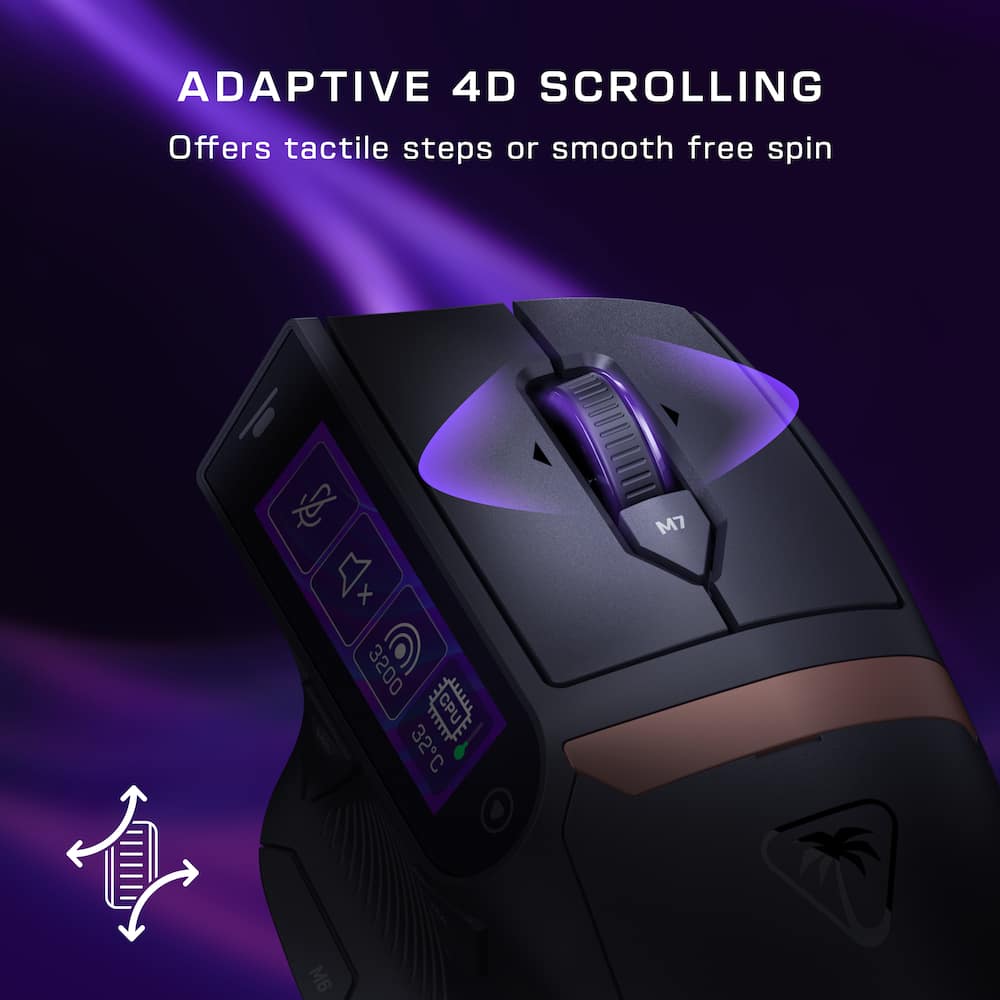
Shift seamlessly precise step scrolling and fast free spin, with side tilt inputs for custom commands. It adapts naturally to gaming and productivity, so every action feels instant and intentional. - Tri‑Mode Connectivity
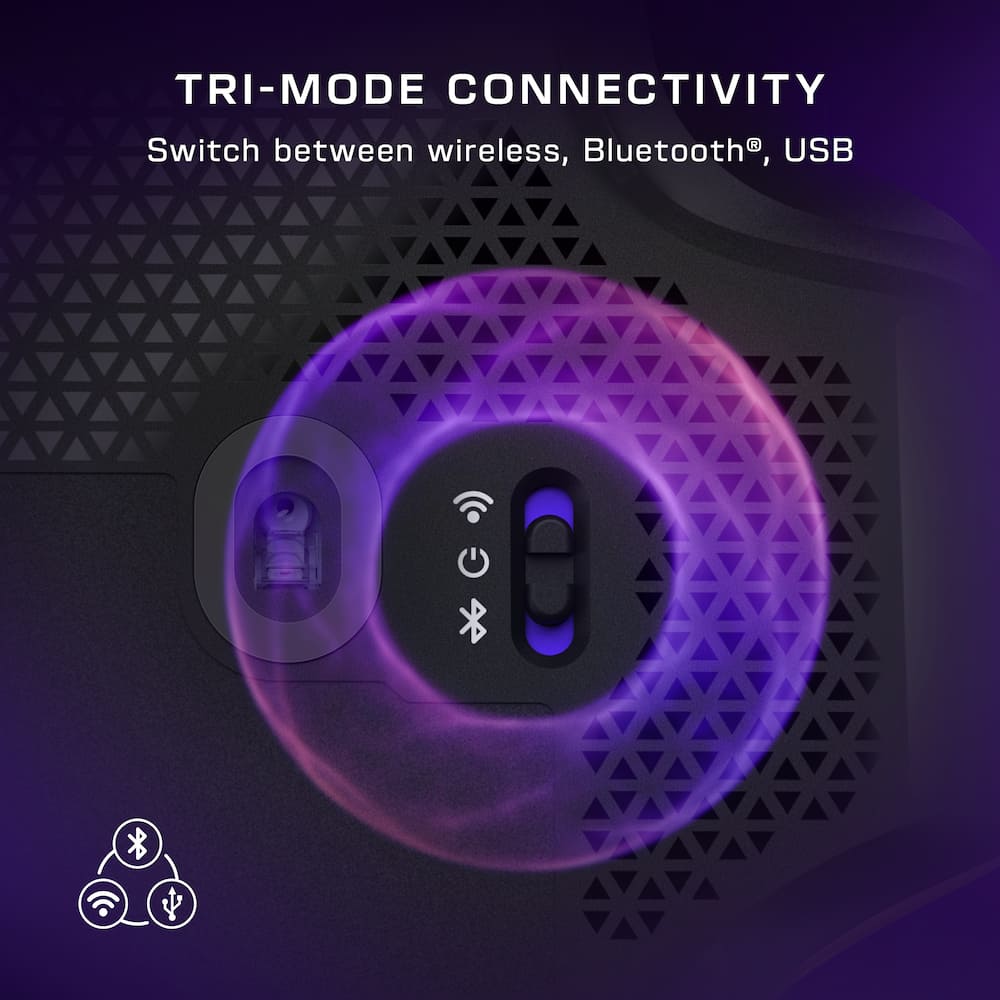
Switch seamlessly between 2.4GHz wireless, Bluetooth, and USB wired modes for flexible, high‑performance control across gaming and work devices. - Titan Optical Switches
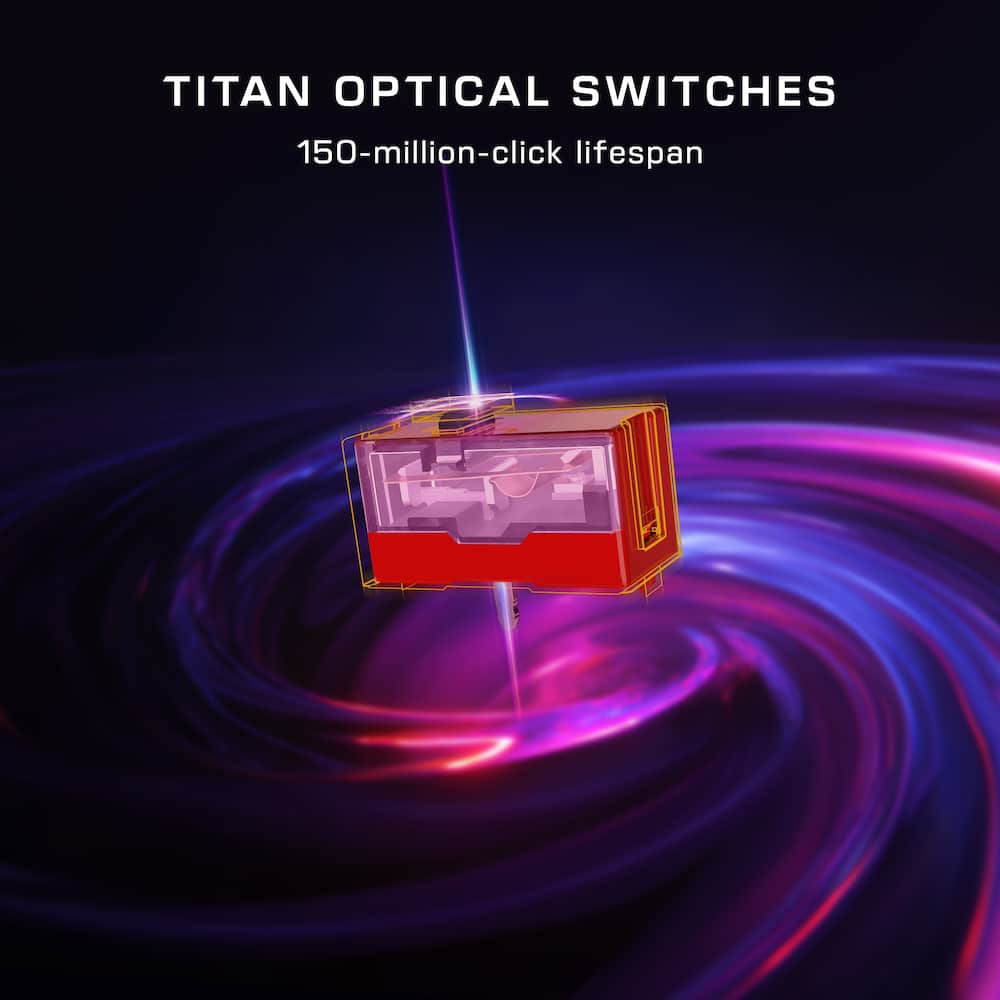
Titan Optical Switches delivers instant actuation, adjustable debounce, and a 150‑million‑click lifespan for fast, accurate, and long‑lasting performance. - Pure PFTE Glides
Pure, heat-treated PTFE feet deliver incredible glide and the smoothest mouse movements right out of the box. - Extra Customization & Onboard Profiles
Customizable RGB lighting, up to 11 programmable buttons, and five onboard profiles allows you to build a personalized experience across games, apps, and workflows. - Swarm II Software
Advanced customization for the Command Touch Display, profiles, RGB lighting, macros, and performance tuning.
Standard US ground delivery is $5.49 and arrives in 3–5 business days. Orders over $60 ship free. Returns are accepted within 30 days of delivery.
Bane (verified owner) –
Wanted to like this mouse – I really wanted to like the mouse. It fit my hand perfect but that is where it ended. The swarm software is not the best to deal with. The mouse itself looks really cool but executed poorly. After using for only a short time, buttons stopped working no matter how I tried connecting it to pc. I’m not rough on stuff but I can only imagine if someone was rough how fast it would die. Cool factor is there but execution is poor.
dustinw (verified owner) –
Excellent Performance, Highly Customizable – – Setup
Getting started with the MC7 didn’t quite make the best first impression. Updates were required for both the charger and mouse through the software. Which wasn’t a big deal. However, the way it was guiding me felt a bit counterintuitive. It asked me to plug in the hub/charger with the USB cable to update it. So, I did, and clicked update. Then it said I needed to plug in the mouse, so I unplugged the charger and plugged in the mouse. It then asked me to plug in the hub again. In other words, I needed to have both plugged in, since it was wanting to update both devices. This was partially my fault for misunderstanding, but it was a bit confusing on the way it worked. It would have been helpful to mention they both needed plugged in at once, and that an additional cable would be required. Again, I’m sure part of this was just my misunderstanding. Luckily, that was the only real quirk I had during setup. Once both devices were updated, configuring the mouse buttons is pretty straightforward. I kind of wish that you could wait to sync your changes until you were done making them. The way it works now, if you drop a new shortcut, it immediately syncs. Most of the time, that’s probably fine. But when you’re making a page of shortcuts, waiting each time you made a change felt a little unnecessary, rather than just have a button that said sync or save once you were done.
– Hardware
The MC7 is a pretty unique mouse, which is obvious with the touchscreen. And while it is very targeted towards gamers, it has some good applications for daily work as well. Specifically with the customizable touchscreen. I set up profiles for when I’m working, for common tools that I use. Like screenshots or a calculator. These are all useful little things you can do. Beyond just setting shortcuts for gaming things too. I’m curious as to how this will evolve over time as well. What further gaming shortcuts can be added, or other useful tools. My main complaint with the screen is the viewing angle. When viewing the screen from my typical angle, the screen is a bit hard to read, things look pixelated. Turning the mouse, or moving my viewing angle to a more straight-on view makes it much clearer, but kind of feels like it defeats the purpose of having the screen. The mouse itself feels great to use. It’s surprisingly lighter than I expected. It also looks very elegant with the black and gold colors. Being able to customize the background of the screens, along with the shortcuts is a nice touch. The polling features are excellent too. Providing VERY accurate responses. The lighting is also nice. It can be subtle, which isn’t always an option with gaming hardware. I wasn’t crazy about adding another dongle to my PC, but the way it’s handled with the charging hub makes it less of an issue. I wanted to take advantage of the fastest polling and least latency, which requires the dongle. Plugging the dongle in the hub makes it only take the one USB slot, while giving you the peace of mind of always having a battery ready. Though, I kind of wish the hub was a sort of charging pad, so you could just place the mouse there when not in use to keep it charged. Buttons and scrolling feel great on the mouse as well. Be aware that the mouse clicks are maybe a bit louder than other mice. I also wish the mouse supported Windows haptics. Especially since it has haptics in place through the Swarm software. Maybe this can be added in a future software update. I have grown to like the feedback of when the mouse is hovering over the close button of a window. Battery life is definitely affected by the screen, polling, and lighting. But the included additional battery makes me not worry about it too much, since swapping them out is quick and painless. The battery cover is easy to remove and snaps back in place magnetically.
Pros: excellent idea of customizable touchscreen shortcuts, highly customizable, excellent performance, elegant design, connection options, swapping batteries and boot time is fast
Cons: viewing angle of screen can be a bit difficult, some software quirks, requires dongle for maximum performance, battery life can suffer fairly dramatically based on the screen, polling, and lighting
Dontech (verified owner) –
WOW what a great mouse! Turtle Beach MC7 – The Turtle Beach – Command Series MC7 Advanced Wireless Touchscreen Optical Gaming Mouse for Windows 10/11 PC – Wireless – Black
Is a stunning, smooth, use on any surface mouse.
The MC7 comes well packaged, includes 2 batteries!, very flexible USB A to C cord , a 2.4ghz USB A Wireless transmitter, and a charger dock for the spare battery!. You can connect the mouse Wireless 2.4ghz, Bluetooth, or direct connect to computer.
On the mouse you have left and right normal click buttons, a scroll wheel you can press down on and the scroll wheel also scrolls left and right, m7 button (changes DPI in windows), m4 and m5 buttons and m6 button, you also get 2 soft touch buttons on either side of the screen, all can be remapped for your in game pleasure!
One display mode I set up game mode with the volume, play, pause, skip soft touch buttons.
In windows this mouse rocks … extremely comfortable to use. The left right scrolling is just a needed option and the changing of on the fly DPI is extremely usefull. As you may want a fast moving (high DPI setting) then want to do some fine adjustments in a picture and slow the mouse down for detail work. The mouse worked on every surface I used it on including granite counter without any issue!
You download the Swarm II software from Turtle Beach and program the display, update the firmware, ect…
Gamming well you map the buttons and all I can say is WOW … what a great mouse to game on! Its super smooth, super responsive (I do direct connect) I was doing really great in COD, mouse was point on ….. very nice advantage. Extremely comfortable to use in gaming also!
A super great programmable mouse, with 2 batteries and a charger for the spare battery.
Highly recommended !!
mHeit (verified owner) –
A Gaming Mouse That Actually Does Something Differ – I’ve used plenty of gaming mice where the differences mostly come down to shape, extra buttons and RGB lighting, but the Turtle Beach Command Series MC7 actually feels like it is trying something new. After using the Command Series keyboard, I was especially interested to see how Turtle Beach would translate the same idea of putting more controls directly at your fingertips into a mouse. The MC7 does that surprisingly well.
The feature that immediately stands out is the touchscreen built into the side of the mouse. It sounds like something that could easily end up being more of a gimmick than a useful feature, but I’ve found myself actually using it. You can adjust things like DPI, switch profiles, trigger macros and access other shortcuts without having to constantly jump back into software. Once I had everything configured the way I wanted it, it made the mouse feel more like another control surface for my PC rather than just something I use to point and click.
That functionality is especially nice paired with the Command Series keyboard because the two products feel like they were designed around the same philosophy. Instead of cramming more and more traditional buttons onto everything, Turtle Beach gives you customizable controls that can change depending on what you are doing. I like being able to set up different profiles for gaming versus normal desktop use, and there is quite a bit you can do through the Swarm II software if you like tinkering with your setup.
Performance has also been excellent. The mouse feels extremely responsive and accurate, and the high-performance wireless connection has been indistinguishable from wired use for me. Movement feels precise whether I’m playing a game, navigating around Windows or doing normal productivity work. The optical switches also have a crisp feel that makes the primary buttons satisfying without feeling overly heavy.
One feature I didn’t expect to appreciate as much as I do is the adaptive scroll wheel. It can give you the normal tactile scrolling you want when you need precision, but it can also free-spin when you want to move quickly through a long page or document. It also supports side-to-side input, which makes it surprisingly useful outside of gaming. It’s one of those small things that makes the MC7 work just as well as an everyday mouse as it does for gaming.
The battery setup may be my favorite practical feature. Turtle Beach includes two rechargeable batteries along with a charging dock, so one battery can be charging while the other is in the mouse. When the battery gets low, you just swap them. I much prefer this approach to having to plug the entire mouse in and effectively turn a wireless mouse into a wired one while it charges. It keeps the whole setup feeling wireless all the time.
I also appreciate the connectivity options. Being able to use the MC7 through its high-performance wireless connection, Bluetooth or USB makes it easy to move between different setups. I primarily use the wireless connection for gaming, but having Bluetooth available adds some flexibility for everyday use.
The MC7 is definitely more feature-rich than the average gaming mouse, and there is a little bit of setup involved if you want to take full advantage of everything it can do. For me, that customization is part of the appeal. Once I had my profiles and touchscreen controls set up the way I wanted them, the functionality started to feel very natural.
Overall, I’m really impressed with the MC7. The touchscreen is the obvious headline feature, but the mouse backs it up with excellent tracking, responsive wireless performance, a great scroll wheel and one of the better battery systems I’ve used in a wireless peripheral. Paired with the Command Series keyboard, it creates a really cohesive setup where a lot of useful controls are right at your fingertips.
RedMage (verified owner) –
It’s faster to swap to your sidearm than to reload – The Command Series MC7 is a chunky boy! Which really disqualifies it for intense FPS gaming. But the included dual rechargeable batteries and charging adaptor is a cool concept that keeps you wireless and free no matter how long your gaming sessions go.
It looks great on the desk but it feels a little too heavy for its shape, I find my hand slipping off it on the right side more than I’d like and the large spacing between the two buttons on the left-hand side gives me space to grip the mouse when I have to lift it it just feels clumsy. The touchscreen and features overall are great and really interesting to see on a mouse, but it definitely feels more like a creator tool than gaming gear.
So, I am not really sure who this is for. Other options feel better for MMO and Moba players, and there are far more useful peripherals for content creation rather than adding extra things to a mouse. I really want to love this mouse, it’s such a goofy and fun idea, but the materials just make it a little too heavy. A lighter mouse with the same hot swappable battery system feels like it would be great if you’re not into the whole ultralight thing, but even though I do like a little weight to my mice, this is just a bit too much.
There’s also some strange bugs where in some situations the mouse cursor just stops responding with the mouse until you click a button. This doesn’t appear to be the mouse going to standby or anything, and it doesn’t appear to be an issue with swarm or the drivers all the other turtle beach mice I use work fine. It doesn’t happen often and I’m not sure what causes it, but it happens.
I can’t really recommend this one. It’s a fun idea, but I’m not entirely sure who this is really for.
Fudgear (verified owner) –
Innovative but a bit too big – Design and Features
The mouse looks really sleek, and it has innovative features. There’s a large touch screen display that can feed information or use the display as mouse buttons. The mouse provides very high DPI. I use the display to modify the DPI.
The mouse has great build quality, and it provides a variety of connectivity options. This is a mouse that can trigger some conversations when you use it in a café.
Turtle Beach’s Swarm II app is easy to use to update and customize the mouse.
Performance
Gliding the mouse feels smooth and the very high DPI is also accurate. I’ve been using the mouse to play a PVE game, and it works really well. Inputs are very responsive, as well as the aiming feels natural. The display can be programmed with macros, which makes the mouse very useful in such games.
One thing important to note is that this is quite a big mouse. So, comfortability may vary. It’s a bit too big for me so I have some comfort issues when using the mouse for an extended gaming session. Also, accessing the buttons on the display does not feel natural and will take some time to get used to.
Conclusion
It’s a very interesting mouse with great potential for a variety of gaming genres including PVE, RTS, MMO and even RPG games. The size of the mouse may be an important factor to consider for people who are used to smaller, lighter mouse. Button placements do not feel natural and will take some learning curve to adapt.
Pros:
Great for macros
Accurate and smooth
Cool looking
Cons:
Quite a big mouse
Button placements are not typical
yogidang (verified owner) –
Very innovative mouse – I gotta say, this mouse was extremely intimidating to me. At first glance, it looks so unique and cool to me that I instantly feel in love with it. Not everyone in my family had the same feelings as the kids where apprehensive about it’s looks. I personally liked it and when taking it out of the box love the weight. It was weighty but not to the point of overly so and for me, gliding it on my pad felt sturdy and smooth. It also gave me confidence that this a well built mouse. I love the setup of having an extra battery with a charging dock that is connected to your computer and with the same dock have the usb dongle to connect to the mouse. It can be placed near you so that when your mouse gets low on battery the swap is super convenient. And the battery life is excellent. There is so many programmable buttons, that I am still trying to configure them all. It really takes a learning curve to make this personalized to you. The rgb lighting is also programmable and gives a real nice look to the mouse. In my hands, it is very comfortable although I was a bit concerned about accidentally touching the screen on the side of the mouse, but so far, not has been an issue. Buttons and mouse wheel feels tacticle and great. Has a very quick response so I haven’t had any issues. I am still trying to figure this mouse out but so far, have been quite happy with it.
veritech13 (verified owner) –
Sleek Professional Style Gaming Mouse – SETUP / INSTALLATION
Right out of the box, the setup was extremely simple. I connected the mouse through Bluetooth, and Windows recognized it without any issues. There was no troubleshooting involved, and everything worked as expected.
The Swarm II software was also pretty straightforward. I already had it installed from a Turtle Beach keyboard I set up a few weeks ago, so I was familiar with the program. I did not experience any crashes, bugs, or connection issues.
The only thing I had to do was look up the manual to better understand the connection options, buttons, and battery charging system. There are quite a few features on this mouse, so having a more detailed guide included would have been helpful.
BUILD / FEEL
The mouse has a very premium feel and look. The matte, non-slip finish with gold accents gives it a nice modern appearance. It does not feel like cheap plastic, and the overall build quality is very solid.
The ergonomic design is something I genuinely appreciate. I have fairly large hands, and the mouse fits perfectly. The buttons are easy to reach and have a nice satisfying click when pressed.
The touchscreen has a smooth, almost glass-like feel and is very responsive. At first, I thought the screen looked a little too large for a mouse, but once powered on and the icons are displayed, it actually looks pretty nice. After using it for a while, the design starts to make sense.
The magnetic battery cover is another nice touch. It fits securely and is easy to remove and reinstall without feeling flimsy.
One thing I noticed immediately was the added weight compared to my previous mouse. Surprisingly, I actually prefer it. I have used lightweight mice that almost feel like they are flying across the desk. The extra weight gives me a better sense of control and makes movements feel smoother and more precise.
TOUCHSCREEN DISPLAY
The 2.25-inch touchscreen is probably the most unique feature of this mouse.
The display is clear, responsive, and nicely integrated into the design. I was initially skeptical about having such a large screen on a mouse, but after using it, I actually like it.
One feature I found useful was being able to change the DPI settings directly from the touchscreen. Instead of having to open the software every time I want to adjust the mouse sensitivity, I can make the adjustment right from the mouse.
The screen also offers access to profiles, macros, and other customizable settings, although I have primarily used it for DPI adjustments.
It is definitely a nice addition and gives the mouse a more modern feel compared with traditional gaming mice.
GAMING PERFORMANCE
I tested the mouse while playing Call of Duty, which is usually my go-to game when trying out gaming accessories. I am not a professional gamer, but as a casual gamer, the mouse has performed very well. I have not noticed any lag, tracking issues, or unexpected movements during gameplay.
The 30K DPI optical sensor provides plenty of sensitivity adjustments, although I certainly do not need the highest settings for the games I play.
What I appreciate most is the feel and control. The added weight makes the mouse feel more substantial, and I find that it helps with smoother, more deliberate movements. I know some gamers prefer extremely lightweight mice, but for me, having a little weight makes the mouse easier to control.
BATTERY / CHARGING
The mouse includes two rechargeable batteries and a charging dock, allowing you to swap batteries rather than wait for the mouse to charge. Removing the battery is surprisingly simple. At the touch of a button, it practically ejects from the mouse. It almost feels spring-loaded, and the magnetic cover makes accessing it pretty effortless.
Personally, I keep my mouse connected through the USB cable because I have a desktop gaming setup and do not really need the wireless feature.
SOFTWARE / CUSTOMIZATION
Swarm II has been easy to use, especially since I was already familiar with it from my Turtle Beach keyboard. The software offers plenty of options for adjusting DPI, RGB lighting, button assignments, and touchscreen functions. There are quite a few settings available, but the program has worked without any software issues or connection problems.
NEGATIVE
The only real negative I have noticed is the scroll wheel. I wish it had a more crisp and defined click when scrolling. It feels slightly muddled compared with other gaming mice I have used. It still works as expected, but I would prefer a more noticeable click between each movement.
I also wish the included instructions were more detailed because there are quite a few features to understand.
Other than that, I have not experienced any significant issues with the mouse.
OVERALL
Overall, the Turtle Beach Command Series MC7 is a great gaming mouse with an awesome design, modern appearance, and plenty of customization options.
explore42 (verified owner) –
Cool display but it ruins my grip – Bottom Line: This mouse has all the high end features and buttons plus a configurable display but its shape makes it less desirable. The display while useable and looking cool drastically changes the overall contour of the mouse and my ability to grip it. The display limits my thumb grip and makes accessing the forward and backward buttons more difficult. I like the display but it doesn’t offer compelling improvements over the Kone II Air for me.
Fit and Feel: If you are used to the Kone series mouse you will quickly realize that the MC7 has a much higher profile with a much steeper angle left to right. It’s steep enough that I feel less confident of my grip and control over the mouse. Because the profile is so tall I find my thumb back farther than normal which makes accessing the forward and backward buttons on the side much more difficult especially when you have to avoid hitting the display. I find myself angling my wrist and pointing the mouse to a 10 o’clock position to get a good purchase on the mouse which isn’t comfortable long term. If you have a large hand and/or long fingers this may not be an issue for you but anyone else I would recommend feeling the mouse prior to buying it.
Features: The most unique feature with this mouse is the display that is incorporated into the mouse. The display which is an active display sits just above the forward and backward buttons. When I first started using the mouse I found myself inadvertently makes changes to the screen because my thumb would drift up and hit the display. Luckily the display has haptic responses when touched so I knew right away when I unintentionally hit something. You can configure 4 items per page and three pages per profile – so basically you can add 12 additional items per profile on the mouse. There are some preconfigured items included in the Swarm 2 software but using the software you can create Macros that are game specific and then assign them to one of the pages on the mouse. Beyond the display the mouse has 8k polling, optical switches and RGB lighting along the bottom of the mouse. The Swarm 2 software allows you to configure the mouse functions, lighting and the physical button functions.
Battery life: This mouse has a rechargeable battery with a charging station and a spare battery. The charging station has a wireless dongle port so you can plug the dongle into it making it a wireless extension as well. Replacing the battery is easy because the rear plate which covers the battery compartment is held on magnetically.
Ian L (verified owner) –
A Feature Pack Gaming Mouse – The Turtle Beach Command Series MC7 is one of the most feature packed gaming mice I’ve come across in some time, and what immediately sets it apart from the other mice on the market is the built in 2.25in color touchscreen. Instead of being just another mouse with a few extra buttons, the MC7 is designed to function like a mini command center for gaming, productivity, and streaming. Between the touchscreen, extensive button customization, high end optical sensor, and hot swappable batteries, there is a lot to like here, especially if you enjoy customizing every aspect of your mouse.
The first thing to know is that this is not a lightweight gaming mouse. It weighs approximately 135 grams, making it a fairly beefy mouse compared with the trend of super lightweight models in the market. The larger, ergonomic shape is designed to provide support for palm and claw grips. I personally love the shape because I have a larger than average hand and it fits perfectly. I would expect the extra weight to be noticeable if you’re coming from an ultralight mouse, but I personally didn’t have any real issues with it. If you prefer a more substantial mouse with plenty of features, the size makes sense. However, players who prioritize fast flicks and minimal weight might find it a little on the heavy side.
The touchscreen is easily the stand out feature for the MC7. The 2.25in Command Touch Display gives you direct access to controls and profiles without having to constantly open the Swarm II software. You can use it to adjust DPI, switch profiles, trigger macros, change pulling rate and access applications specific controls like OBS functions for streaming or launching Steam. The display also supports customizable widgets, allowing me to set up shortcuts for things like media playback, volume control, copying/pasting, or taking screenshots. There are multiple pages available for organizing these functions, so you can create separate layouts for gaming, work, streaming, and you can have up to 5 profiles. It’s essentially a small control panel built directly into the mouse, which could eliminate the need for some dedicated macro keys or even a separate shortcut device for certain tasks. That being said if you are looking at the screen from an off angle it can look a little distorted if not at 100% brightness and the touch detection isn’t always 100% accurate, where if you try swiping between the pages you can accidentally press a mapped button you didn’t intend to press.
The MC7 also has 11 programmable buttons, including the standard left and right clicks, clickable scroll wheel, two side buttons, a Thumb Button, and a dedicated DPI button. The adaptive 4D scroll wheel supports traditional tactile scrolling, and left and right tilt inputs. That gives you additional commands to assign for gaming or everyday productivity. Easy-Shift is particularly useful because it allows a secondary function to be assigned to compatible buttons while the Easy-Shift button is held down. This effectively expands the number of commands available without requiring even more physical buttons. Between the physical controls and touchscreen, there is a lot of flexibility for creating a layout that fits my needs.
For performance, Turtle Beach equips the MC7 with its Owl-Eye 30K optical sensor, which supports sensitivity settings from 50 to 30,000 DPI. The mouse supports an impressive 8,000Hz polling rate over USB, with the wireless connection also advertised as supporting true 8K polling. In practical terms, this means the mouse can report its position to the computer up to 8,000 times per second, which is nice for high refresh rate gaming monitors and competitive play. Of course, the benefits of 8K polling depend on the game, system performance, and your own sensitivity to input responsiveness. The sensor is also advertised as being compatible with glass surfaces.
The MC7 is reliant on the Swarm II software, so make sure the software is downloaded before trying to use this mouse. In the Swarm II app is where all the customization options can be mapped. You can configure the DPI levels, adjust the polling rate, remap buttons, create macros, customize the RGB lighting, manage onboard profiles, and personalize the touchscreen layout. Macro support is very useful for repetitive tasks or complex sequences of commands. The software also provides control over the touchscreen’s widgets, allowing you to build a more personalized interface rather than sticking with the default layout. There are 5 onboard profiles, which is useful for keeping different configurations for different games or applications. Once the profiles and supported settings are saved, they can be stored on the mouse, although some software-dependent functions may still require Swarm II to be running. There are also special widgets for programs like OBS and stream labs that you can connect with the Swarm app to control settings right from the mouse.
The battery design is another area where the MC7 stands out. Instead of relying on a single internal battery that eventually needs to be recharged, it comes with 2x 1,000mAh rechargeable batteries that can be hot swapped. When one battery runs low, you can replace it with the charged spare instead of waiting for the mouse to recharge or being tethered to a wire. The included charging dock makes it easy to keep the spare battery ready to go. Each battery is advertised to provide up to 10-15 hours of use under typical out of the-box conditions. Actual battery life will vary depending on polling rate, lighting, display usage, and other settings. This is a clever solution for anyone who spends long hours at the computer and doesn’t want to interrupt a gaming session or workday to charge a mouse.
Connectivity is also very flexible in that the MC7 offers 3 connection modes in 2.4GHz wireless through the included USB receiver, Bluetooth, and wired USB connectivity. This makes it very useful across different computers and setups, whether I want low-latency wireless for gaming, Bluetooth for my work laptop, or a wired connection if needed. The included 1.8-meter USB-A to USB-C PhantomFlex charging cable also supports the wired connection and charging setup. One important consideration is that the advanced Swarm II customization features are designed for Windows 10 and Windows 11. So, the mouse can connect to a Mac as a basic pointing and clicking mouse, but the full software customization suite is not available there.
Pros
2.25in color touchscreen
11x programmable buttons
30,000 DPI sensor
8,000Hz polling rate
2.4GHz wireless, Bluetooth, and wired USB connectivity
2x hot swappable batteries and charging dock
Cons
135g is heavy compared to most gaming mice
Touch screen responsiveness and accuracy detection
Full customization requires Windows 11 and Swarm II app
Battery life depends on polling rate, lighting, and screen usage
Large design may not suit smaller hands or fingertip grips
Touchscreen features may be unnecessary for some gamers
The Turtle Beach Command Series MC7 is a gaming mouse that does more than your typical gaming mouse. The built in touchscreen is a nice addition, letting you adjust DPI settings, set up macros, launch apps, and access streaming controls without having to dig through menus. With 11 programmable buttons, a 30,000 DPI sensor, 8,000Hz polling, and two hot-swappable batteries, there’s a lot to like. The biggest drawbacks are its weight, the time it takes to set everything up, and the fact that you’ll need the Windows software to get the most out of it. If you prefer a larger mouse and enjoy customizing your setup, the MC7 is worth checking out, especially if you want something that works well for gaming, everyday productivity, and
Stephen H (verified owner) –
Turtle Beach MC7, cool features! – When I first saw this mouse I have to admit that I was both intrigued and skeptical about the touchscreen. It seemed a little gimmicky but I was curious enough to want to try it out. After using it I see the benefits. It solves a problem I have with programmable buttons on mice. My problem is that on a regular mouse with multiple extra buttons and multiple profiles, I program the buttons and then if I don’t use the game or program for a while I forget what I programmed them to do. With this mouse, the touchscreen shows you what each button does in each of the five profiles and there are a myriad of choices for functions!
There are up to twelve touchscreen buttons that you can program per profile and five profiles can be saved on board the mouse. I set one profile for when I’m recording my screen with functions for OBS Studio, another profile for gaming with the mantle, reload, crouch, and sprint buttons, and another profile for my CAD program with shortcuts for drawing rectangles, circles, lines, and the extrude function. Having the shortcuts at thumb’s reach is very convenient.
The sensor on this mouse is incredibly precise and you can cycle the DPI with whichever button you want, it’s default on button M7. One thing I would like to see in the future is the ability to set an A-B button for DPI. I have another device that allows that so you can set a fast and a slower DPI choice and the button only cycles between those two choices instead of cycling through all five choices.
The mouse comes with a charge dock for the included spare battery. The dock also has a port for the dongle so you only need to take up one port. It also includes what has to be the most supple usb cable I have ever seen. I’ve used the mouse with the cable plugged in for days and it’s like it’s not even there it’s so light and flexible. The mouse also has some sort of super slippery pads underneath. It’s so slick it makes my desk feel like an air hockey table!
With all the positives of this mouse I need to mention a couple of negatives. With all the features this has, it does add to the weight. It’s showing 138 grams on my scale or almost five ounces. That’s almost double what my previous mouse weighs.
The other thing is that I find it hard to grip. On the left side is a concave bit for your thumb but it’s too wide vertically and doesn’t have much texture so my thumb slides up a little as I lift the mouse. What really gets me is the right side of the mouse. It’s convex and there’s no ridge at all and very fine texture so unless I really squeeze the mouse, my fingers slide up when I lift. That side should be concave also in my opinion.
I’m going to keep using this mouse because I like the functionality of it. I don’t know that I would recommend it to a competitive gamer given the weight but for people like me that game for fun and still have to do work, this mouse adds to my enjoyment of both.
Verified Buyer (verified owner) –
Good for gaming great for showing off lol – First I’ll start by saying in a little bias as I currently own and am using full time the Turtle Beach gaming keyboard with the screen on it similar to this mouse. Secondly I’ll say I care more about aesthetics than having the best gaming mouse or keyboard for that matter. I am not a pro at keyboard and mouse but I have been learning and getting better. With that said, this is a solid gaming mouse with a great sensor and a very high polling rate. It has good weight to it and is smooth while gaming with it. Is it the greatest gaming mouse I’m not sure it’s perfect for me, a rookie. This is wireless which is a huge selling point for many and this comes with 2 batteries that are interchangeable with the included charging cable block. It’s a pretty cool implementation to be honest! The usb connects to the usb port on your pc, it charges the battery in its charge block and has a pass-through USB port where you place the transmitter dongle. Very ingenious if you ask me. I say to switch batteries. Now the main selling point for me is the screen and man do I love it. Not only is it very cool, it’s vivid and very useful. You program the shortcuts via the title beach app and is very easy to update and assign anything you like. You can change the brightness and DPI easily too. Battery life is good but not amazing but I have the brightness at max so maybe that’s on my and YMMV lol. But yes it’s good for gaming but great for the technology and looks. Everyone I show say the same thing.and that it’s the coolest mouse they every seen and I agree! Highly recommend. Also check out their matching keyboard too. Get the set!
Bren (verified owner) –
Interesting mouse held back by unreliable software – This mouse is a bold but somewhat ostentatious addition to any PC gamers setup. Turtle beach has created a mouse here that performs exactly how it should as a mouse for daily use and gaming. The wireless connection is stable, the versatility of all hardware buttons is present, and the hot-swappable battery system with TWO included batteries is absolutely awesome, particularly when combined with the fact that the batteries work with other compatible wireless products like the most excellent Turtle Beach Stealth Pro II headset that I use as my daily driver headset! Honestly, just with these features alone, it does not feel like one is paying too much for this mouse. I do just want to quickly mention that this mouse is LARGE. It is the strangest conjunction of being a claw-shape mouse but encourages a palm-based grip. I have medium sized male hands (medium sized medical gloves are just a bit tight on me, for context) and I will be honest that I struggle to control and use this mouse. If you have large hands or longer fingers though, you have found a great candidate with this mouse! If you have small hands, you may want to avoid this entirely.
Where it gets tougher to recommend this mouse is surrounding the cool but unnecessary touchscreen and flawed Swarm II software. Admittedly, I am a sucker for data and informatics. The screen on this mouse, however, is akin to the CPU AIO coolers out there that have screens that show temperatures, graphics, etc. It is neat to have this info, but is it necessary or useful to have in this setting? As shown in the pictures, I had a Command series keyboard as well with similar customizable touchscreen and on the mouse in this review, I used it to monitor my hardware temps and utilization which was quite cool indeed! To compliment Turtle beach, the touchscreen is positioned such that you aren’t going to accidentally hit it often unless you have gigantic hands, and when you do touch it, it utilizes haptic feedback to let you know your input was registered. The real fly in the ointment right now though is the unreliable Swarm II software. I was having a lot of difficulty with the most recent updated version of it as of October 18th, 2026 crashing, being extremely slow, and sometimes dropping off software registration of this mouse even though I updated the mouse and dongle’s firmware.
The really good news about this single major complaint is that it is easily solvable by future updates. I have enjoyed and used my Turtle Beach Stealth II Pro as my daily driver headset and I have not worried too much about the software until this review, so I am sure this is just growing pains with the addition of this new complex and interesting mouse.
Overall, I would say that if you have large hands, like Turtle Beach, are interested in the Command series line of products, I love having extra touch screens and info on your peripherals, this would be a great mouse to consider using. Thanks for reading and I hope this review is helpful!
JayDubsFL (verified owner) –
Now I’ve seen it all! A mouse with a screen! – So, I was a little skeptical about a mouse with a display on it when I saw this. After playing with it for a few weeks on both Windows and Linux, I can categorically say that it’s a great product, but only if you have a need for the functionality it provides.
The sensor in it is very sensitive and responsive, giving you a pointing/aiming experience that anyone would be happy with.
The “magic” is provided by the Turtle Beach “Swarm” software. If you’re looking to use it with Linux – good luck – there is no native port of it for Linux. I’ve had a few discussions with those persons who are much more into the guts of Linux than I am and they had a few ideas, but without spending an exuberant amount of time on it experimenting , we simply weren’t able to get it to work for anything more than basic mouse functionality.
Under Windows the Swarm software gives you full control over programming the custom buttons on the “screen”, allowing you to program keystrokes or full macros. Personally I’ve never had a need to using macros though, but I do know many gamers who would die for the functionality!
So again, if you have the need for the functionality it adds, you’ll LOVE it! If you have no need for the additional functionality, stick with a more basic mouse. If you need Linux support, be prepared to either spend a lot of time figuring it out, or to be disappointed because it simply is not supported.
Buddy Brown (verified owner) –
It has a touchscreen! – I am getting quite a kick out of using the new MC7. I wish Turtle Beach took software seriously.
Packaging is high quality, and the mouse immediately gives a high quality look and feel just taking it out of the packaging.
I like the clear white labeling on the thumb buttons a lot more than the embossed ones on my Kone II Air.
I have big hands and have previously used mice from almost every big name. The MC7 is a bit small for me after being spoiled by the Kone II Air, but it’s right on with the feel of my G502 X Plus. This mouse feels like a more refined and gaming focused take on the idea of the Logi.
Forget about Mac compatibility, Mac users aren’t worth the trouble, lol.
The screen gimmick is becoming more useful as I am settling in. On the main screen I’ve got my CPU and GPU temps right there at a glance (sometimes). I don’t have to alt-tab over to hwinfo64 or pull off my headphones in the middle of a session to see if my laptop temps are getting out of hand. It took a bit to train my pointer finger to slide on the display to switch screens, I also figured out to leave a blank where my finger rests naturally, which has helped a lot with false presses. Play/Pause is also on that first screen. I have volume controls on the second screen and left the third with the copy/paste defaults (I haven’t had any need to use that one at all). All fine and good while it works. These widgets usefulness falls apart quickly under daily use.
That said, I have a hard time turning to the touch buttons naturally, but I’m old and crusty, stuck in my ways. Touchscreen interactions are much more natural for folks raised on it, so I can clearly see how useful this could be. The haptic buzz when interacting with the screen is helpful. The MC7 does not present it’s haptic motor to Windows (?), so it’s useless with the new 26H2 mouse haptics that are available in other flagship mice. I hope they’ll remedy this and join the rarified air of the other cutting edge mice.
Swarm II, as usual, is the weak link here.
It’s ridiculous that this mouse is compatible with a single operating system: Windows 11. That makes the flakiness and poor UI in Swarm II so much more unforgivable. Let’s say I add monitoring widgets on the mouse, they’ll work for a while, but eventually just freeze, sometimes with no data, other times, the widget just turns red. It seems like an afterthought, which is odd, since it’s clearly the whole point of this mouse. I re-installed, reset, started from scratch… no difference, profiles disappearing, no clear indication of what is on the mouse and what is not. Same old Swarm. While I might consider this an issue to take to support, I run this software with my Kone II Air and see the same issues on the regular.
The Discord integration is dependent on making a “test app” on the Discord developer portal. What? Finish writing the software, please. TB is building hardware that is completely dependent on software that has barely worked over it’s lifetime. I used it with Roccat, now with TB, meh.
Overall, this is a unique mouse, good for gaming and desktop use, I think it’s quite well suited to it’s role physically, but I can’t help but wonder how good it could be if TB committed to making their software as good as the hardware.
SSSS (verified owner) –
Eats most other meeces to pieces! Excellent! – Turtle beach Command Series MC7 review:
Looks/ materials: It’s a handsome piece of kit. The fit and finish is what you’d expect for a mouse at this price point with the exception of the bronze area, you can actually see a bit of light bleeding through from the underglow lighting. They used some translucent plastic and then applied a bronze coating over it, however the lights are so strong, they actually shine through the bronze coating. A little on the heavier side, but that’s to be expected with the screen and lights. Feels solid and materials feel nice to the touch; soft touch feel on top and nice and grippy on the sides. The customizable lighting and LED screen enhance the looks and help it stand out from the competition. Buttons are all of good quality with a very satisfying clickiness. Scroll wheel is good, not too heavy on the scroll. Mouse glides pretty well, too. No dragging issues.
Customization: You can customize everything on this mouse. The lighting, the screen background picture, what widgets or executables you load onto the screen, DPI, etc. All are accomplished pretty seamlessly in Turtle Beach’s Swarm 2 software.
Swarm 2 Software: This is the software you’ll need to update, customize, and even calibrate your mouse with. Here you can change lighting colors and effects, touchscreen widgets and background image, change the DPI, create your own custom macros or choose from a wide variety of configurations for games like WoW, Path of Exile, Warframe, etc. The menus are all very straightforward and easy to use. I took advantage of the calibration feature in the DPI setting area to calibrate the mouse to my personal reaction time and accuracy. I set my under-glow to white to match the lighting of my keyboard and changed the background image to a Gundam, LOL!
Touch screen panel: This is probably the most unique and standout feature of this mouse. It’s a pretty impressive little display with decent color and resolution, especially for something that lives inside of a computer mouse. I have it set to display my PC’s CPU and GPU utilization, the current mouse DPI setting and a launchable Steam app executable on the first slide, then a suite of media keys on the second slide so I can pause/resume whatever YouTube video I always have playing on my second monitor and then a suite of shortcut keys on the third. There’s no delay from the time I touch the Steam icon on the screen and the Steam app launches. It’s not the most ergonomic reach across the mouse to activate the touch screen, at least for my hand it felt slightly awkward, so I’d recommend saving this space for executables that you can use at your leisure, like streaming software, recording, OBS, extra media keys, etc. It’s kind of like having a mini Elgato Stream Deck inside of your mouse. It has three swipeable menu slides and a hideable readout for things like battery percentage, screen brightness, software version, etc.
The battery: Battery life is pretty decent for something with a high sensitivity sensor, touchscreen and under-glow. The best part is the hot-swappable battery packs and separate charger. That is genius. This mouse comes with 2 removable batteries and a charging station. You just pop off the magnetically attached cover and slot the battery into place. That way you have the option to charge the batteries through the plug in charger or through plugging in the mouse itself. Very convenient, especially if you’re using this for longer sessions. You can simply have one battery on the charger, waiting in the wings, should you need it. Then you just swap them out, put the dead battery on the charger, and continue enjoying your near seamless wireless mouse experience! Superb!!
Performance: The sensor is good. Very good. I daily drive a Logitech PRO Superlight and this sensor did not leave much to be desired in comparison. Though this mouse isn’t really the same kind of animal as the Superlight as the superlight’s sensor is top notch, so it’s worth noting that the MC7 is comparable for wireless sensor performance. I have my DPI set at 3250 on this mouse and it suites me well.
Conclusion: All in all, a solid mouse with the very real exception about that issue with the bronze coated plastic. I don’t think they should be using a coated translucent plastic in that area in the first place. If that bronze coating ever wears off, it’s going to show through even more and really mess with the aesthetics. If the idea of having a stream deck built into your mouse while also being able to house macros and custom profiles for different games sounds appealing to you, this is a solid choice. It’s an interesting beast because it screams slower pace gaming mouse, like one you would use for MMO’s and Media Consumption, but it has a pretty killer sensor built into it. I say use it to play WoW Forever, Diablo 2 Remaster and Runescape, lol. I think it’s a little to heavy for twitchy FPS games. The sensor is willing, but the body is heavy, LOL!
4 out of 5 mice and yup…I recommend this!
TONJA (verified owner) –
Performance was good once you get it set up – Battery burnt out quickly and a little challenge to set up but once you get it Set up your good to go.
HBCUgrad13 (verified owner) –
Best of Both Worlds (Productivity and Gaming) – [PROS]
Convenient Design: I’m a huge fan of the aesthetics of the mouse. The display is sized to be easily readable, and the additional buttons are placed in non-obstructing manner. Ultimately, I’m able to maintain a comfortable grip and use the mouse without mishaps.
Responsiveness: Regardless of what and where I clicked, this mouse was on point (no pun intended). With a maximum polling rate of 8000hz, things felt instantaneous, and I failed to notice any delay/lag while gaming.
Ample Customization: The MC7 is a very feature rich mouse. Custom button actions aren’t a new thing for gaming mice. However, the included screen adds another layer of actions that can be performed along with the display of pertinent information. Personally, I use my screen to display CPU and GPU information because it beats needing to display this on my main monitor.
Reliable Battery Coverage: Internal batteries eventually degrade over time and can be a hassle to replace. Fortunately, Turtle Beach solves this problem and delivers the perfect solution: a dock and extra battery. I was able to swap batteries and immediately start charging the dead one in seconds. Also, the battery has a generic design so more than likely it can be replaced in the future.
[CONS]
Weight Concern: Although this is a beautiful mouse, it is a bit on the heavier side for gaming purposes. Less weight equals a quicker reaction time. But awareness, accuracy, and overall skills also factor into the results equation. I was able to play titles effectively without major issues, but an extremely experienced esports gamer might find qualms with the weight.
[CONCLUSION]
Is this a gaming mouse? Is it a productivity mouse? Personally, I feel like it’s hybrid that performs well enough in all environments. It could be argued that this is a productivity mouse masquerading as a gaming mouse, but that’s only because of the weight. Otherwise, it would be the perfect gaming mouse. I’m happy with its versatility, and I would highly recommend it.
OmieOne (verified owner) –
Awesome gaming mouse – I never would have thought having a mouse with a LCD was something I needed and indeed was worried when I first saw it my thumb was going to be firing off whatever macro I had set on the thing, but the LCD is placed out of the way and needs excplict motion to touch the macro’s. So that is a win. I love at a glance to see my DPI, or if I want CPU temps. Just just something fun to have. I also love they engineered this mouse to have removal batteries and being able to swap out on the fly. That is great and the magnets in the battery cover on the mouse have a great click. Wireless wise this is great mouse, the sensitvity and glide is perfect the scroll wheel is just smoooth like butter and I love that smoothness. The LCD is a great addition as well since you can customize what it does and what it shows. I’ve only played a bit with trying to customize it but I can see the power of having another screen with buttons to adjust. The other buttons are well placed and have a great click and travel. For a gaming mouse this really is top tier esp. since you can swap the batteries yourself, and it comes with a spare for just that reason and they built the chager into the wireless dock.
sollyp (verified owner) –
Good engineering and novel idea – The Turtle Beach MC7 is definitely an interesting piece of hardware.
Out of the box, one of the things that I immediately noticed was the weight. It is definitely one of the heavier gaming mice I have used. This is not surprising given the engineering and hardware required to fit a touchscreen. I think the weight may be annoying to those who play a lot of FPS or fast action games as the added weight does slow you down. However, I do sometimes like more weight for stability. The build quality feels sturdy and I don’t feel like it is just because it is heavy.
Obviously, one of the main features is the built-in touchscreen which was fun to use and explore. The touchscreen is really responsive and accurate. You can have multiple profiles and multiple pages that you can flip through so it does create more flexibility on hand than physical buttons. However, I am a bit unsure of who this product would be for. I think it is a good attempt at innovation but the touchscreen almost seems to be a product of over-engineering something and seems a bit gimmicky to me. In addition, there is no screen lock. I have had the occasional accidental press with my thumb drifting up. Otherwise, the mouse performs very well. It is very responsive and easy to control.
The battery life is not great at 10-15 hours which is obviously due to having to power a touchscreen but Turtle Beach addresses this by including 2 batteries that are hot-swappable. You can keep the other one charged and then swap as needed.
I think the MC7 is interesting and novel. It does come with a premium so the question becomes if the extra features are worth it to you.